
Collect
Collect holds two surfaces that look similar and do different jobs. Reading them as two ways to capture a card leads to using the wrong one.
Watch mode is a concealed reader. The Proxmark goes inside something, a clipboard is the usual answer, and it listens. Cards are captured as they come past, automatically, each with the right command for its technology. Nobody is holding anything and nobody knows it is running. You are collecting opportunistically from people who are not presenting a card to you.
Targeted reading is static analysis with the card in your hand. You already have the credential, you name its exact type, and you read it deliberately. The output is for the client, demonstrating with their own badge that they are running technology which is deprecated or trivially cloned.
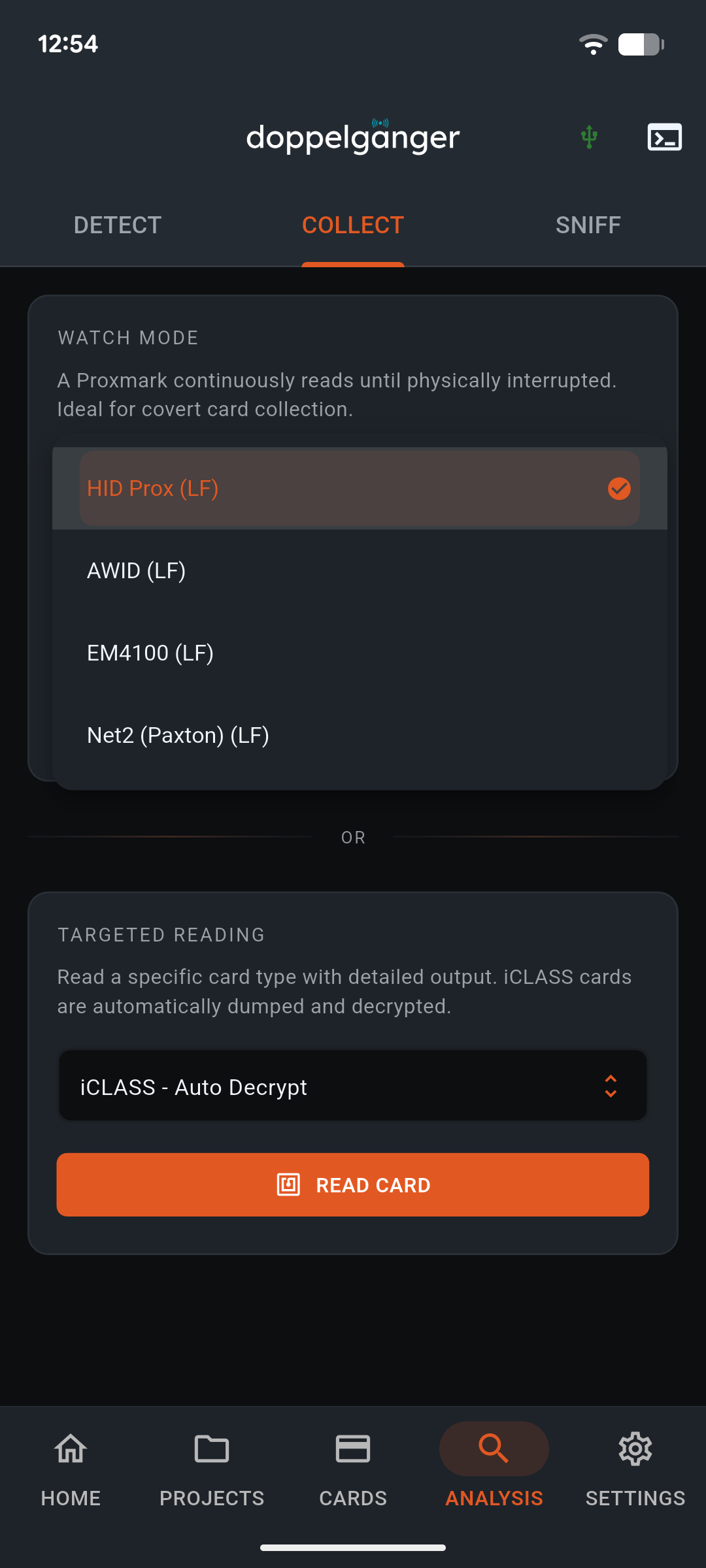
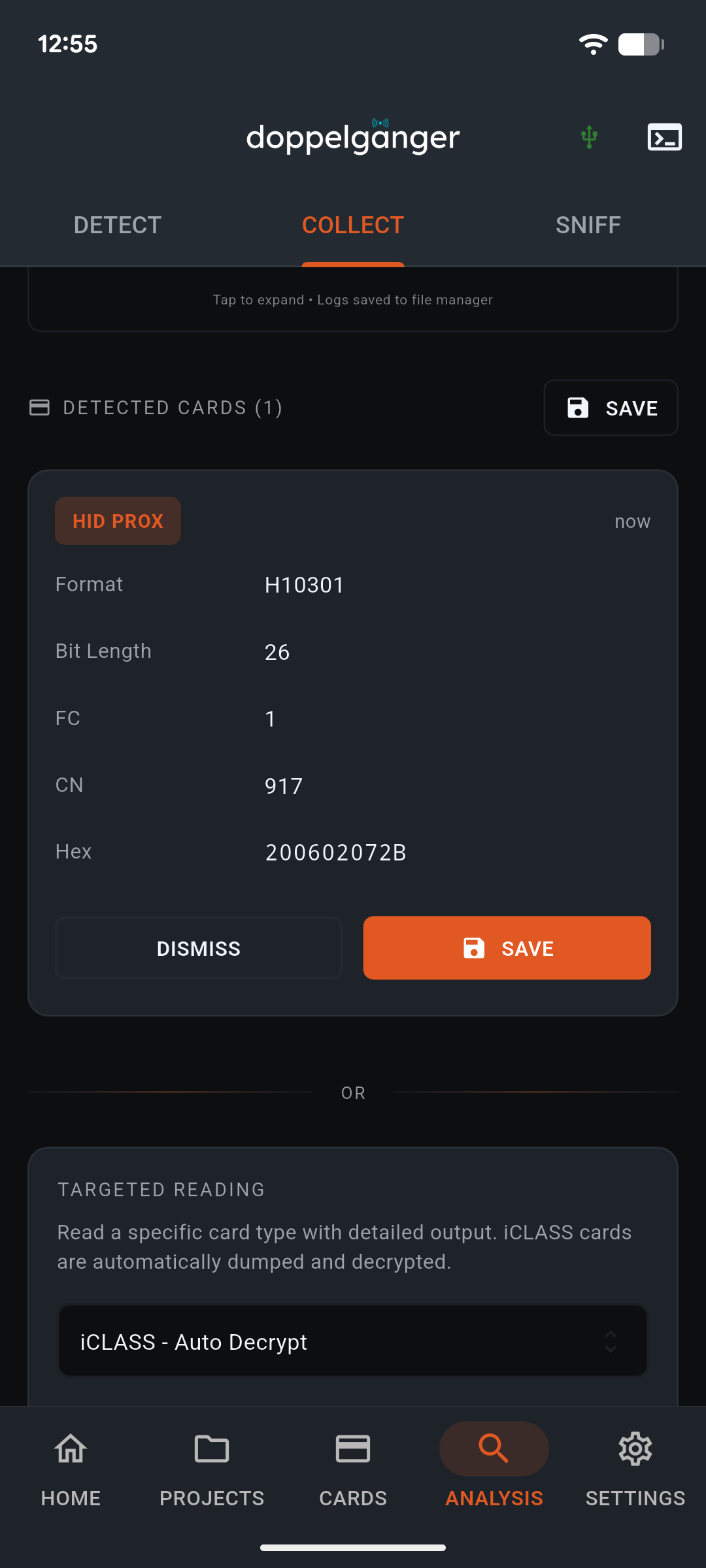
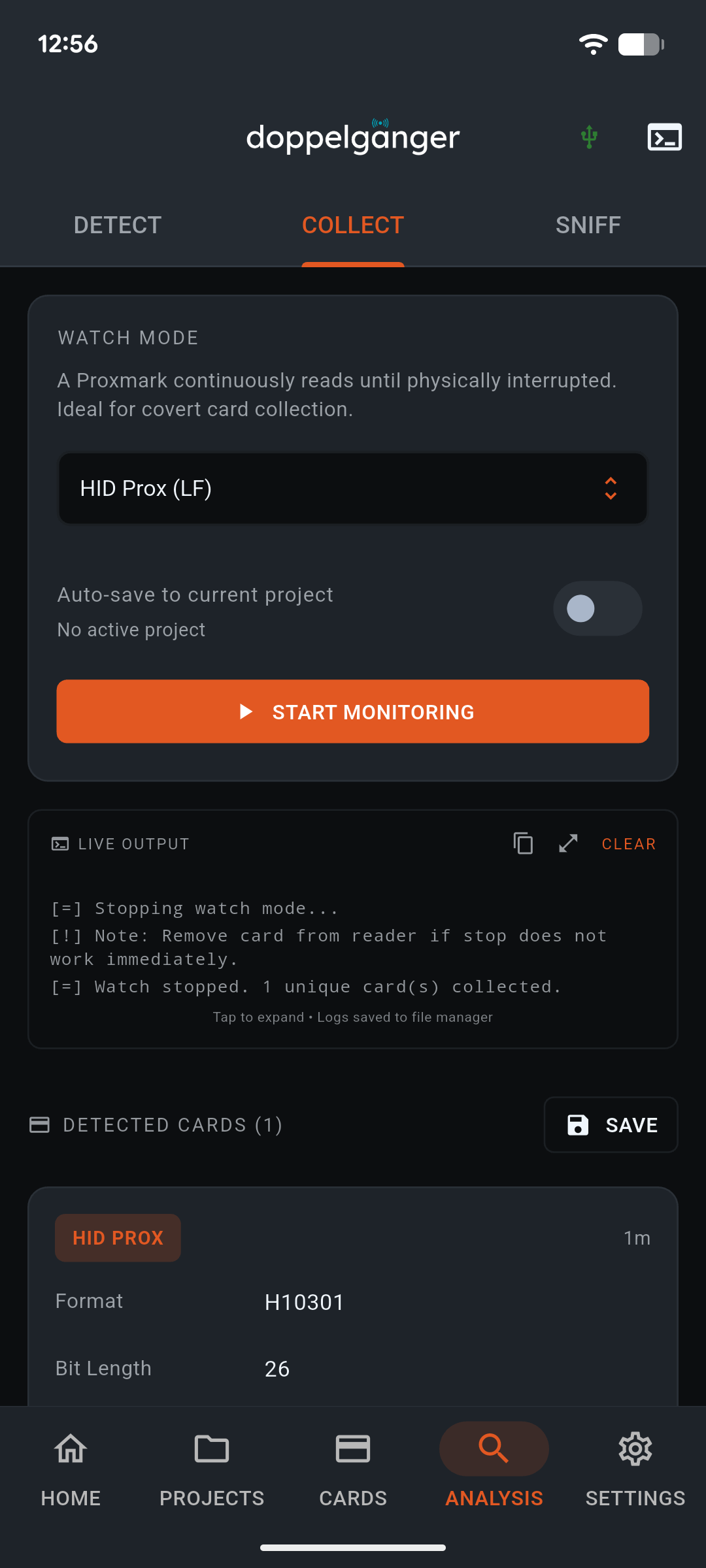
- Four options, and every one of them is low frequency.
- Pick the technology the site actually runs.
- Badged by technology, and timestamped as it lands.
- Facility code and card number, read automatically.
- Keep it or drop it, per card.
- The stop is reported, with the unique count.
- The cards stay after the watch ends.
Watch mode
Section titled “Watch mode”The screen states its own purpose: A Proxmark continuously reads until physically interrupted. Ideal for covert card collection.
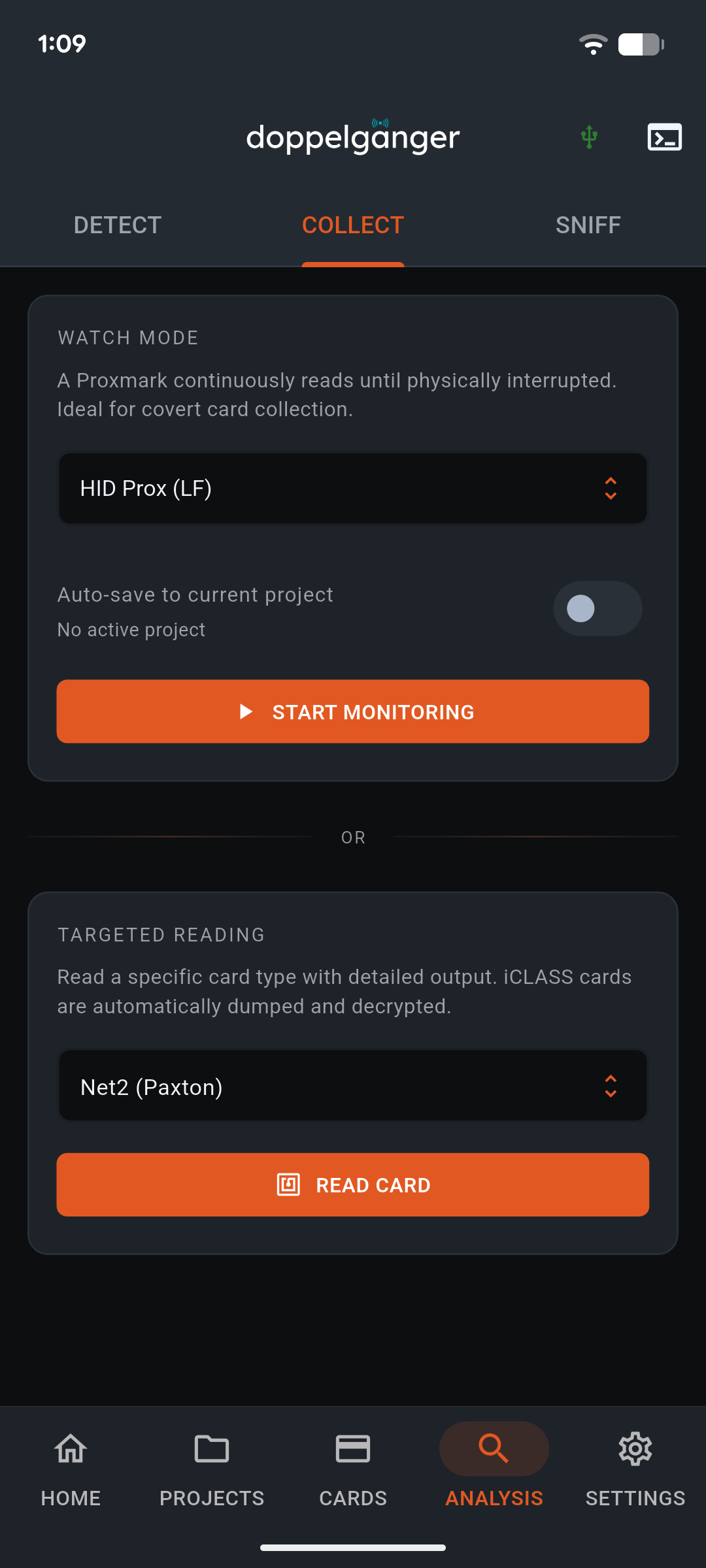
- What the mode is for, in the app's own words.
- The technology to watch for. One at a time.
- Auto-save, inert until a project is active.
- START MONITORING arms it.
- Everything below OR is the other surface.
The four technologies it watches
Section titled “The four technologies it watches”| Option | Band |
|---|---|
| HID Prox (LF) | 125 kHz |
| AWID (LF) | 125 kHz |
| EM4100 (LF) | 125 kHz |
| Net2 (Paxton) (LF) | 125 kHz |
You watch for one technology at a time, so the choice is a decision about the site rather than a preference. Picking wrong means sitting next to a working reader collecting nothing.
What it looks like while it runs
Section titled “What it looks like while it runs”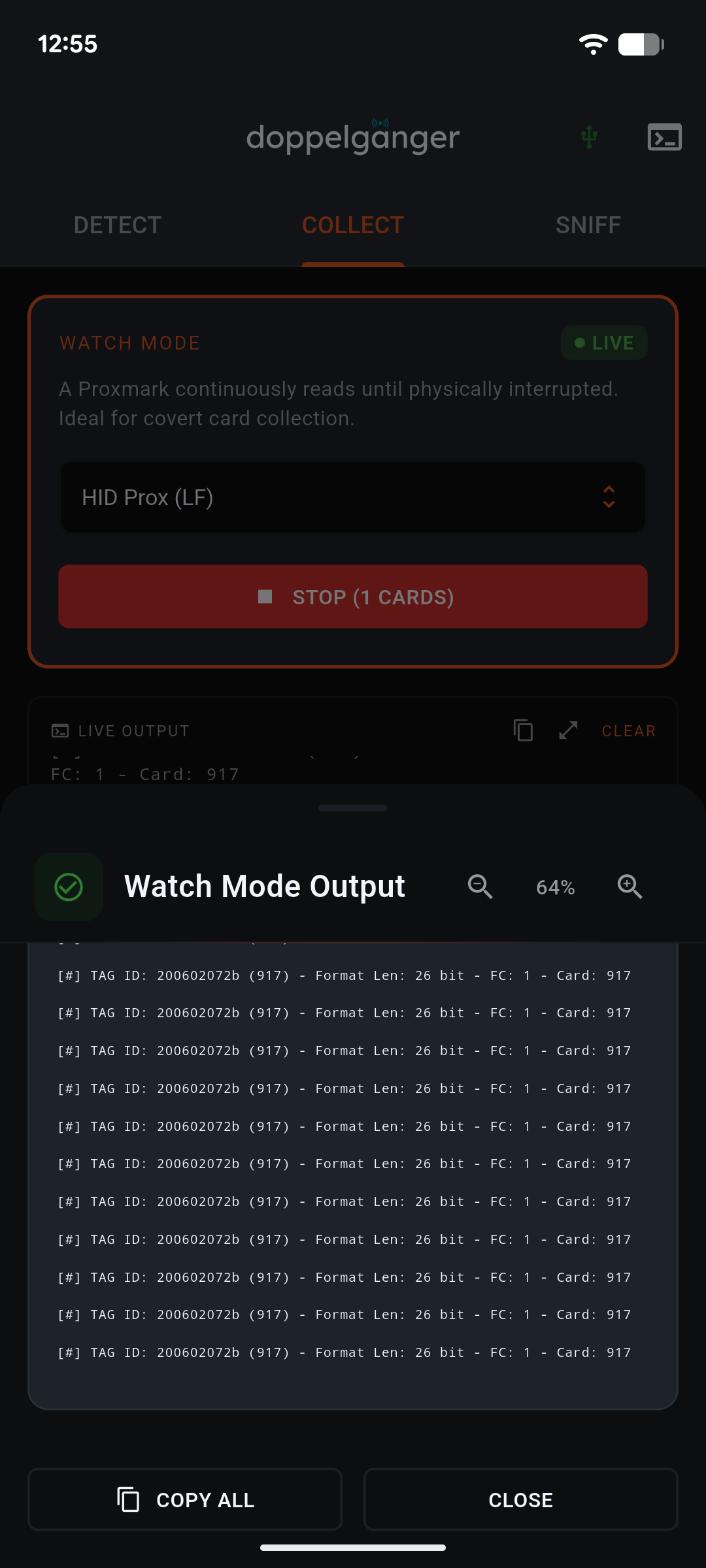
- Every read, not every card.
- The same credential, over and over, while it sits there.
- Logs are written to the file manager as well.
The live output and the card list count differently, and the difference matters when you are watching over someone’s shoulder:
- LIVE OUTPUT prints a line every time the antenna sees a card. A badge left sitting on the reader produces a wall of identical lines.
- DETECTED CARDS holds unique credentials. The same badge read two hundred times is one entry.
A long log beside a small card count is the expected result.
Stopping it
Section titled “Stopping it”STOP carries the running count, as STOP (1 CARDS). The stop is not instant if a card is still in the field, and the app says so:
proxmark3 [=] Stopping watch mode...[!] Note: Remove card from reader if stop does not work immediately.[=] Watch stopped. 1 unique card(s) collected.Collected cards survive the stop. Each one carries DISMISS and SAVE. The header above them is DETECTED CARDS with the running count in brackets after it, and it carries a button that takes the whole set at once. That button reads SAVE at one or two cards and SAVE ALL at three or more, so its label changes under you as a watch run fills up.
Auto-save to current project writes captures straight into the active project as they land, which is what you want in a concealment you are not watching. It reads No active project and does nothing until a project is selected.
Targeted reading
Section titled “Targeted reading”The card is in your hand and you name its exact type, which gets you the detailed read instead of a detection.
The TARGETED READING card states its own purpose and one consequence. Read a specific card type with detailed output. iCLASS cards are automatically dumped and decrypted.
Pick the type in the dropdown, then commit with READ CARD. While the read is in flight the button reads READING… and does nothing.
Four things have to hold before READ CARD will fire. Three of them also gate the dropdown, so on a handset with no Proxmark connected the whole card is inert rather than just the button.
| Condition | Gates the dropdown too | Why |
|---|---|---|
| A type is selected | no | the dropdown opens already on iCLASS - Auto Decrypt, so this one is met before you touch it |
| The Proxmark is connected | yes | the read is a Proxmark command, not a phone capability |
| No read is already running | yes | one read at a time, which is what READING… is telling you |
| Watch mode is not running | yes | a watch holds the reader, so arm one surface or the other |
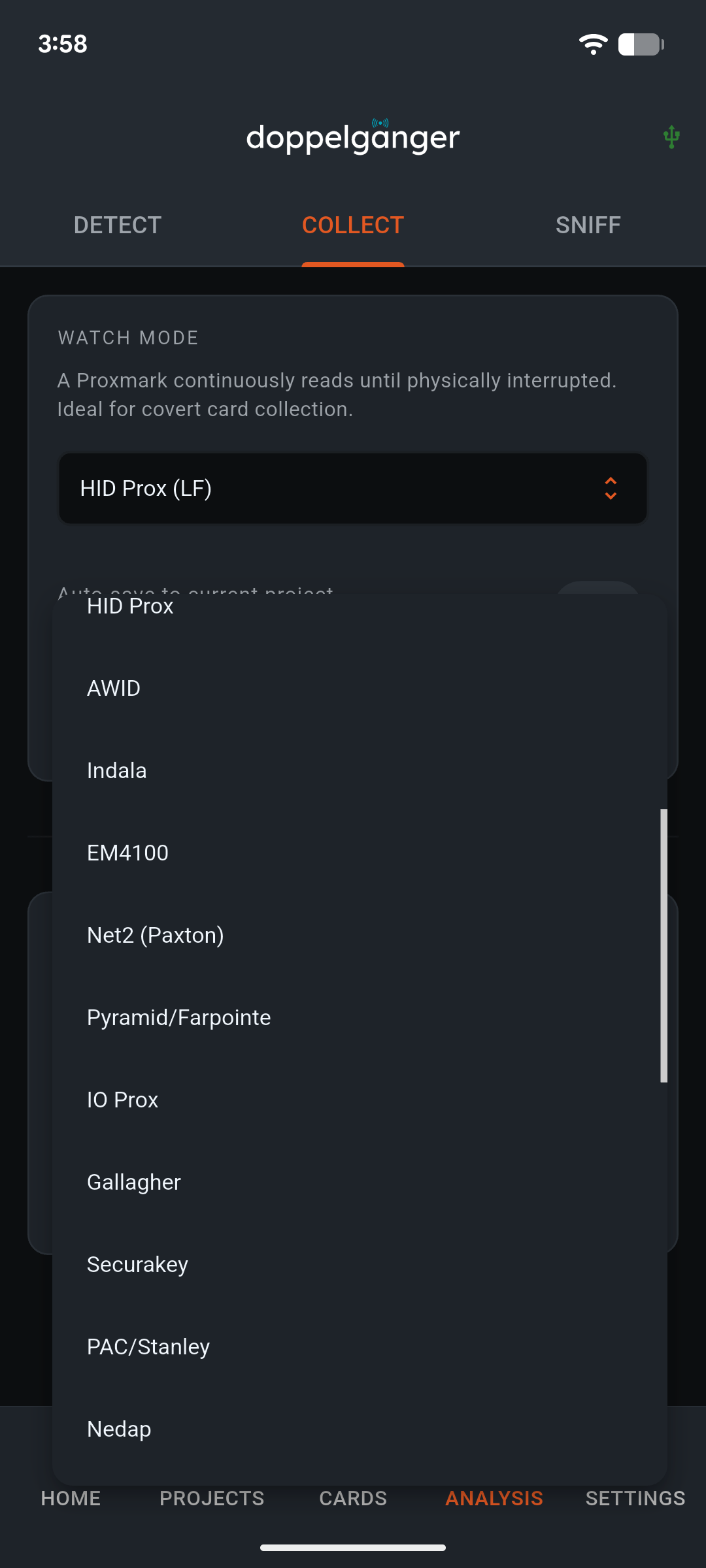
- Named exactly, never auto-detected.
- Paxton, which needs its own command.
- The long tail most tools do not carry.
- The list continues into specialty and animal tags.
Eleven of the thirty one types read
Section titled “Eleven of the thirty one types read”The dropdown lists thirty one types under four headings. Eleven of them run a read. The other twenty are selectable, and tapping READ CARD on one of them opens the output sheet as an error reading Unsupported card type, because the list entry exists and the command behind it was never wired up.
| Heading | Reads the card | Returns Unsupported card type |
|---|---|---|
| HF (13.56 MHZ), six | iCLASS - Auto Decrypt, EMV - Payment Card, SEOS, MIFARE - Info Only, MIFARE DESFire - Info Only, MIFARE Ultralight AES | none |
| ACCESS CONTROL, sixteen | HID Prox, AWID, Indala, EM4100, Net2 (Paxton) | Pyramid/Farpointe, IO Prox, Gallagher, Securakey, PAC/Stanley, Nedap, NexWatch, G-Prox-II, Paradox, Viking, Keri |
| SPECIALTY, seven | none | Motorola Flexpass, COTAG, Idteck, Jablotron, Noralsy, Presco, Visa2000 |
| ANIMAL / INDUSTRIAL, two | none | FDX-B Animal Tag, Destron FDX-A |
All six high frequency types read. Five of the sixteen access control types read. Nothing under SPECIALTY or ANIMAL / INDUSTRIAL reads.
Two of the HF entries say Info Only and mean it. MIFARE and MIFARE DESFire report what the card is and what it supports, and do not recover a credential.
The read files itself immediately
Section titled “The read files itself immediately”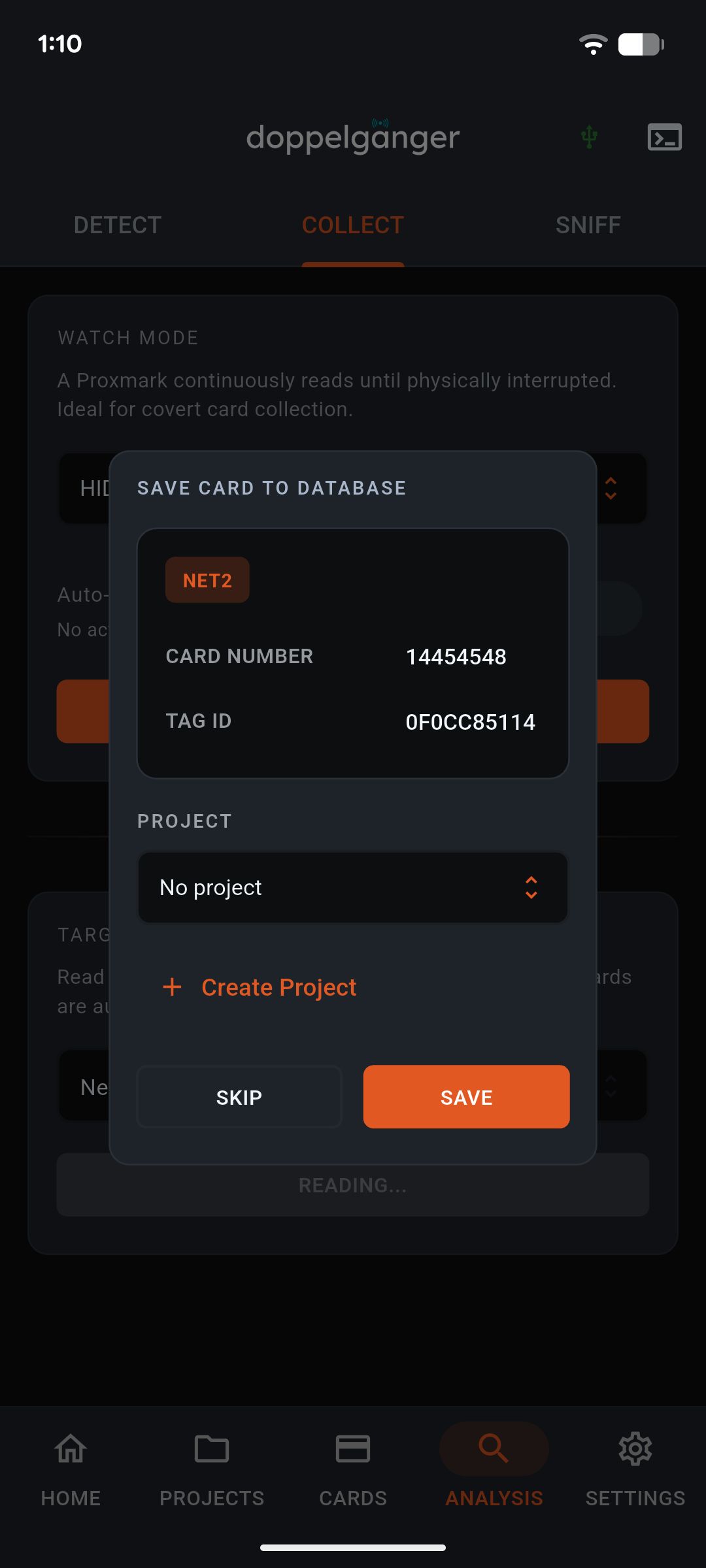
- The read lands straight in a save dialog.
- The credential, decoded.
- The raw tag as the Proxmark saw it.
- Attach it to a project here, or create one.
- SKIP keeps the read on screen without storing it.
This is the structural difference from watch mode. Watch mode accumulates and you save afterward. A targeted read ends in SAVE CARD TO DATABASE with a project picker, so the evidence is filed against the engagement at the moment it is taken.
Choosing between them
Section titled “Choosing between them”| Watch mode | Targeted reading | |
|---|---|---|
| You are | elsewhere, or pretending to be | holding the card, deliberately |
| The card | arrives on its own | is already yours to read |
| Technology | chosen in advance, one at a time, LF only | named exactly, 31 types listed and 11 of them wired, HF and LF |
| Output | a list of unique credentials | one detailed read |
| Filing | afterward, or automatic into a project | at the moment of capture |
| The point | get credentials you were not given | show a client what their badge gives up |
If you are proving a vulnerability to the person who owns the building, use targeted reading. If you are collecting from people who have not agreed to hand you anything, that is watch mode, and it is the surface that carries the authorization burden.