
Version and updates
Two version numbers, and they answer different questions.
ATLAS Version is the app. It is the number you quote in a support request and the one that decides whether a defect you hit has already been fixed.
Proxmark Version is the client compiled into the app, which is a separate thing from the firmware on the device in your hand. Those two have to agree, and when they do not the Firmware page says so. That is the whole reason this number is surfaced here rather than buried.
Settings, then the VERSION & UPDATES group.
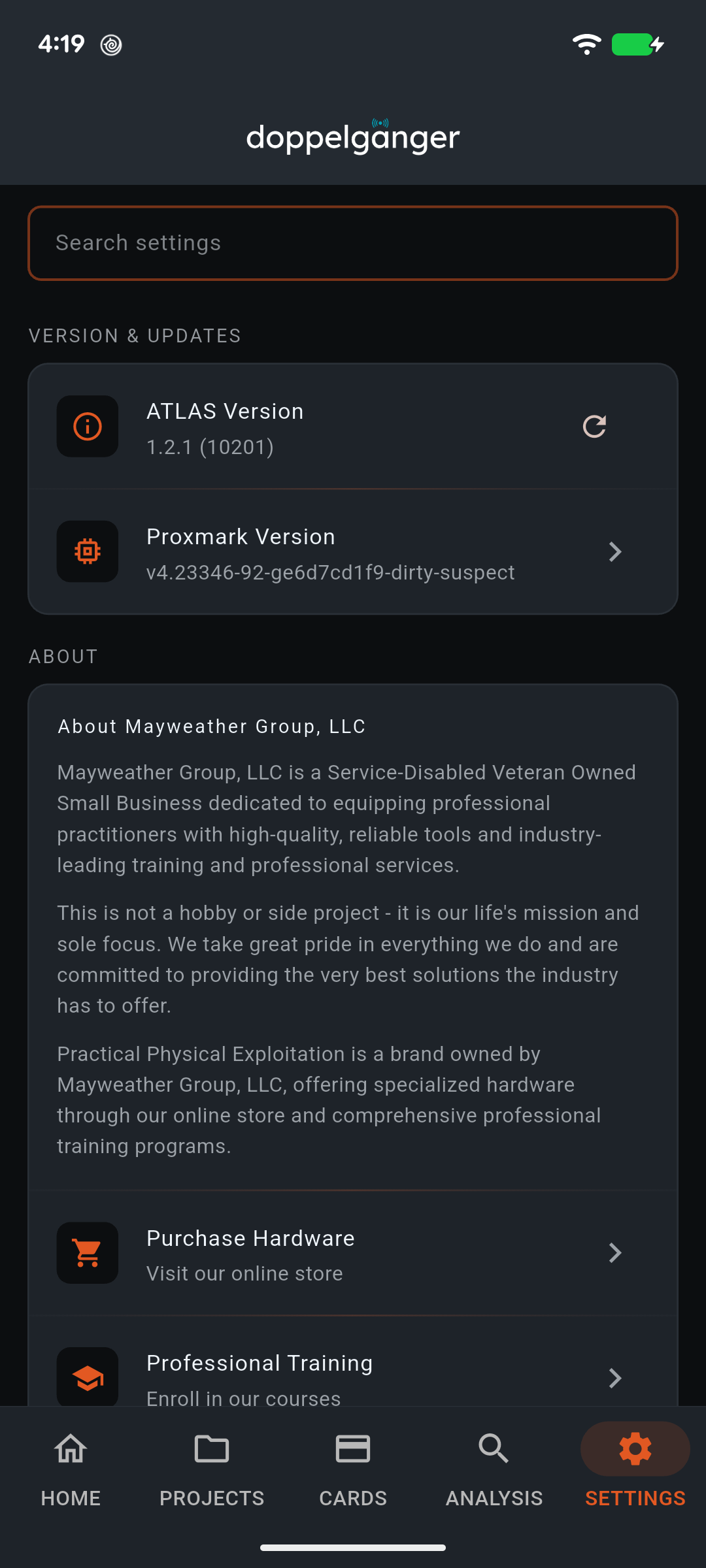
- ATLAS Version, with the build number in parentheses.
- The refresh control checks for an update. It is not a decoration.
- Proxmark Version, labeled for the family of the connected device.
- The client version string. Read its shape rather than its digits.
ATLAS Version
Section titled “ATLAS Version”Shown as the version and the build, for example 1.2.1 (10201). Quote both. The version alone does not identify a build.
The refresh control on the right checks for an update immediately rather than waiting for a scheduled check.
| Outcome | What you see |
|---|---|
| Already current | You are running the latest version |
| An update exists | the update dialog, with its version, release notes and size |
| The check fails | an error, and nothing is installed |
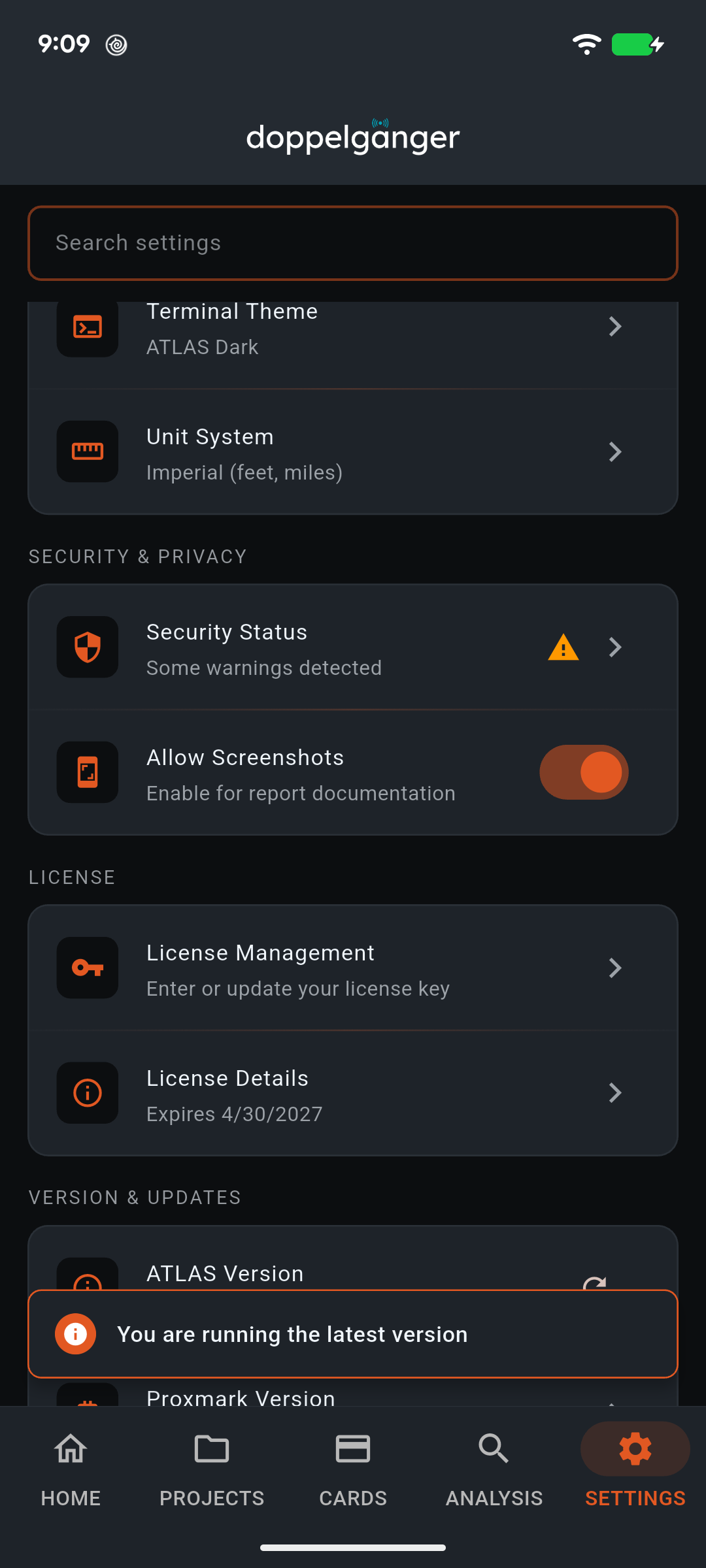
- The LICENSE group sits directly above, with the expiry date.
- VERSION & UPDATES, the group this answer belongs to.
- The answer. Nothing was downloaded, because there was nothing newer.
That sentence comes from the update service, not from the app, so its exact wording can change. The app carries its own fallback, You are running the latest version., for a check that answers without a message.
The update dialog carries RELEASE NOTES and two actions, LATER and DOWNLOAD & INSTALL. Once the download starts both are replaced by a single dead button reading DOWNLOADING… and then INSTALLING…, so there is nothing to tap and nothing to cancel with until it finishes or errors.
Proxmark Version
Section titled “Proxmark Version”The row is labeled for the family of the device currently connected, so it reads Proxmark Version generically and names the family once a device is detected. Its subtitle is the client version, for example v4.23346-92-ge6d7cd1f9-dirty-suspect.
Read its shape rather than its digits. A build from master carries a tag, a commit count and a g prefixed hash. The trailing -dirty or -suspect is the client noting whether the tree it was built from was clean, and neither means anything is wrong. The full breakdown is on Stock to Iceman Firmware.
Tapping the row opens the client’s own version block, the same information hw version reports.
Device firmware is on Settings, Firmware
Section titled “Device firmware is on Settings, Firmware”Firmware for the Proxmark and the Chameleon is written from Settings, Firmware, and it is cable only. The wireless module’s own firmware is different again and lives on Battery, charging and power.