
License activation
A fresh install will not open. ATLAS puts two gates in front of the app, the terms and the license, and neither can be skipped or postponed. That is worth knowing before the morning of a job, because the one thing both gates need is a network, and the places this tool gets used are basements, plant rooms, loading docks and stairwells.
Do this at the desk, on a connection you trust, the day you take the handset out of the box. A key covers the number of devices on your license, and each handset you activate takes one of those places, so activate the handsets you will carry.
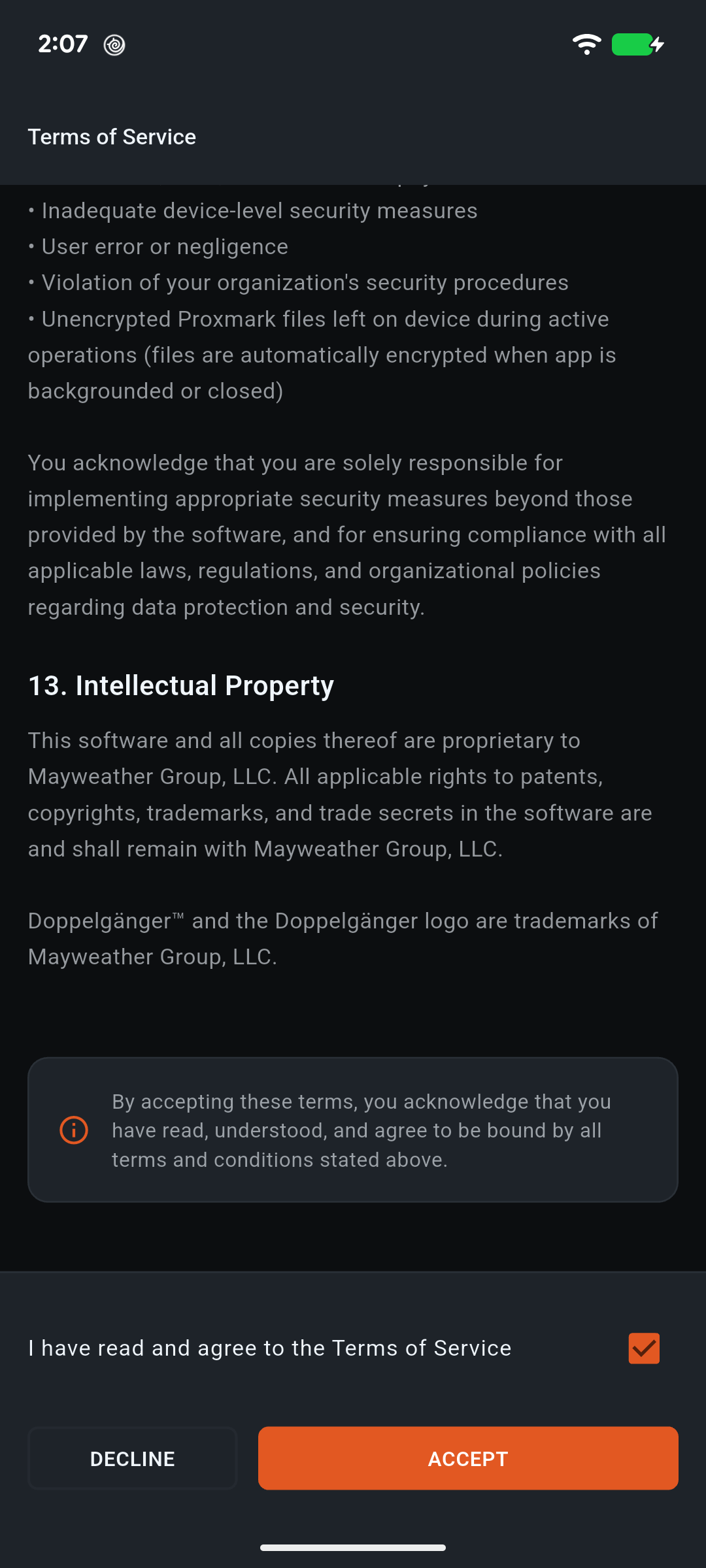
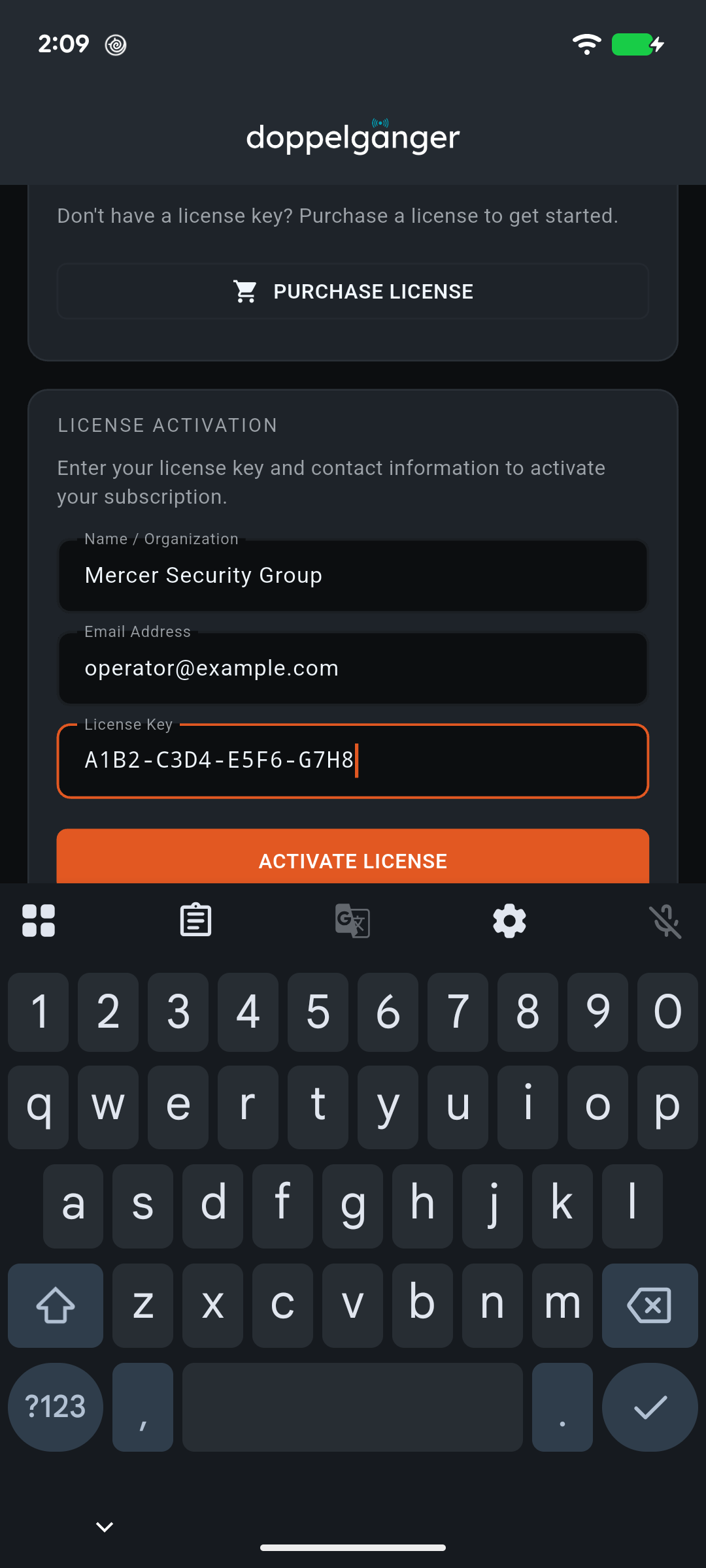
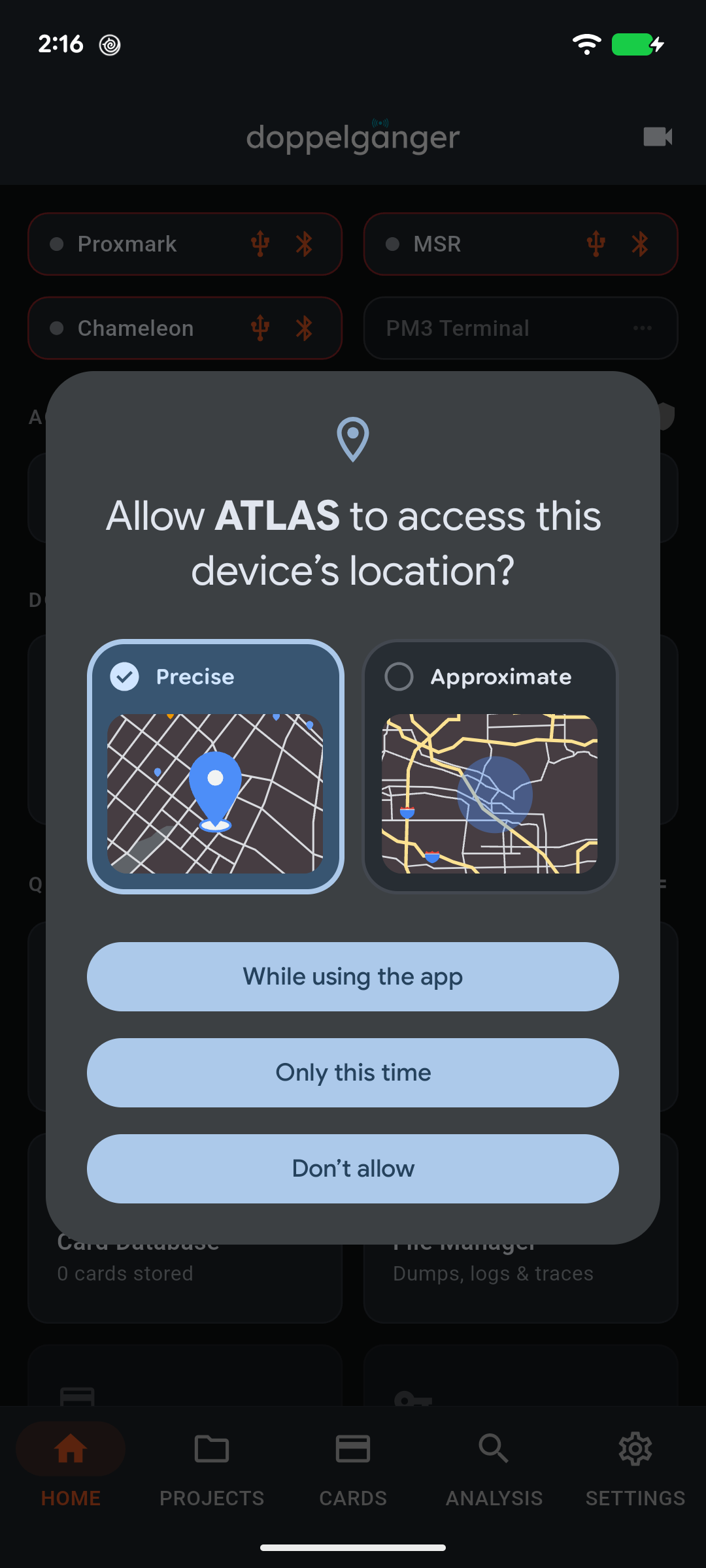
- The box only becomes tickable once you reach the bottom.
- ACCEPT stays dim until the box is ticked.
- Who the license is issued to.
- The email the license was issued to.
- The key, four groups of four.
- ACTIVATE LICENSE binds it to this handset.
- Device chips, all disconnected on a new handset.
- The Core and Stealth reader cards.
- The five tabs. The app is now open.
What the first launch asks for, in the order it asks
Section titled “What the first launch asks for, in the order it asks”Four prompts, and only the first is optional in any real sense.
| Order | What appears | What to answer |
|---|---|---|
| 1 | Allow ATLAS to send you notifications? | Allow. Long captures and reader sessions report progress through notifications |
| 2 | Terms of Service | read, tick, ACCEPT |
| 3 | the license gate | a key, or a trial |
| 4 | location, then nearby devices | While using the app, then Allow |
The notification prompt arrives on top of the terms screen rather than before it, so the first thing you see is a dialog over a wall of legal text.
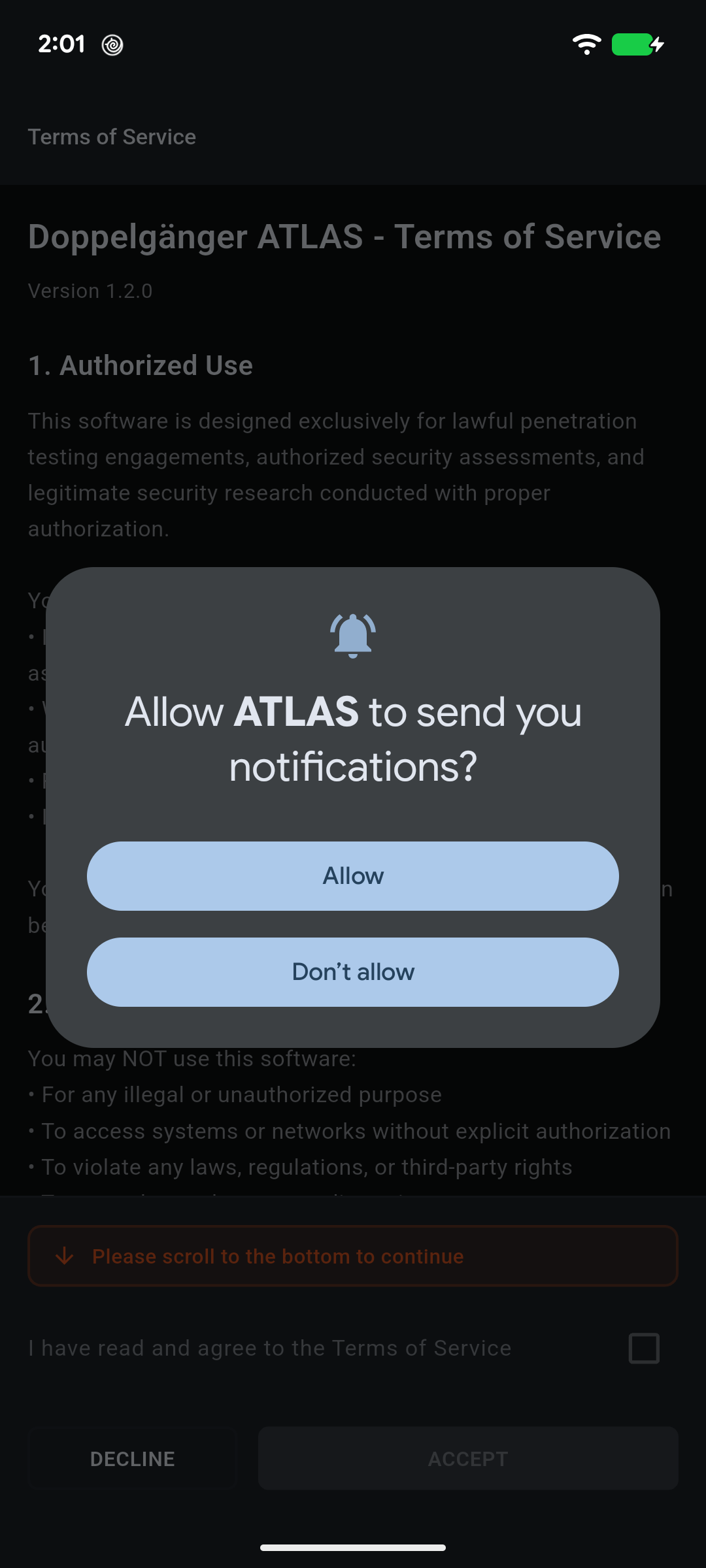
- Android's own dialog, not ours.
- Allow. Capture progress is reported here.
- Don't allow costs you progress reporting, nothing else.
The terms gate will not let you scroll past it
Section titled “The terms gate will not let you scroll past it”The screen opens at 1. Authorized Use with an orange bar pinned above the buttons reading Please scroll to the bottom to continue. Until you reach the end, the agreement checkbox is inert and ACCEPT is dim. DECLINE is live the whole time and closes the app.
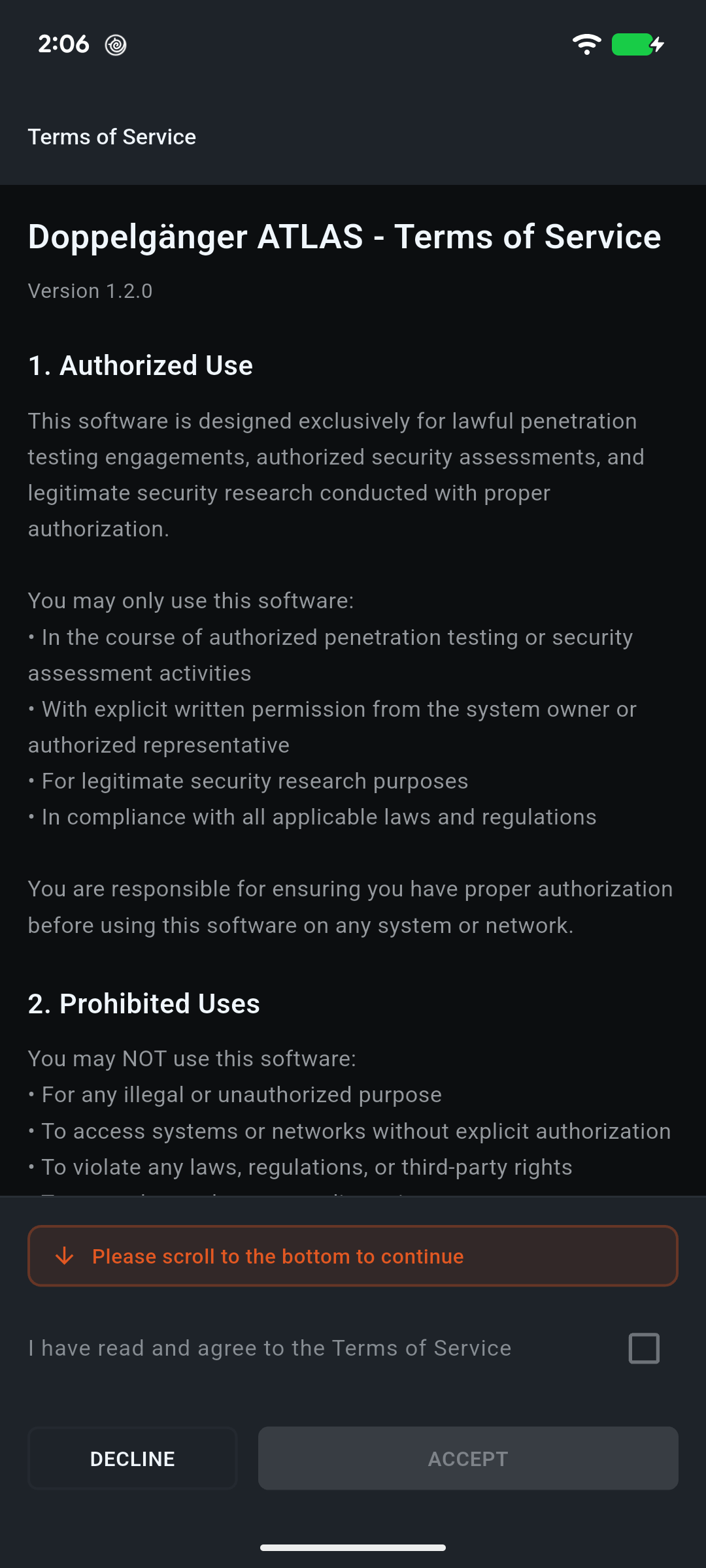
- The version you are accepting. It is recorded with your activation.
- The scroll gate. It clears itself at the bottom.
- Inert until you get there.
- DECLINE works immediately and closes the app.
Thirteen sections, and four of them decide things people assume go the other way:
| Section | What it says that surprises people |
|---|---|
| 4. License Restrictions | each key covers the number of devices purchased with it or added to it by us, and on a key activated on more devices than it covers, the earliest registered device is removed from the license to make room for the new one |
| 5. Refund Policy | all sales are final, with no exceptions listed |
| 6. Customer Support | no customer support is included. Support is a separate contract |
| 11. Law Enforcement and Legal Requests | what can be handed over on legal process, and what cannot be handed over at all |
Section 9 is the data section and lists every field the handset reports, split by license type. Section 10 says the terms can change at any time without individual notice, which is why the version number at the top matters.
The license gate offers three ways forward
Section titled “The license gate offers three ways forward”Scrolling the gate top to bottom gives a purchase card, an activation card, a trial card, then two sales cards and a support card.
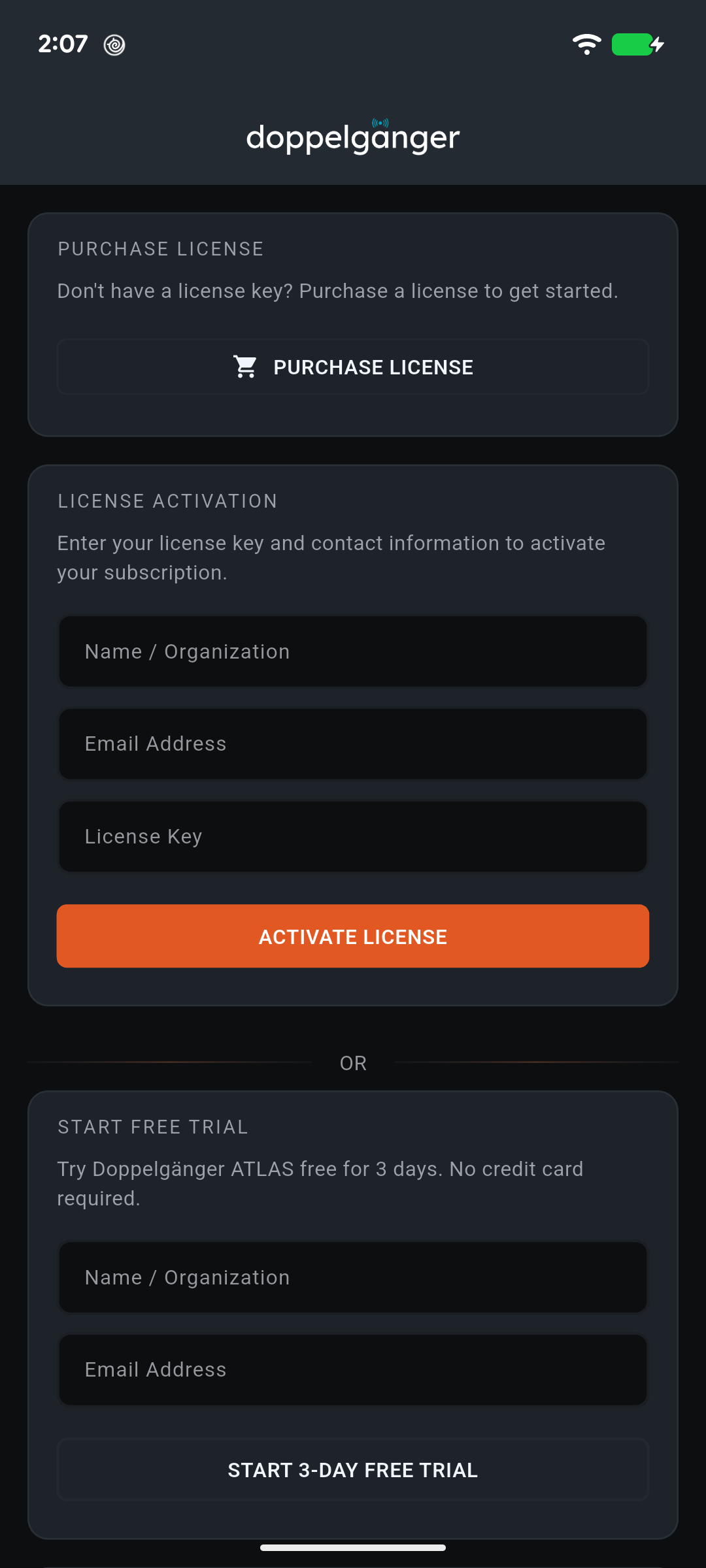
- PURCHASE LICENSE opens the store in a browser.
- The activation form. Three fields, all required.
- ACTIVATE LICENSE, which is the end of the paid route.
- OR. Everything below is the trial, not the activation.
- Three days, no key and no card.
The three activation fields
Section titled “The three activation fields”| Field | Hint on screen | Refuses with |
|---|---|---|
| Name / Organization | Enter your name or organization name | Please enter your name or organization |
| Email Address | Enter your email address | Please enter your email address |
| License Key | XXXX-XXXX-XXXX-XXXX | Please enter your license key |
The key is four groups of four, and the field formats the dashes as you type. The name and the email are checked against the ones the license was issued to. A key bought from the store carries the name and email on the order, and an activation that gives a different one is refused with Name does not match the license record or Email does not match the license record. Capitals in the name and in the email do not matter. Use the same name and email on every handset the key covers, and quote them to support.
The trial is a separate form with its own clock
Section titled “The trial is a separate form with its own clock”START FREE TRIAL takes a name and an email and nothing else. No key, no card. It runs for 3 days on one device.
A handset or an email that has already had a trial is refused another, and so is an email with a recent paid license. The license screen says which, with You have already used a free trial on this device., You have already used a free trial with this email address. or You have had a paid license recently. Free trials are not available to recent customers.
A trial is not a lesser license in what it reports. It reports the most, the same full set a standard license sends, because a trial is the easiest thing for someone to abuse.
Activating a purchased key while a trial is running ends the trial then and there. The app says so plainly: License activated successfully! Your trial has been ended and you are now using your purchased license.
The cards below the fold
Section titled “The cards below the fold”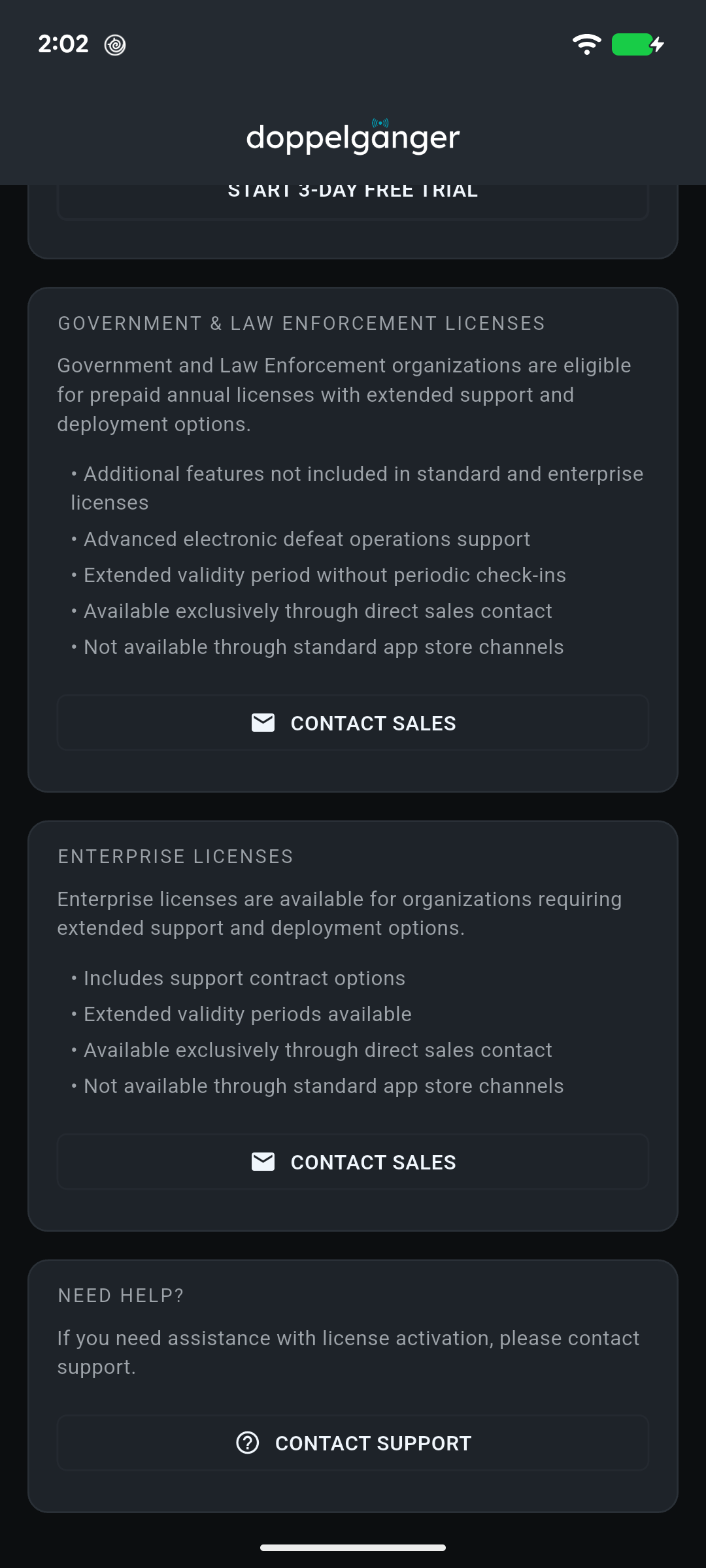
- Prepaid annual, and the long offline window.
- Advanced electronic defeat operations support.
- Direct sales only, never an app store.
- Enterprise, which is support contracts and longer validity.
- CONTACT SUPPORT, for an activation that will not go through.
Both sales cards say the same two things: Available exclusively through direct sales contact, and Not available through standard app store channels.
When the server cannot be reached, activation fails loudly
Section titled “When the server cannot be reached, activation fails loudly”Activation is a live call to the licensing server. If the handset cannot resolve or reach it, the app replaces the whole screen with License Check Failed, the underlying error, and a Retry button. The error is verbatim, so it names the host and the endpoint.
This is worth recognizing because the two causes look identical on screen and have opposite fixes:
| What you see in the error | What it usually is |
|---|---|
| Failed host lookup | DNS. Common on a phone that has just joined a tethered or captive network, and on IPv6-only hotspots |
| a timeout or a refused connection | routing or a captive portal that has not been accepted yet |
Retry re-runs the call and returns you to the gate with the terms still accepted. The fields come back empty, so the key has to be entered again.
What it keeps working without signal
Section titled “What it keeps working without signal”This is the part to know before you walk in.
| Standard and Enterprise | Trial | Government and Law Enforcement | |
|---|---|---|---|
| Checks the license with the server | each time ATLAS starts | each time ATLAS starts | each time ATLAS starts |
| With no signal | 7 days of grace from the last successful check | 24 hours of grace from the last successful check | stays valid until the license expires |
Every license checks with the server each time ATLAS starts and the server can be reached. When it cannot be reached, ATLAS opens on the last successful check. A Standard, Enterprise or trial license counts its grace period from that check. A Government or Law Enforcement license counts no grace period and stays valid without signal until its expiry date. Past that date it needs a check that reaches the server.
Once the server can be reached again, the next start checks the license. A license that has expired, been revoked, or been moved off the handset stops there.
What a failed check looks like
Section titled “What a failed check looks like”| What you see | What it means |
|---|---|
| the app opens | the check passed, or the server could not be reached and the last successful check stands |
| the license screen, reading Device not authorized. This license is bound to another device. | the key was activated on another handset, and this one gave up its place on the license |
| the license screen, reading Authentication failed. Please log in again. | the license has expired, or the handset’s saved activation is no longer accepted. Enter the key again, or a new key |
| License Revoked, reading Your access to this application has been revoked. Please contact support if you believe this is an error. | the license was revoked |
| License Check Failed, with the underlying error and Retry | the check could not be made, and there is no earlier successful check on the handset |
A license found in abusive use is revoked, and a revoked license opens License Revoked instead of the app.
Moving to a different handset
Section titled “Moving to a different handset”A key covers the number of devices on your license. License Details shows how many are in use as Devices Activated, for example 1 of 2, with each handset listed below it.
Activating the key on a handset that is not already on the license takes a free place when there is one. When every place is taken, ATLAS asks first. LICENSE LIMIT REACHED names the handset that would be removed. ACTIVATE HERE removes it and activates this handset, and CANCEL leaves the license as it was. The handset removed is the one registered earliest. It locks at its next check, and its data stays on it until it is activated again. When a key has moved off another handset, ATLAS says so with DEVICE CHANGED.
A purchased license can move as often as you need, and every move is recorded on the license. A trial allows two device changes in any 90 days.
Moving a key is a request to the licensing server, not something the app decides, so a handset with no signal cannot take a place on the license. Do it before the old device is wiped, not after.
What the handset reports at activation
Section titled “What the handset reports at activation”How much a handset says about itself depends on which license it is activating, and the difference is deliberate. The fraud this exists to stop is on the self-serve tier, where a key bought with a stolen card gets moved between repackaged builds. Government and enterprise licenses are sold direct to a vetted buyer under contract, so they report the minimum that still binds a license to a device.
| Gov and Law Enforcement | Enterprise | Standard and Trial | |
|---|---|---|---|
| Name, email, key, terms acceptance | yes | yes | yes |
| Salted hash of the device identifier | yes | yes | yes |
| Manufacturer, model, OS version, app version | yes | yes | yes |
| Genuine unmodified build, rooted, instrumented, emulator | no | yes | yes |
| Build fingerprint, brand, device, product, board, hardware, bootloader | no | no | yes |
| CPU architectures, memory, screen, security patch level | no | no | yes |
| Debugger attached, debuggable, ADB and developer options | no | no | yes |
| Installing application, first install and last update time | no | no | yes |
| Language, time zone, device clock | no | no | yes |
The fuller sets are sent as a second request, made only for the license types named. A Government or Law Enforcement handset is never asked for them, rather than being asked and trusting the server to discard the answer.
Never collected, on any license: IMEI, MEID, hardware serial, WiFi or Bluetooth MAC, location, contacts, accounts, or a list of other applications. The first three are restricted by Android to privileged applications and the app does not request them.
Nothing operational is sent. Not cards, not projects, not coordinates, not media. See the Privacy Policy and section 11 of the Terms.
Changing it later
Section titled “Changing it later”Settings, License Management opens the same activation form, subtitled Enter or update your license key. That is the route for a renewal key or a move to a different key on a handset that is already running. It is not the route documented above, because it is not reachable until the first activation has succeeded.