
Settings overview
Settings is where the decisions you made in the office are stored so you do not have to make them at the door. How a reader connects, how loud a capture alert is, how long a memo runs, whether storage is encrypted, which basemap you can still see with no signal.
It is a flat list of groups rather than a tree, because a setting you cannot find at the vehicle is a setting you will not change. Everything is one tap from the top, and the fastest way in is the search field rather than scrolling.
Some rows appear only once something else is true, so a row you remember may not be there when you look for it.
| Row | It appears when |
|---|---|
| Alert Sound, Polling Interval, Background Monitoring, Vibration Alerts | Card Capture Alerts is on. All four go together |
| Security Status | the device integrity checks have finished running |
| License Details | the license is valid or carries an expiry date |
| Proxmark Version | a Proxmark has reported a client version, and the row is named after whichever family is attached |
Most rows carry a subtitle, and on many of them the subtitle is the current value rather than a description. That makes the list worth scanning before a job without opening anything.
The groups
Section titled “The groups”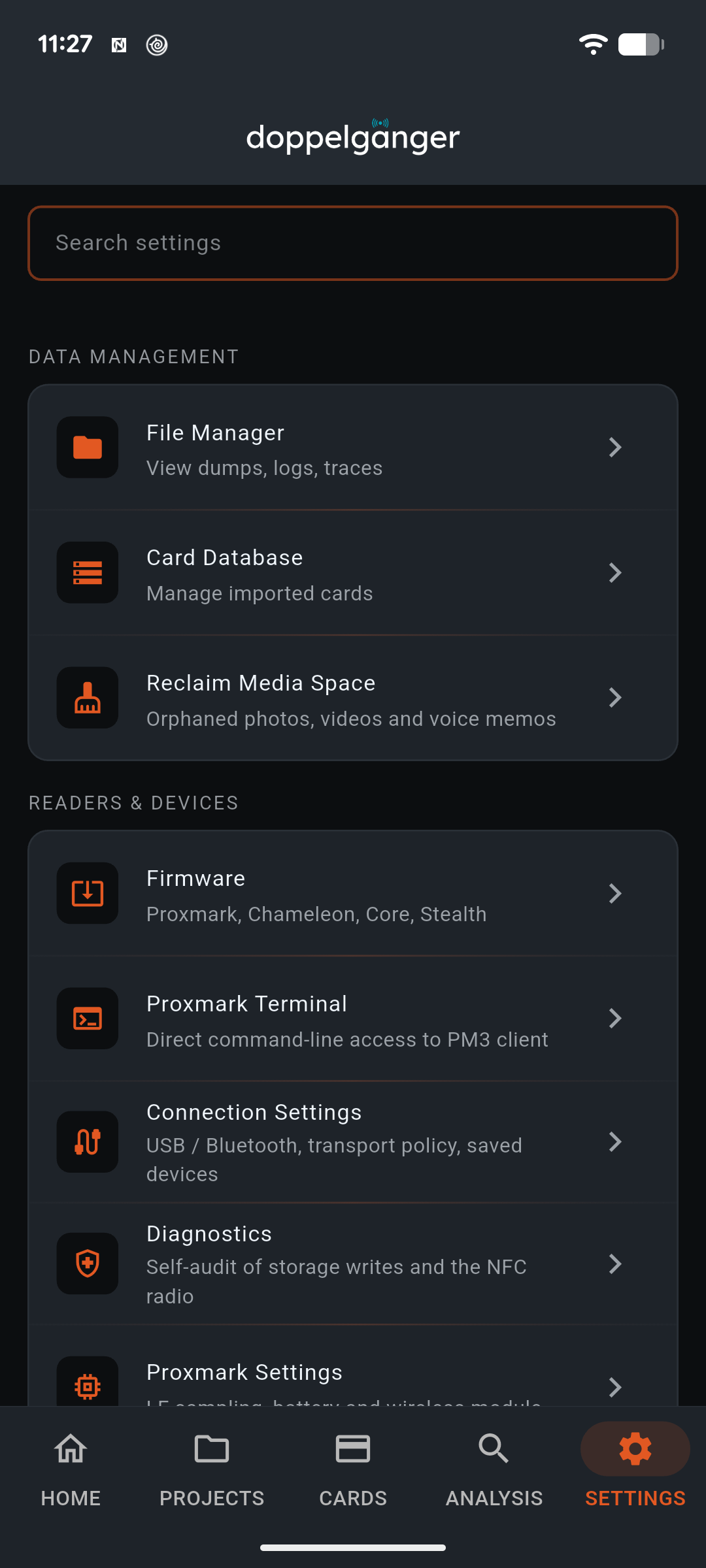
- Search, which filters every group at once.
- DATA MANAGEMENT, three rows.
- READERS & DEVICES, seven rows. ABOUT at nine and FIELD OPERATIONS at eight are larger.
- Each subtitle says what is inside, or what it is set to.
DATA MANAGEMENT
Section titled “DATA MANAGEMENT”| Row | Subtitle |
|---|---|
| File Manager | View dumps, logs, traces |
| Card Database | Manage imported cards |
| Reclaim Media Space | Orphaned photos, videos and voice memos |
READERS & DEVICES
Section titled “READERS & DEVICES”| Row | Subtitle |
|---|---|
| Firmware | Proxmark and ATLAS Chameleon Ultra images |
| Proxmark Terminal | Direct command-line access to PM3 client |
| Connection Settings | USB / Bluetooth, transport policy, saved devices |
| Diagnostics | Self-audit of storage writes and the NFC radio |
| Proxmark Settings | LF sampling, battery and wireless module |
| LF Write Configuration | Write delay and attempts |
| Reader Manager | Manage Core & Stealth devices |
CAPTURE ALERTS
Section titled “CAPTURE ALERTS”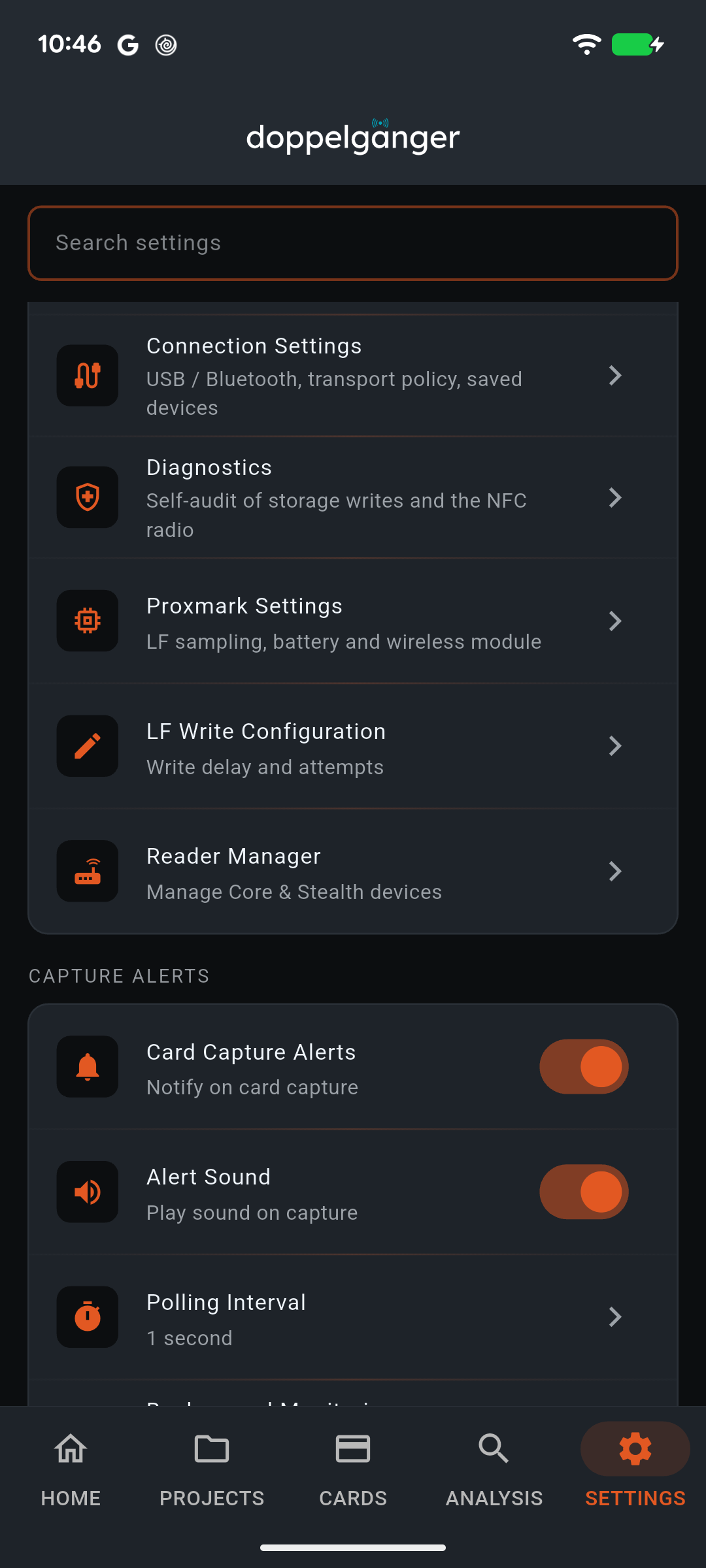
- Connection Settings, which is where transport policy lives.
- LF Write Configuration, two sliders and nothing else.
- CAPTURE ALERTS, the master switch first.
- Polling Interval, showing its value rather than a description.
| Row | Subtitle | Type |
|---|---|---|
| Card Capture Alerts | Notify on card capture | switch, and the master for the four below |
| Alert Sound | Play sound on capture | switch |
| Polling Interval | its current value | picker |
| Background Monitoring | Keep running when minimized or screen locked | switch |
| Vibration Alerts | Vibrate on capture notification | switch |
The four below the master only appear once Card Capture Alerts is on. Turn the master off and the group collapses to a single row.
FIELD OPERATIONS
Section titled “FIELD OPERATIONS”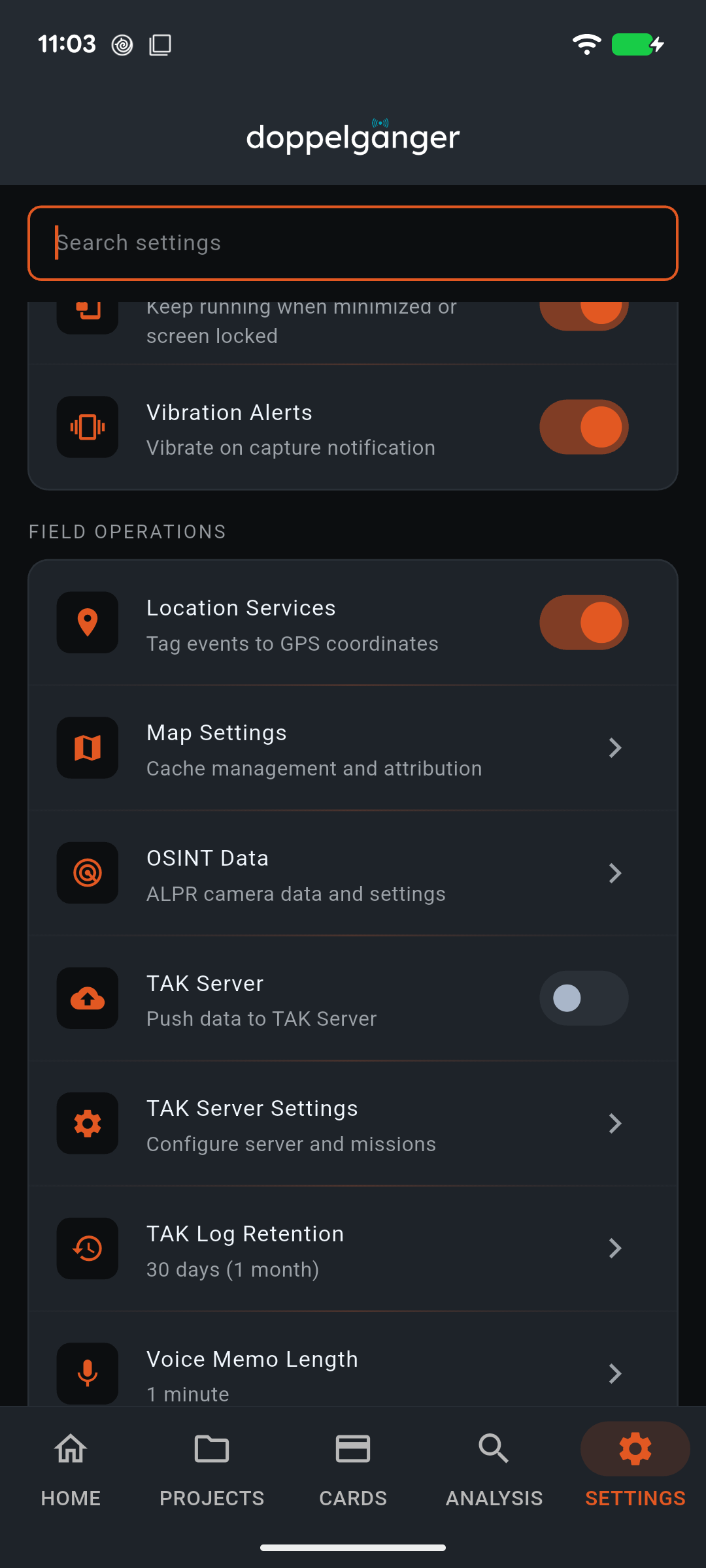
- Location Services, which decides whether a capture is positioned at all.
- Map Settings, cache management and attribution.
- The TAK toggle is off here, and the rows below it stay available anyway.
- Retention and memo length, both showing their value.
| Row | Subtitle |
|---|---|
| Location Services | Tag events to GPS coordinates |
| Map Settings | Cache management and attribution |
| OSINT Data | ALPR camera data and settings |
| TAK Server | the connection state, which changes as it connects |
| TAK Server Settings | Configure server and missions |
| TAK Log Retention | its current value, for example 30 days (1 month) |
| Voice Memo Length | its current value, for example 1 minute |
| Video Capture | its current value, for example 4K at 60 fps, 0.67x |
The two TAK rows are the whole surface for pushing records to a team. Both are covered in OpenTAK integration, and the server behind them in Deploy a server.
APPEARANCE
Section titled “APPEARANCE”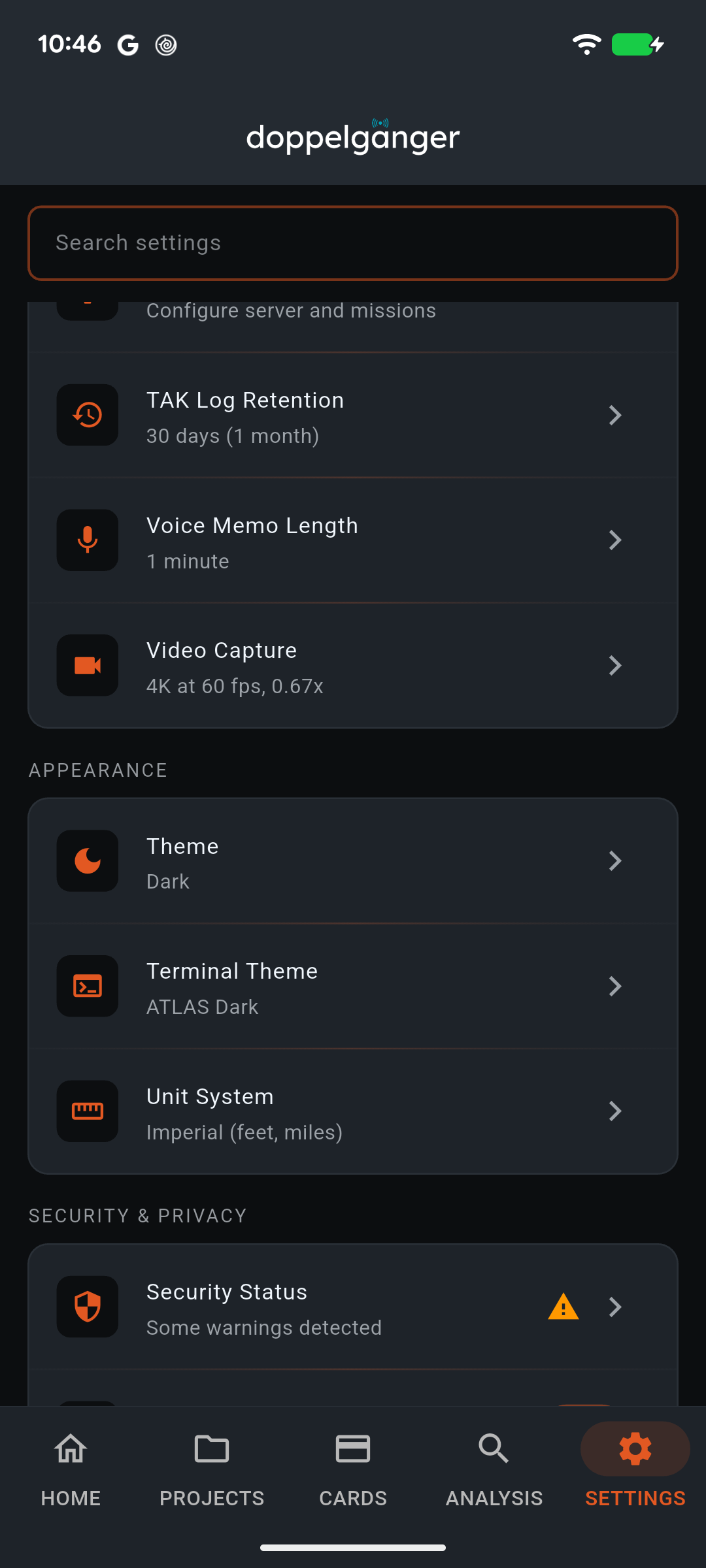
- TAK Log Retention, Voice Memo Length and Video Capture close the group.
- Video Capture, reading 4K at 60 fps, 0.67x.
- APPEARANCE. Theme, terminal theme and units.
- SECURITY & PRIVACY, with the status and its own warning glyph.
| Row | Options |
|---|---|
| Theme | Light, Dark, System |
| Terminal Theme | the color scheme the Proxmark terminal draws in |
| Unit System | Imperial or Metric. The row’s subtitle is the live setting, Imperial (feet, miles) or Metric (meters, km), and the chooser lists Imperial over Feet, miles and Metric over Meters, kilometers |
SECURITY & PRIVACY
Section titled “SECURITY & PRIVACY”| Row | What it is |
|---|---|
| Security Status | the live result of the device integrity checks, with its own glyph |
| Allow Screenshots | On by default. Turn it off to stop Android capturing the ATLAS window |
Security Status only appears once the checks have run. Its subtitle is the verdict, such as Some warnings detected, and an amber triangle sits beside it.
LICENSE
Section titled “LICENSE”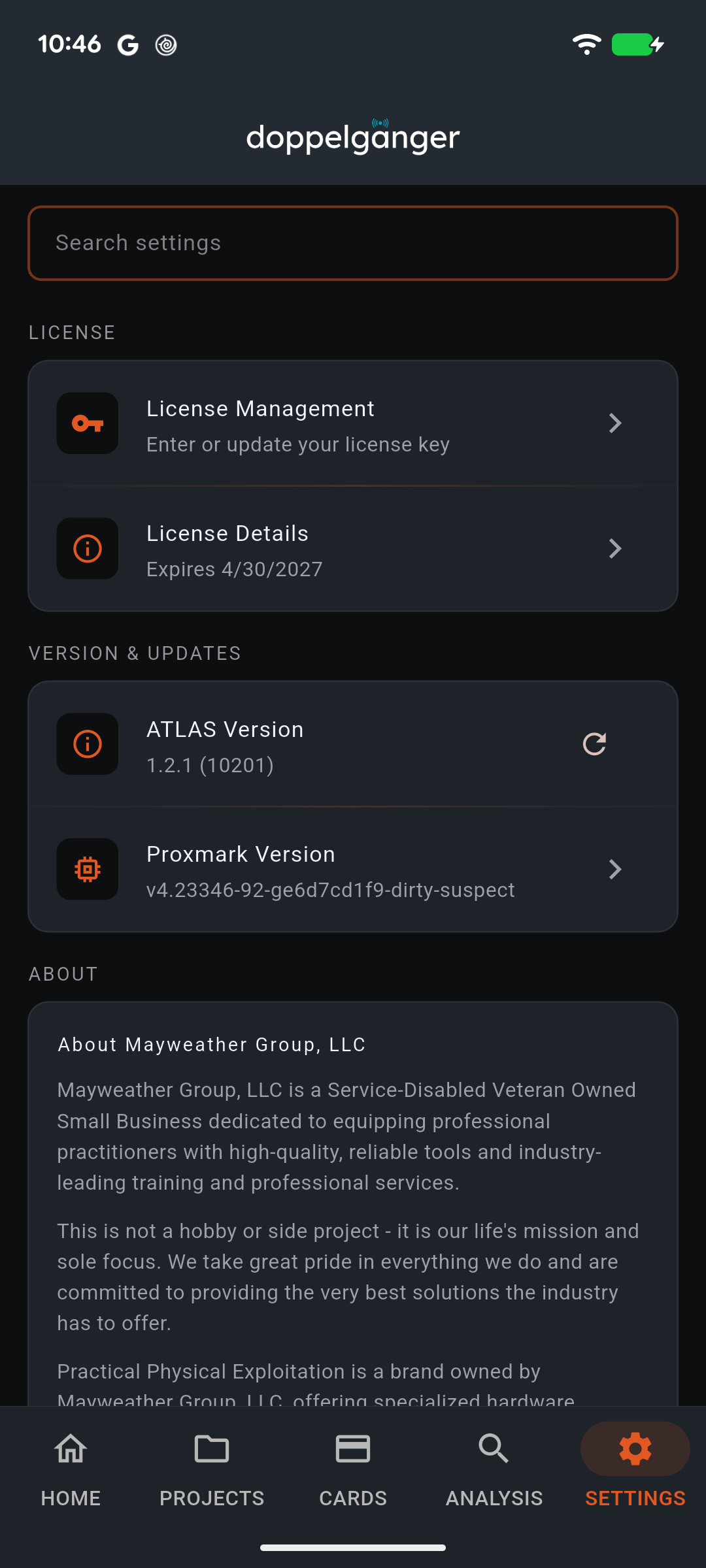
- License Management, for entering or replacing a key.
- License Details, with the expiry date in the subtitle.
- ATLAS Version, with a refresh control that checks for an update.
- The Proxmark client version, named for whichever family is attached.
| Row | What it is |
|---|---|
| License Management | Enter or update your license key |
| License Details | the expiry date, or View license information when there is none |
| Offers | Sales and product news |
VERSION & UPDATES
Section titled “VERSION & UPDATES”| Row | What it is |
|---|---|
| ATLAS Version | the app version and build number, with a refresh control that checks for an update |
| Proxmark Version | the compiled client version, and the row is named after whichever family is attached |
The Proxmark row only appears when a client version is known, which means after a Proxmark has connected at least once.
| Row | Subtitle |
|---|---|
| Purchase Hardware | Visit our online store |
| Professional Training | Enroll in our courses |
| Services & Partnerships | Professional services delivery |
| Publisher | |
| Copyright | |
| Author | @tweathers-sec on GitHub |
| Legal & Terms | License, disclaimer & contact |
| Map Data Attribution | OpenStreetMap |
| Proxmark3 Attribution | Iceman Fork - GPL v3 |
The group opens with a block of text about Mayweather Group, LLC above the rows.
Search is the shortest path
Section titled “Search is the shortest path”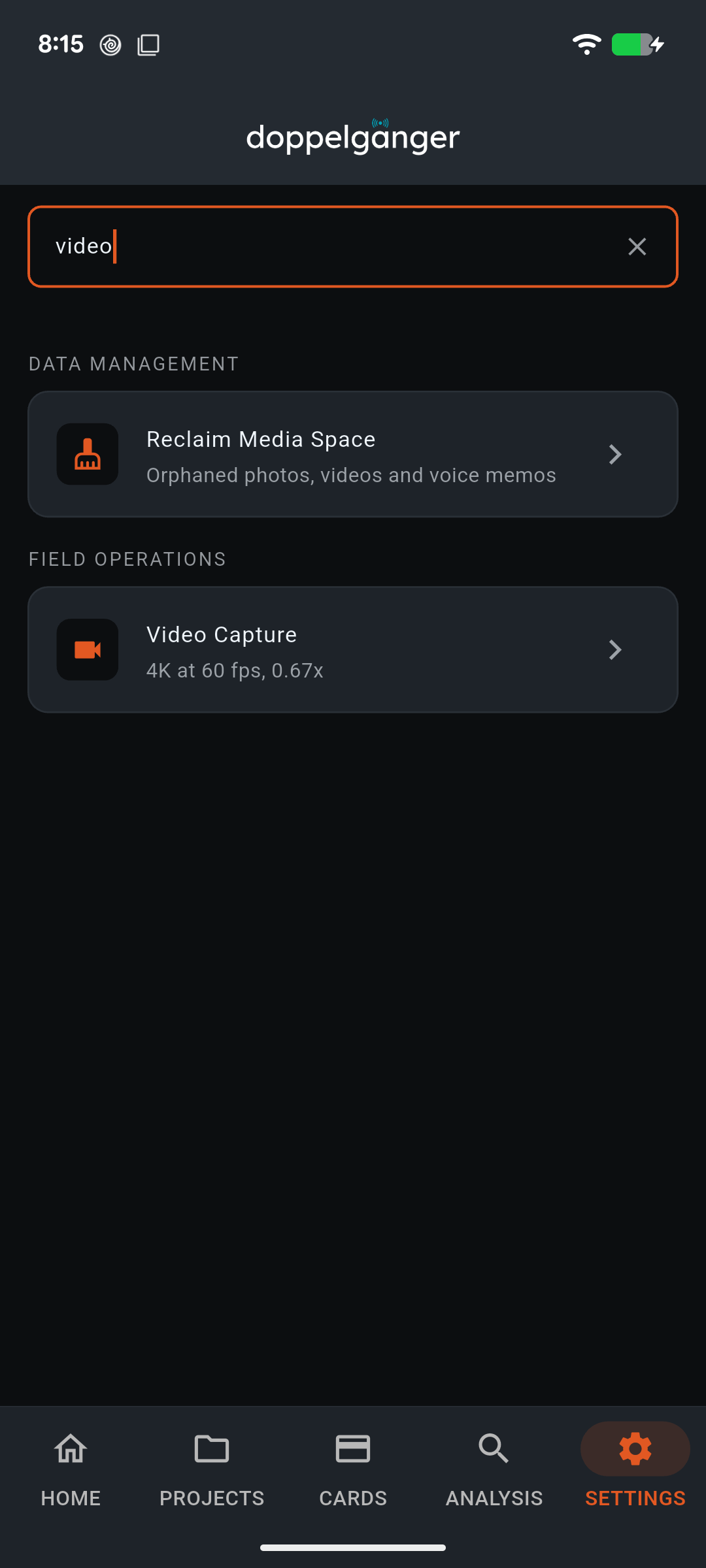
- Type a word. Groups with no match disappear entirely.
- Matches keep their group heading, so you learn where the setting lives.
- The value comes along with the result.
Searching matches the row titles and their subtitles, which is why video turns up Reclaim Media Space, whose subtitle mentions videos. That is useful rather than noisy: it finds settings you did not know the name of.
The X at the right of the field clears it and restores the full list.
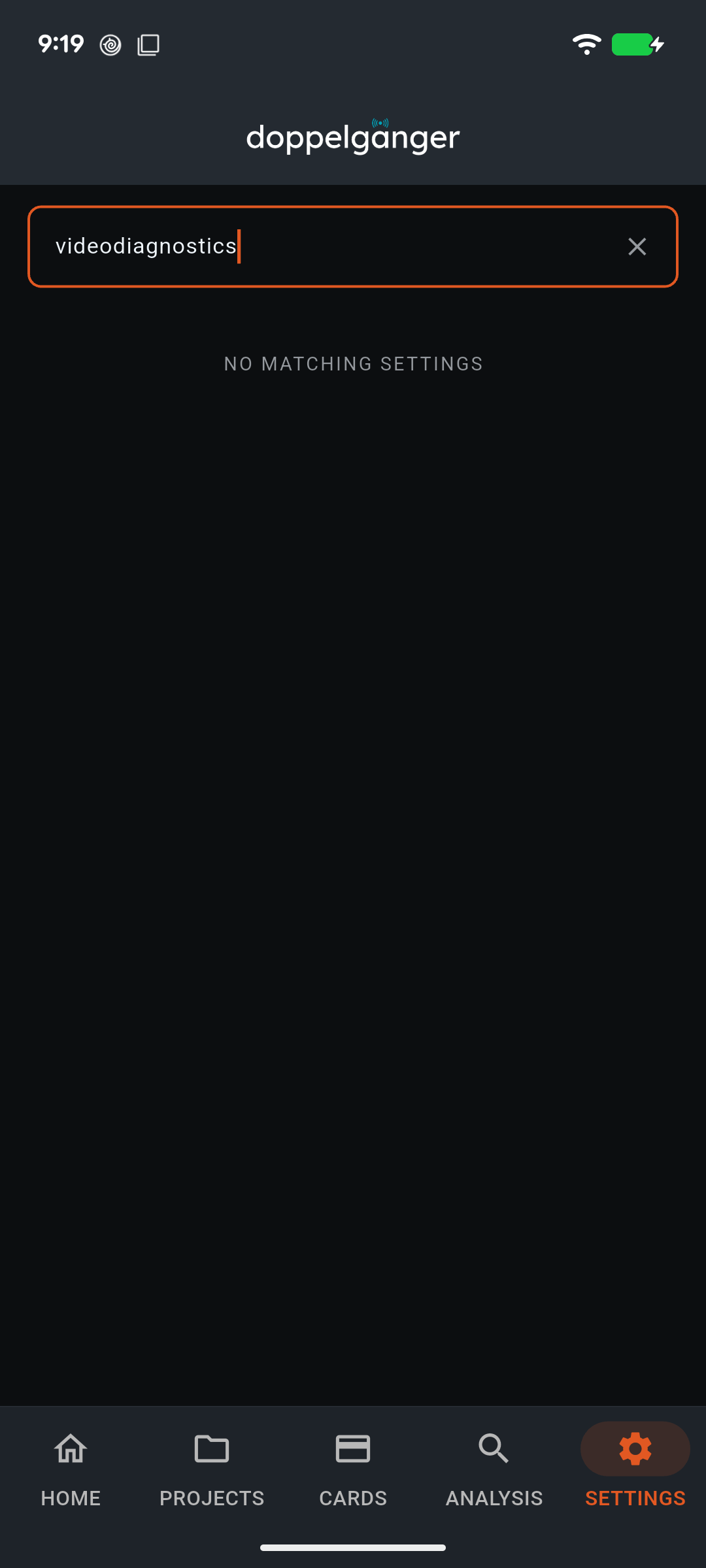
- The field keeps what was there last time, so a new word can land on top of an old one.
- NO MATCHING SETTINGS, with the whole list hidden rather than empty groups left behind.