
Surveillance overview
Surveillance in ATLAS is two things that meet in the middle. On one side are the capture surfaces, video, audio and photos. On the other is the site documentation they attach to, the doors, fences, cameras and personnel that make a capture mean something six weeks later in a report.
The capture surfaces
Section titled “The capture surfaces”| Surface | Started from | Survives the screen going off | Indicator the phone shows |
|---|---|---|---|
| Video | the camera glyph in the Home header | yes | a notification, plus the green camera indicator |
| Audio memo | hold Quick Note on Home | not applicable, the length cap is a setting | a green microphone pill, drawn by Android |
| Photo | ATTACHED MEDIA on any record | not applicable | the system camera is obvious |
What the surfaces have in common
Section titled “What the surfaces have in common”- Nothing is filed automatically. A stopped capture is a file. It becomes evidence when you attach it to a record.
- Everything carries a position where one is available, from EXIF first and the device second.
- Everything is swept if it is never attached. Settings, Reclaim Media Space clears orphans.
The orphan sweep
Section titled “The orphan sweep”Settings, then Reclaim Media Space. It compares every file on disk against every file a record references, and offers to delete the difference.
| What it scans | What it leaves alone |
|---|---|
media/ | voice_tmp/, where a memo stages before you keep it |
thumbnails/ | anything outside those three directories |
imports/ | dumps, logs and traces, which are not media |
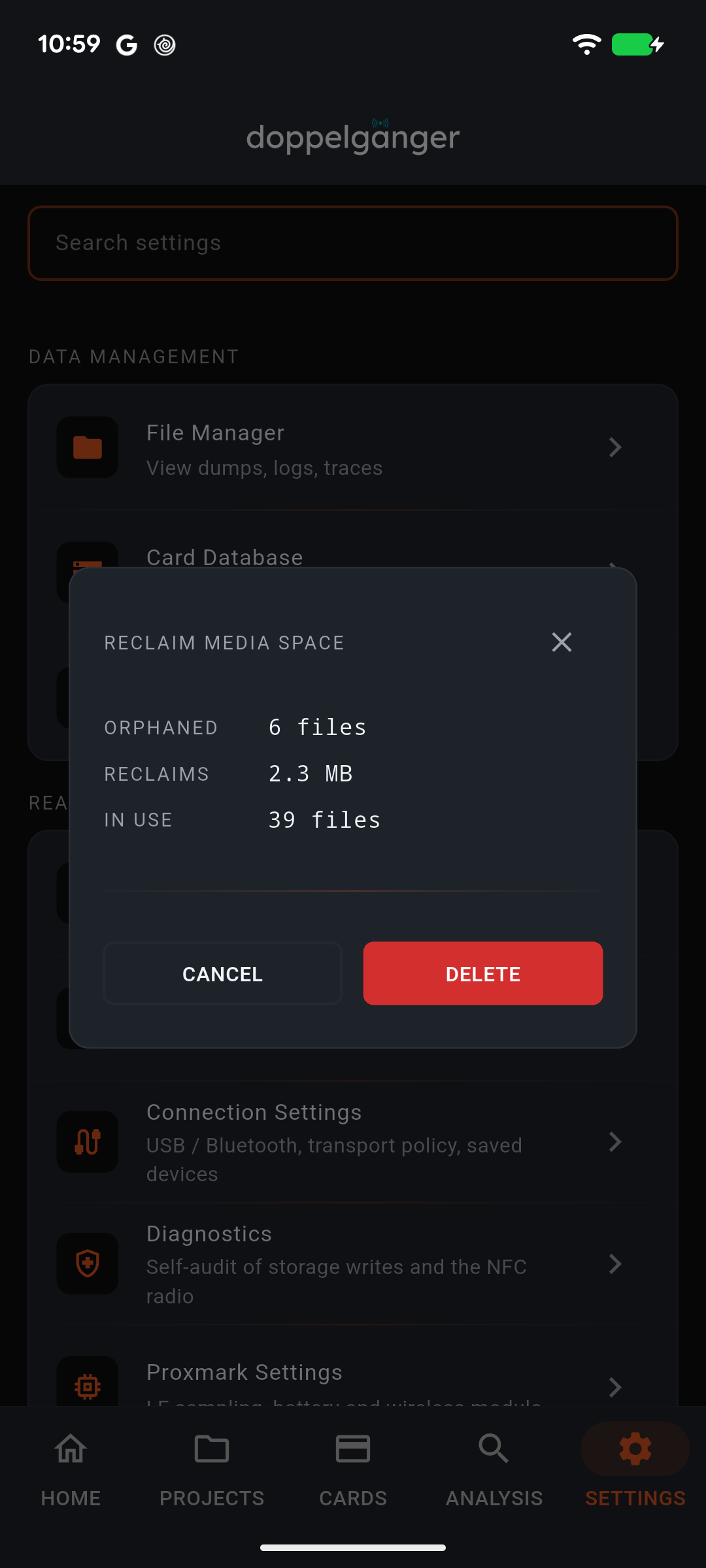
- ORPHANED, the files no record points at.
- RECLAIMS, what deleting them gives back.
- IN USE, which is not touched.
- DELETE in red, and CANCEL beside it.
The confirmation prints three numbers before it deletes anything.
| Row | What it means |
|---|---|
| ORPHANED | files no record points at |
| RECLAIMS | the space those files are using |
| IN USE | files a record does point at, which are not touched |
When nothing is orphaned it says so and gives the in-use count rather than offering a delete.
Tying a capture to the site
Section titled “Tying a capture to the site”A capture on its own is a video of a door. A capture attached to the door record is a finding.
| Record type | What a capture adds to it |
|---|---|
| Doors and entry points | what the approach actually looks like, and how the door behaves when badged |
| Cameras | the real field of view, which rarely matches what a floor plan claims |
| Fences and barriers | the condition of a run, which photographs better than it describes |
| Personnel | movement and timing, with the caveats below |
| POIs | anything that needs a picture to be believed |
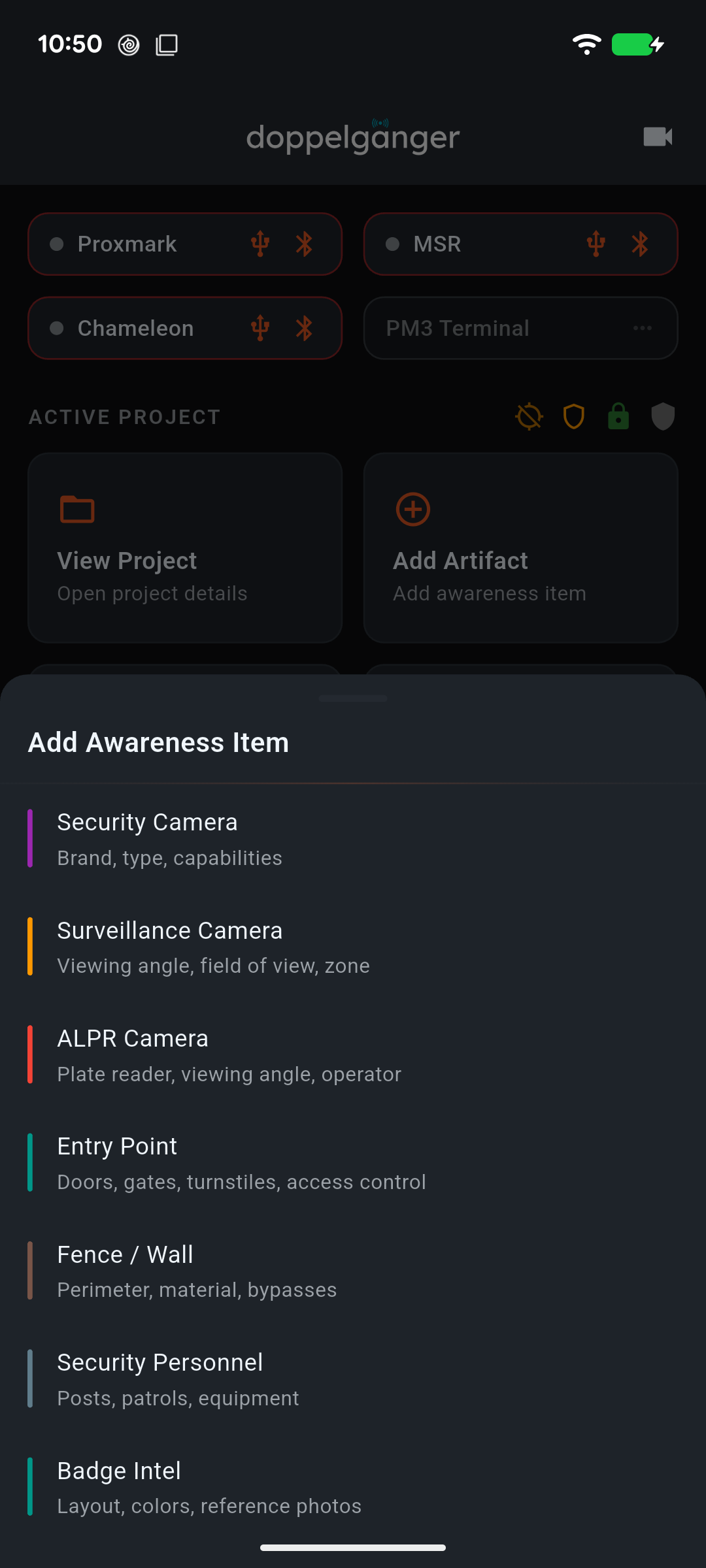
- Three camera types, because a CCTV dome, a surveillance camera and a plate reader are different findings.
- Entry Point, which is where door captures belong.
- Fence and wall, for perimeter condition that photographs better than it describes.
- Personnel and badge intel, the two that carry the most legal weight.
The operational map is where these come back together. A read, a photo and a memo pinned to the same building is the picture the client is paying for.
A practical order of work
Section titled “A practical order of work”- Place the record first, the door or the camera, even if it is empty.
- Capture against it, so the attachment lands somewhere immediately.
- Speak a memo while the detail is fresh, rather than typing a note on site.
- Review and caption back at the vehicle, where Reclaim Media Space will also tell you what never got attached.