
Crack
A room key from the front desk, a gym fob, a staff card left on a lanyard for the length of a coffee. MIFARE Classic is deprecated and still in service, mostly in hospitality, gyms and transit and on corporate sites that never replaced their card stock. When one of those cards is in your hand for a few minutes, the question the client is paying to have answered is whether those minutes are enough to copy it.
CRACK answers that with the ATLAS Chameleon Ultra alone. The card lies on the ATLAS Chameleon Ultra, the ATLAS Chameleon Ultra acts as the reader, and the app works through every way it has of getting the keys from the card itself before reading it out. Nothing is plugged into a laptop and there is no Proxmark on the table.
What it costs is time with the card, from seconds to several minutes depending on how the card is keyed, and it tells you which while it runs.
Cards, then the ULTRA tab, then the CRACK chip. The card on the page is headed CLONE WORKFLOW, with the line MIFARE Classic 1K and 4K under it, and its one action is CLONE CARD.
The one tap run
Section titled “The one tap run”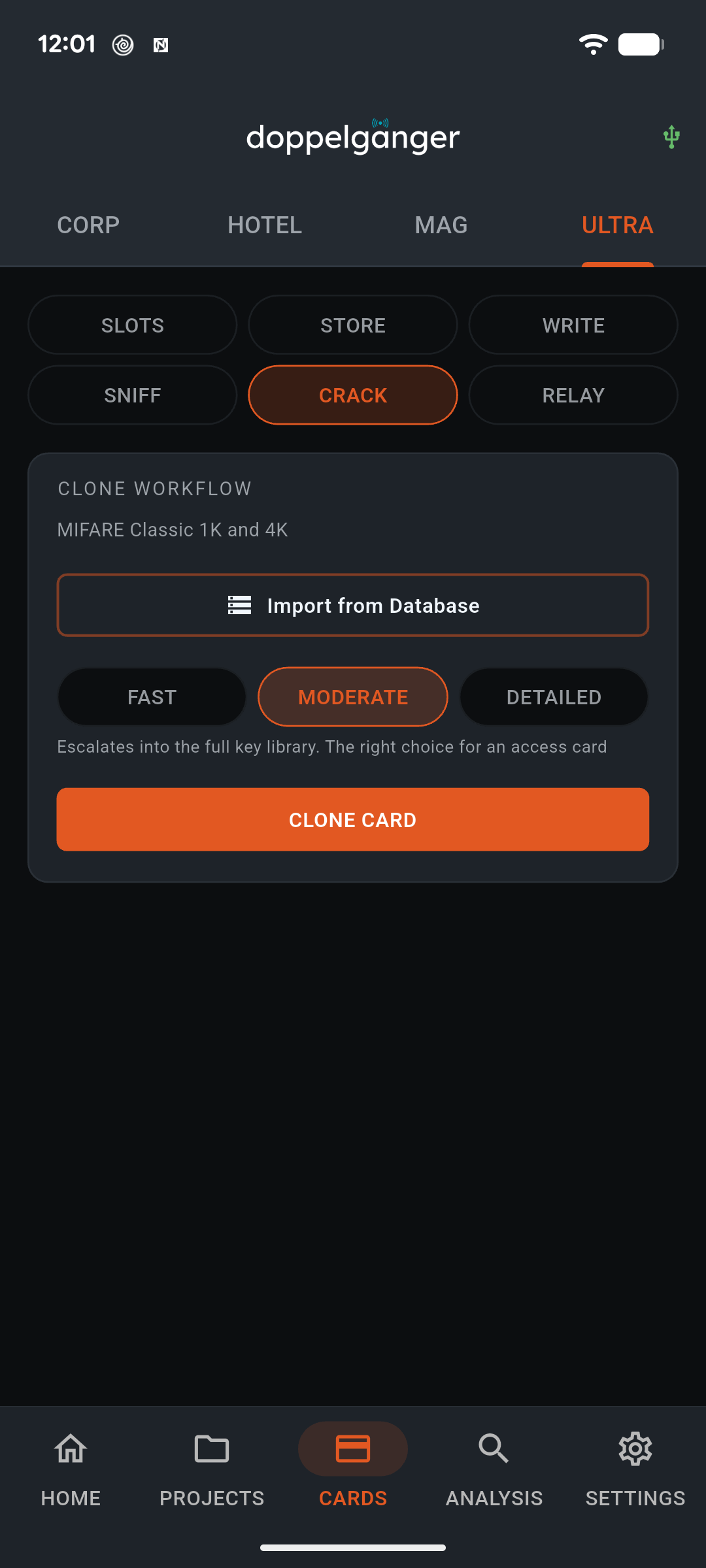
- MIFARE Classic 1K and 4K.
- MODERATE, the default depth.
- CLONE CARD, the one tap run.
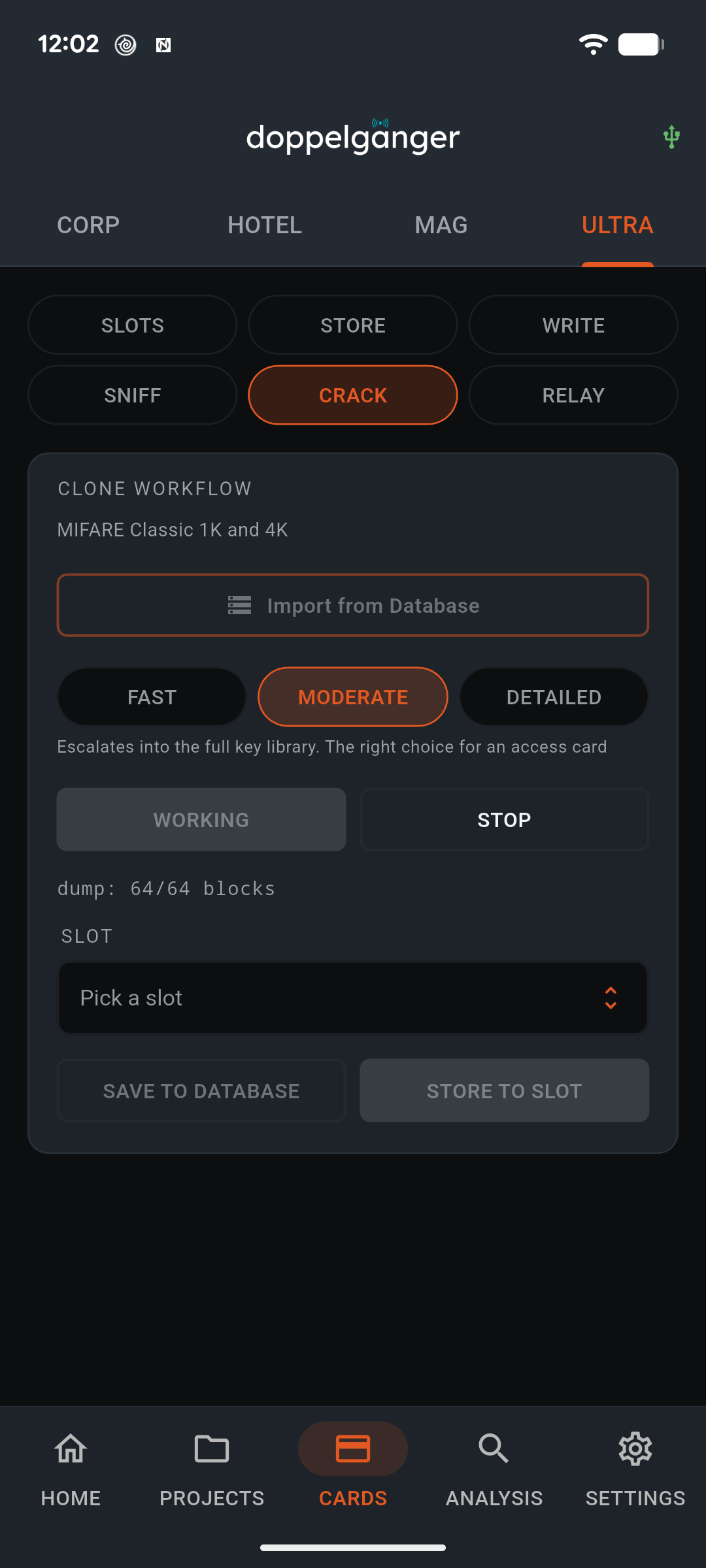
- WORKING, with STOP beside it.
- The stage line, here the dump.
- SLOT appears once the dump is in.
- SAVE TO DATABASE and STORE TO SLOT, gray until the run ends.
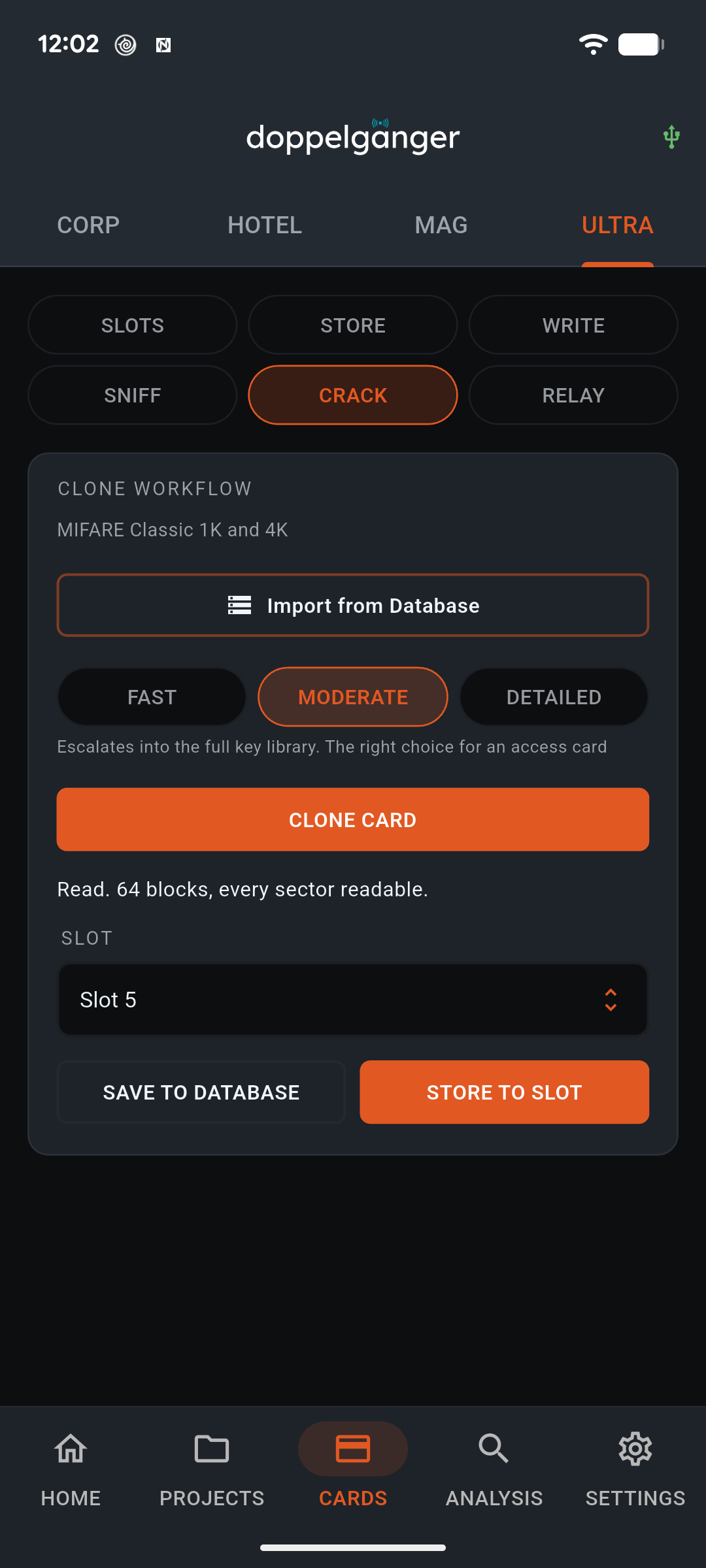
- Read. 64 blocks, every sector readable.
- SLOT, Slot 5 picked.
- STORE TO SLOT, live once a slot is picked.
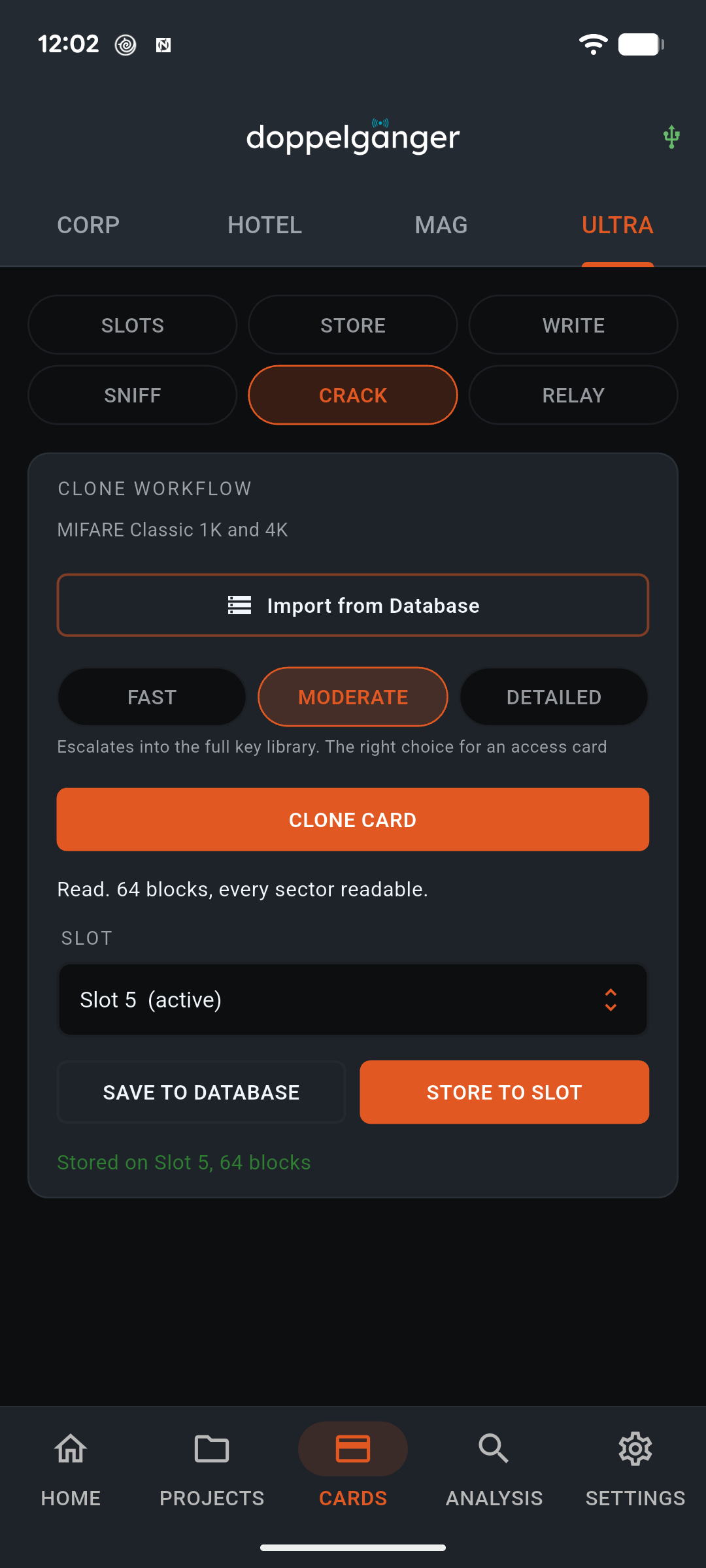
- Slot 5, now the active slot.
- Stored on Slot 5, 64 blocks.
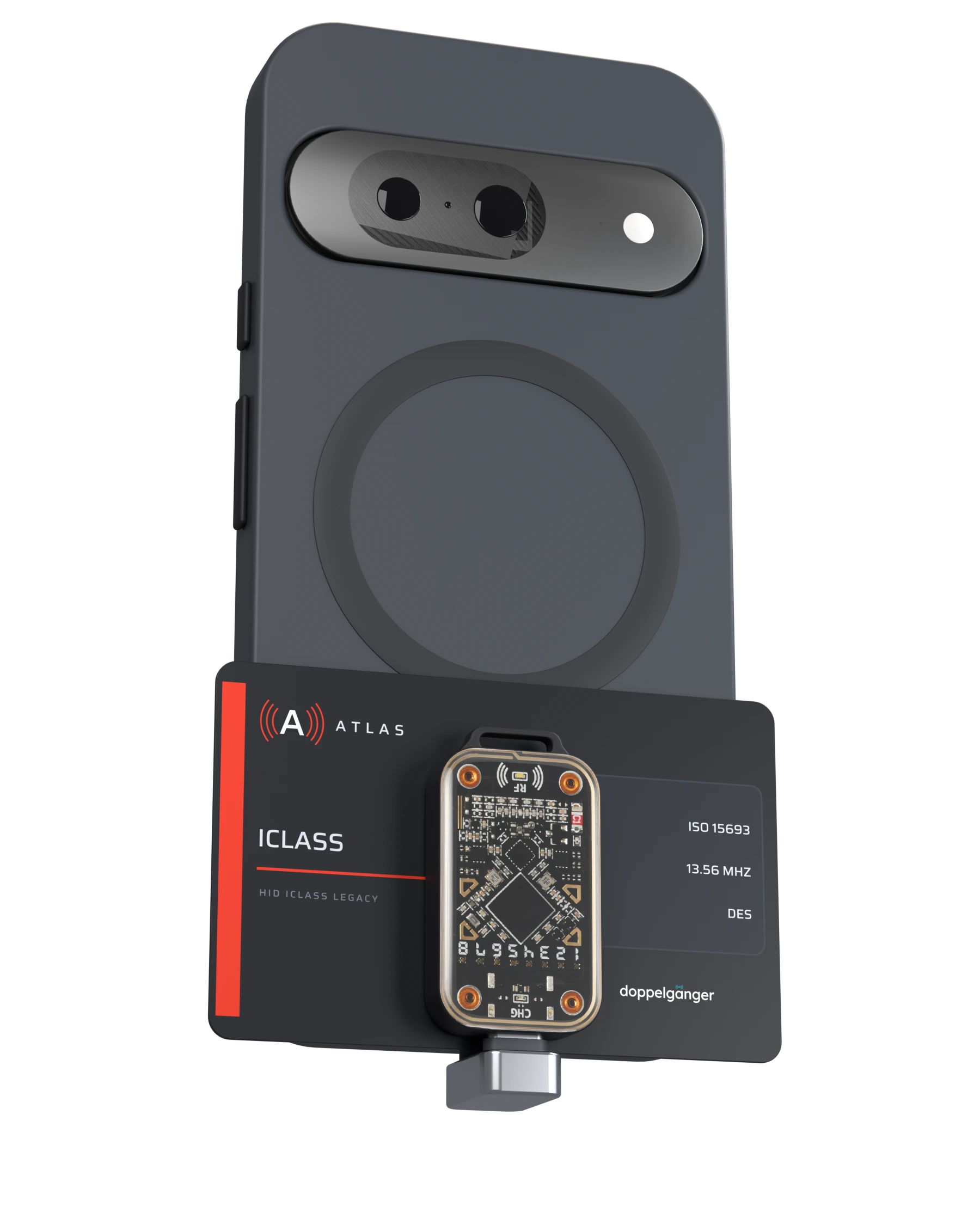
- Slide the card between the handset and the ATLAS Chameleon Ultra until it meets the adapter. See where a card goes.
- Pick how hard to look, FAST, MODERATE or DETAILED. The page opens on MODERATE.
- Tap CLONE CARD. It reads WORKING, and STOP appears beside it.
- Leave the card where it is. A line under the controls reports each stage. Once the dump is in, SLOT and the buttons SAVE TO DATABASE and STORE TO SLOT appear under it, gray until the run ends.
- Read the summary that replaces the stage line when it ends.
- Send the copy where you want it. Pick a slot in SLOT and tap STORE TO SLOT, or tap SAVE TO DATABASE, or do both.
CLONE CARD files nothing and stores nothing on its own. The copy stays on the page until you send it to a slot or to the card database. See Where the copy goes.
CLONE CARD is gray until the ATLAS Chameleon Ultra is connected.
What happens behind the tap, in order
Section titled “What happens behind the tap, in order”| Order | Step | The stage line reads | Why it is in this position |
|---|---|---|---|
| 1 | asks the card what kind of card it is | nothing | whether a missing key is worth a second try depends on it |
| 2 | tries a manufacturer backdoor | checking for a backdoor, then backdoor read with a block count | one command can return every block with no key at all |
| 3 | tries the key dictionary, to the chosen depth | dictionary: scanning card, then keys 40 percent, 12 found | most cards are on published keys |
| 4 | derives keys from the card’s UID, when the dictionary found Key A for fewer than 16 sectors | derive: scanning card for UID, then derive: probing algorithms against sector 0 | some deployments compute each card’s keys from its UID |
| 5 | reads every block with the keys in hand and writes the recovered keys into the copy | dump: scanning card, then dump with a block count | this is the copy |
If the backdoor in step 2 answers, the run keeps what it read and stops there. Steps 3 to 5 are skipped.
Step 5 runs only when step 3 or step 4 left keys in hand. When a UID algorithm fits, its keys take the place of the dictionary’s. When none fits, the dump runs with the keys the dictionary found, and the sectors none of them opened are reported as unreadable.
The percentage in step 3 counts keys tried and only ever goes up. It is the number to watch on a long run.
Step 4 tries 7 algorithms in this order and stops at the first that opens sector 0.
| Order | Algorithm |
|---|---|
| 1 | SAFLOK / Maid |
| 2 | MIZIP |
| 3 | Skylanders |
| 4 | Vanderbilt ACT |
| 5 | Disney Infinity |
| 6 | Bambu Lab Filament Spool |
| 7 | Snapmaker Filament Spool |
How hard to look
Section titled “How hard to look”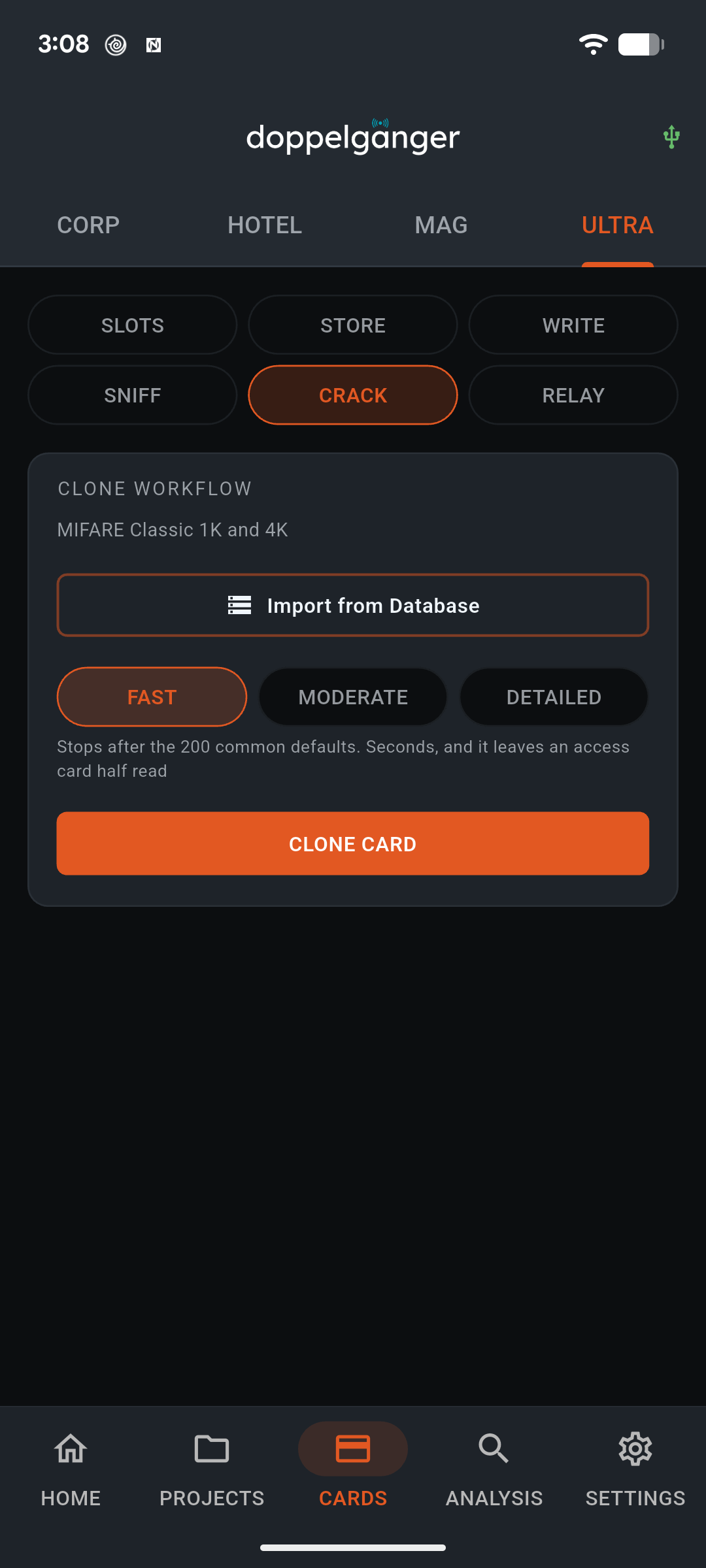
- FAST.
- Stops after the 200 common defaults.
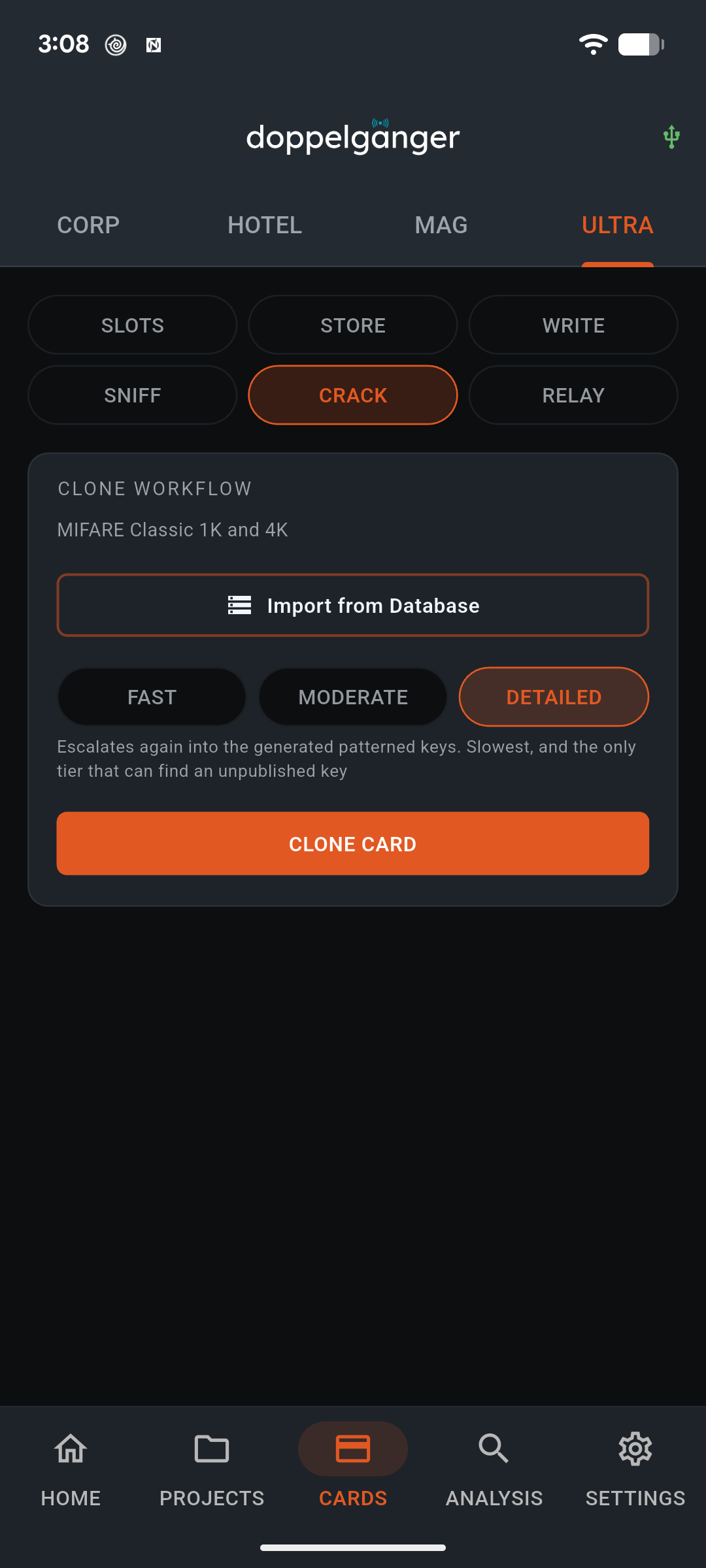
- DETAILED.
- Generated patterned keys. Slowest.
Each depth uses more of the same key list, most likely keys first.
| Depth | The line under the chips reads | Keys tried | Pick it when |
|---|---|---|---|
| FAST | Stops after the 200 common defaults. Seconds, and it leaves an access card half read | the first 200 | you have seconds, or you only want to know whether the card is on factory defaults |
| MODERATE | Escalates into the full key library. The right choice for an access card | the first 2518 | the default, and right for almost every card you are handed |
| DETAILED | Escalates again into the generated patterned keys. Slowest, and the only tier that can find an unpublished key | the whole list, including generated patterns | MODERATE left sectors unread and you have minutes with the card |
Every key costs an attempt on every sector it does not open, so DETAILED is minutes on a stubborn card.
What the summary means
Section titled “What the summary means”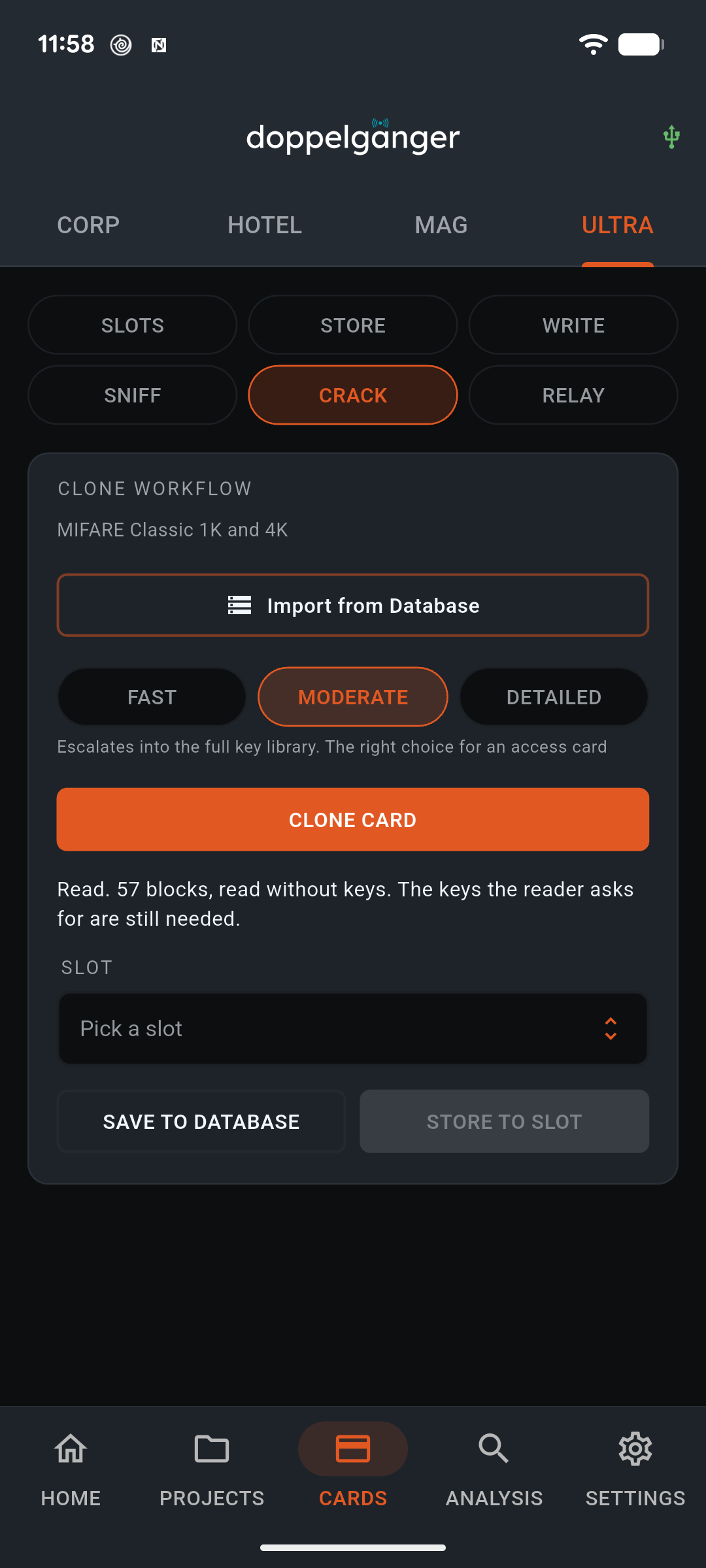
- Read. 57 blocks, read without keys.
- Pick a slot, until one is chosen.
- STORE TO SLOT stays gray until then.
| The summary reads | Meaning | Next |
|---|---|---|
| Read. a block count, every sector readable. | a complete copy with its keys | store it in a slot, save it to the database, or both. See Where the copy goes |
| Read. a block count, read without keys. The keys the reader asks for are still needed. | the backdoor returned the contents. The keys the reader will ask for are still unknown | running CLONE CARD again on this card ends the same way. For key recovery on the card itself, use HOTEL, Recover with a Proxmark |
| Read. a block count, a count unreadable. Those sectors will not match the original. | a partial copy | read the last sentence of the summary, in the next table |
| No data recovered. The card gave up no block to the keys this depth tries. | no dump was taken, and there is nothing to save or store | on FAST or MODERATE, run again on DETAILED. If DETAILED recovers nothing, use HOTEL, Recover with a Proxmark |
| No card detected. | the card moved off the ATLAS Chameleon Ultra | reseat it and run again |
A partial copy ends with one of two sentences, and they are opposite instructions.
| Last sentence | Meaning |
|---|---|
| This card is fixed nonce, so the missing keys are recoverable. or This card is weak nonce, so the missing keys are recoverable. | the card’s own weakness makes the remaining keys obtainable. On HOTEL, Recover with a Proxmark, that is Static Nested for a fixed nonce card and Nested for a weak nonce card |
| This card is hardened, so a retry will not help. | running the same depth again changes nothing |
| neither | the card did not say what it is |
Messages during the run
Section titled “Messages during the run”Each stage also reports in a message at the foot of the screen. A stage that finds nothing does not end the run on its own.
| Message | Stage | Meaning |
|---|---|---|
| Dictionary: no 14443A card detected. Present card to CU and retry. | dictionary | no card on the ATLAS Chameleon Ultra |
| Dictionary: none of a count default keys opened any sector of the UID, then The card is not on a published default. | dictionary | no key at this depth opened a sector. The run goes on to the UID derivation |
| Dictionary: Key A and Key B counts of the sector count sector(s) recovered from defaults | dictionary | keys found |
| Derive: no 14443A card detected. Present card to CU and retry. | derive | no card on the ATLAS Chameleon Ultra |
| Derived: the algorithm matched. with Key A and Key B counts for the UID (saved). | derive | keys computed from the UID |
| Dump: blocks read and blocks failed | dump | the read finished |
| Dictionary check failed, Derive failed or Dump failed, each with a reason | any | the device did not complete the stage |
When none of the 7 algorithms fits the card, the derive stage passes without a message. That is usual for a card whose keys are not computed from its UID.
STOP reads STOPPING and the stage line reads stopping. The run ends at the next point where it can do so without leaving the device half way through a command. A stopped run files nothing and stores nothing, the same as a finished one. If the dump had already been taken, SLOT, SAVE TO DATABASE and STORE TO SLOT are there for it.
Where the copy goes
Section titled “Where the copy goes”The run puts the copy on the page and nowhere else. Under the summary are SLOT and two buttons side by side, and the copy goes where you send it, to either or both.
| Button | What it does | Pick it when |
|---|---|---|
| STORE TO SLOT | writes every block, with the recovered keys, to the slot picked in SLOT, and makes that slot the active one | you want the ATLAS Chameleon Ultra to answer a reader as this card |
| SAVE TO DATABASE | opens SELECT PROJECT and files the copy, with the recovered keys, into the project you choose | you want the card in the client’s record and in the project export, or kept for later |
Both appear as soon as the dump is taken, while the run is still finishing, and both stay gray until it ends. They are also gray while a save or a store is going.
STORE TO SLOT
Section titled “STORE TO SLOT”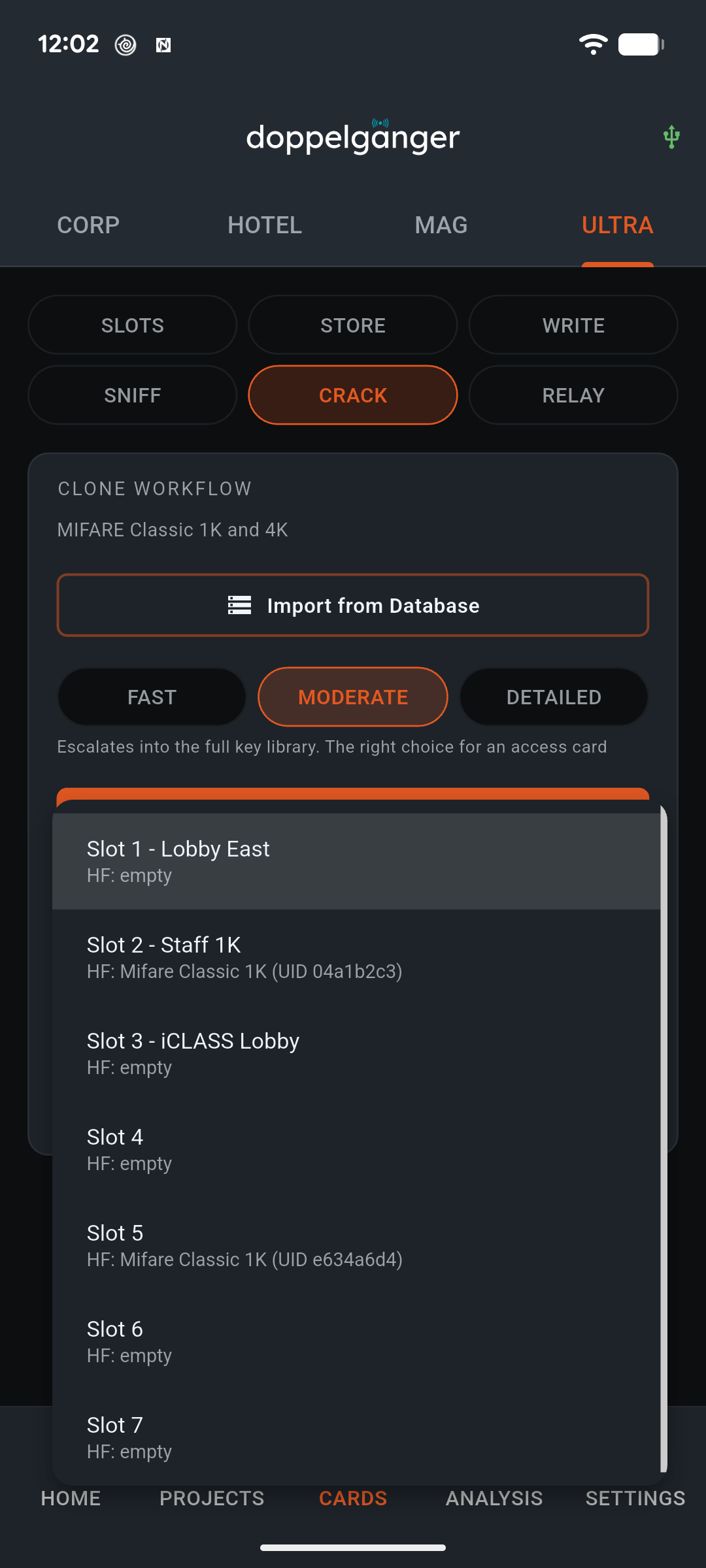
- Slot 1, with the name it was given.
- What the HF side holds, with its UID.
- Slot 5, holding a MIFARE Classic 1K.
- Slot 7, the last. Slot 8 is not offered.
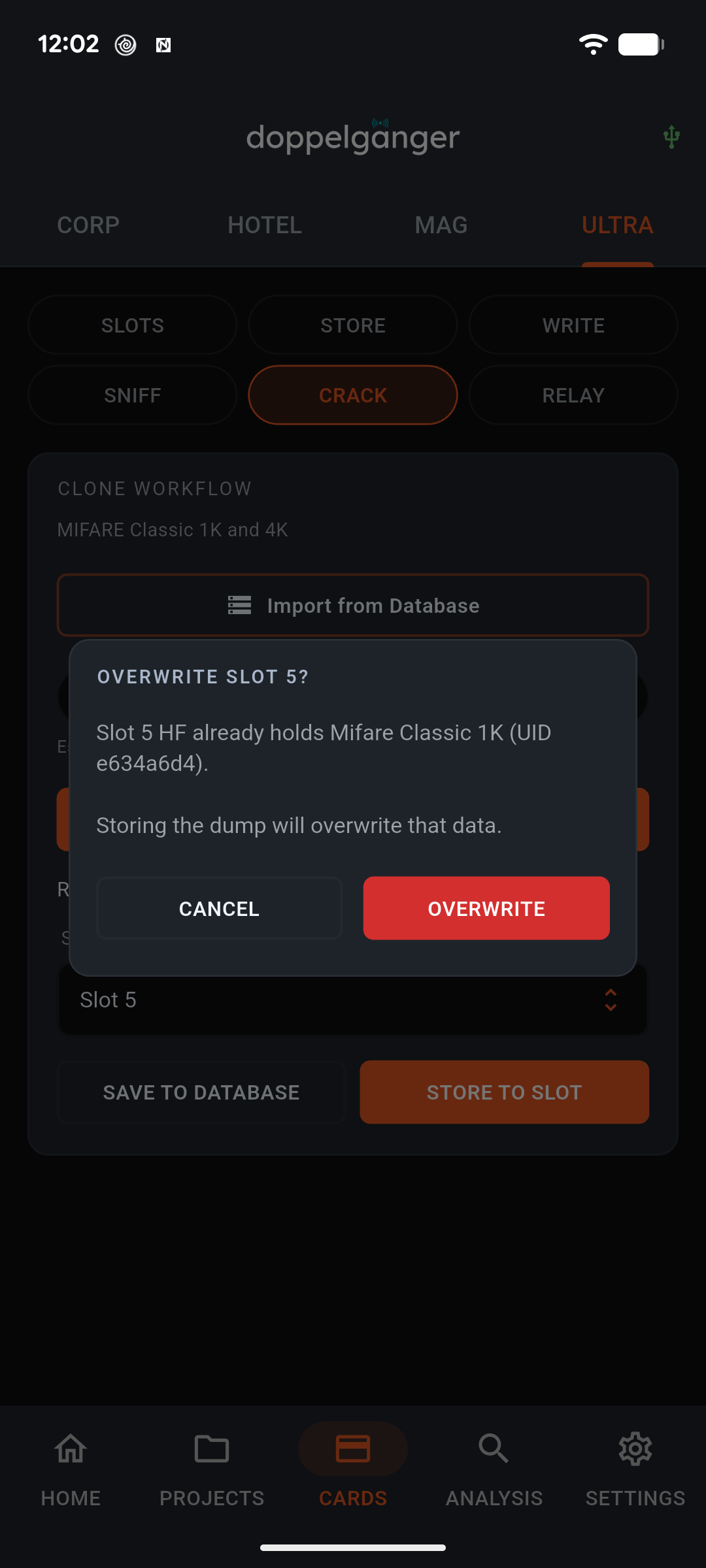
- OVERWRITE SLOT 5?
- What the slot holds, by type and UID.
- CANCEL keeps it, OVERWRITE replaces it.
- Open SLOT. It reads Pick a slot until you choose, and STORE TO SLOT stays gray until then.
- Pick a slot. Slots 1 to 7 are listed, each with its name when it has one and (active) after the active slot. Under each is what its HF side holds, HF: empty or the card type with its UID. Slot 8 is reserved and is not offered.
- Tap STORE TO SLOT.
- If ATLAS has an HF card recorded on that slot, OVERWRITE SLOT and the slot number ask first, naming the card. OVERWRITE replaces it. CANCEL stores nothing and leaves the slot as it was.
- The stage line reads store with a count of blocks loaded. When it ends, the slot is made the active one, SLOT shows it with (active), and Stored on Slot with the slot number and the block count appears under the buttons.
The ATLAS Chameleon Ultra answers readers with the active slot, so the copy is on the air the moment the store finishes.
| Message | Meaning |
|---|---|
| Stored on Slot with the slot number and the block count | stored, and the slot is now the active one |
| Store failed and the reason | the device did not take the copy |
SAVE TO DATABASE
Section titled “SAVE TO DATABASE”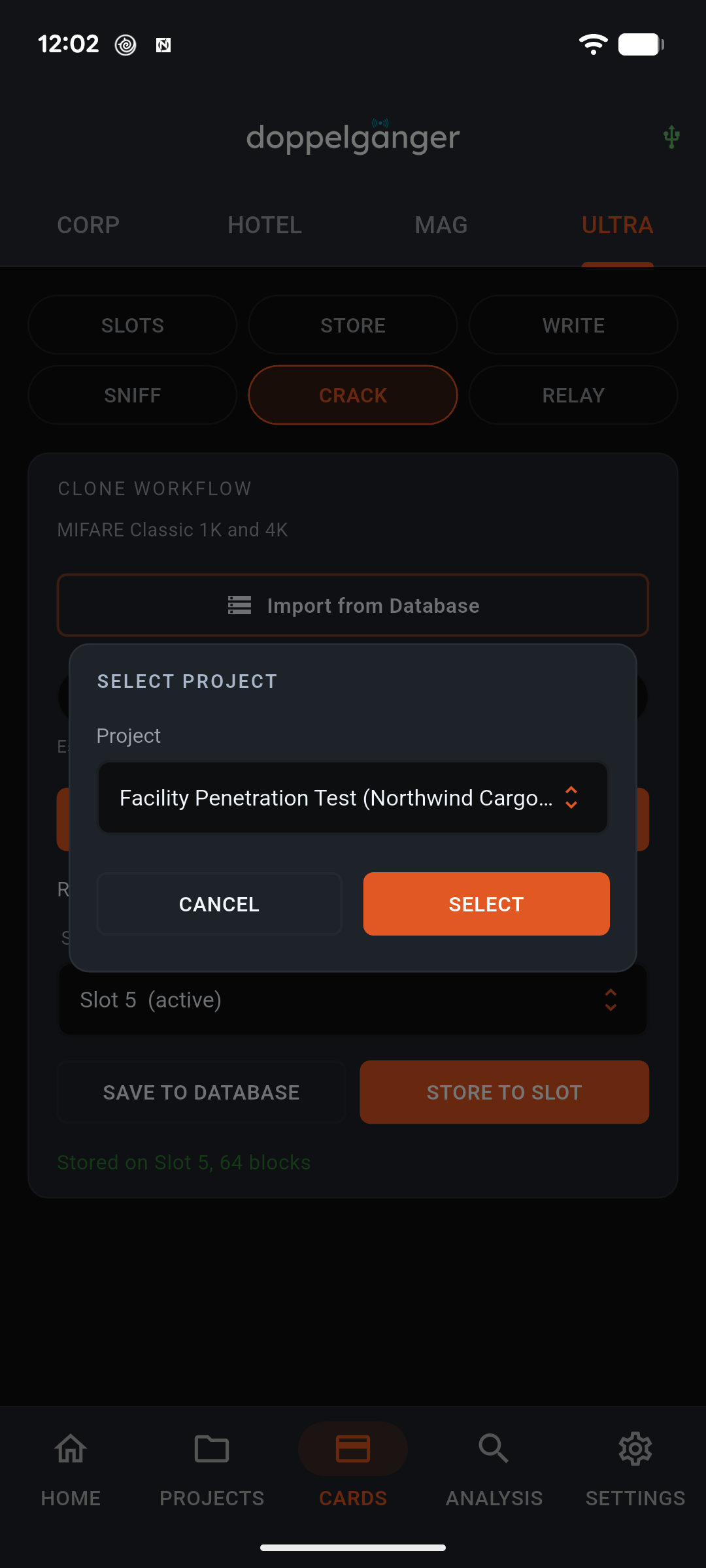
- SELECT PROJECT.
- Project, the active one picked for you.
- CANCEL files nothing, SELECT files it.
- Tap SAVE TO DATABASE. SELECT PROJECT opens, the same picker a reader import uses, with the active project chosen under Project.
- Keep it, pick another project, or pick No project.
- Tap SELECT to file the copy, or CANCEL to file nothing.
| Message | Meaning |
|---|---|
| Saved to the card database | filed |
| Record on file updated with this dump and the UID | this card was already on file with less in it, and the record now carries the fuller copy |
| Already on file here and nothing new to add and the UID | the same card is already in this project with at least this much |
| Saved to the card database, but no project is active, so it will not appear in a project export and the UID | filed with No project. Save it again into a project, or the card is left out of the client’s export |
| Card database save failed, the JSON dump was still written and the reason | the database refused it. The dump is still kept on the handset, inside the app |
| Save failed and the reason | SAVE TO DATABASE did not complete |
Recovered keys are kept against the card’s UID inside the app as they are found, so a run that is interrupted before the dump does not lose them. That store is not the card database, and nothing reaches a project until you tap SAVE TO DATABASE.
Starting from a card already on file
Section titled “Starting from a card already on file”Import from Database opens the card database. Tap a record and it becomes the page’s current card, and a message says what was taken in.
| The record is | The message reads |
|---|---|
| a MIFARE Classic or MIFARE Plus dump | Adopted MFC and the size from database: a block count, Continue with Step 3. |
| an Ultralight or NTAG dump | Adopted UL/ and the format from database: a page count, Continue with Step 3. |
| a card with a UID and no dump | Adopted the format as silhouette, with a note that the record holds a UID and no block or page data, ending Step 3 will STORE silhouette. |
| anything else | Could not adopt the format, no usable UID or dump payload. |
This page has no numbered steps. A record taken in brings up SLOT, SAVE TO DATABASE and STORE TO SLOT, as a run does. A dump is stored block for block. A record with a UID and no dump stores the card identity alone, and the message reads Stored on Slot with the slot number, then the card identity only.
Import from Database is gray only while a run, a save or a store is going.
Limits
Section titled “Limits”| Item | Value |
|---|---|
| Cards the one tap run is for | MIFARE Classic 1K and 4K |
| Sectors swept | 16, or 40 on a 4K |
| Depths | 3 |
| Keys at FAST | 200 |
| Keys at MODERATE | 2518 |
| Keys at DETAILED | the whole list, with generated patterns |
| UID derivation algorithms | 7 |
| Where a run’s copy goes | nowhere until you send it, with STORE TO SLOT to a slot, with SAVE TO DATABASE to the card database, or both |
| Slots STORE TO SLOT offers | Slots 1 to 7. Slot 8 is reserved |
| With no device connected | Import from Database, the depth chips and SAVE TO DATABASE work, and CLONE CARD is gray |
Where to go next
Section titled “Where to go next”| You want | Page |
|---|---|
| To put a credential in a slot from a form or a dump file | Store |
| To check which slot is answering | Slots |
| The same job with a Proxmark, for a hotel card | HOTEL, Recover |