
Transferring files to and from an Android handset
Everything ATLAS produces lands on the handset. A map data export, a project bundle, a map screenshot, a voice memo, a Proxmark trace. None of it is any use sitting there.
That is a smaller problem on a phone you live on and a real one on a phone bought to run ATLAS and nothing else, which is how a lot of these handsets are set up. No mail account, no cloud drive, nothing signed in, and deliberately so. The usual ways of getting a file off a phone all assume an account.
LocalSend solves it without one. It is open source, it runs on the handset and on your laptop, it finds the other device on the local network, and it moves the file directly between them. Nothing leaves the network and no account is involved.
The whole job
Section titled “The whole job”Share from ATLAS, pick LocalSend, pick the laptop. That is the entire transfer, and the rest of this page is the setup behind it and the other direction.
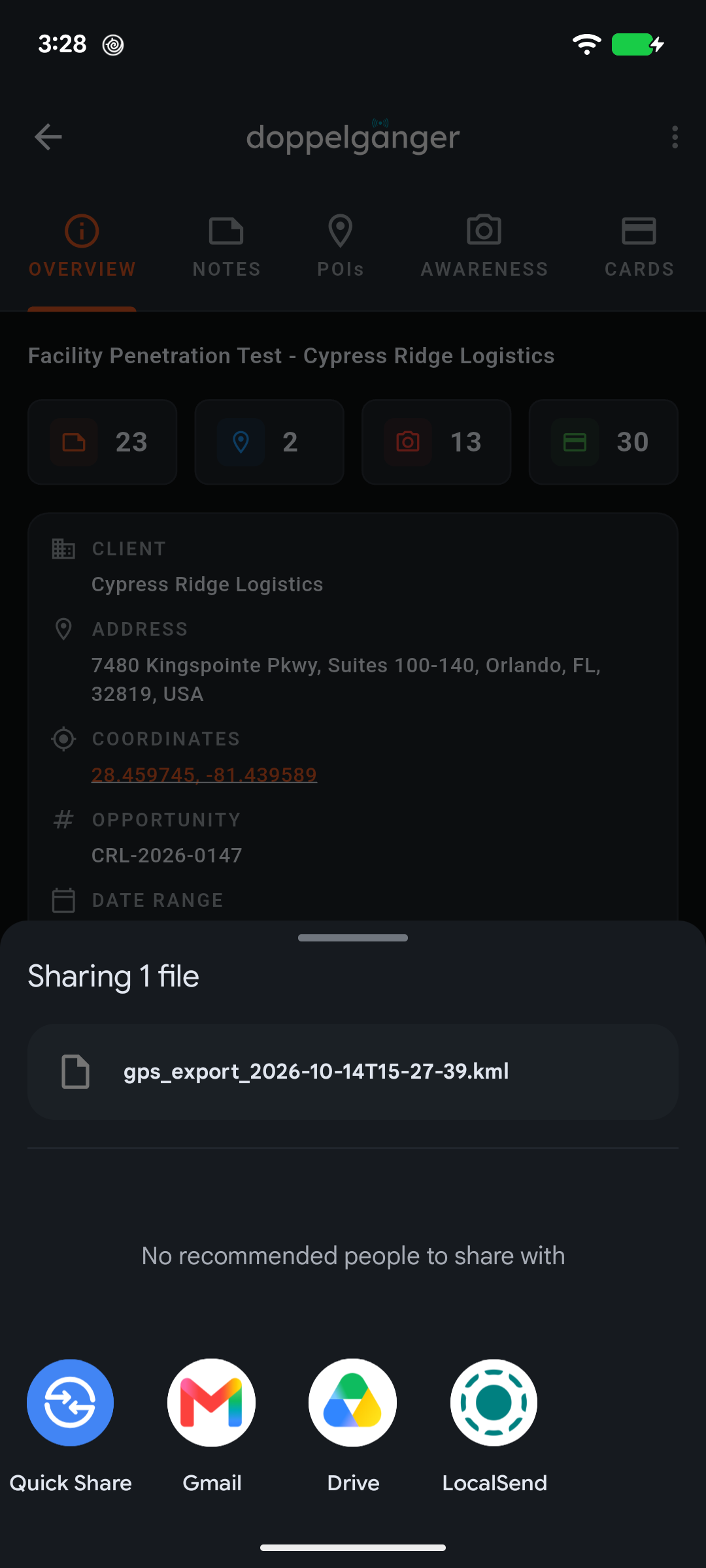
- Sharing 1 file, and the file ATLAS just wrote.
- No recommended people, because nothing is signed in.
- LocalSend, alongside the targets that do want an account.
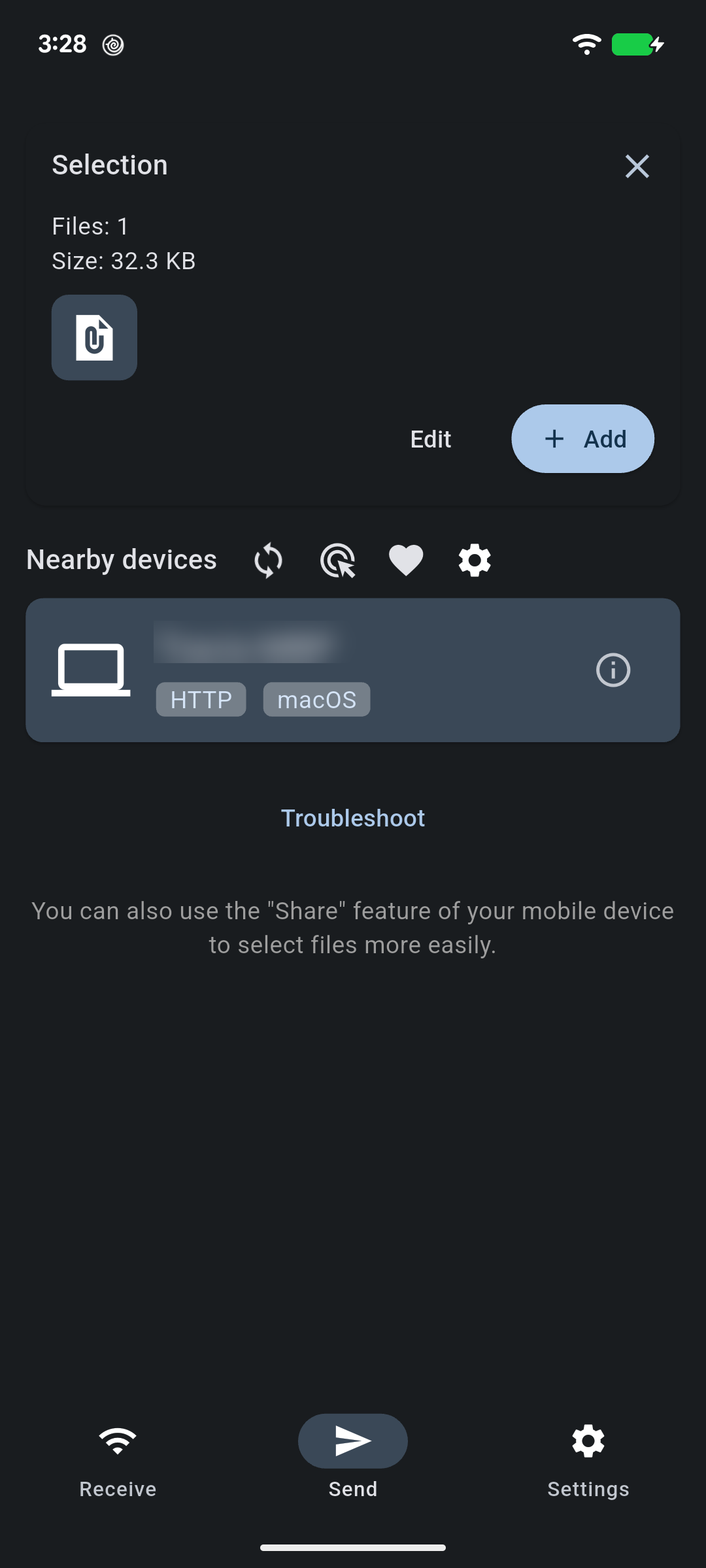
- Selection, with the file count and the size.
- Nearby devices, found on the LAN with nothing configured.
- The laptop, with its platform and protocol. Tap it to send.
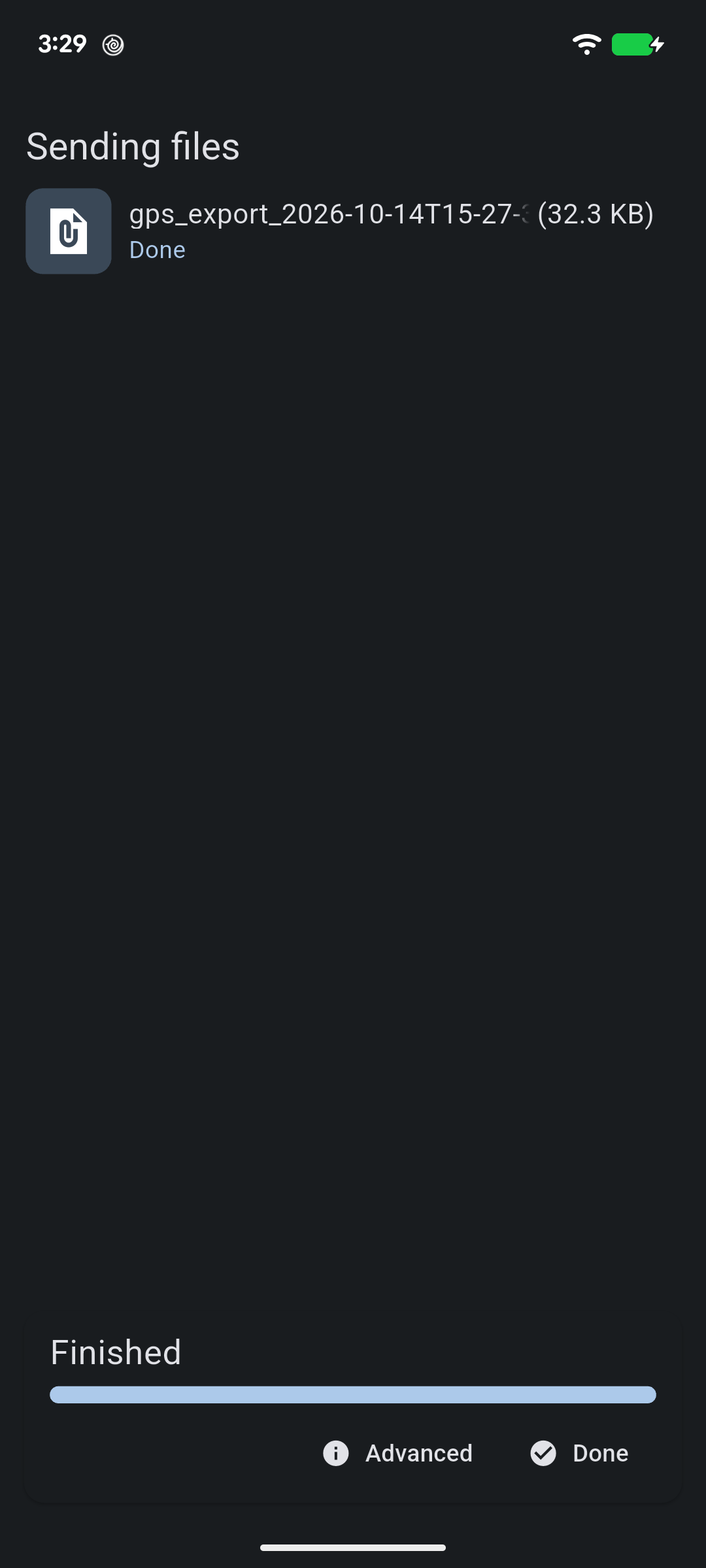
- Sending files, with the name and size.
- Done, per file.
- Finished. The laptop has it.
Setting it up
Section titled “Setting it up”Install LocalSend on the handset and on the laptop. It is on the LocalSend releases page for Android, macOS, Windows and Linux.
On Android, grant it nearby devices when it asks. That is how it finds the laptop. Without it the device list stays empty.
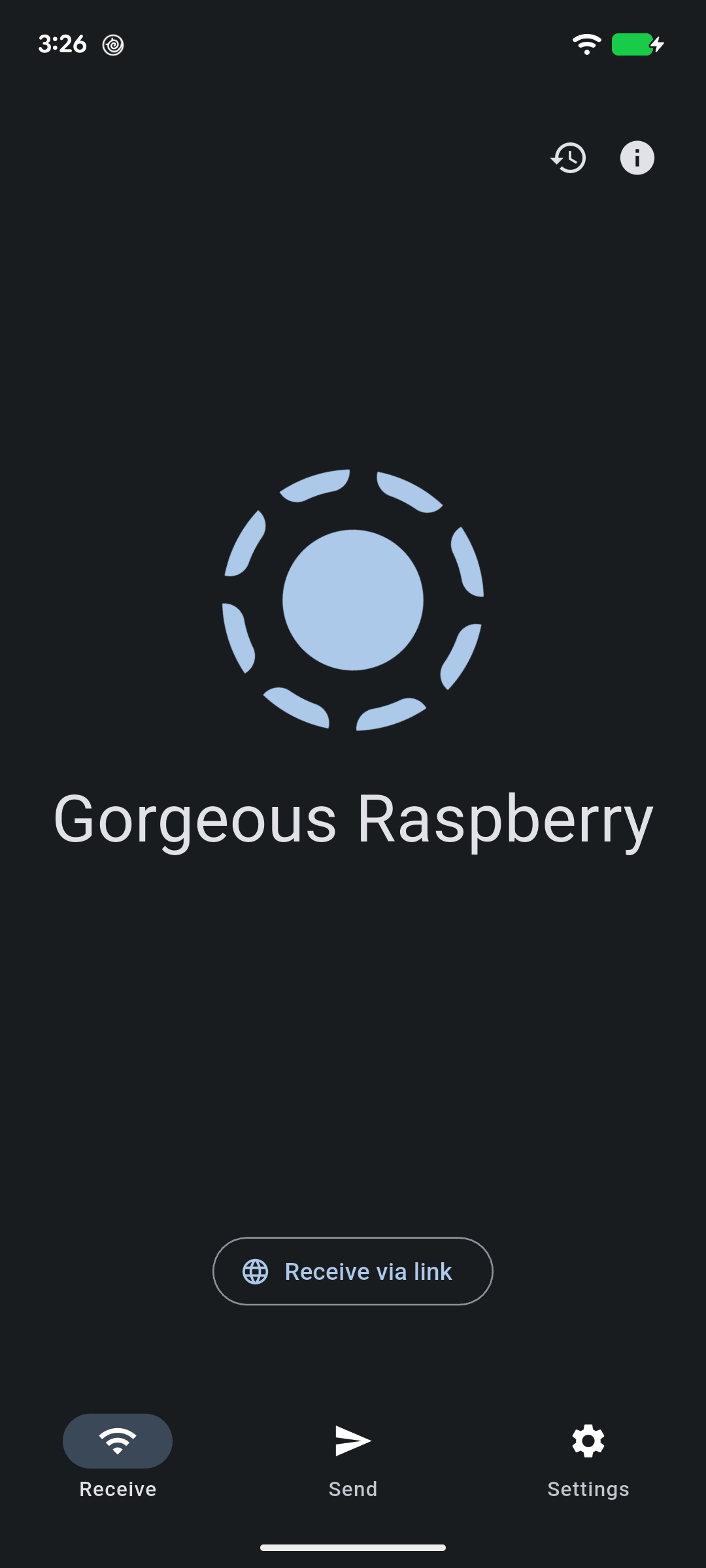
- LocalSend generates a name rather than using the device's.
- The name the laptop will see in its own device list.
- Receive is where the handset waits. Send is the other direction.
Both ends have to be on the same network. Same office WiFi, or the handset’s own hotspot with the laptop joined to it, which is the case worth knowing about on a job where there is no office WiFi to share.
Handset to laptop
Section titled “Handset to laptop”This is the direction you will use, and it starts from the thing you just made rather than from LocalSend.
- In ATLAS, make the thing. An export confirmation carries SHARE.
- SHARE, then LocalSend on the Android share sheet.
- Pick the laptop out of Nearby devices.
- Accept it on the laptop if it asks.
On the laptop it lands in the downloads folder and LocalSend offers Open or Show in folder. The file that arrives is byte for byte the file that left: the 32,288 byte KML that left the handset was 32,288 bytes on the laptop.
Or start from inside LocalSend
Section titled “Or start from inside LocalSend”The share sheet is the quick route when you have just made the file. Open LocalSend and use its own Send tab when the file already exists, or when you want to send several at once.
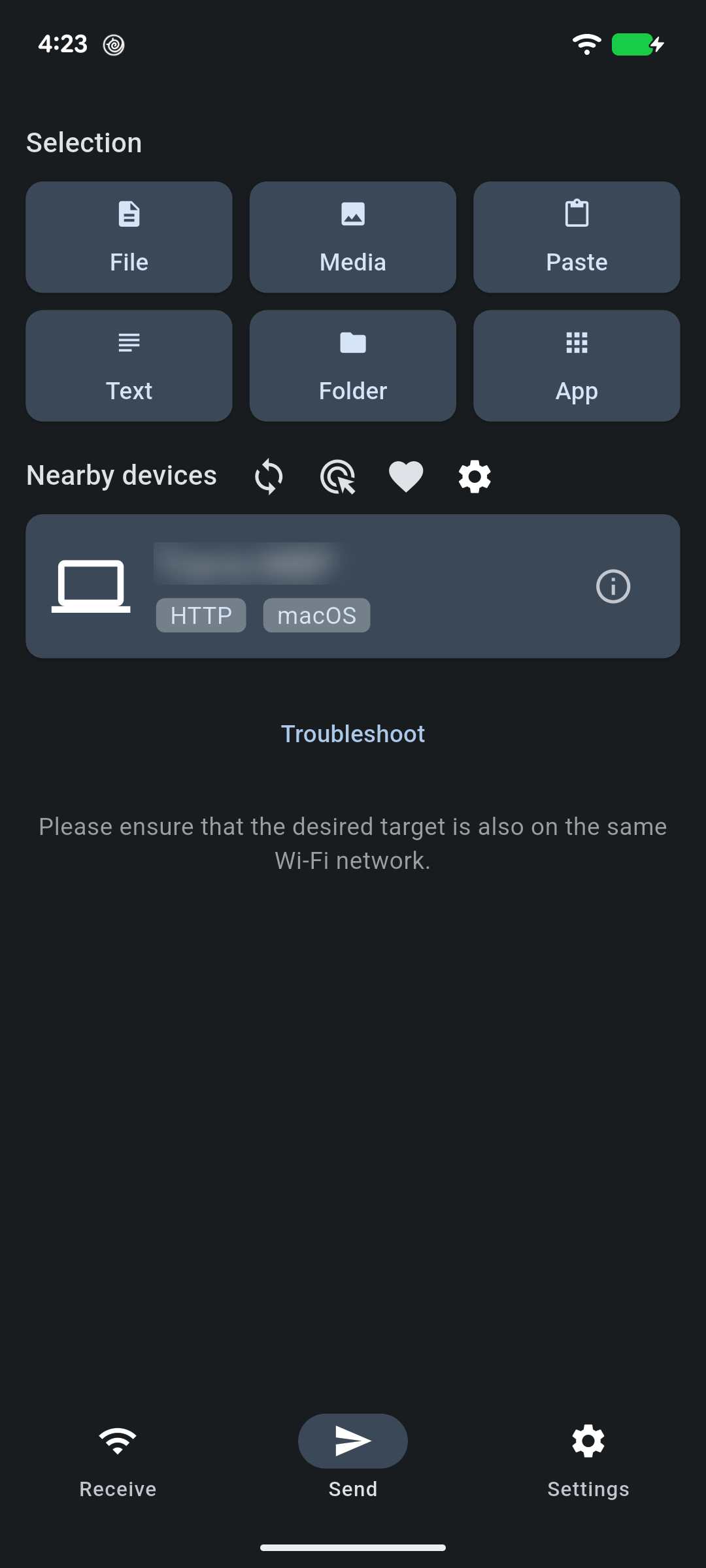
- Selection. Six kinds, and File is the one for an export.
- Text and Paste send a string rather than a file. Folder sends a whole directory.
- Nearby devices, found without configuring anything.
- The laptop. Platform and protocol are shown so two machines are tellable apart.
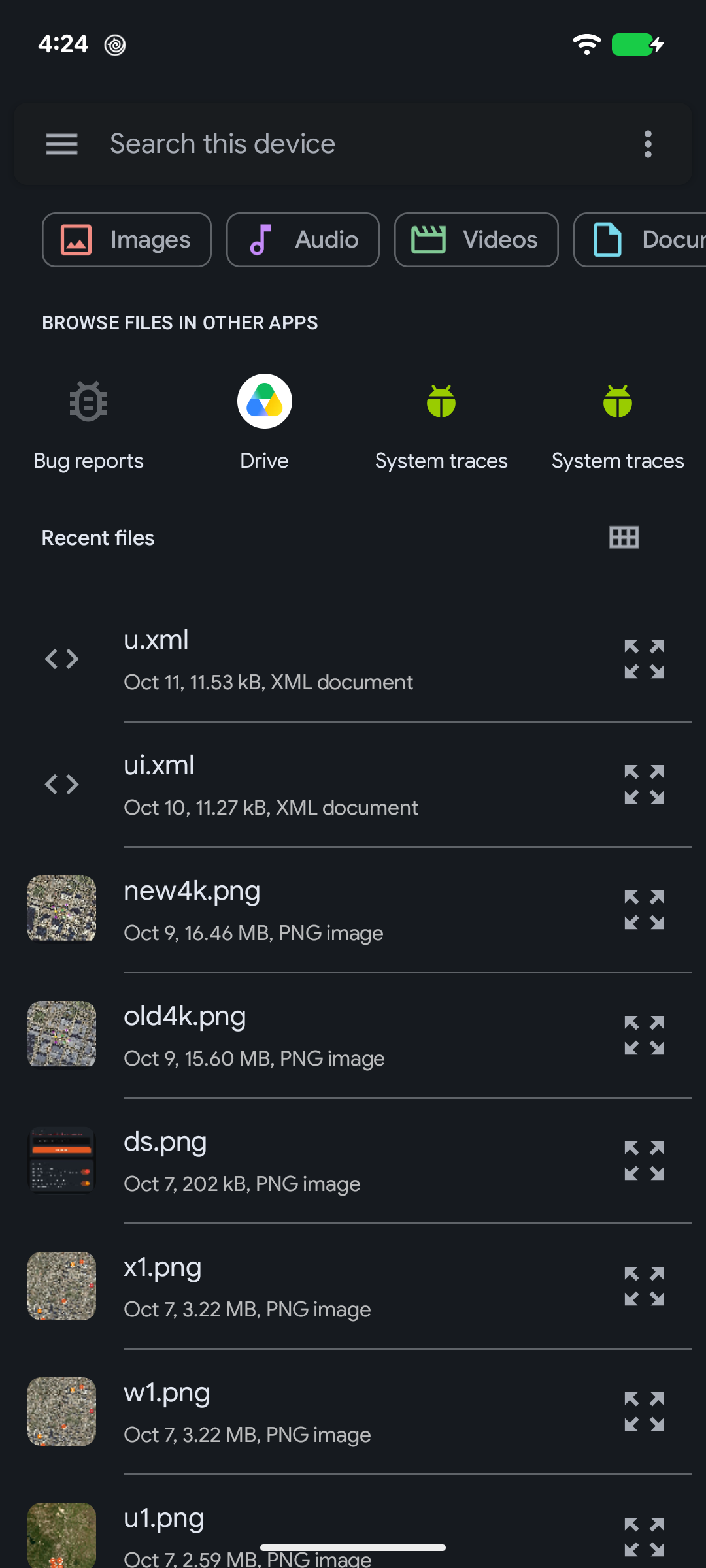
- Android's own picker, not LocalSend's.
- The type filters across the top.
- Other apps, including Drive if the handset has one.
- Recent files, which is usually where the thing you just made is.
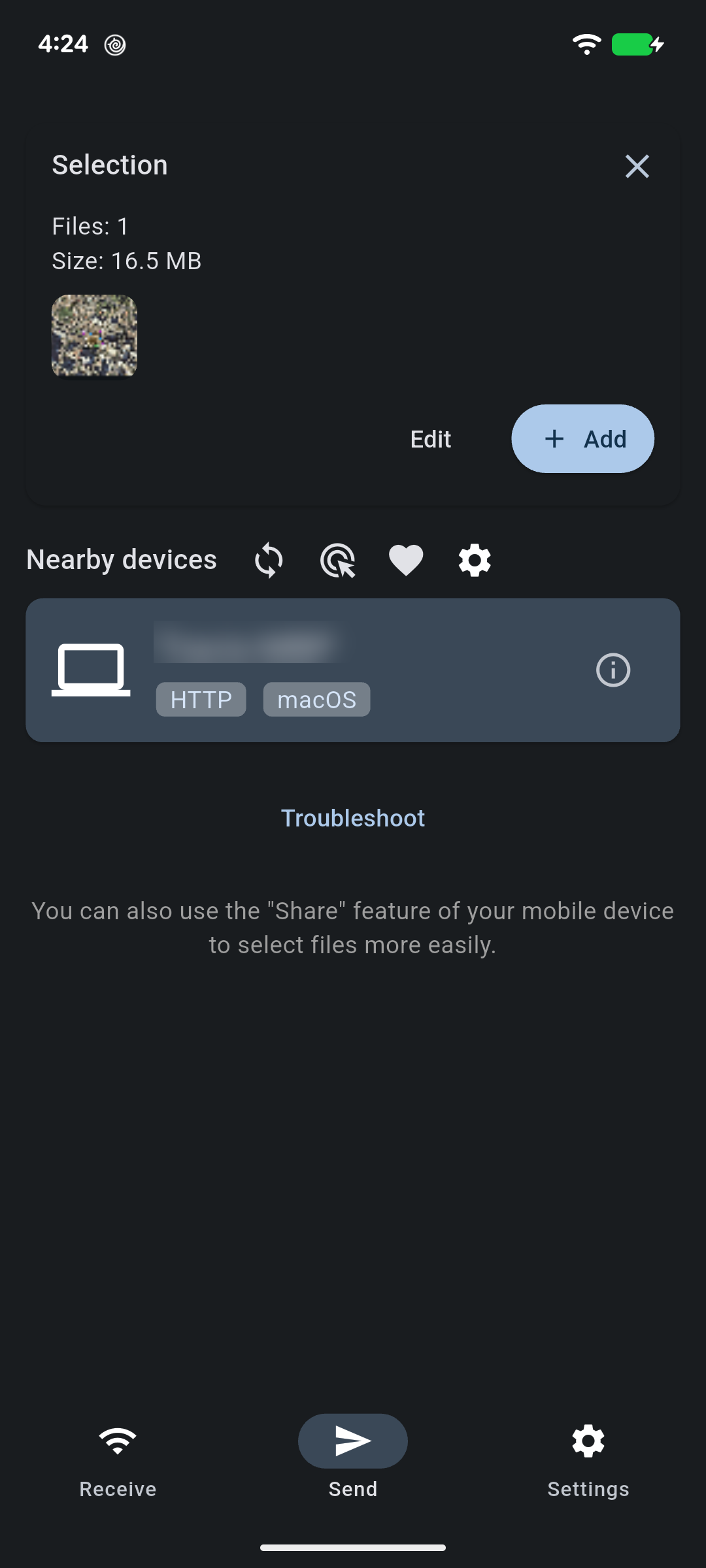
- Files and total size, before anything leaves.
- A thumbnail, so you can see you picked the right one.
- Add puts more in the same transfer. Edit drops one.
- Tap the laptop and it goes.
Add is worth knowing about. It puts more files into the same transfer, so a project bundle, a map screenshot and a KML go across as one accept on the laptop rather than three.
Laptop to handset
Section titled “Laptop to handset”The same thing backwards, and it is how a file gets to the phone without a cable.
- Open LocalSend on the laptop and go to Send.
- Drop the file in, or use the file picker.
- Pick the handset out of the device list. It is the name on its Receive tab.
- Accept it on the handset.
Worth having for a firmware image, a dictionary file for the Proxmark, or a project bundle you are moving between handsets.
What is worth moving
Section titled “What is worth moving”| From ATLAS | Why it leaves the handset |
|---|---|
| A map data export | the client sees it in Google Earth or a GIS tool. See Map data export |
| A project bundle | moving an engagement to another handset, or archiving it off the device |
| A map screenshot | straight into the report |
| Proxmark traces and dumps | analysis on a machine with a real screen |
| Voice memos and video | evidence into the report folder |