
Slots
You walk up to a door with an ATLAS Chameleon Ultra in your hand and the handset in your pocket. Whatever the ATLAS Chameleon Ultra answers the reader with was decided before you got there, and the door gives you one clean presentation before somebody behind you wonders why your badge needs a second try.
SLOTS is where you settle that on the walk over. It answers two questions that are easy to confuse, and confusing them is how a finished clone opens nothing: what does each of the eight slots hold, and is the device answering a reader with any of it right now.
Cards, then the ULTRA tab, then the SLOTS chip. It is the chip the tab opens on.
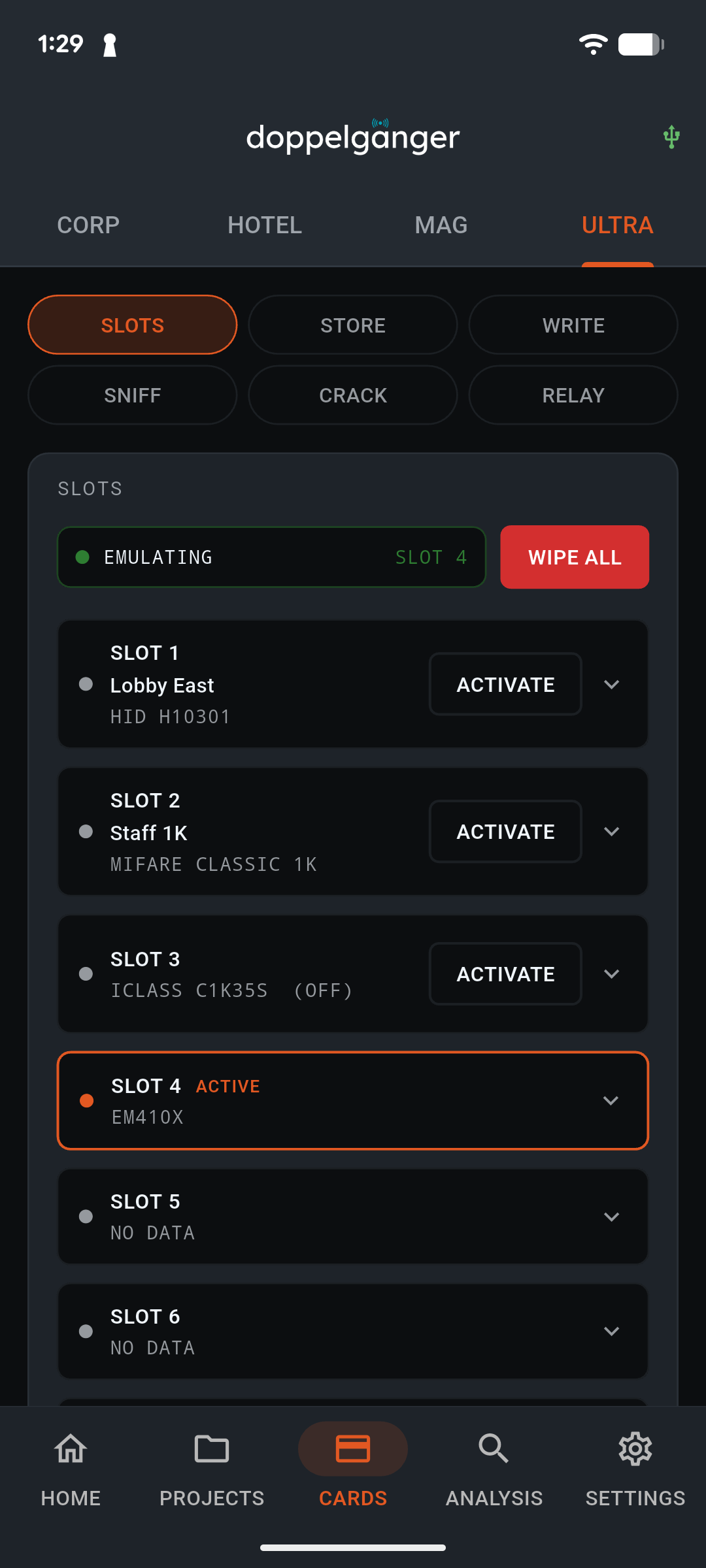
- EMULATING, SLOT 4.
- SLOT 1, Lobby East, with ACTIVATE.
- SLOT 2, Staff 1K.
- SLOT 3, an iCLASS card, OFF.
- SLOT 4, ACTIVE.
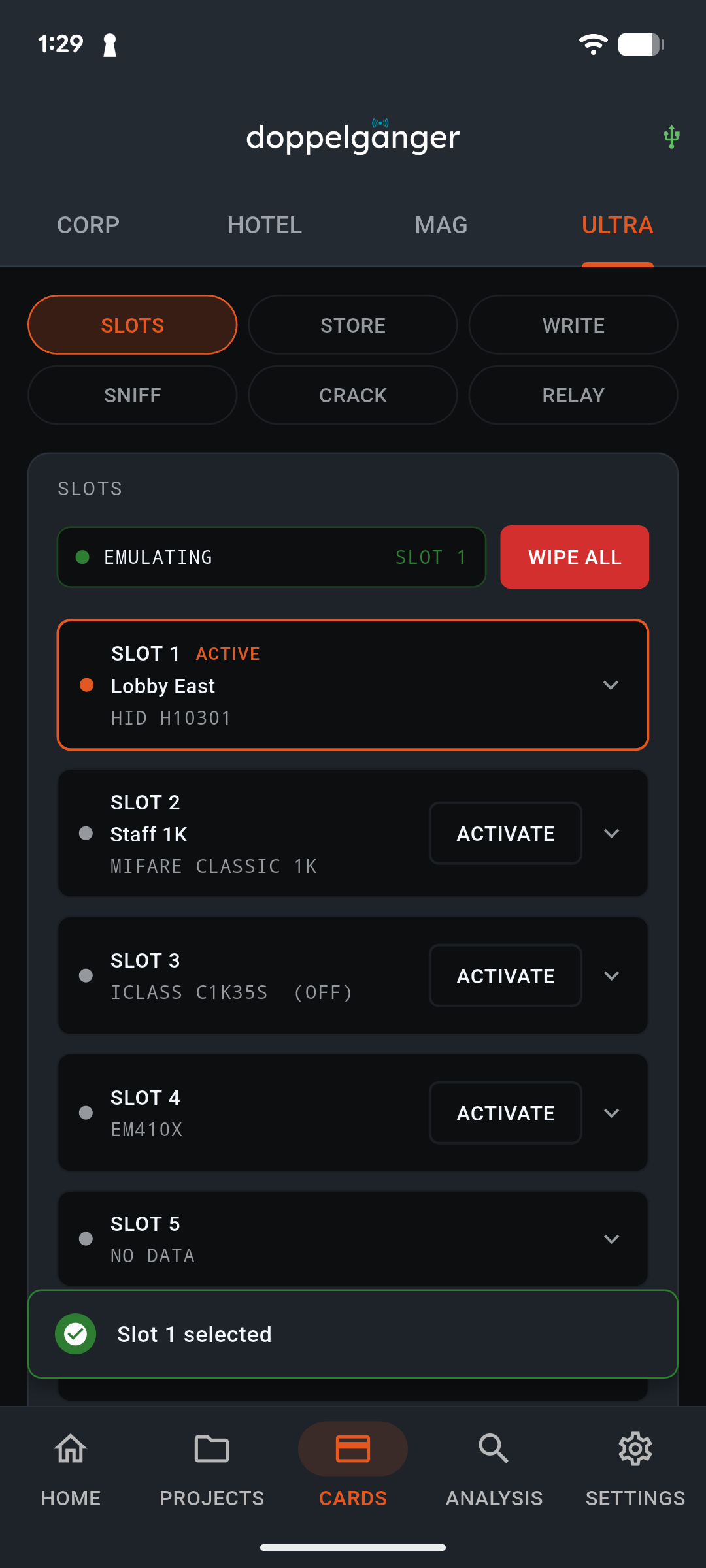
- EMULATING now reads SLOT 1.
- SLOT 1, ACTIVE.
- Slot 1 selected.
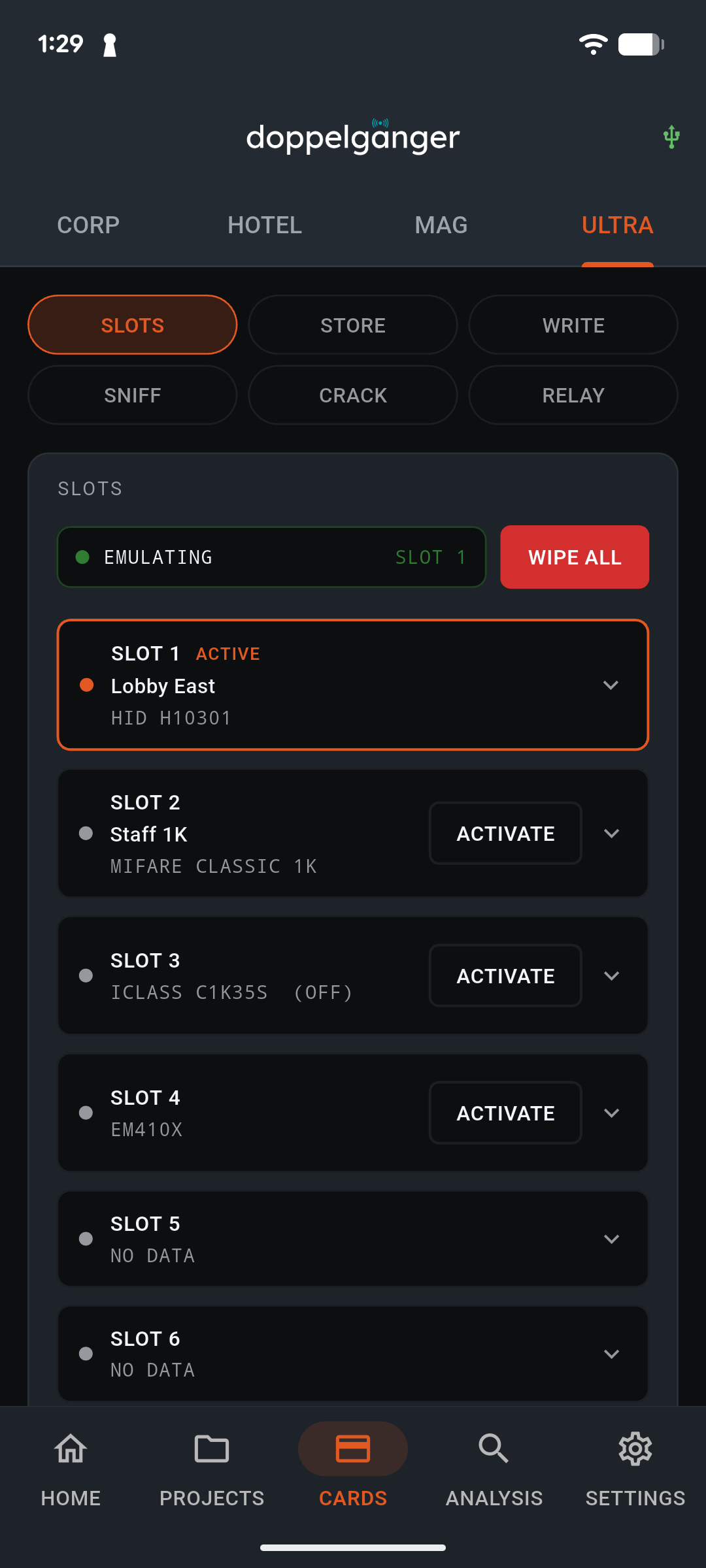
- EMULATING, SLOT 1, in green.
- SLOT 1, ACTIVE, Lobby East.
- SLOT 3 still holds its card, silent.
A card in a slot is not a card on the air
Section titled “A card in a slot is not a card on the air”The first row of the SLOTS card is a reading, EMULATING, with WIPE ALL beside it. It is drawn only while an ATLAS Chameleon Ultra is connected.
| EMULATING reads | Dot | What the device is doing |
|---|---|---|
| SLOT 1 to SLOT 8 | green | answering a reader from that slot |
| NOTHING | red | answering no reader, whatever the slots hold |
NOTHING is the reading to check for before you leave the car. When ATLAS takes the link on the cable it parks the ATLAS Chameleon Ultra on SLOT 8 with that slot’s 13.56 MHz side silenced, so the device stops answering every reader it is near while you work. The park is saved on the device, and the ATLAS Chameleon Ultra runs on its own battery, so pulling the cable does not undo it. A slot full of card data on a parked device walks to the door mute. The one exception is an active iCLASS slot holding a card. The connect leaves that slot as it is, so EMULATING goes on naming it.
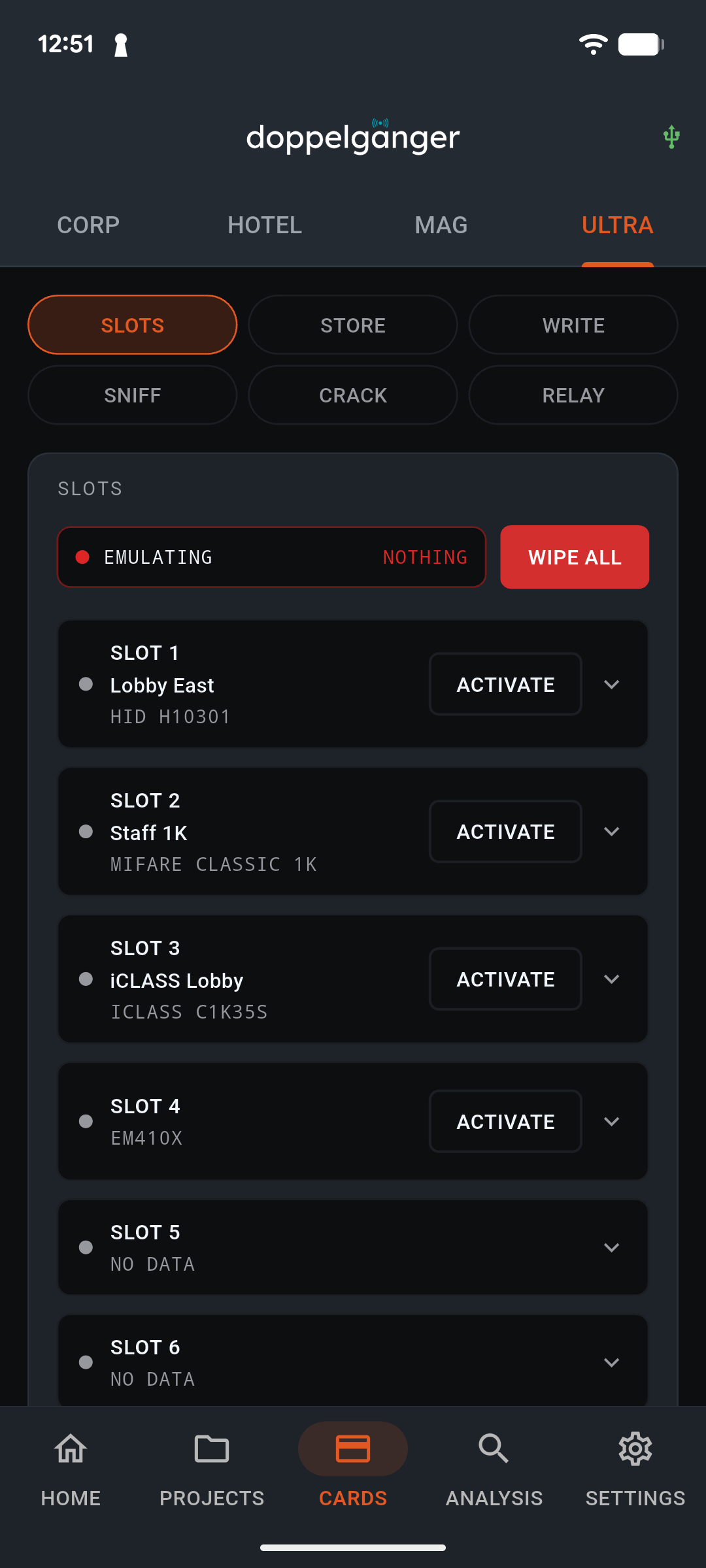
- EMULATING, NOTHING, in red.
- SLOT 1 holds a card, and is silent.
- SLOT 3, the iCLASS card, silent too.
- SLOT 5, NO DATA.
What the reading follows:
| The active slot holds | EMULATING reads a slot when |
|---|---|
| an LF or HF card | the slot is the active one and its band is switched on |
| an iCLASS card | the slot is the active one and the card is presenting |
| nothing | never |
What a closed row tells you
Section titled “What a closed row tells you”Each of the eight rows carries the same parts, top to bottom and left to right.
| Part | Reads | Meaning |
|---|---|---|
| Dot | accent or muted | the app’s accent color on the active slot, muted on the other seven |
| SLOT 1 to SLOT 8 | the slot number | fixed, one row per slot |
| ACTIVE | shown or absent | the slot the device has selected |
| Name | your text | shown only when the slot has been named |
| Card line | the card, or NO DATA | what the slot holds, in one line |
| ACTIVATE | shown or absent | puts this slot on the air in one tap |
| Chevron | down or up | opens and closes the row |
The card line names only what the slot can present:
| Card line | Meaning |
|---|---|
| a format in capitals, for example HID H10301 | a card is stored and its band is on |
| the same, ending (OFF) | a card is stored and its band is off, so the slot answers nothing |
| ICLASS H10301, or ICLASS LEGACY | an iCLASS card, named for its format when the device or the app knows it, otherwise ICLASS LEGACY with its bit length when that is known, for example ICLASS LEGACY 26-BIT |
| an iCLASS line ending (OFF) | the iCLASS card is stored and not presenting |
| NO DATA | the device reports nothing stored on the slot’s band |
One card per slot, on purpose
Section titled “One card per slot, on purpose”A slot holds one credential. It is LF, or HF, or iCLASS, never two of them, and the row never names two.
The official firmware lets a slot carry two cards at once, one low frequency and one high frequency. ATLAS CU firmware removes that on purpose. A reader that supports both bands and is shown both takes the high frequency card first and ignores the low frequency one, so a two-card slot cannot be trusted to present the credential you meant. On a test you need the exact card to reach the reader, so each slot presents exactly one.
| Official firmware | ATLAS CU firmware | |
|---|---|---|
| Cards in one slot | two, one LF and one HF | one |
| What a dual-band reader is shown | both, and it takes the HF card | the one card in the slot |
| Slots | eight | eight |
Eight slots is eight credentials, which is more than an engagement needs at one door.
ACTIVATE sits on the face of a closed row when the slot holds a card and is not already live. For an LF or HF slot, live means active. For an iCLASS slot, live means presenting.
Putting a slot on the air
Section titled “Putting a slot on the air”- Find the slot by its name and card line.
- Tap ACTIVATE on the row. Opening the row first is not needed, though an open row offers the same control as a full width button at the bottom.
- Watch EMULATING change to that slot.
- Present the ATLAS Chameleon Ultra to the reader.
What happens next depends on what the slot holds.
| The slot holds | While it works | When it is done |
|---|---|---|
| an LF or HF card | ACTIVATING, briefly | Slot 3 selected |
| an iCLASS card | ACTIVATING, for some seconds | Slot 3 presenting |
If the iCLASS card is not on the air when the device returns, the message is Slot 3 did not come back presenting. Any other failure reads Activate failed with the reason after it.
The same choice can be made on the device with no handset in reach. A short press of A, the control nearer the USB port, selects the next occupied slot and puts it on the air. A short press of B selects the previous one. One of the eight slot lights goes solid on the selected slot, and its color says what kind of card it holds.
| Light color | Card in the slot |
|---|---|
| Green | MIFARE Classic |
| Cyan | MIFARE Ultralight, NTAG |
| White | ISO 14443-4 identities, DESFire and Seos among them |
| Yellow | iCLASS |
| Blue | HID Prox, ioProx, AWID, EM410x, Indala |
| Magenta | Pyramid, Paradox, PAC, Securakey, Casi-Rusco, Viking |
Light 1 is nearest the USB port and light 8 is farthest from it. A slot light is lit only while that slot is answering readers. No light means nothing is selected, the selected slot is empty, or the selected slot is not on the air, which is how a device the app has parked on SLOT 8 looks. Red is never a card.
Inside an open row
Section titled “Inside an open row”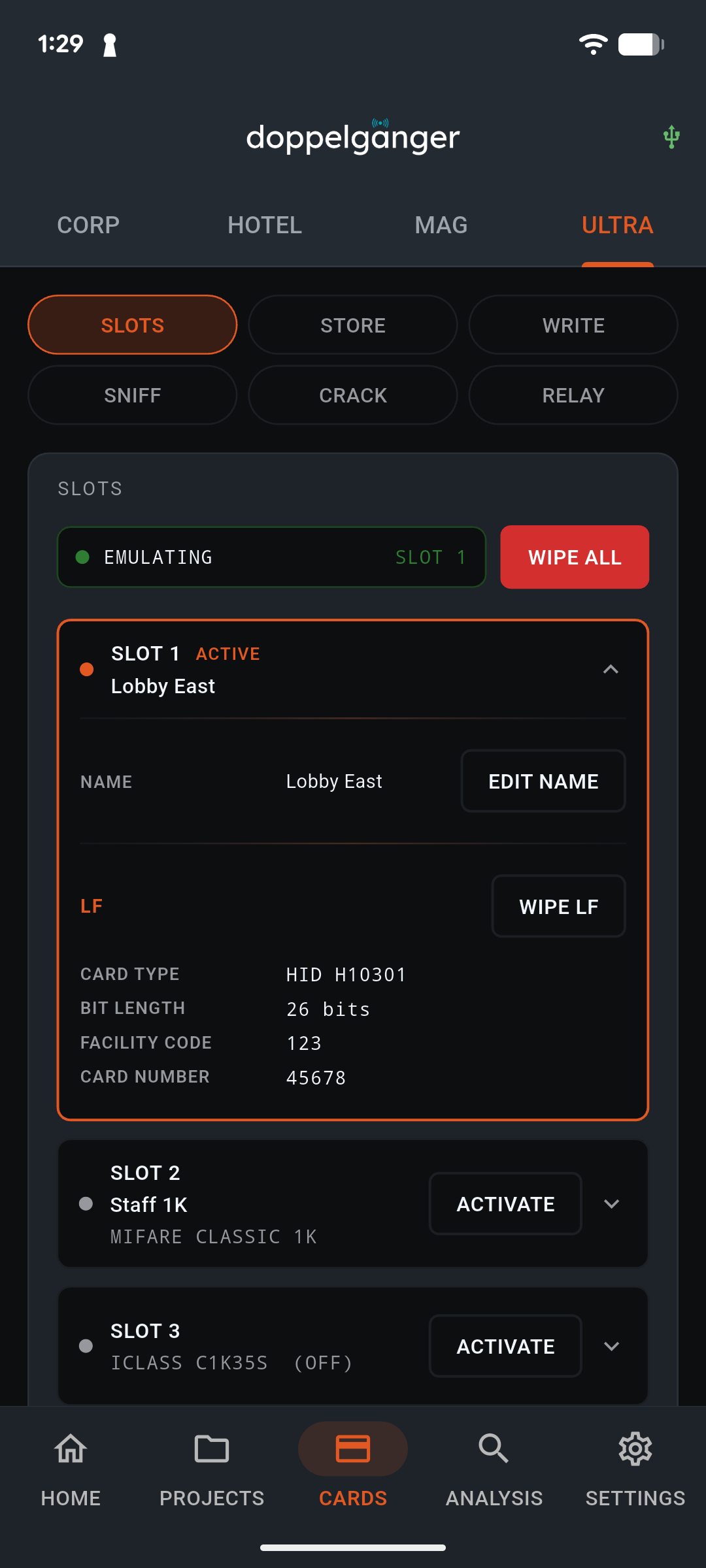
- SLOT 1, ACTIVE, open.
- NAME, with EDIT NAME.
- LF, with WIPE LF.
- CARD TYPE.
- FACILITY CODE and CARD NUMBER.
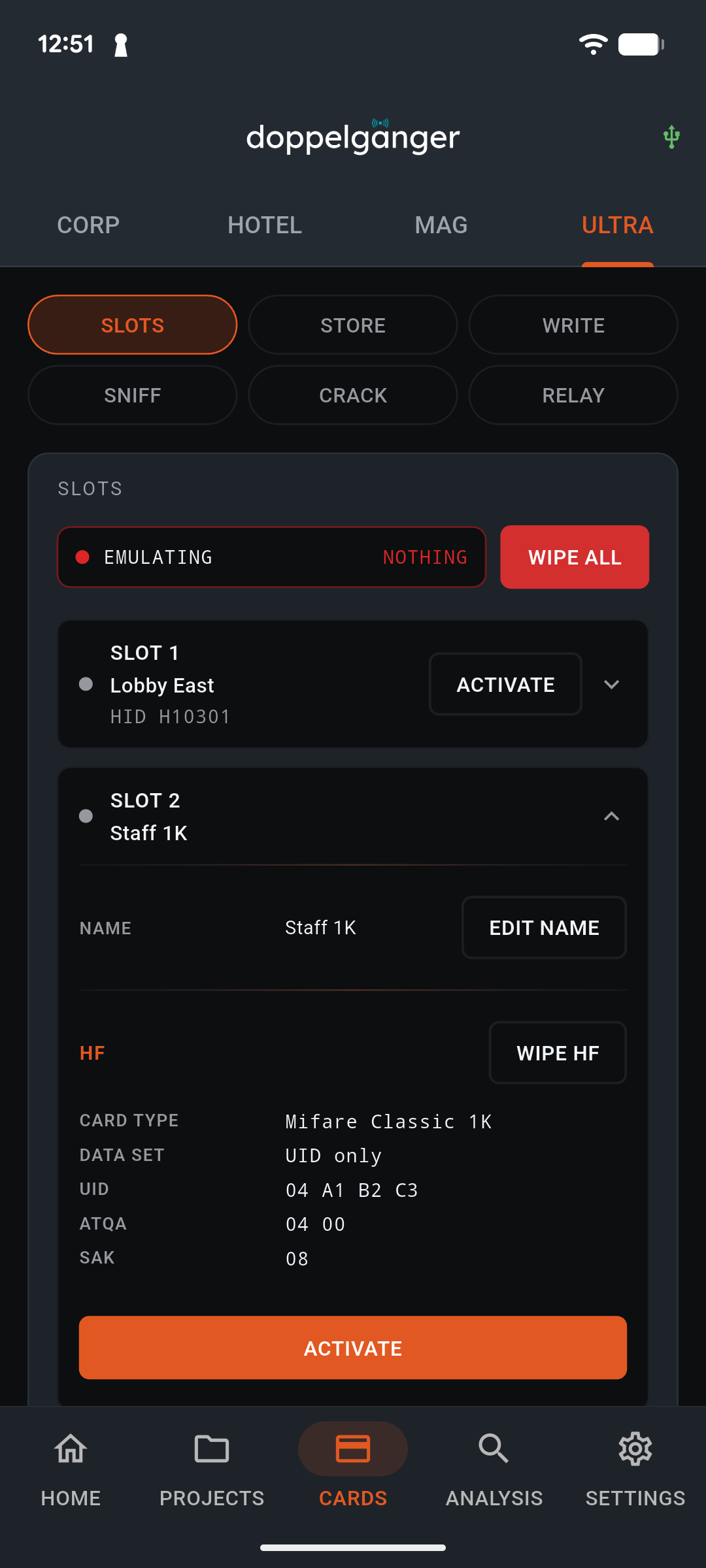
- SLOT 2, open.
- NAME, Staff 1K.
- HF, with WIPE HF.
- DATA SET, UID only.
- ATQA and SAK.
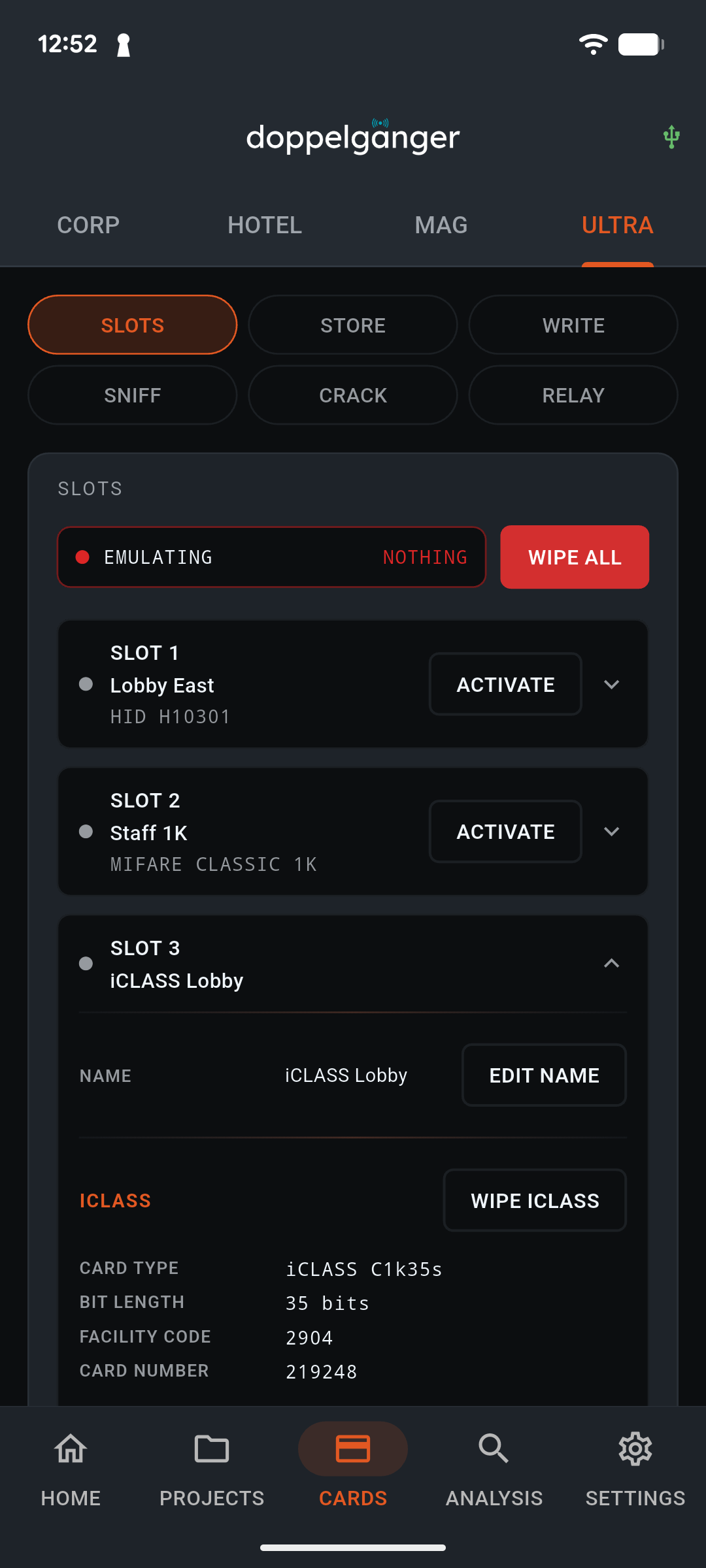
- SLOT 3, open.
- NAME, iCLASS Lobby.
- ICLASS, with WIPE ICLASS.
- CARD TYPE, iCLASS C1k35s.
- FACILITY CODE and CARD NUMBER.
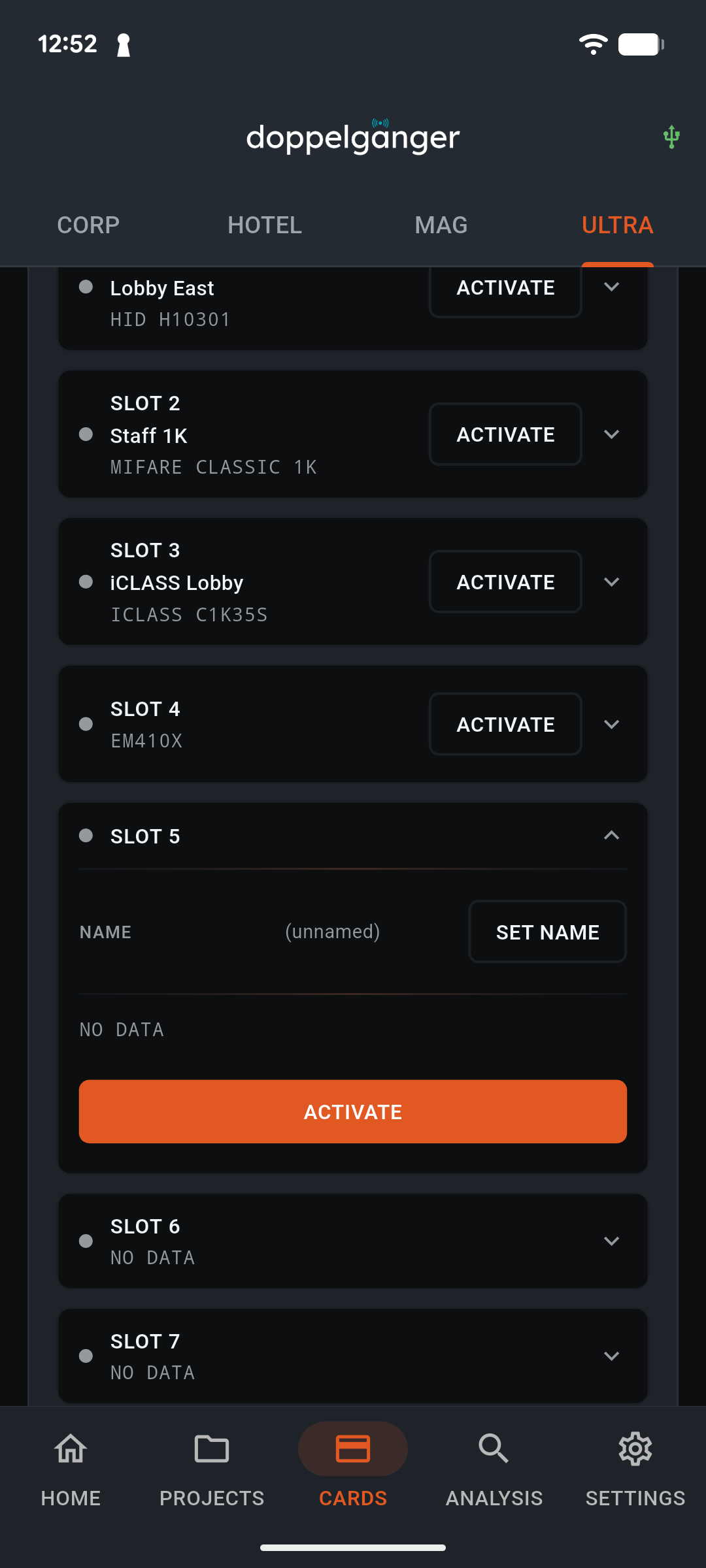
- SLOT 5, open.
- (unnamed), with SET NAME.
- NO DATA, and no band heading.
Tap a row to open it. It shows the name, then one section for the one credential the slot holds.
NAME reads the slot’s name, or (unnamed), with SET NAME beside it. Once a name exists the control reads EDIT NAME.
Below it, the section is headed for the band, LF, HF or ICLASS, with the wipe for that band on the same line. An empty slot shows NO DATA and no heading, because an empty slot is on no band.
An LF slot or an iCLASS slot
| Reading | Shows |
|---|---|
| CARD TYPE | the format, for example HID H10301. An iCLASS card the device cannot name reads iCLASS Legacy, with its bit length when that is known |
| BIT LENGTH | the frame length, for example 26 bits |
| FACILITY CODE | shown when the format carries one |
| CARD NUMBER | the card number |
| RAW HEX | the stored frame in hex, when it is known |
An HF slot
| Reading | Shows |
|---|---|
| CARD TYPE | the tag type or dump, for example Mifare Classic 1K |
| DATA SET | Full Data Set for a complete MIFARE Classic dump, UID only for an identity with no contents, Full Data Set with a page count for an Ultralight or NTAG dump stored from CRACK, and Silhouette only (no block data) for an ISO 14443-4 identity stored from CRACK |
| UID | the UID, spaced by byte |
| ATQA | spaced by byte |
| SAK | one byte |
| BLOCKS | the block count, shown only when DATA SET reads exactly Full Data Set |
A reading is absent when the slot does not carry that value. If the device reports a card and neither the device nor the app can describe it, CARD TYPE falls back to the device’s own type name followed by (no metadata cached).
Naming a slot
Section titled “Naming a slot”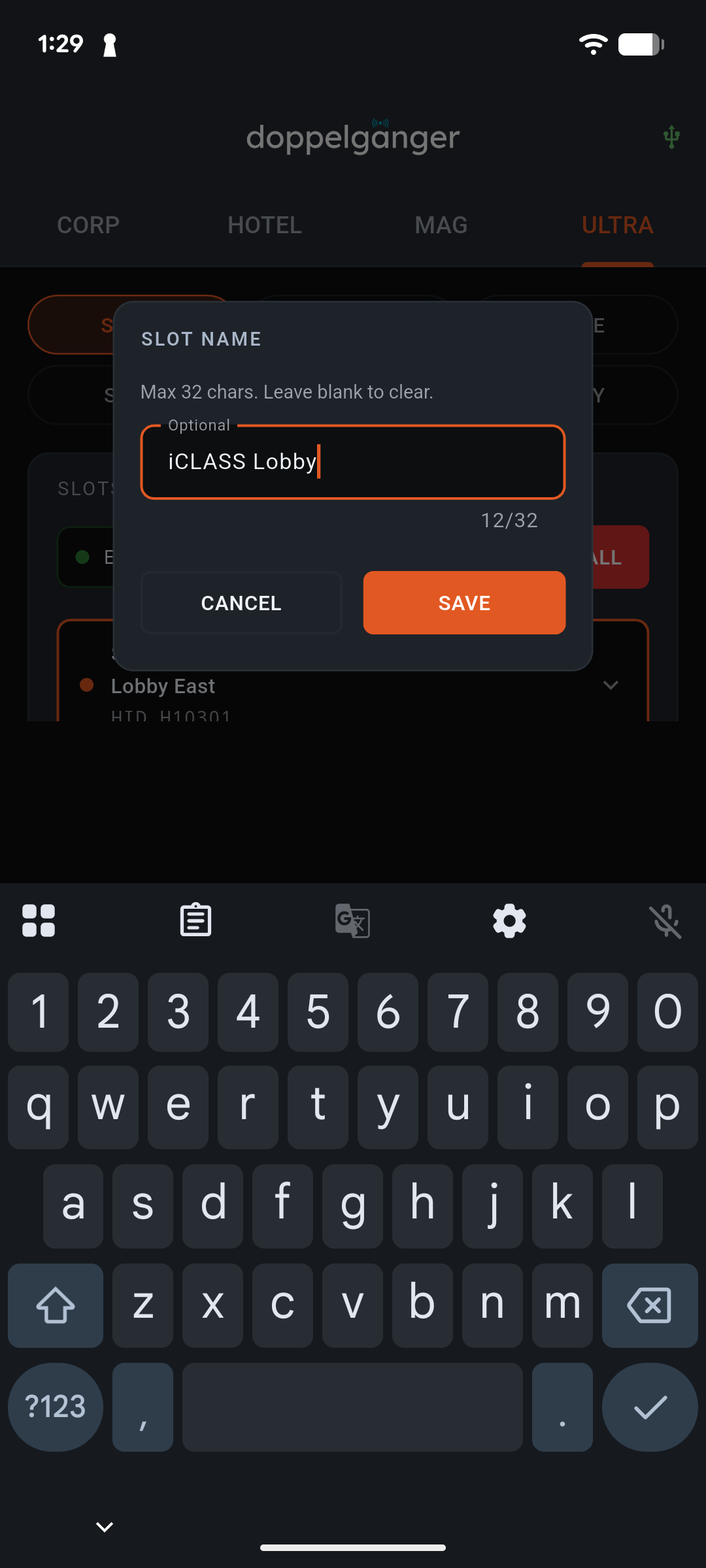
- SLOT NAME.
- Max 32 chars. Leave blank to clear.
- The name, typed.
- SAVE.
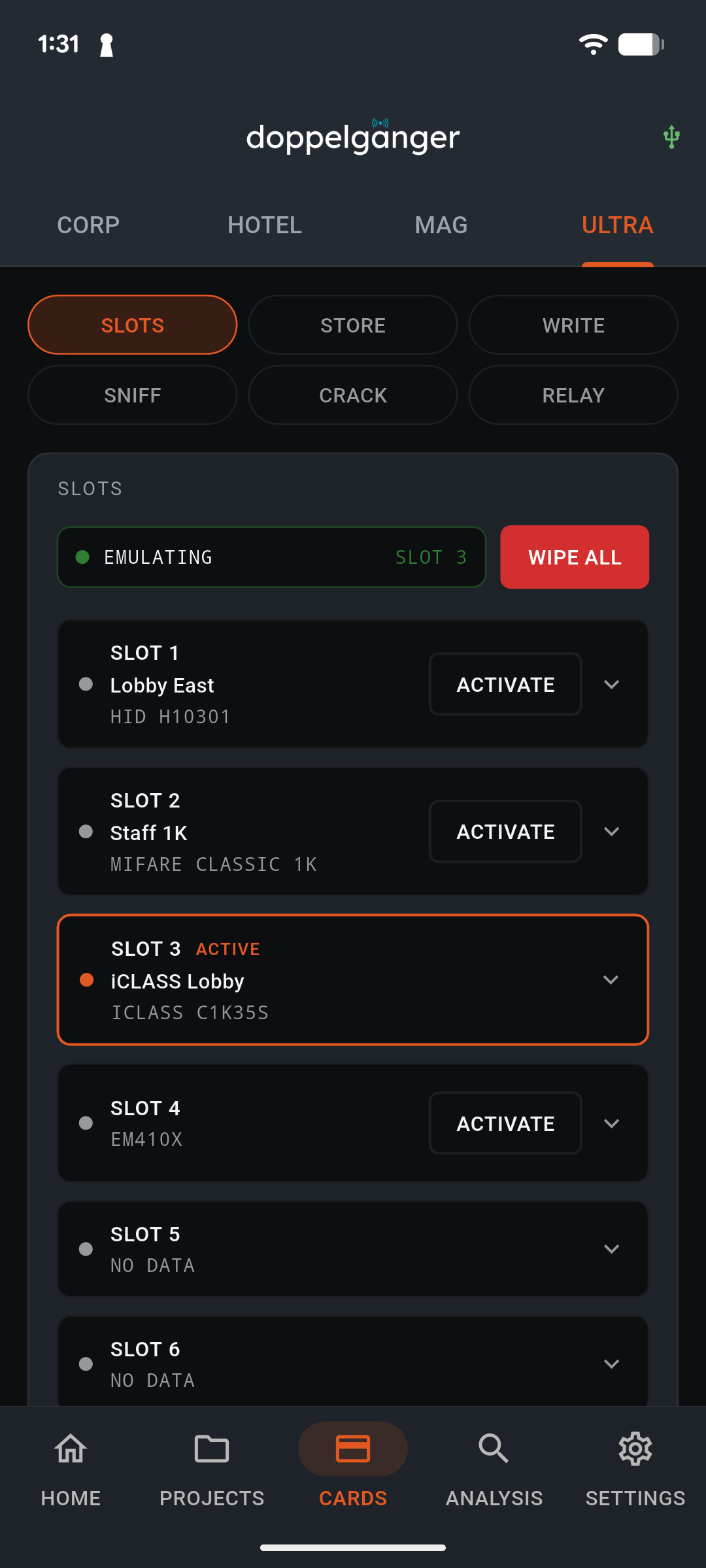
- EMULATING, SLOT 3.
- SLOT 3, ACTIVE, iCLASS Lobby, ICLASS C1K35S.
A name is what you will be picking by at a door, so name the slot for the site or the cardholder role, not for the format. The format is already on the row.
- Open the row and tap SET NAME, or EDIT NAME on a slot that has one.
- The SLOT NAME dialog opens with the line Max 32 chars. Leave blank to clear. over a field labeled Optional.
- Type the name and tap SAVE. CANCEL leaves the slot as it was.
| You saved | The message reads |
|---|---|
| a name | Slot 3 named “Lobby East” |
| an empty field | Slot 3 name cleared |
The name lives on the device, so another handset that connects to the same ATLAS Chameleon Ultra sees it. STORE can set it too, through FRIENDLY NAME, at the moment the card goes in. See Store.
Wiping one slot, or all eight
Section titled “Wiping one slot, or all eight”| Control | Asks first | Erases |
|---|---|---|
| WIPE LF | no | the slot’s LF card |
| WIPE HF | no | the slot’s HF card |
| WIPE ICLASS | yes | the slot’s iCLASS card |
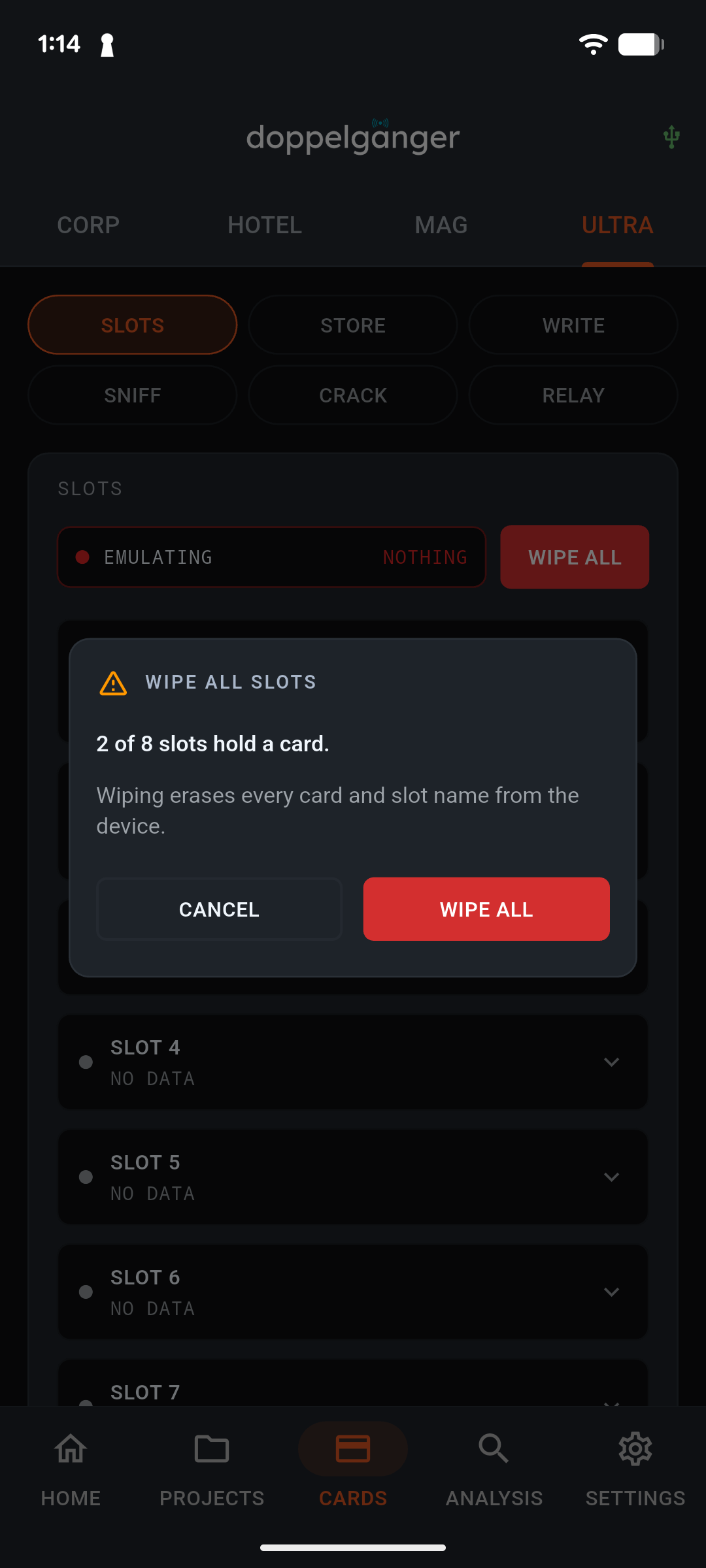
| WIPE ALL | yes | every card and every slot name on the device |
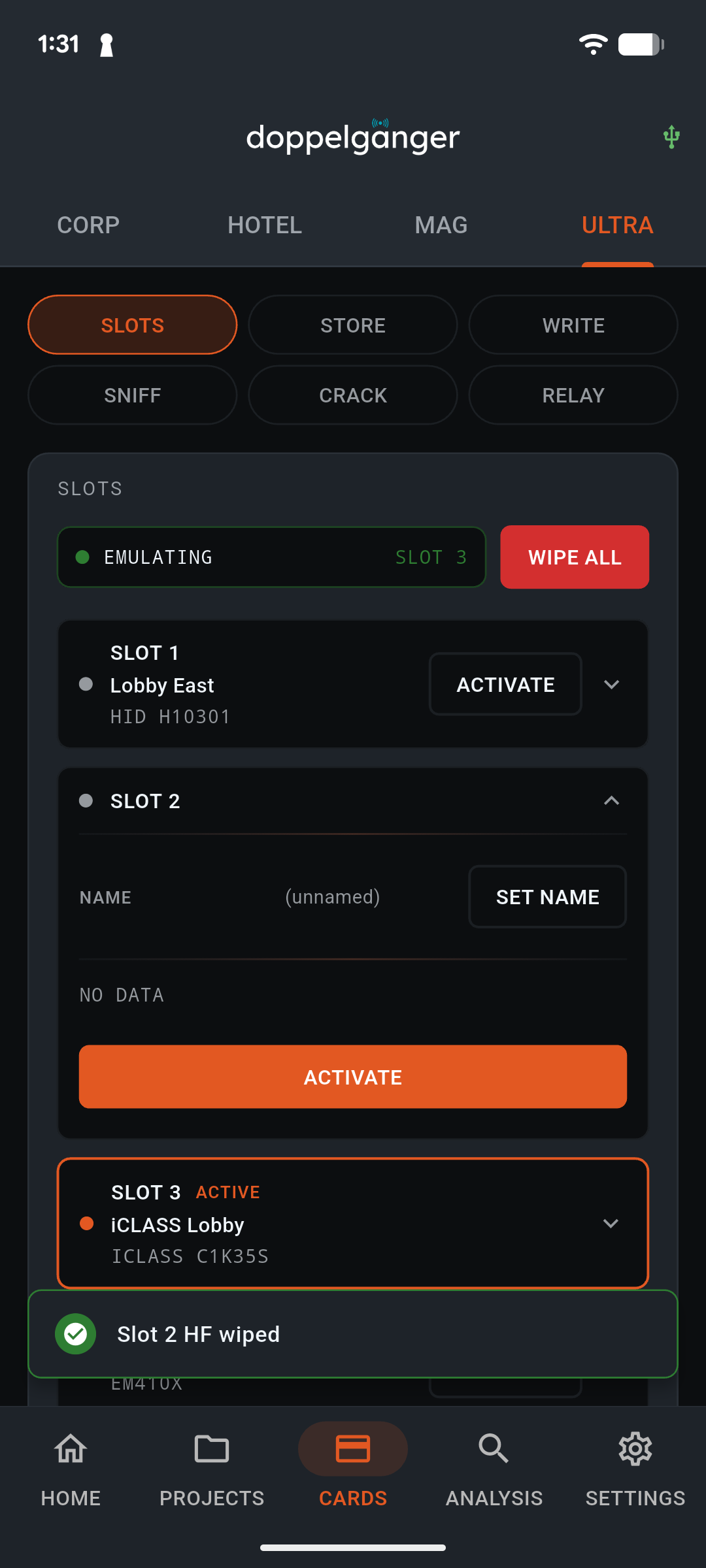
- SLOT 2, unnamed now.
- NO DATA.
- Slot 2 HF wiped. The first sign it happened.
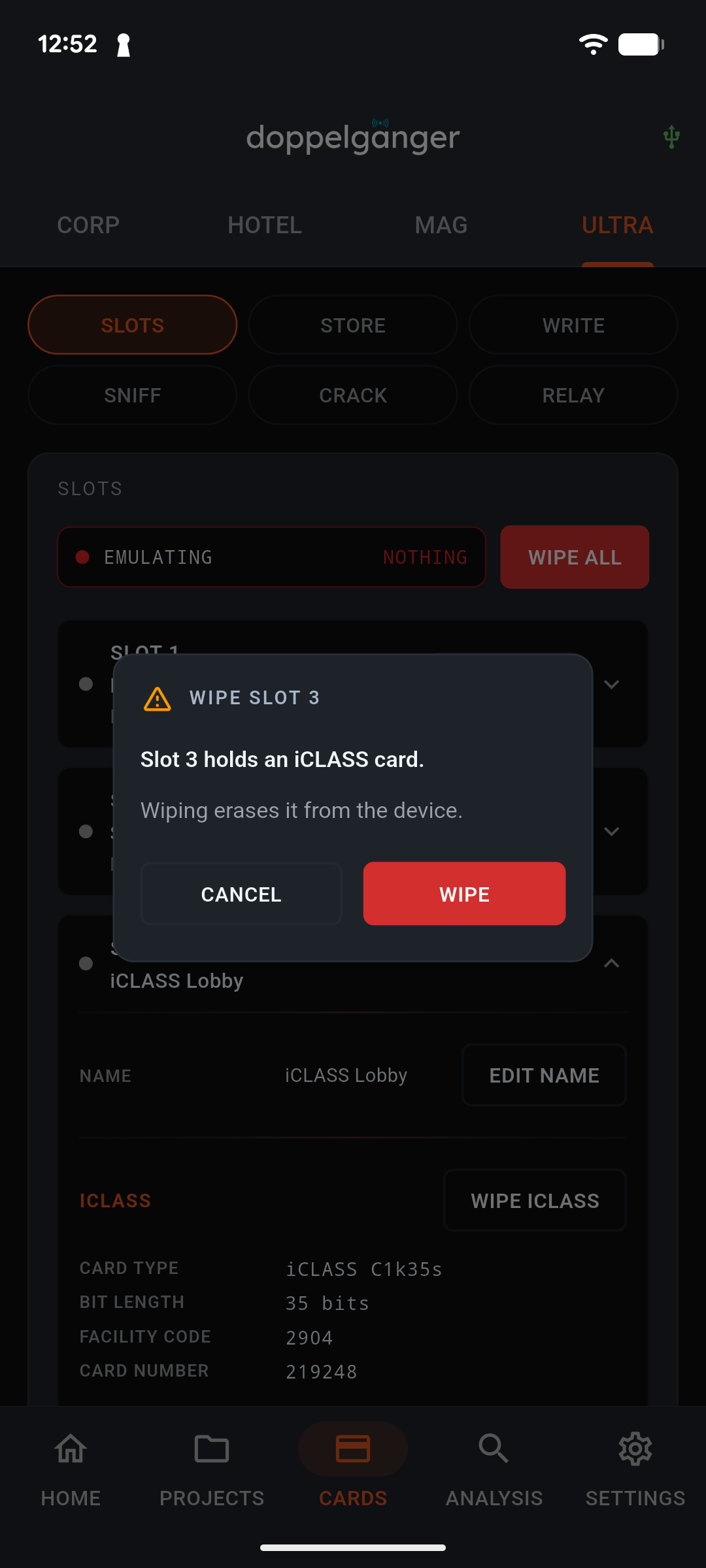
- WIPE SLOT 3.
- Names the iCLASS card it erases.
- CANCEL, or WIPE.
- WIPE ALL SLOTS, with 2 of 8 slots hold a card.
- Every card and every name.
- CANCEL, or WIPE ALL.
Wiping an LF or HF slot’s only card also clears the slot’s name. WIPE ICLASS leaves the name in place.
WIPE ICLASS raises WIPE SLOT 3, reading Slot 3 holds an iCLASS card. and Wiping erases it from the device., with CANCEL and WIPE. It ends Slot 3 ICLASS wiped.
WIPE ALL raises WIPE ALL SLOTS, which counts what is at stake before you commit, for example 5 of 8 slots hold a card., then Wiping erases every card and slot name from the device., with CANCEL and WIPE ALL. The control reads WIPING while it runs, every row is held until it finishes, and it ends All slots wiped. The control is gray when there is nothing on the device to wipe.
| Use | When |
|---|---|
| a single band wipe | one slot is being reused for a different card |
| WIPE ALL | the engagement is over and the device goes back in the kit with no client credential on it |
A failed wipe of any kind reads Wipe failed with the reason after it.
Limits and fixed behavior
Section titled “Limits and fixed behavior”| Item | Value |
|---|---|
| Slots | 8, numbered SLOT 1 to SLOT 8 |
| Credentials per slot | 1, on one band |
| Slot name | up to 32 characters |
| Where the device is parked on a cable connect | SLOT 8, 13.56 MHz side silenced |
| The slot the relay takes | SLOT 8 |
| When the list is read | on connect, and after a store, a wipe, a rename or an activation |
| With no device connected | the card is empty and the tab’s banner reads NO CHAMELEON ULTRA DEVICE CONNECTED |
| While the first read is running | Reading slot inventory… |
| If the read returned no slots | No slots loaded yet |
Because the cable park lands on SLOT 8 and the relay takes the same slot, keep the credential you intend to present at a door in SLOT 1 to SLOT 7.
Where to go next
Section titled “Where to go next”| You want | Page |
|---|---|
| To put a credential into a slot | Store |
| To burn a credential onto a physical card with the ATLAS Chameleon Ultra | Write |
| To learn what a reader accepts before choosing a card | Sniff and reader fingerprint |
| The controls and lights on the device itself, and its sleep timers | ATLAS Chameleon Ultra Settings |