
Write / Simulate
This is the half of the tab that writes. It needs a dump, which means Recover has already run, and it needs the right kind of blank.
The panel
Section titled “The panel”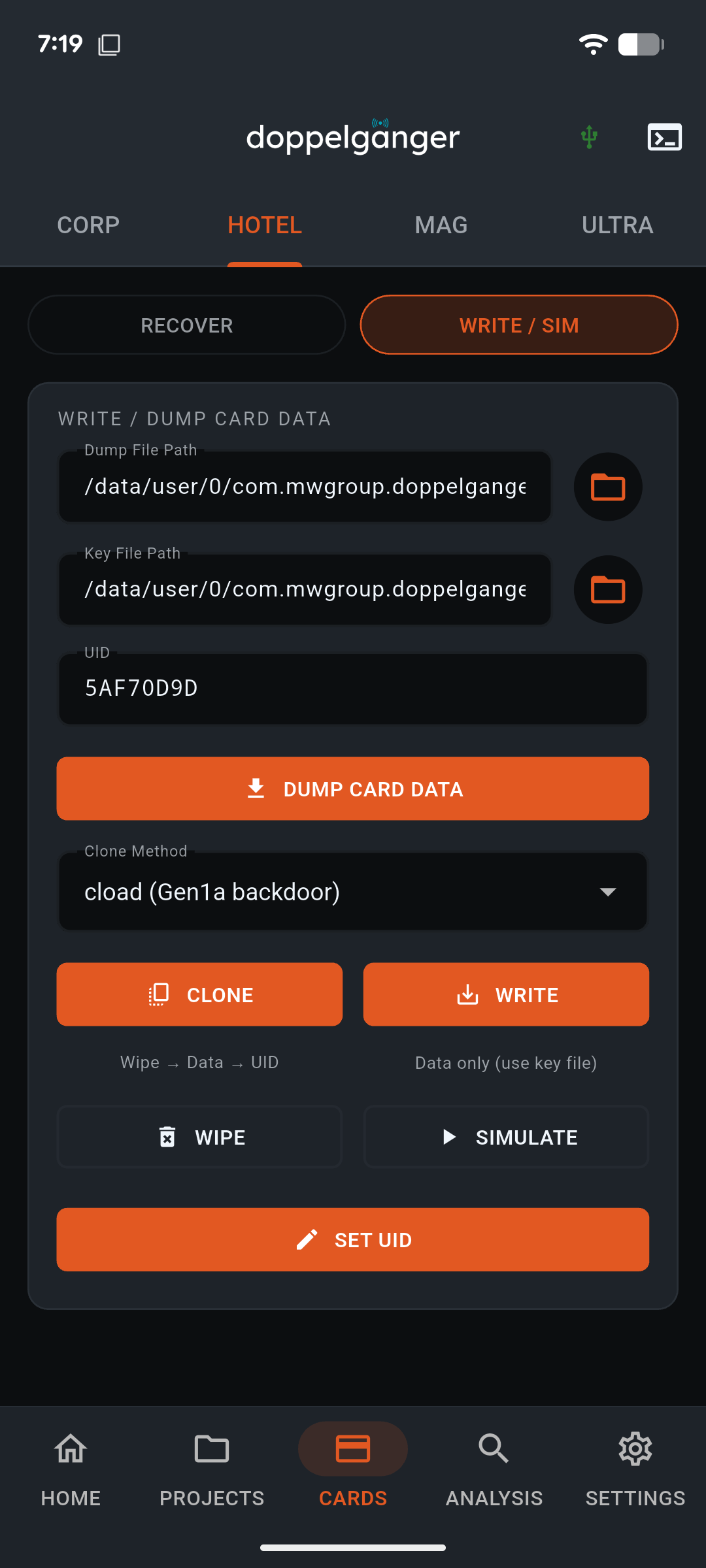
- Both paths, filled by the recovery. The folder buttons pick them up again after a restart.
- The UID read off the card, which is what SET UID would write.
- DUMP CARD DATA re-reads the card into the dump file.
- Clone Method. This is the decision that matters, and it is below.
Six actions, and the small print under the top two is the clearest statement of what they do:
| Action | Subtitle in the app | What it means |
|---|---|---|
| CLONE | Wipe to Data to UID | the whole card, the method chosen below |
| WRITE | Data only (use key file) | the blocks, authenticating with the key file, no UID |
| WIPE | clears the card | |
| SIMULATE | presents the dump from the Proxmark, no card involved | |
| SET UID | writes block 0 only, on a card that allows it | |
| DUMP CARD DATA | reads the card into the dump file, needs the keys |
cload or restore
Section titled “cload or restore”The two run different command sequences, and knowing which is which explains the failure modes:
| cload | restore | |
|---|---|---|
| Command | hf mf cload -f <dump> | hf mf restore --1k -f <dump> -k <keys> then hf mf csetuid |
| Block 0 | written, from the dump | cannot be written, hence the separate step |
| Blank needed | magic Gen1a | any writable Classic |
| Sessions over the air | one | three |
Reading the verdict
Section titled “Reading the verdict”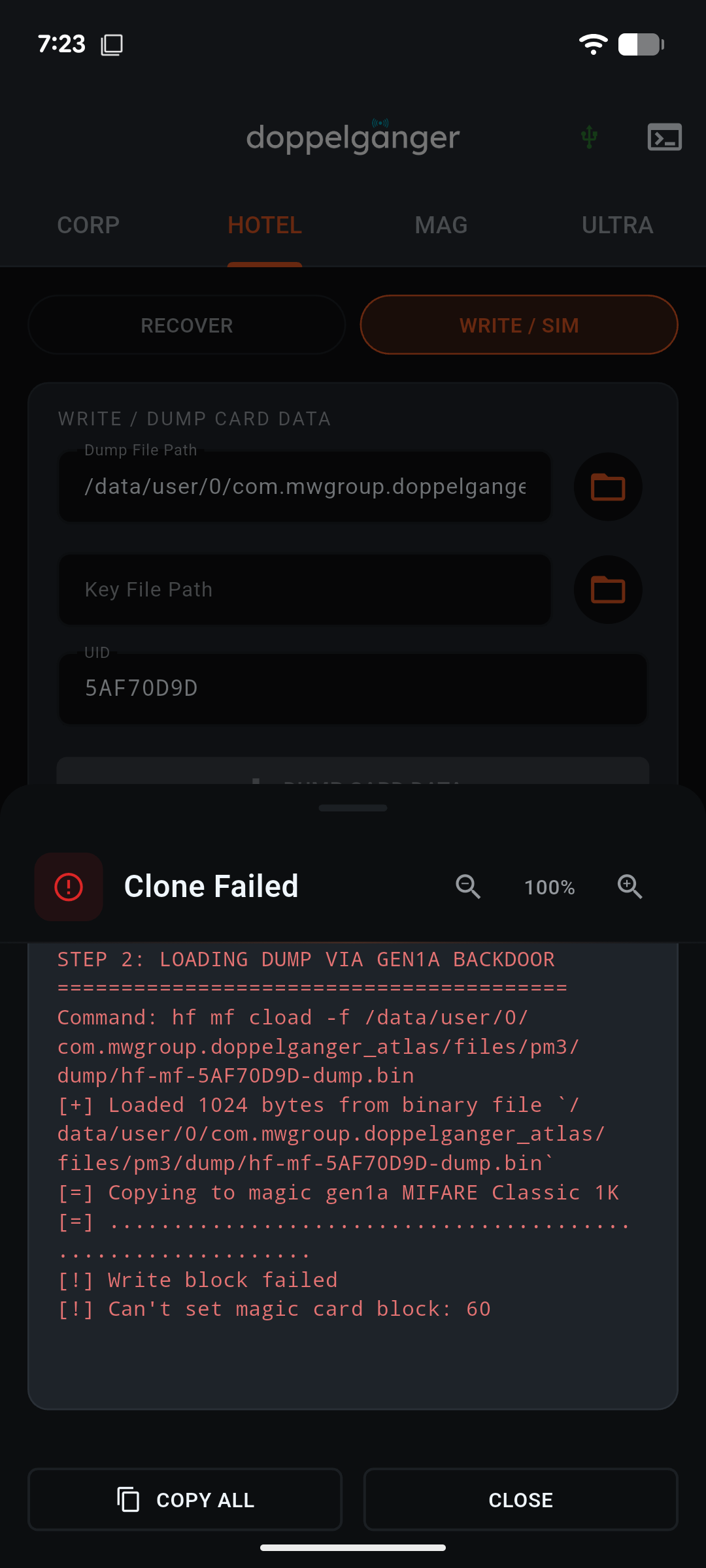
- Clone Failed, in red. Three verdicts exist, and they are not synonyms.
- The exact command, so the run can be reproduced by hand.
- The block it stopped on. This is the line that tells you what happened.
Three verdicts, and they mean different things:
| Header | What happened |
|---|---|
| Clone Complete | every block written |
| Clone Incomplete | some blocks written, some failed. The summary names them |
| Clone Failed | nothing written |
When a clone keeps failing
Section titled “When a clone keeps failing”Can't set magic card block: N means the card stopped answering the backdoor partway through. Two runs on the same card here stopped at block 12 and block 60, which is the signature of a marginal Gen1a rather than a wrong method.
| Symptom | What to do |
|---|---|
| Stops at a different block each time | the card is moving or the coupling is marginal. Reposition it flat and centered and retry. The app says magic cards can be finicky, and it is right |
| Stops at the same block every time | that card has a bad block. Use a different blank |
| Fails immediately with no blocks | not a Gen1a. Either get a magic card or switch to restore |
| Many failures over Bluetooth | the backdoor is timing sensitive. Run the clone on the cable |
Picking up files after a restart
Section titled “Picking up files after a restart”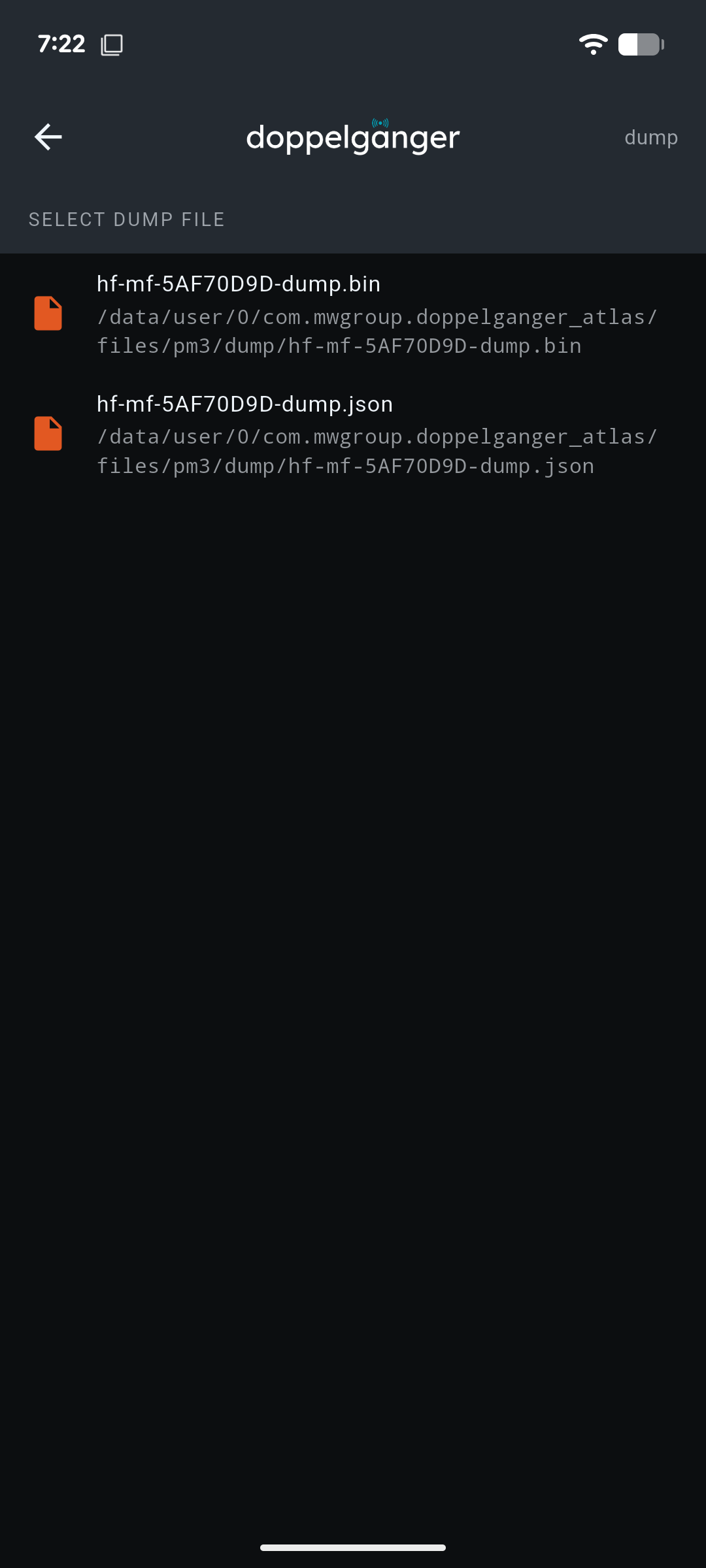
- SELECT DUMP FILE, reached from the folder button beside the field.
- The .bin is the one to pick for a clone.
- The .json holds the same contents, readable without a hex editor.
The paths a recovery loads are session state and come back empty after a restart, with CLONE and WRITE grayed out because there is nothing to write. The folder button beside each field opens the app’s own dump directory, and the files are still there.
Pick the .bin for a clone. The .json carries the same contents in a readable form and is the better one to attach to a report.