
Sniff and reader fingerprint
You are standing at a reader you have never seen. It has no label you trust, the client’s badge is a blank white card, and the next decision is which credential technology to spend the rest of the engagement on. Guess wrong and a prox clone goes to a door that only reads 13.56 MHz, or a day goes into MIFARE Classic at a reader that was never going to ask for it.
SNIFF is how you stop guessing, and it does it from the same posture as checking a phone near a door. The ATLAS Chameleon Ultra is in your hand or behind the handset, and the reader tells you what it is.
The page asks two questions in the order they need answering, one card each:
| Card | The question | What it costs at the door |
|---|---|---|
| RFFD | is a reader radiating here at all, and on which band | nothing. The ATLAS Chameleon Ultra transmits on neither band |
| FINGERPRINT READER | which credential technologies does this reader accept | no completed read, for ICLASS CHECK, up to the reader being tied up while PROBE READER runs |
Cards, then the ULTRA tab, then the SNIFF chip.
Two surfaces, one radio
Section titled “Two surfaces, one radio”Both cards drive the same radio in the ATLAS Chameleon Ultra, so only one runs at a time. Start one and the start controls on the other go gray until it finishes or you stop it. The STOP that belongs to the running surface is the one control that stays live.
During some runs the link to the ATLAS Chameleon Ultra drops for some seconds and returns. The page holds its state across that and the tab’s banner does not appear, because the unit is coming back and was never missing. Do not reconnect by hand in the middle of a run.
RFFD: is there a field, and on which band
Section titled “RFFD: is there a field, and on which band”Start here. A fingerprint run against a reader that is not energizing has nothing to answer it, and a reader that reads only 125 kHz ends the 13.56 MHz question before it starts.
The card reads Reports whether a reader field reaches each element. A band holds once seen, START clears it over two rows, 13.56 MHz and 125 kHz.
| A band reads | Dot | Meaning |
|---|---|---|
| NO READING | gray | no run has checked it yet, or the device gave no answer |
| PRESENT | green | a reader field has been seen on that band during this run |
| ABSENT | red | checked, and no field seen so far |
| NOT READY | the warning color, on 13.56 MHz only | the band is not being read yet. Tap START |
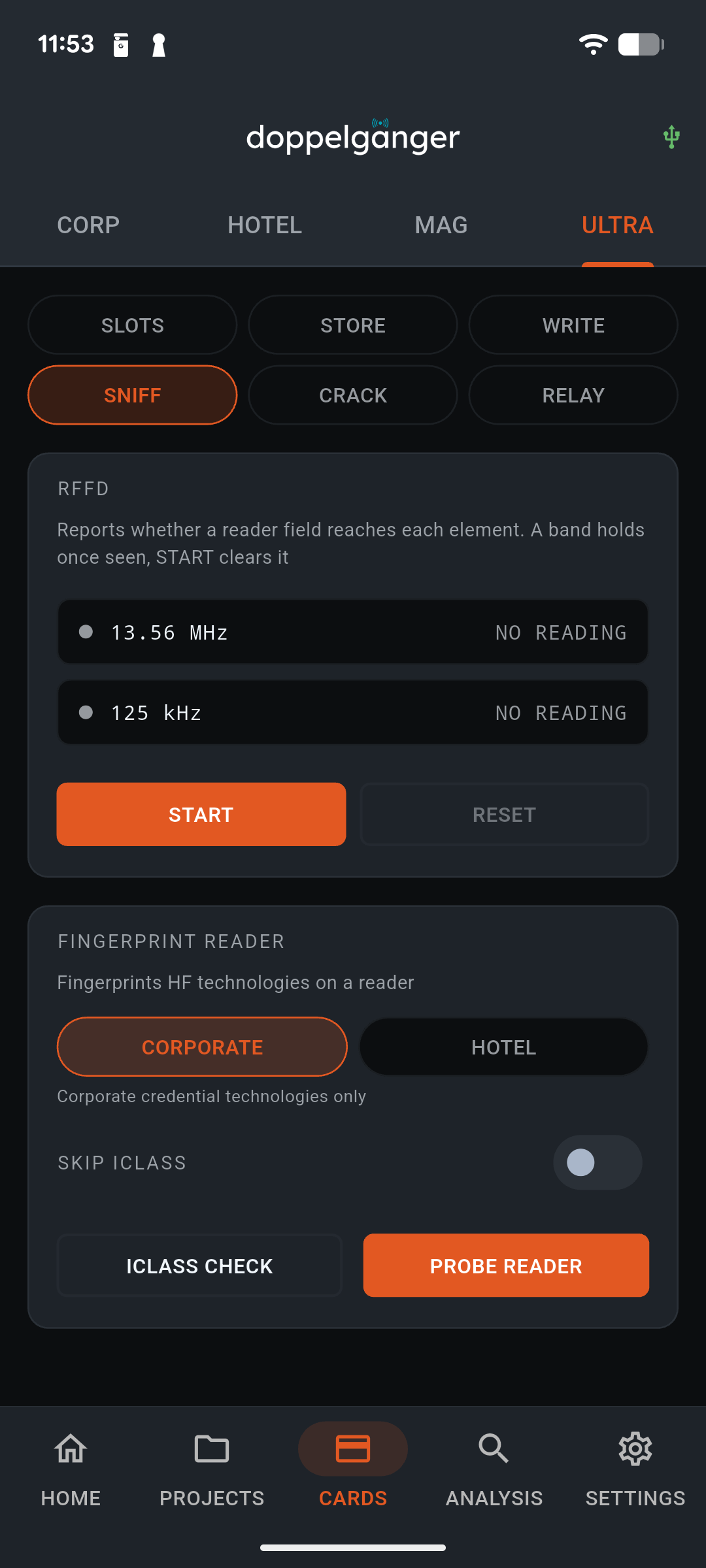
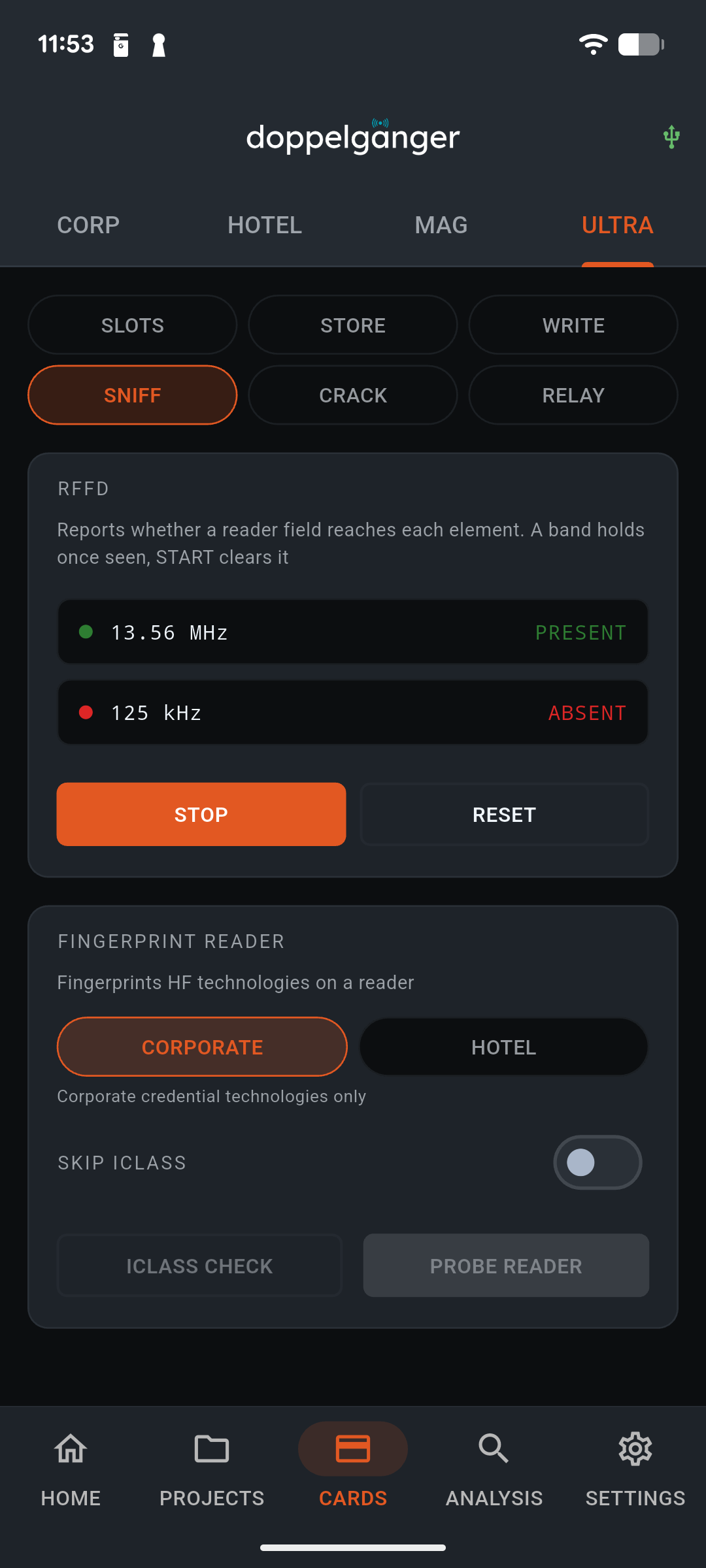
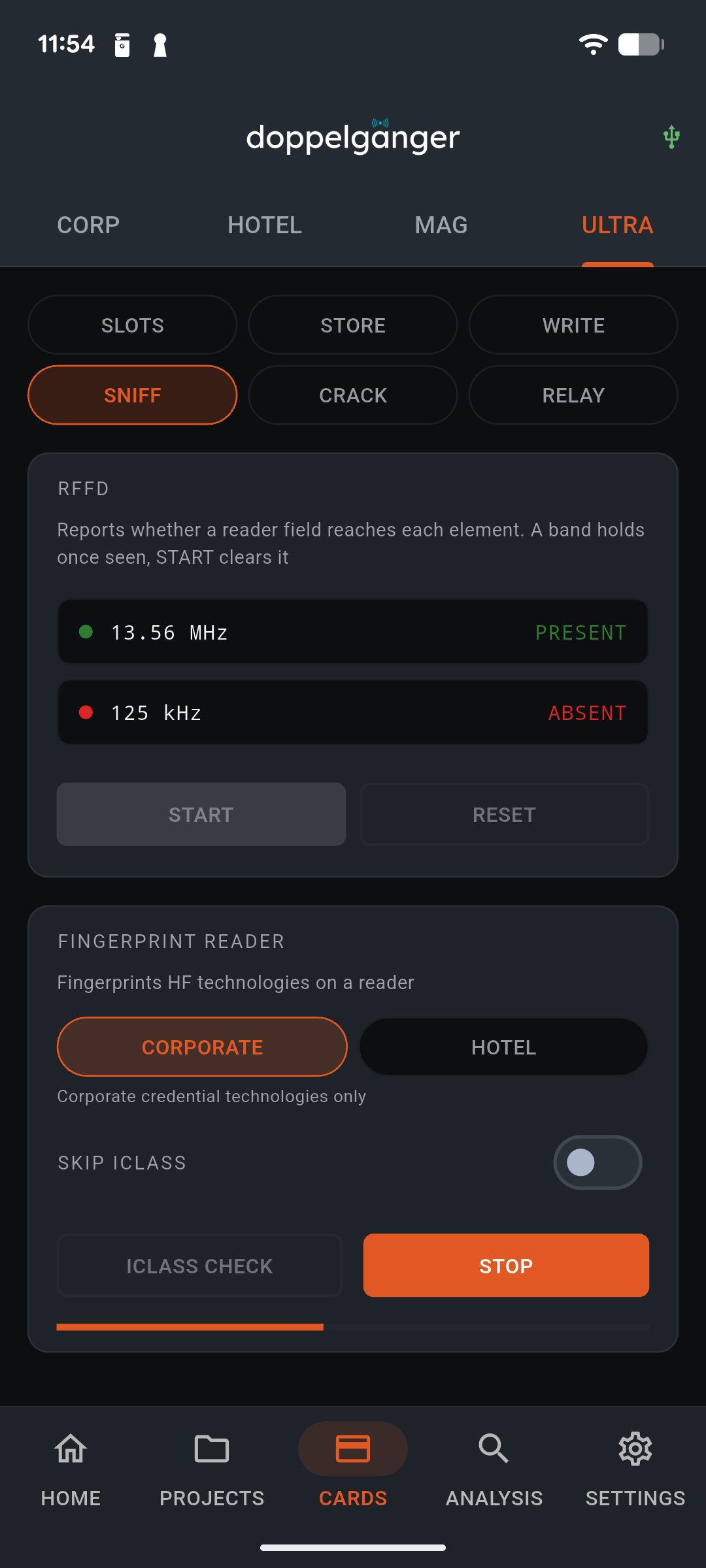
- RFFD, the first card on SNIFF.
- 13.56 MHz, NO READING.
- 125 kHz, NO READING.
- START.
- 13.56 MHz, PRESENT. The reader's field reaches the unit.
- 125 kHz, ABSENT. Checked, no field on this band.
- STOP, while the run goes.
- CORPORATE.
- SKIP ICLASS, off.
- STOP, the only live control.
- How far the run has gone.
- Tap START. Both bands clear, and the control reads STOP.
- Bring the ATLAS Chameleon Ultra toward the face of the reader and move it slowly across. 125 kHz shows from a couple of inches out, so it does not have to touch.
- Watch each band. A band flips to PRESENT the first time the field reaches it and stays there.
- When both bands read PRESENT the run ends on its own. Otherwise tap STOP when you have covered the reader.
| Control | Does |
|---|---|
| START | clears both bands and begins the run. It can take some seconds to begin |
| STOP | ends the run and keeps what the bands read |
| RESET | clears both bands and nothing else. The run continues if it was going. Gray until a band has been seen |
The readings hold on purpose. The field is not steady while a device moves across a reader, and a live readout blinks between present and absent, so you would have to catch the instant it was on. A band that has been seen once is the fact you came for.
| What you see | What it tells you |
|---|---|
| 13.56 MHz PRESENT, 125 kHz ABSENT | an HF reader. Go on to FINGERPRINT READER |
| 13.56 MHz ABSENT, 125 kHz PRESENT | a prox reader. The fingerprint below covers 13.56 MHz only, so go to Store with an LF credential |
| both PRESENT | a multi technology reader. Fingerprint it, and keep prox in mind |
| both ABSENT after a slow pass | no field reached the ATLAS Chameleon Ultra. Reposition before concluding the reader is dead |
The card can also show a line in the warning color while the ATLAS Chameleon Ultra gets ready for a run or fails to come back from getting ready. No answer from the device means one check went unanswered, which is not a room with no reader in it. If a run ends on any other warning line, reconnect the ATLAS Chameleon Ultra and tap START again.
| RFFD limits | Value |
|---|---|
| Bands | 13.56 MHz and 125 kHz |
| Transmits | nothing, on either band |
| 125 kHz reach | about two inches from the reader face on the readers tested. No need to find one spot on the reader |
| Ends by itself | when both bands have been found |
FINGERPRINT READER: which technologies this reader accepts
Section titled “FINGERPRINT READER: which technologies this reader accepts”The card reads Fingerprints HF technologies on a reader. It covers 13.56 MHz, and it reports one line per technology with one of four words.
Pick the scope first
Section titled “Pick the scope first”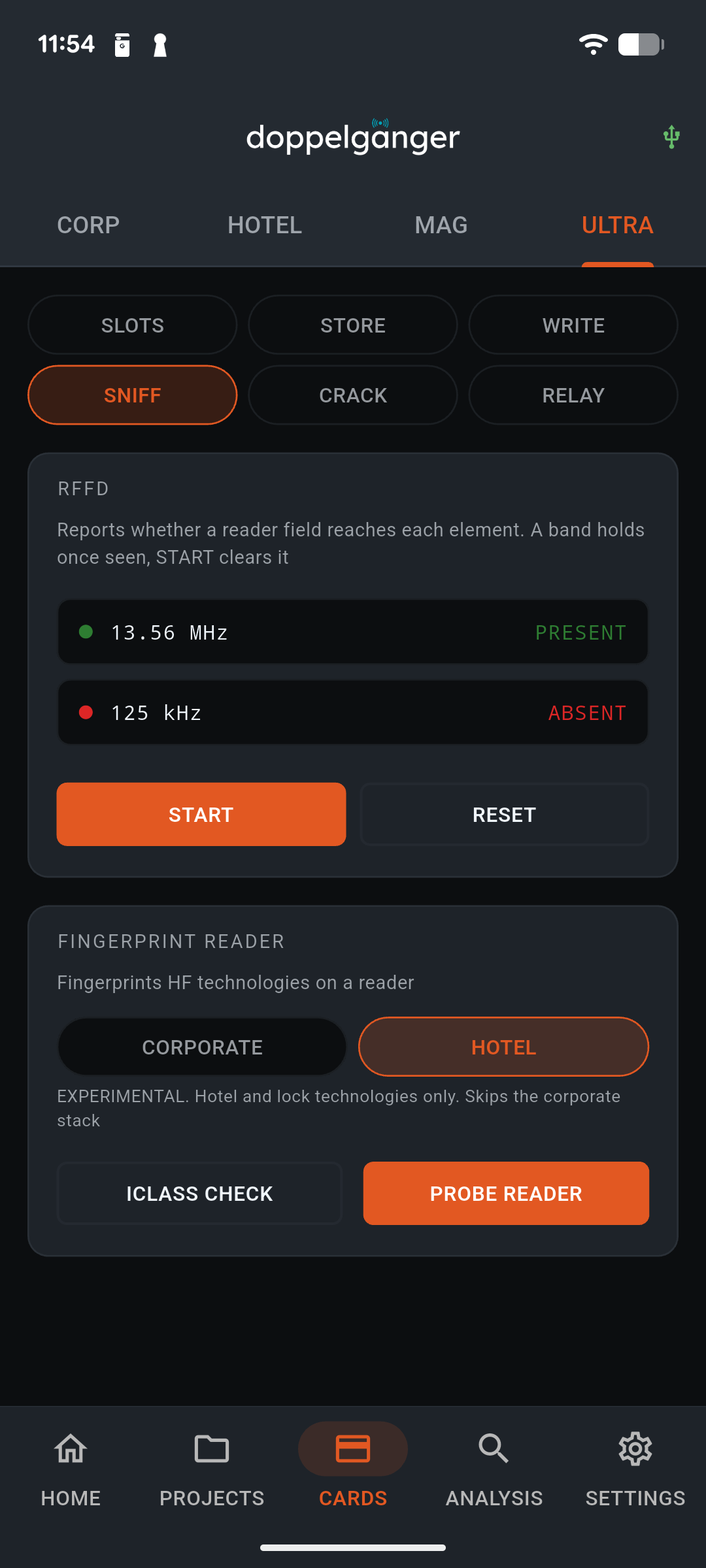
- FINGERPRINT READER.
- CORPORATE and HOTEL. HOTEL lit.
- EXPERIMENTAL, while HOTEL is selected.
- ICLASS CHECK and PROBE READER.
Two chips, CORPORATE and HOTEL. The scope decides which technologies are tested and listed, and a line under the chips says what the selected one covers.
| Scope | The line reads | Pick it at |
|---|---|---|
| CORPORATE | Corporate credential technologies only | an office, plant or campus access reader |
| HOTEL | EXPERIMENTAL. Hotel and lock technologies only. Skips the corporate stack | a guest room lock or a hospitality reader |
The right scope is not a detail. On HOTEL, PROBE READER never runs the iCLASS steps, which are the slowest part of a run. ICLASS CHECK is on the card under either scope. Changing the scope clears the result on screen, because a result belongs to the scope it was taken under.
The SKIP ICLASS switch, under the line on CORPORATE, leaves the iCLASS steps out of PROBE READER. Turn it on when you already know the door takes no iCLASS, or when the iCLASS answer can wait for ICLASS CHECK later. The run is much shorter, and the result lists no iCLASS rows: iCLASS SE, iCLASS legacy and iCLASS SR are left off, not reported as absent. Flipping it clears the result on screen, as a scope change does. HOTEL carries no iCLASS, so the switch is not shown there.
What CORPORATE reports
| Row |
|---|
| ISO 14443-4 |
| HID Seos |
| iCLASS SE |
| iCLASS legacy |
| iCLASS SR |
| HID SIO |
| MIFARE Classic |
| MIFARE DESFire EV1 |
| MIFARE DESFire EV3 |
| NFC Forum NDEF |
What HOTEL reports
| Row |
|---|
| ISO 14443-4 |
| MIFARE Classic |
| MIFARE Plus |
| MIFARE Ultralight |
| MIFARE Ultralight C |
| MIFARE Ultralight AES |
| MIFARE DESFire EV1 |
| MIFARE DESFire EV3 |
| LEGIC Advant |
Neither scope lists a 125 kHz technology. That question belongs to RFFD.
Two ways to ask, from quiet to loud
Section titled “Two ways to ask, from quiet to loud”| Control | What the ATLAS Chameleon Ultra does | The reader experiences | Use it when |
|---|---|---|---|
| ICLASS CHECK | the iCLASS steps alone, without completing a card read | no completed read | the only open question is whether this reader still takes iCLASS Legacy |
| PROBE READER | presents the ATLAS Chameleon Ultra as one credential type after another and records what the reader asks each. On CORPORATE it then runs the iCLASS steps, unless SKIP ICLASS is on | a run of cards it cannot place, and it serves nobody else while that lasts | you need the full matrix and the door is yours for the duration |
While a run is going, the control you tapped reads STOP, the other is gray, and a progress bar fills under them. Tap STOP to end the run. It reads STOPPING until the current step lets go. A stopped PROBE READER keeps what it measured and reports the rest as UNKNOWN. A stopped ICLASS CHECK shows no result.
Reading the result
Section titled “Reading the result”One line per technology, the name on the left and the verdict on the right.
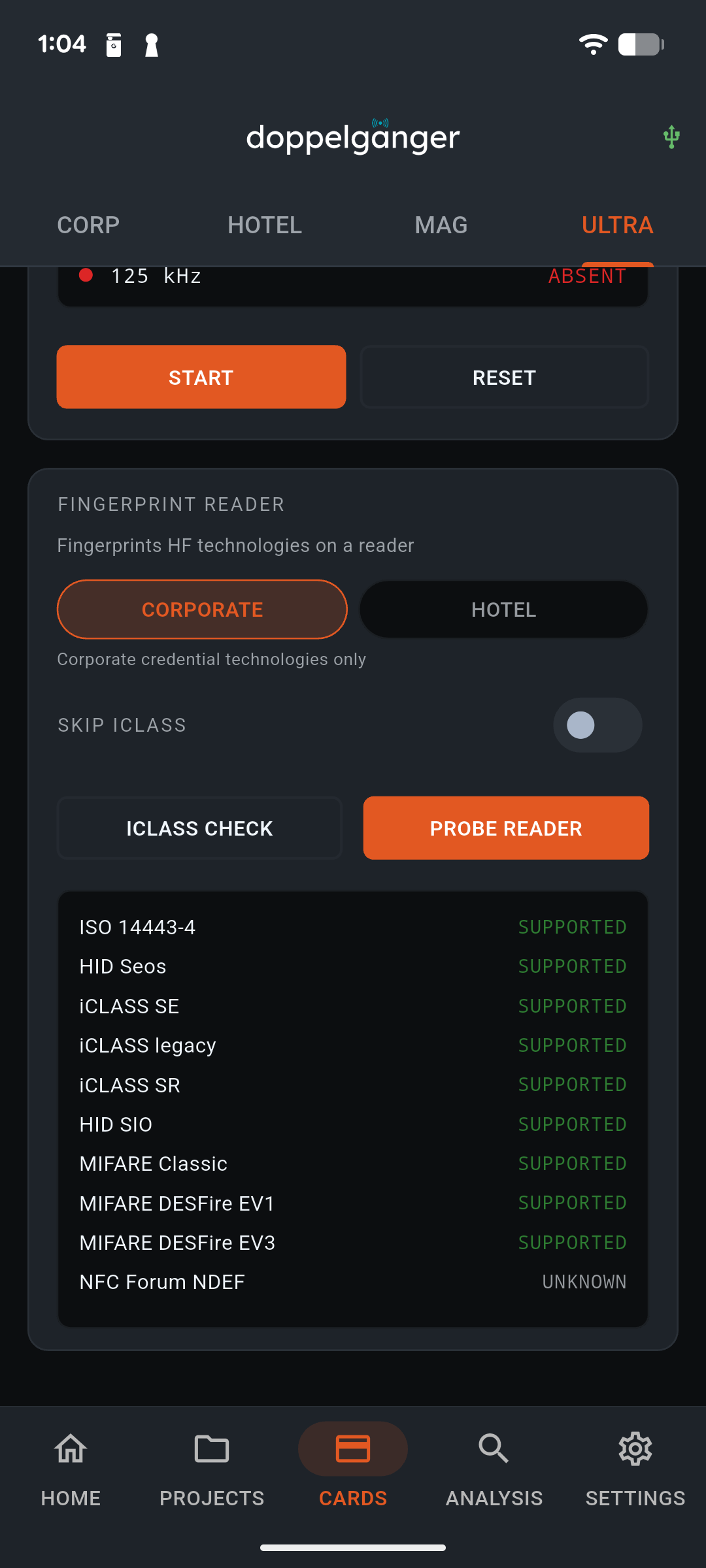
- PROBE READER, back at rest when the run ends.
- SUPPORTED. The reader engaged with it.
- MIFARE Classic, SUPPORTED.
- UNKNOWN. Not established, never absent.
| Verdict | Color | Meaning | In a report |
|---|---|---|---|
| SUPPORTED | green | measured. The reader engaged with it | a finding |
| NOT SUPPORTED | red | measured. The reader was offered it and refused | a finding |
| POSSIBLE | warning color | the reader polls the family, and the variant cannot be told apart on the air | not a finding. Name the family |
| UNKNOWN | muted | not established. Either the reader would not take it, or the test never ran | never write it up as absent |
UNKNOWN is deliberately not a negative. Printing an untested technology as not present would put a false finding in a client report about a fully configured reader.
Two more lines can follow the rows of a PROBE READER result:
| Line | Meaning |
|---|---|
| ALSO SEEN, OUTSIDE THE SELECTED READER, then a list | the reader demonstrably engaged with a technology the chosen scope does not list. Run it again under the other scope |
| Reader still answering | see the warning above |
ICLASS CHECK reports iCLASS SE, iCLASS legacy and iCLASS SR, and no other rows.
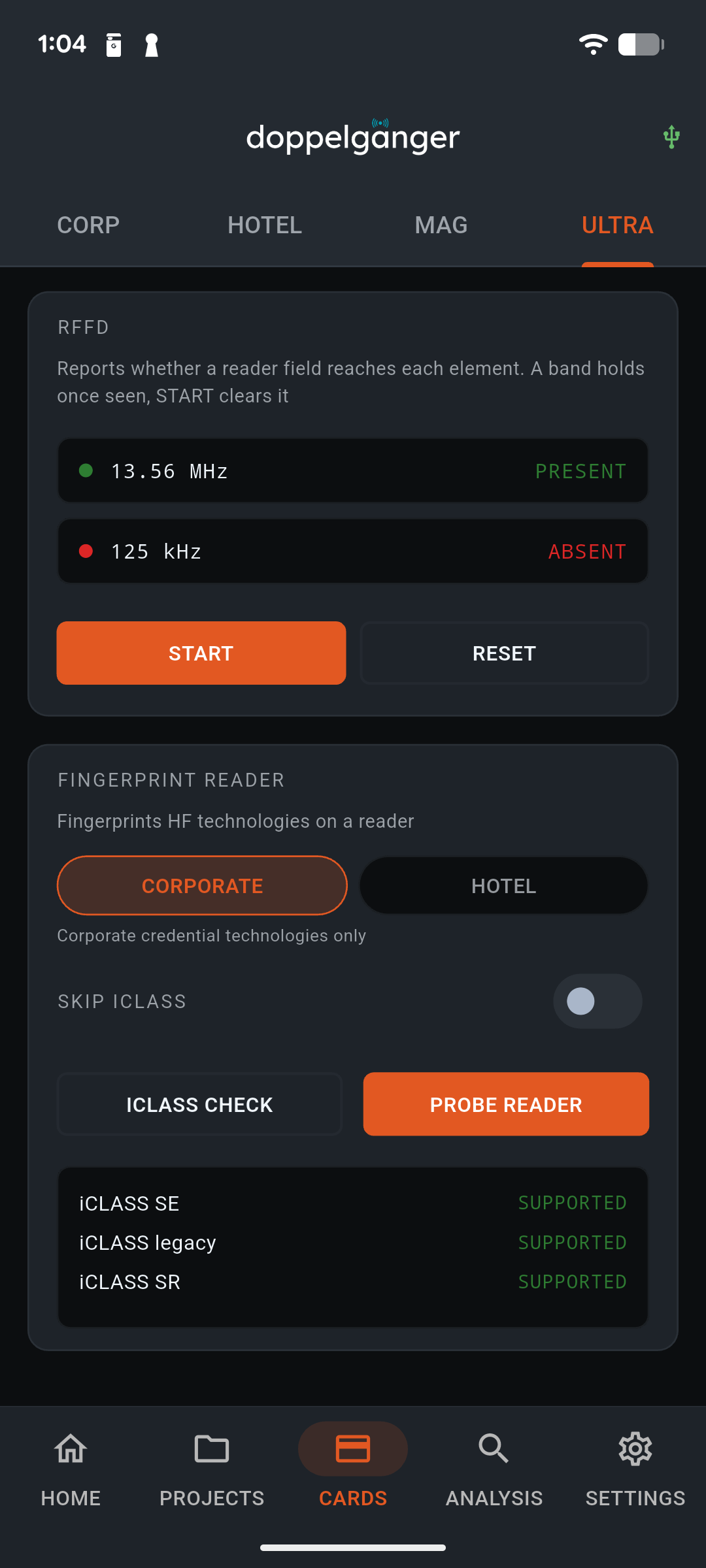
- ICLASS CHECK, back at rest.
- iCLASS SE, SUPPORTED.
- iCLASS legacy and iCLASS SR, SUPPORTED.
| ICLASS CHECK shows | What to do with it |
|---|---|
| iCLASS legacy SUPPORTED | the reader still accepts iCLASS Legacy, so a Legacy credential can be stored on the ATLAS Chameleon Ultra from Store or written to a card from Write |
| iCLASS legacy NOT SUPPORTED | the reader refused Legacy. Record it as the hardened configuration it is |
| UNKNOWN on all three | nothing was established. Check RFFD shows 13.56 MHz PRESENT, hold closer and run it again |
What a run says when it ends
Section titled “What a run says when it ends”| Message | After | Meaning |
|---|---|---|
| Sweep complete. with the number of applications requested | PROBE READER | finished |
| Probe stopped | PROBE READER | you stopped it |
| iCLASS measured, 14443-A skipped, then a reason | PROBE READER | the first half could not run. Only the iCLASS rows carry a result |
| Active sweep failed with the reason | PROBE READER | the run ended on an error |
| iCLASS check skipped, then a reason | ICLASS CHECK | the radio could not be prepared |
| iCLASS check failed | ICLASS CHECK | the run ended on an error |
The reason in a skipped message says why the ATLAS Chameleon Ultra could not get ready for the run. Chameleon not connected means the link was down when the run began. For any other reason, reconnect the ATLAS Chameleon Ultra and run it again, and if it repeats, update the ATLAS Chameleon Ultra from Settings, Firmware.
Where to go next
Section titled “Where to go next”| You learned | Page |
|---|---|
| The reader takes prox | Store, with an LF credential |
| The reader takes iCLASS Legacy | Store or Write, with iCLASS |
| The reader takes MIFARE Classic | Crack |
| The reader takes only what cannot be cloned | ATLAS Chameleon Ultra, for what a relay measures |
| The same questions with a Proxmark | Analysis, Sniff |