
Read
Everything on these pages was done on a swipe badge encoded for an access control system. Site code 114, badge number 048592, holder MARTINEZ/D.
Read a badge
Section titled “Read a badge”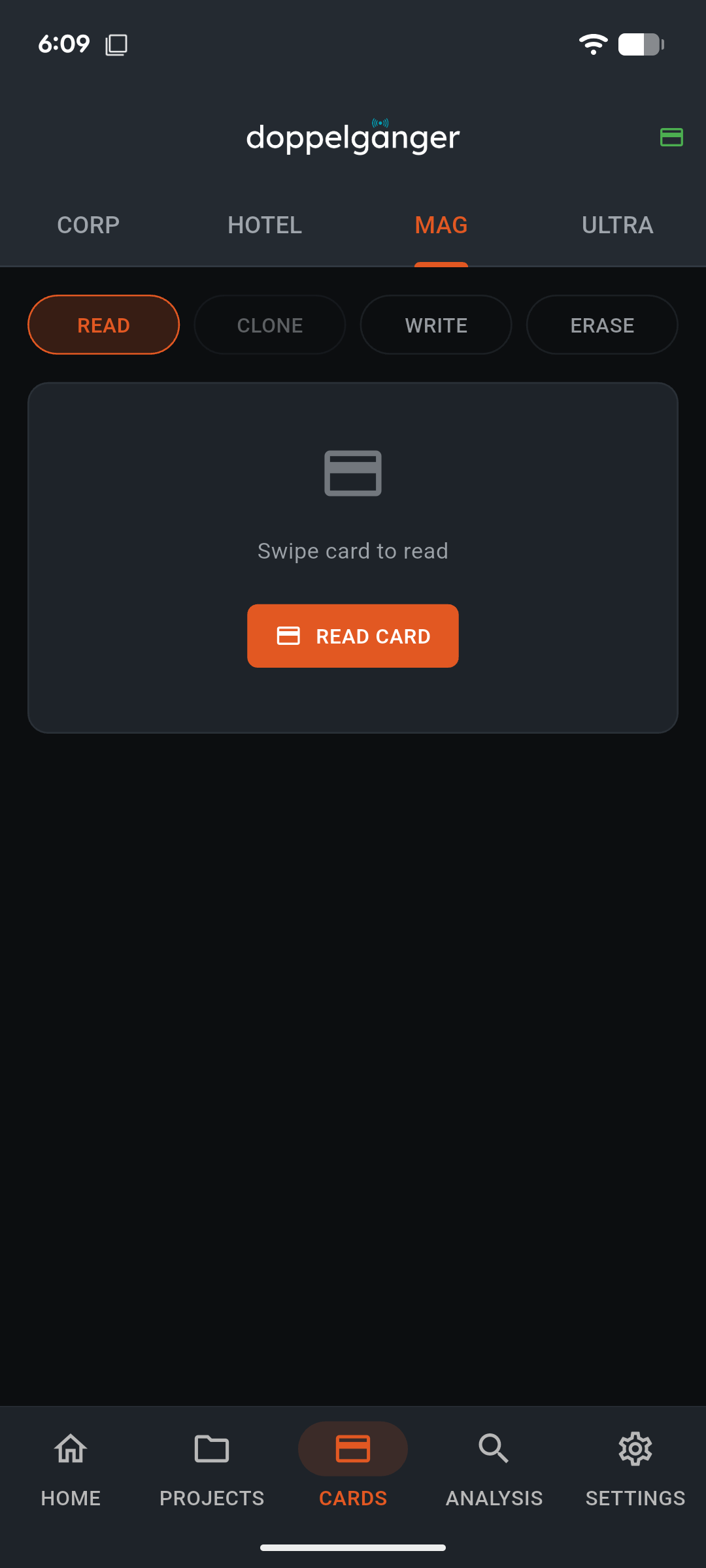
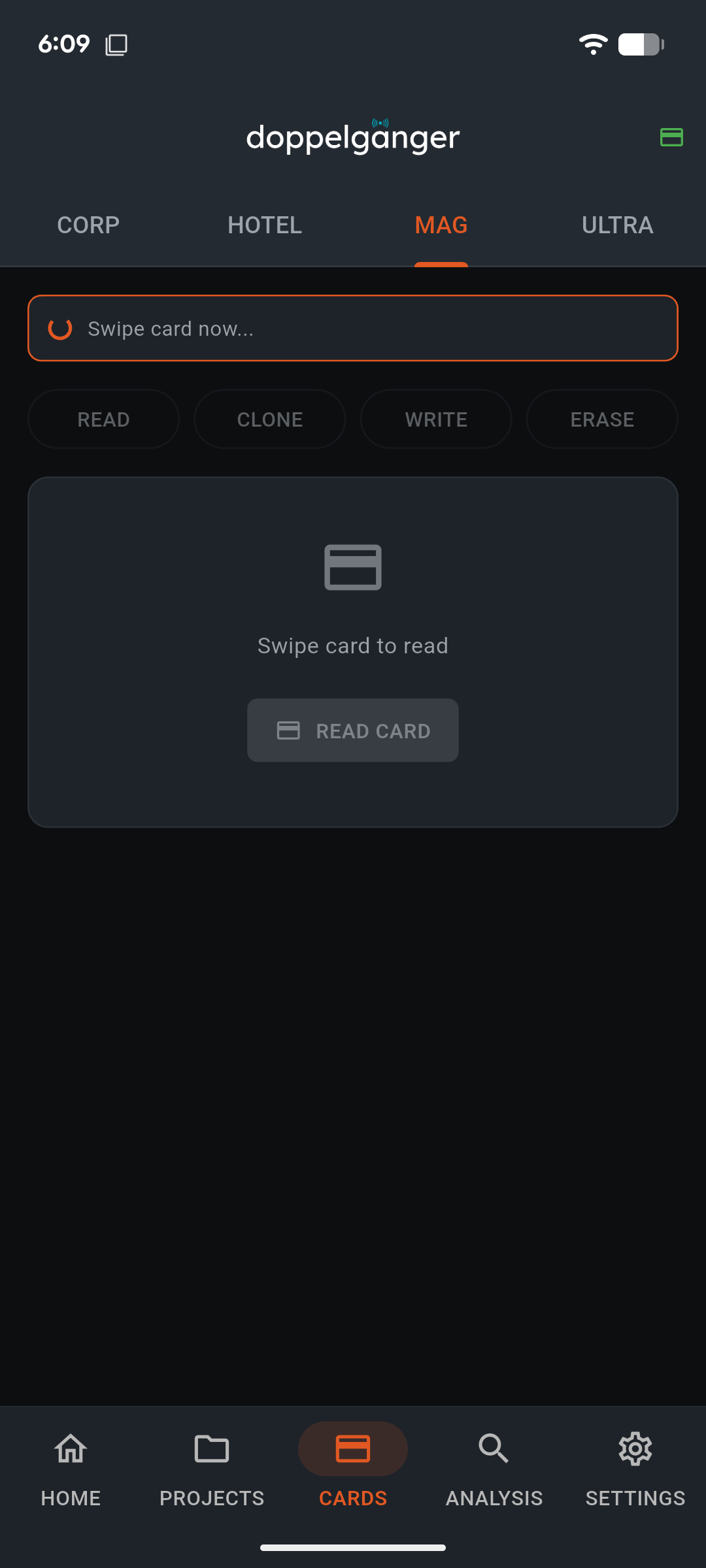
- CLONE is gray. It copies what is in memory and nothing is there yet.
- The panel is empty until a read lands.
- READ CARD arms the reader. It does not read anything by itself.
- Swipe now. Let this lapse and nothing was read.
- READ CARD is disabled while armed, so it cannot be double-armed.
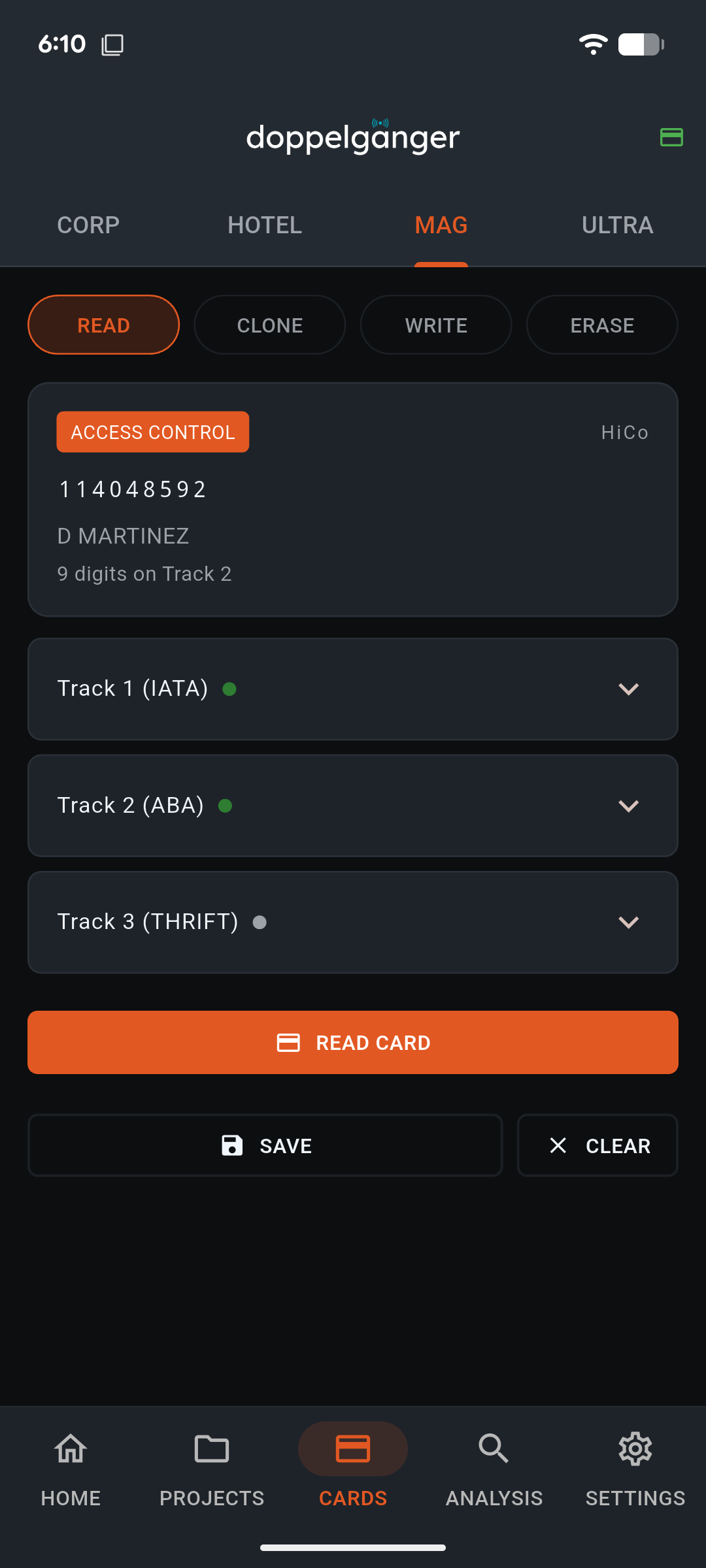
- ACCESS CONTROL, with the stripe coercivity on the right.
- Green dot, this track holds data.
- Gray dot, Track 3 is empty. Normal for a badge.
- Tap READ, then READ CARD. The banner changes to Swipe card now… and every chip goes inactive.
- Swipe the badge. The window is about ten seconds, and if it lapses the banner clears and nothing was read.
- The summary fills in.
What the summary tells you
Section titled “What the summary tells you” - Classified from the number itself. HiCo on the right is the stripe, and it decides what blank you can clone onto.
- The digit count on Track 2, which is what sets the Wiegand format a door reader emits.
- Green dot, this track holds data. Track 1 carries the name.
- Gray dot, Track 3 is empty. Normal for an access control badge.
| What you see | What it means |
|---|---|
| ACCESS CONTROL | the stripe is a credential, not a payment instrument |
| HiCo | coercivity of the stripe that was read. This decides what blank you can clone onto |
114048592 | the credential, in full and unmasked |
| D MARTINEZ | the holder, taken from the Track 1 name field |
| 9 digits on Track 2 | the digit count, which is what determines the format a swipe reader emits downstream |
| Track 1 (IATA), Track 2 (ABA), Track 3 (THRIFT) | one row each, green dot for a track holding data, gray for empty |
A gray dot on Track 3 is normal. Access control badges almost never write it.
Inside the tracks
Section titled “Inside the tracks”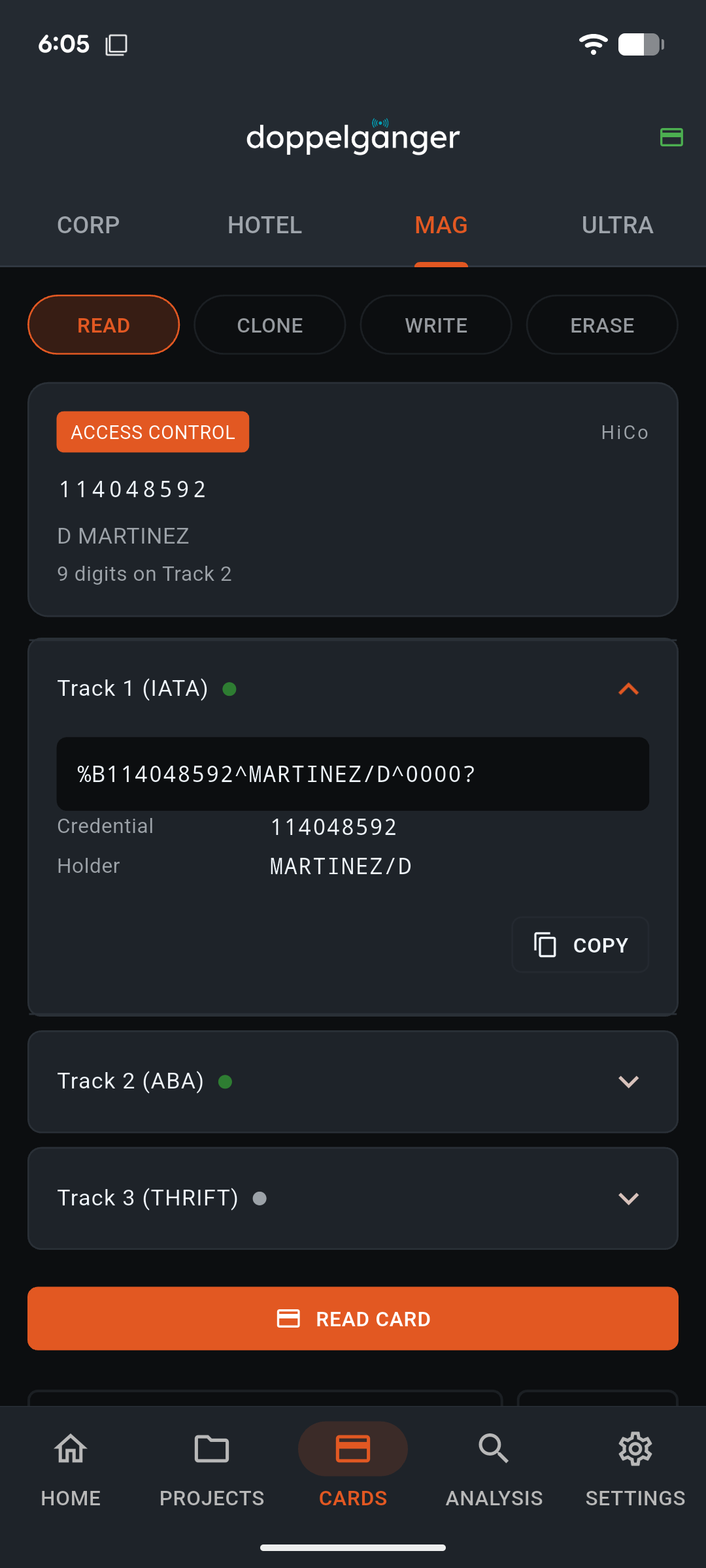
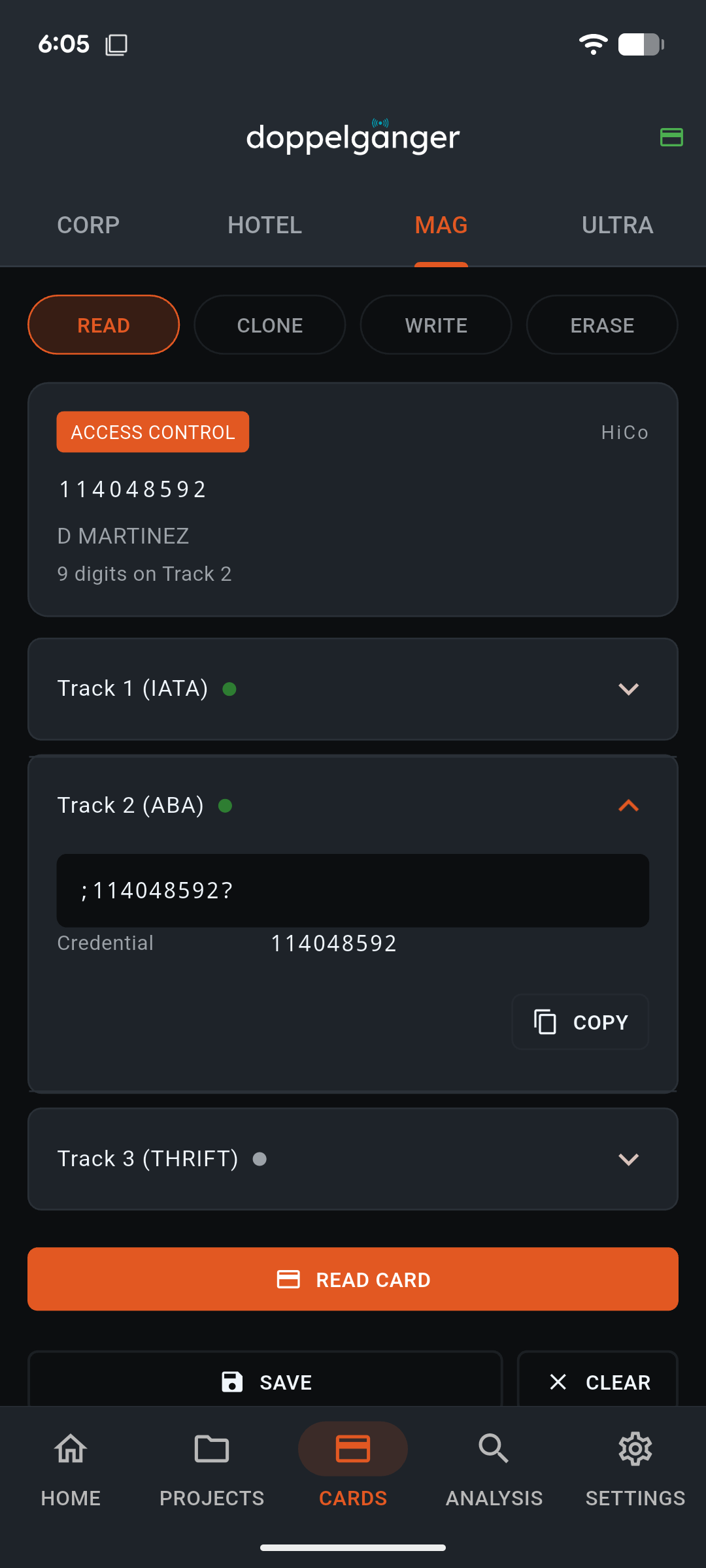
- The raw track, sentinels and all, exactly as encoded.
- Holder, parsed out of the name field. Nothing at the door reads this.
- Track 2 is the one a door reader converts to Wiegand.
- Shorter than Track 1 because it carries the credential and nothing else.
Tap any row to expand it. The raw track appears first, then the fields read out of it, then COPY, which puts the raw track on the clipboard.
| Track | Encoding | Carries |
|---|---|---|
| Track 1 (IATA) | alphanumeric, up to 79 characters | %B114048592^MARTINEZ/D^0000?, the credential plus the holder name |
| Track 2 (ABA) | numeric, up to 40 characters | ;114048592?, just the credential |
| Track 3 (THRIFT) | numeric, rarely used | empty on this badge |
Track 2 is the one that matters. A swipe reader at a door reads Track 2 and converts those digits to Wiegand. Track 1 exists so a name can be printed or shown to a guard, and nothing at the door depends on it.
Save it to the database
Section titled “Save it to the database”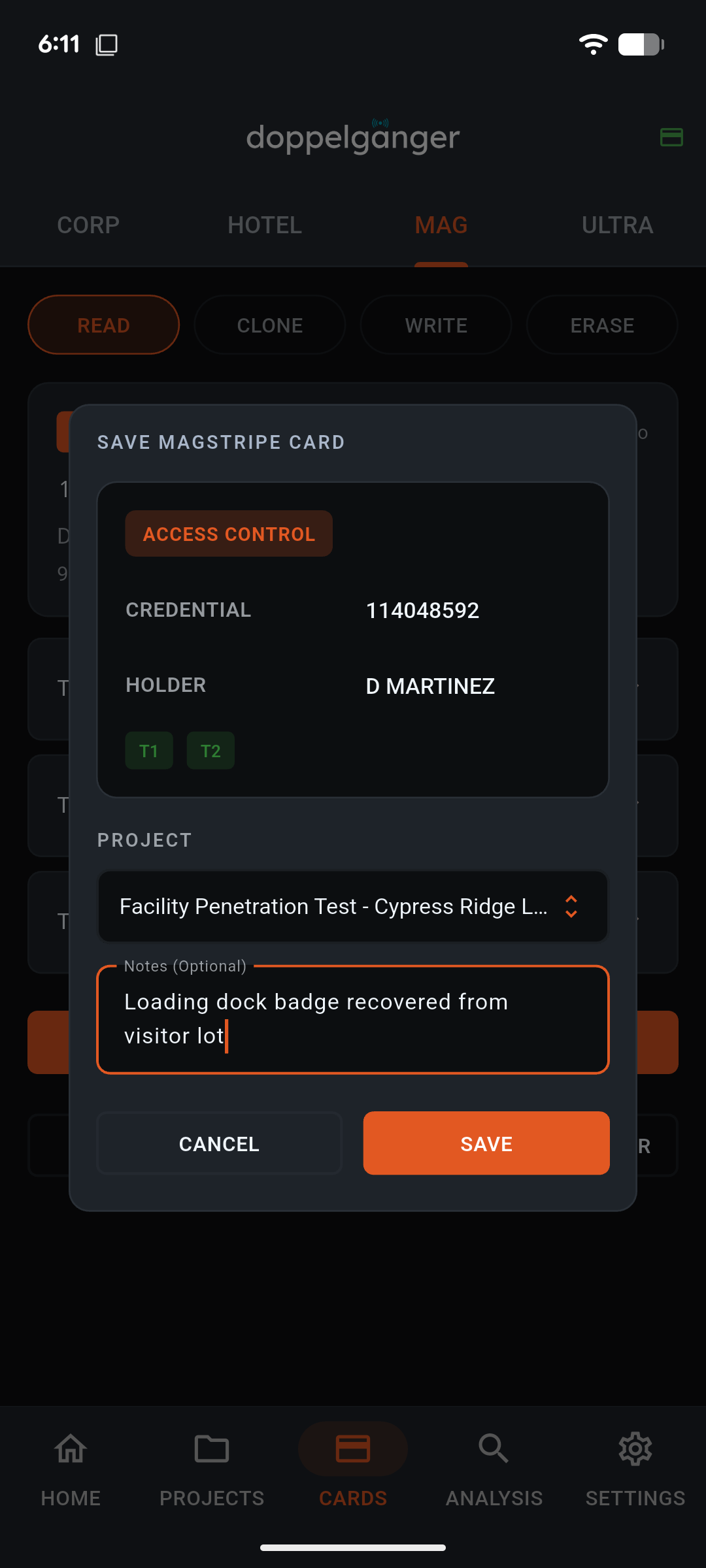
- The dialog carries the same classification the summary gave it.
- CREDENTIAL, not CARD NUMBER, and not masked.
- Already set to the active project. This is what makes the capture reviewable later.
- The only place the circumstances of the capture get recorded.
SAVE opens a dialog carrying the same ACCESS CONTROL classification, the CREDENTIAL, the HOLDER, and a T1 and T2 badge for each track holding data. The PROJECT picker is already set to your active project. The notes field is optional and is the only place the circumstances of the capture get recorded.
Clear the read
Section titled “Clear the read”The block under the three track cards holds three controls, not two. READ CARD spans the width, with SAVE and CLEAR side by side beneath it.
| Control | What it does | When it grays out |
|---|---|---|
| READ CARD | arms the reader again and replaces the summary with the next swipe | while no reader is connected, and while an operation is running |
| SAVE | opens the save dialog described above | never, because the whole row is drawn only once a read has landed |
| CLEAR | empties the display | never, with no connection check and no confirmation |
CLEAR drops the card summary and empties the Track 1 (IATA), Track 2 (ABA) and Track 3 (THRIFT) fields in one tap. It sends nothing to the reader and it does not touch the card. A read you have not saved is gone, and the only way back is another swipe.
Use it before you hand the handset to anyone, and use it after an ERASE. Erase leaves the previous read sitting in the summary, so the number on screen is the number that was there before the stripe was wiped. CLEAR is the control that makes the screen agree with the card.