
Erase
Everything on these pages was done on a swipe badge encoded for an access control system. Site code 114, badge number 048592, holder MARTINEZ/D.
1 Confirm 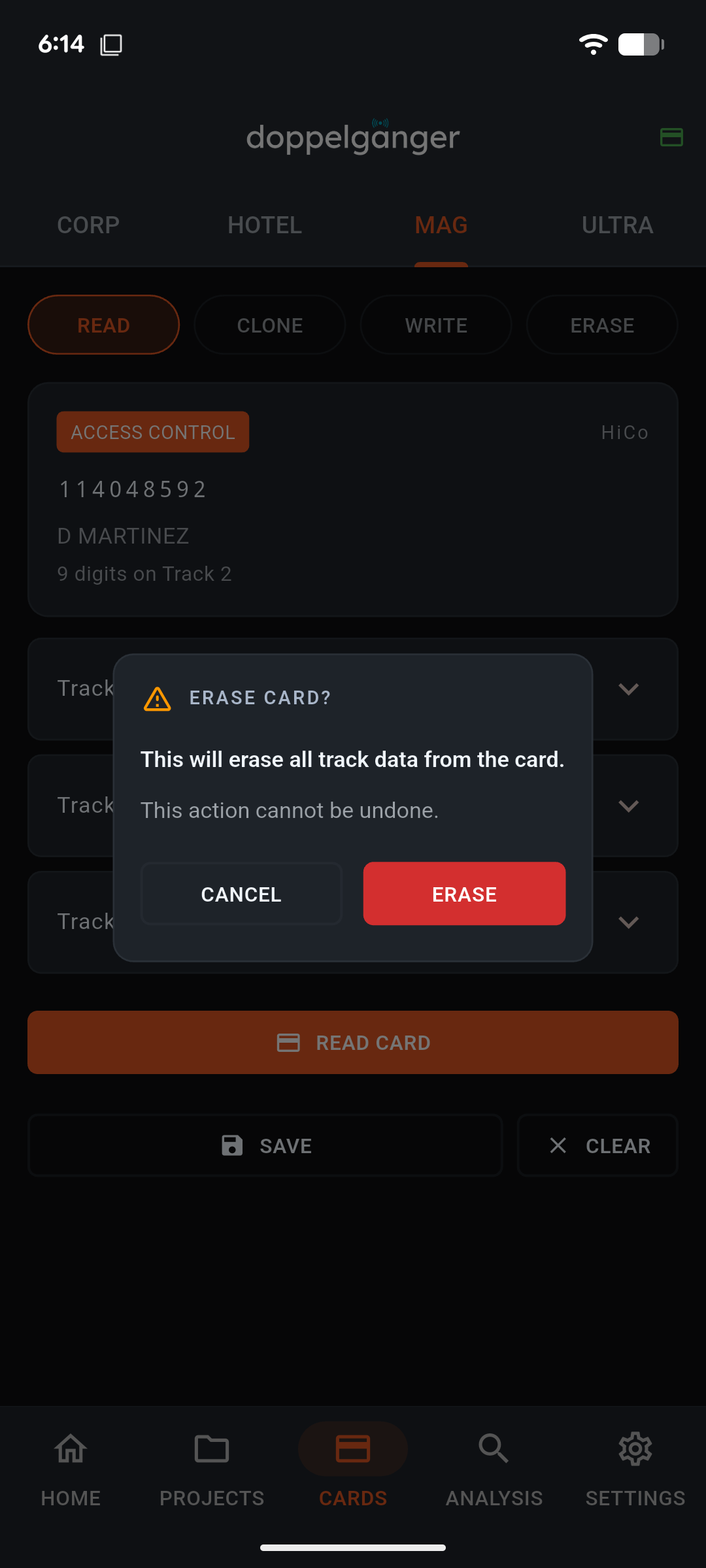
2 Armed 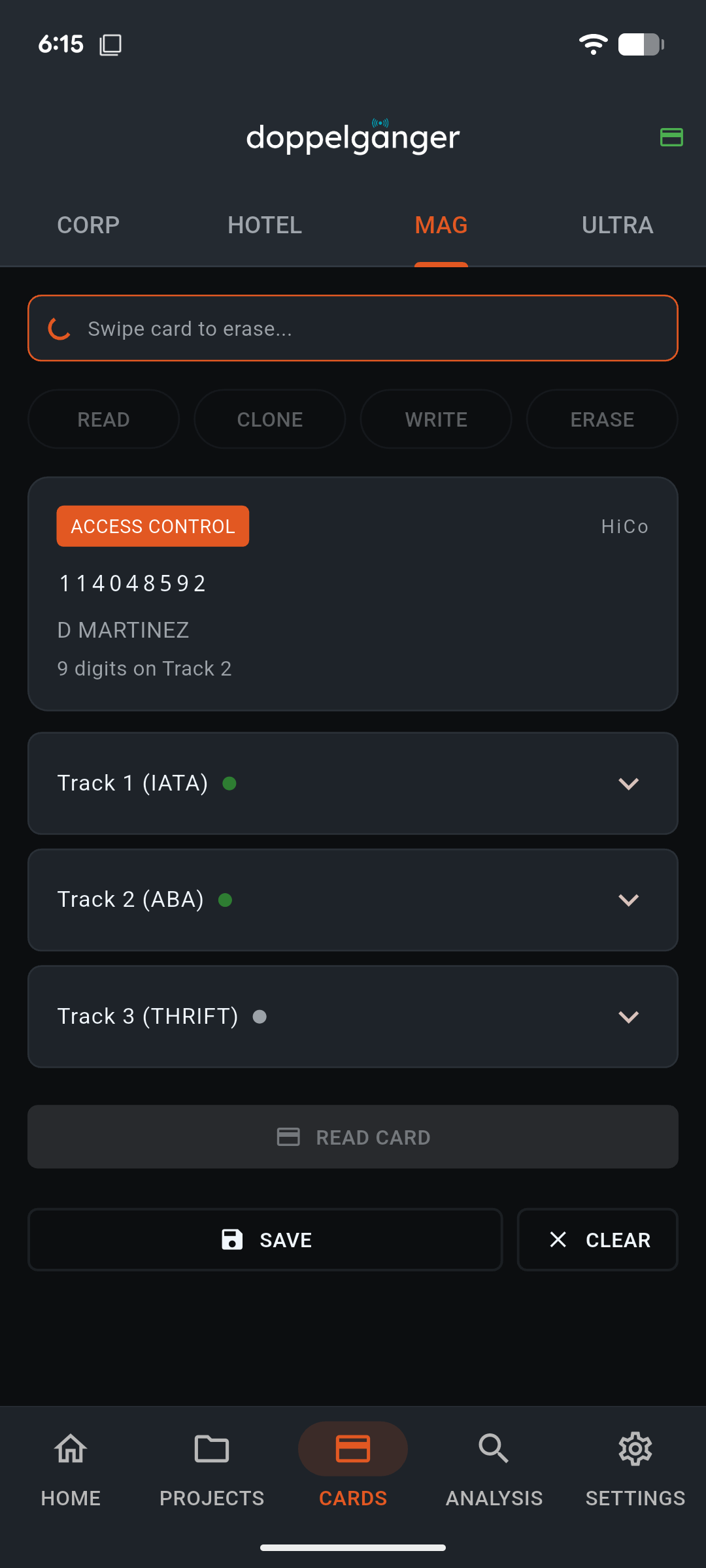
- All three tracks, not a selection.
- Red, and it only asks once.
- Holds about five seconds, shorter than a read.
- The last read is still on screen. That is not the state of the card.
ERASE wipes all three tracks on the next card swiped. It confirms once, with a red button, and does not ask twice.
- Tap ERASE. The confirmation appears immediately, with no track selection.
- Confirm with the red ERASE. That arms the reader.
- Swipe the card once. The banner reads Swipe card to erase… and holds for about five seconds.
- Switch to READ and swipe it again to confirm three gray dots.
What erase does and does not do
Section titled “What erase does and does not do”| Tracks affected | all three, with no way to pick one |
| Confirmations | one |
| Swipes needed | one, unlike a write |
| Result reported by the reader | no, on either transport. The reader sends no erase result, so the app has nothing to parse |
| What the app reports anyway | Card erased successfully, in the success color, after a blind five second wait |
| What a failure reads instead | Erase error code: 1 through 9 where the device returns one, or Erase failed - no confirmation received. with the raw reply appended, both in the error color |
| Clears the screen | no, the last read stays in the summary |