
Bluetooth module
The module is what gets the Proxmark off the cable, and off the cable is where the work happens. A reader at a door is rarely somewhere you can stand with a phone tethered to a device in your other hand, and a Proxmark in a bag or a coat pocket with the phone in front of you is a different posture entirely.
This page is the module itself rather than the link. For connecting over it, see Connecting Hardware. For the cell behind it, see Battery, charging and power.
It is BLE, so nothing is paired
Section titled “It is BLE, so nothing is paired”The module advertises as a BLE peripheral under the name Proxmark5, and ATLAS recognizes it by that name or by the service it carries. BLE moves ordinary traffic without a bond, so the app opens the link itself and the module never appears in Android’s Pair new device list.
This is the opposite of a Blueshark on a Proxmark3 RDV4, which is Bluetooth Classic running a serial port that Android will not hand out to a device it has not bonded with. Two different radios, and only one of them involves Android at all.
What the module reports about itself
Section titled “What the module reports about itself”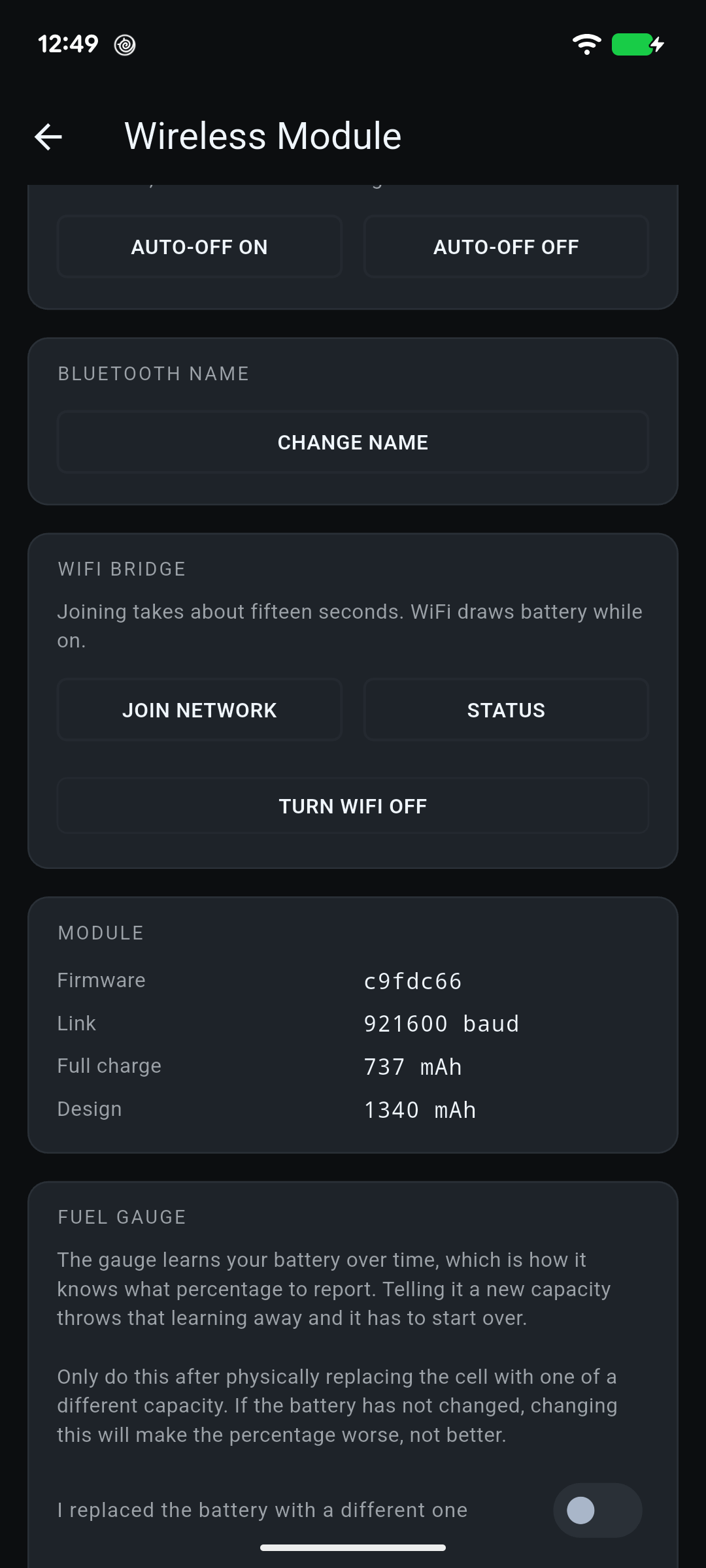
- BLUETOOTH NAME is the only control here. Everything else on the card is a reading.
- CHANGE NAME writes the module's advertised name and restarts the Proxmark.
- WIFI BRIDGE is the module's second link, on its own page.
- MODULE is the wireless hardware. The two rows below it are the cell.
- Link is the serial rate between the Proxmark and the module, not the air rate.
| Row | What it is |
|---|---|
| Firmware | the module’s own firmware build, a short git hash. Not the Proxmark firmware version |
| Link | the serial rate between the Proxmark and the module. An internal wire, not the over-the-air speed |
| Full charge | what the gauge believes the cell holds today |
| Design | what the cell was built to hold |
A reading of not reported means ATLAS could not parse that row out of the device’s status, not that the value is zero. The module’s firmware moves upstream and the label text is not vendored here, so an unrecognized row says so rather than inventing a number.
Renaming the module
Section titled “Renaming the module”Worth doing the moment there is more than one on a bench, because every unit ships advertising the same name and the drawer will show you two rows that look identical.
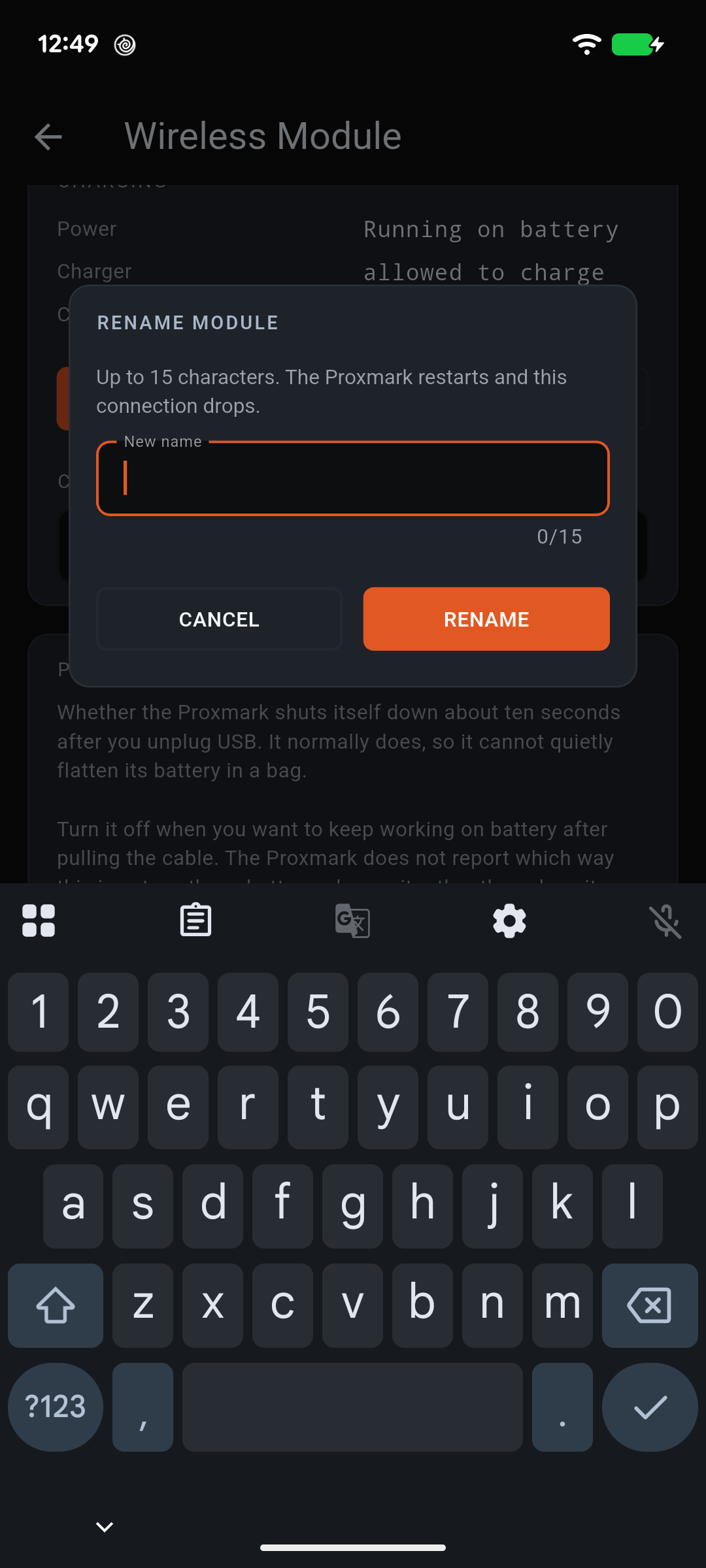
- RENAME MODULE, reached from CHANGE NAME on the previous card.
- Fifteen characters, and the Proxmark restarts when it takes the name.
- The new advertised name, which is what a scan will show from then on.
- RENAME commits it. The link drops as the device restarts.
Up to 15 characters. The Proxmark restarts when the name is written, so the connection drops and you reconnect afterward. That restart is the reason not to do this in the middle of a job.
Writing module firmware
Section titled “Writing module firmware”The module’s firmware is written from the bottom of the same page, under MODULE FIRMWARE, and it is separate from the Proxmark’s own firmware. It takes several minutes, reports no progress, and cannot be resumed if it is interrupted. ATLAS refuses to start one below 50% charge. See Battery, charging and power.