
The shortcut tile
Three of the four tiles at the top of Home are hardware. The fourth is a shortcut, and it is the only part of Home that is yours to arrange rather than to read.
It exists because the tab bar has five entries and the app has far more than five surfaces worth reaching in one tap while you are standing somewhere you would rather not stand for long. One cell, twenty destinations, and you decide which one.
The fourth tile is a shortcut, and you can re-point it
Section titled “The fourth tile is a shortcut, and you can re-point it”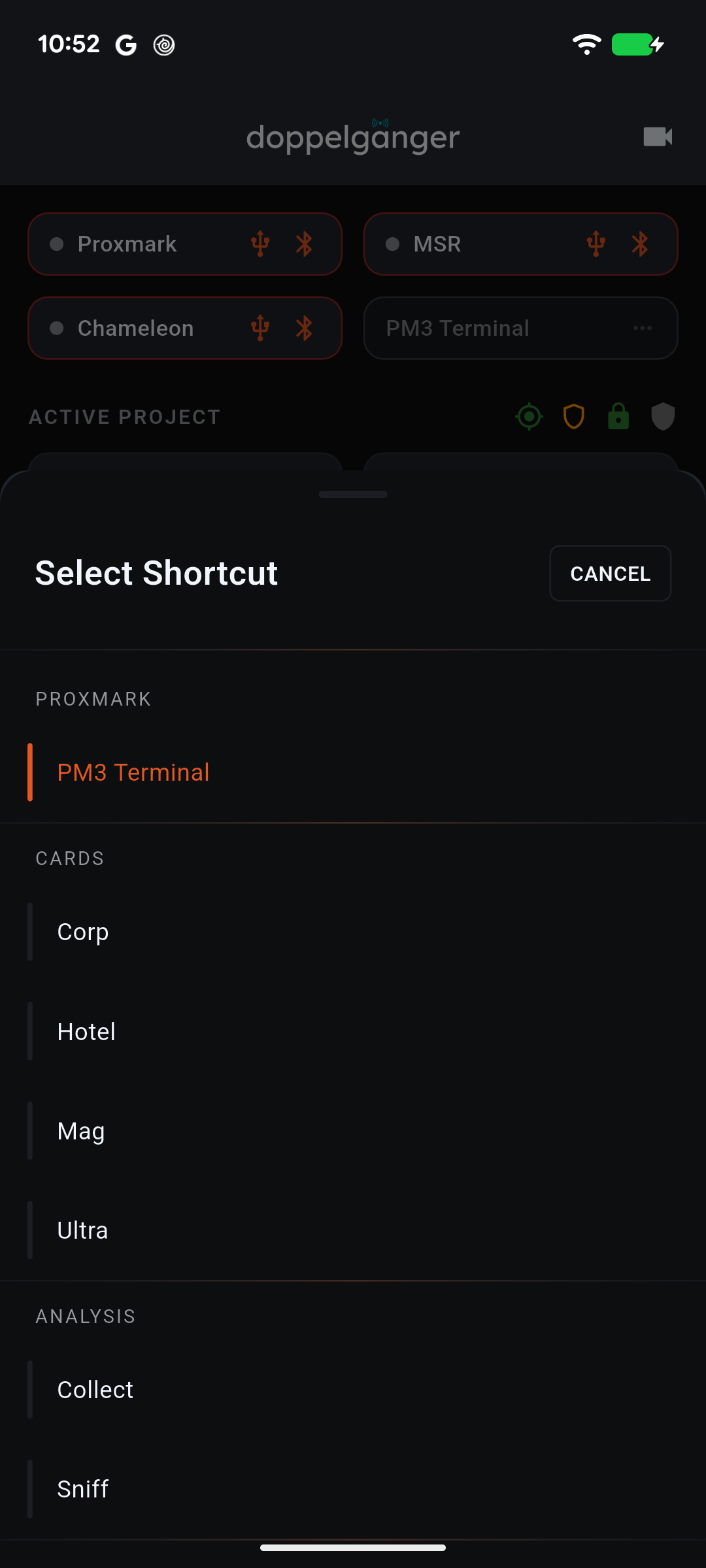
- The four tiles behind the sheet, with the fourth one being re-pointed.
- The four status glyphs, which this sheet does not touch.
- Select Shortcut, with CANCEL rather than a save.
- The current destination, marked in orange.
Tap it to go where it points. Hold it to re-point it. The sheet offers twenty destinations in five groups, and picking one applies immediately.
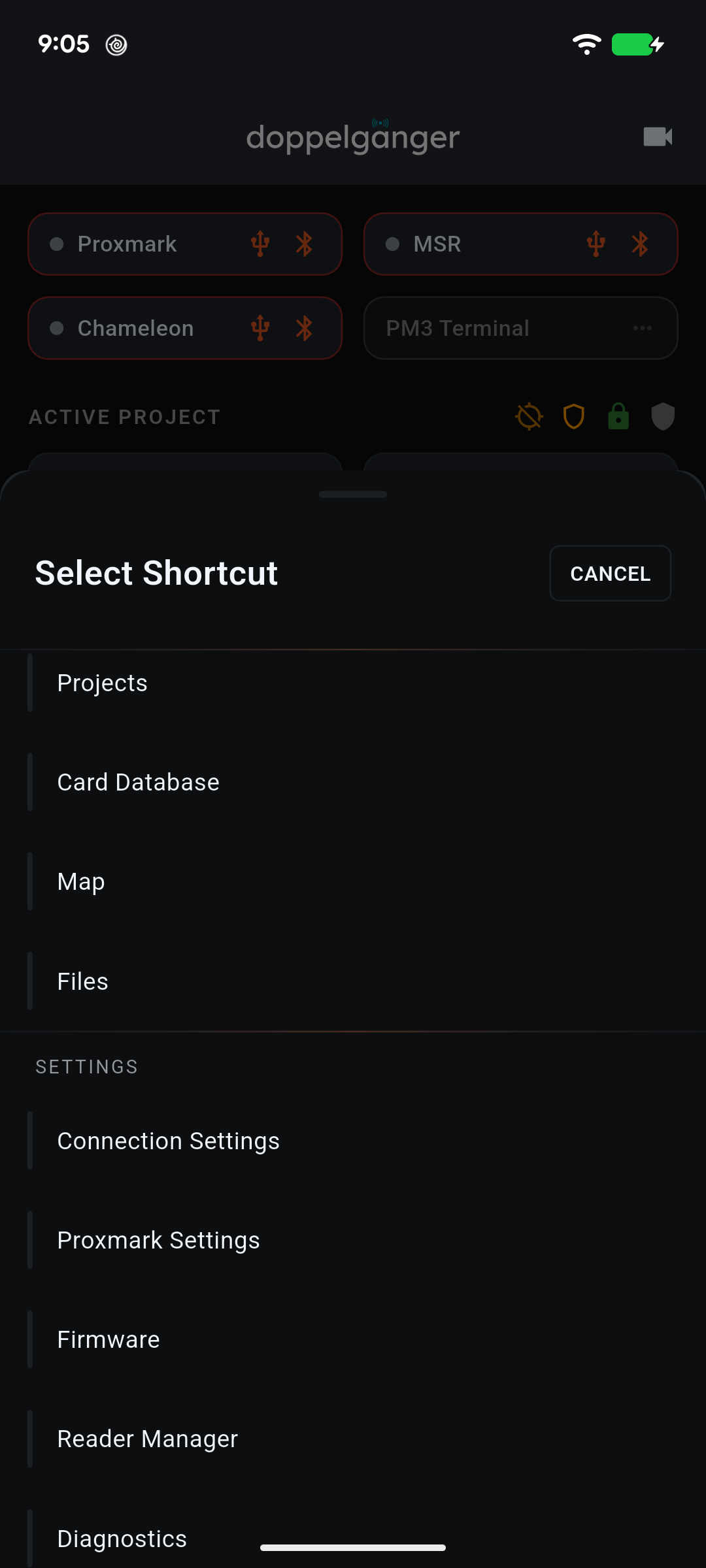
- The tail of PROJECTS, five destinations that need no hardware.
- Map, which is the one most worth the cell on a site visit.
- SETTINGS, eight destinations, the largest group.
- Proxmark Settings, which is a long way in through the tabs otherwise.
- Reader Manager, worth the cell on a job run on longrange readers.
It carries no link glyphs, because it is not a device and there is nothing to connect. In their place is a dim three dots glyph at the right, which is the only mark on Home that says a long press does something. It is not a button and tapping it does nothing a tap anywhere else on the tile would not do.
The whole cell is drawn at half brightness when its destination is not reachable, such as PM3 Terminal with no Proxmark connected, and tapping it then does nothing. It is dimmed rather than hidden so the cell does not move around under your thumb.
Proxmark, 1
| Destination | Needs |
|---|---|
| PM3 Terminal | a connected Proxmark |
Cards, 4
| Destination | Needs |
|---|---|
| Corp | a connected Proxmark |
| Hotel | a connected Proxmark |
| Mag | a connected MSR |
| Ultra | a connected ATLAS Chameleon Ultra |
Analysis, 2
| Destination | Needs |
|---|---|
| Collect | a connected Proxmark |
| Sniff | a connected Proxmark |
Projects, 5
| Destination | Needs |
|---|---|
| Current Project | an active project |
| Projects | nothing |
| Card Database | nothing |
| Map | nothing |
| Files | nothing |
Settings, 8
| Destination | Needs |
|---|---|
| Connection Settings | nothing |
| Proxmark Settings | nothing |
| Firmware | nothing |
| Reader Manager | nothing |
| Diagnostics | nothing |
| TAK Server | nothing |
| Map Settings | nothing |
| Security Status | nothing |