
Flash a Proxmark
One screen flashes every Proxmark ATLAS supports. The same page serves a Proxmark3 RDV4, a Proxmark3 Easy and a Proxmark 5, and it tells you which one is on the cable rather than asking you.
The whole flash, start to finish
Section titled “The whole flash, start to finish”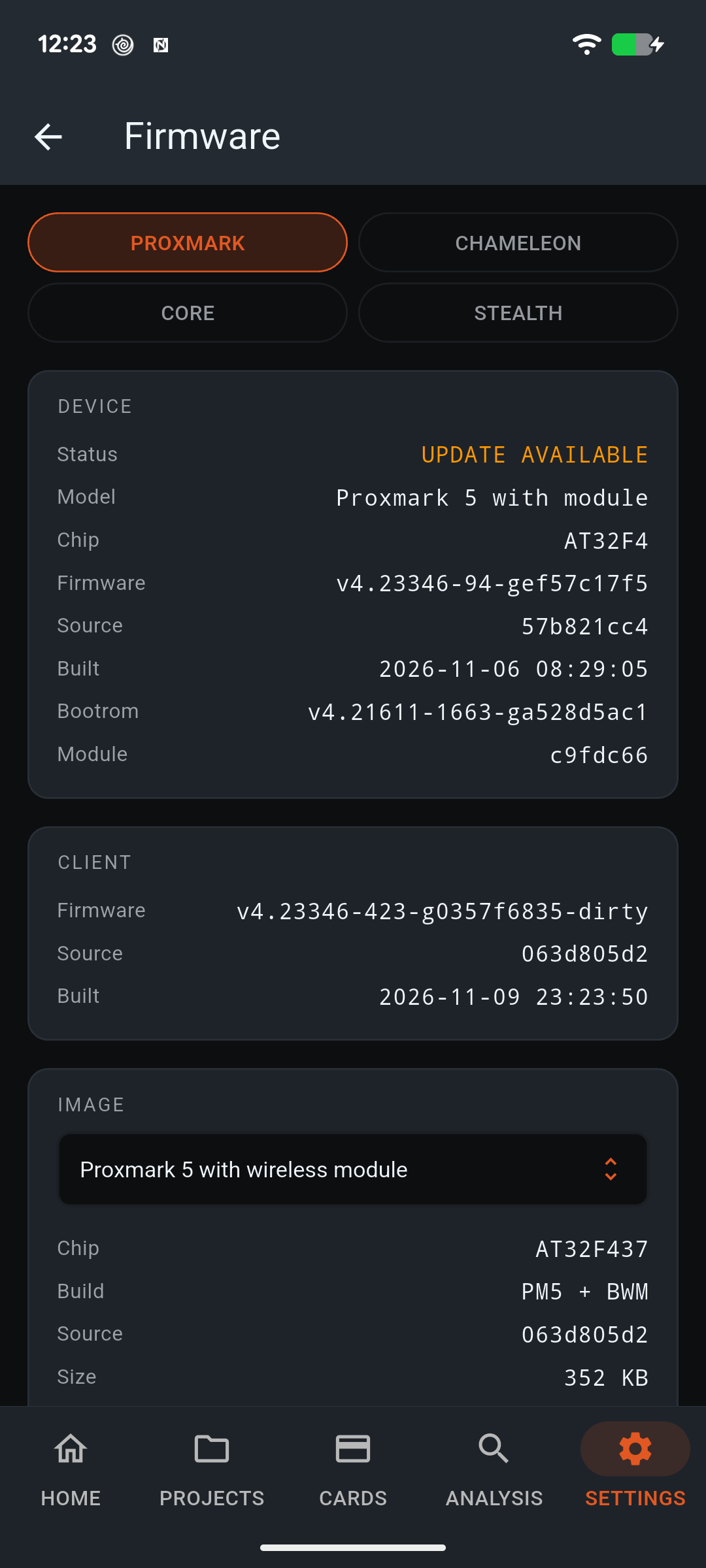
- Status. UPDATE AVAILABLE is decided by Source, not by the firmware string.
- The device's Source.
- The client's Source. Compare the two, not the versions.
- What the device said it is. The pick below has to agree with this row.
- Five bundled images, each with a line saying which board it is for.
- Proxmark 5 means no wireless module. It is a different image, not an older one.
- Checked, because the module answered for itself. Leave it where ATLAS put it.
- Do not press the device button when it resets. The flasher needs the bootloader.
- FLASH starts the write. There is no second confirmation.
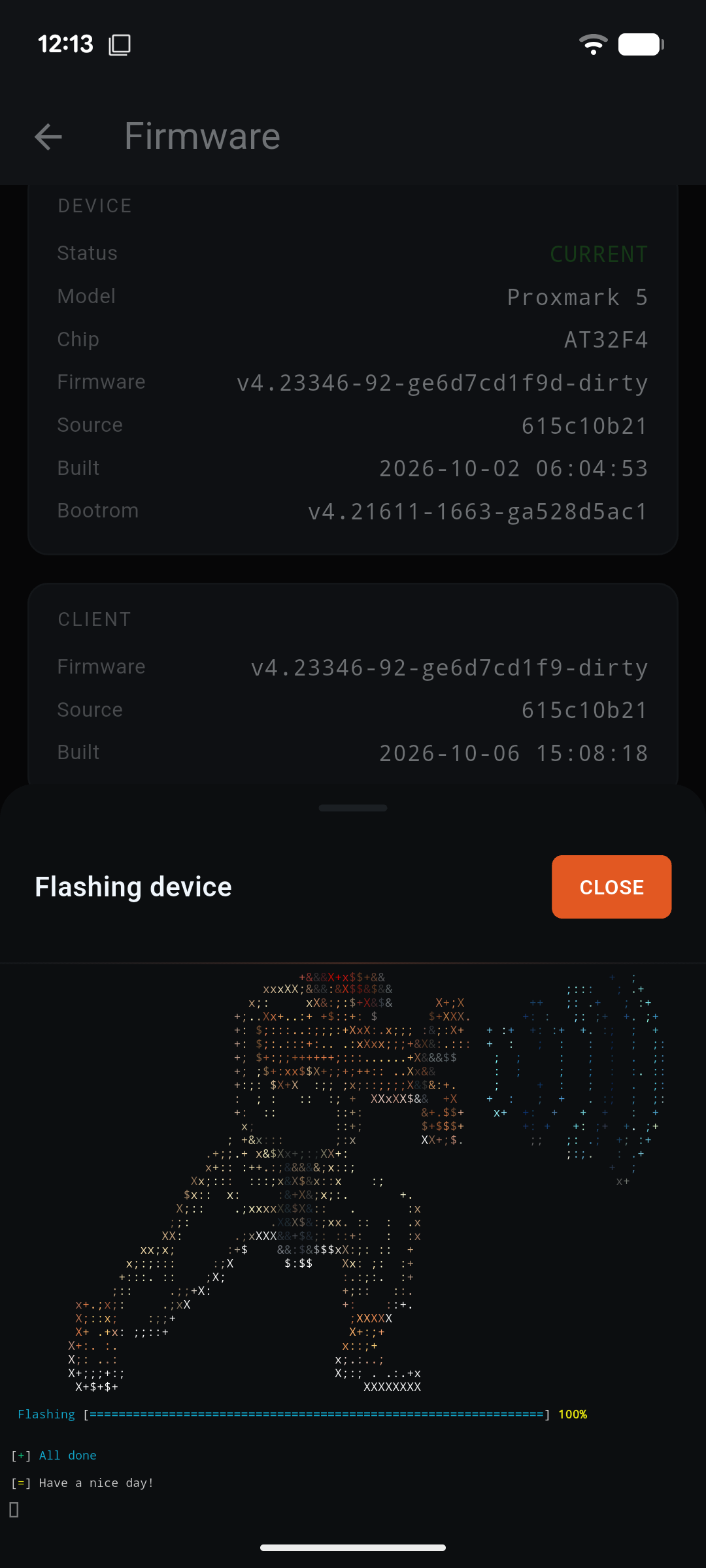
- Status flips to CURRENT once the device comes back and is read again.
- All done at one hundred percent is the line that means it wrote.
Getting there
Section titled “Getting there”Settings, then Firmware, then the PROXMARK chip. ATLAS also offers it to you when it notices. Connecting an out of date Proxmark raises PROXMARK FIRMWARE IS OUT OF DATE, with Flashing needs a USB cable underneath, and OPEN takes you straight to this page.
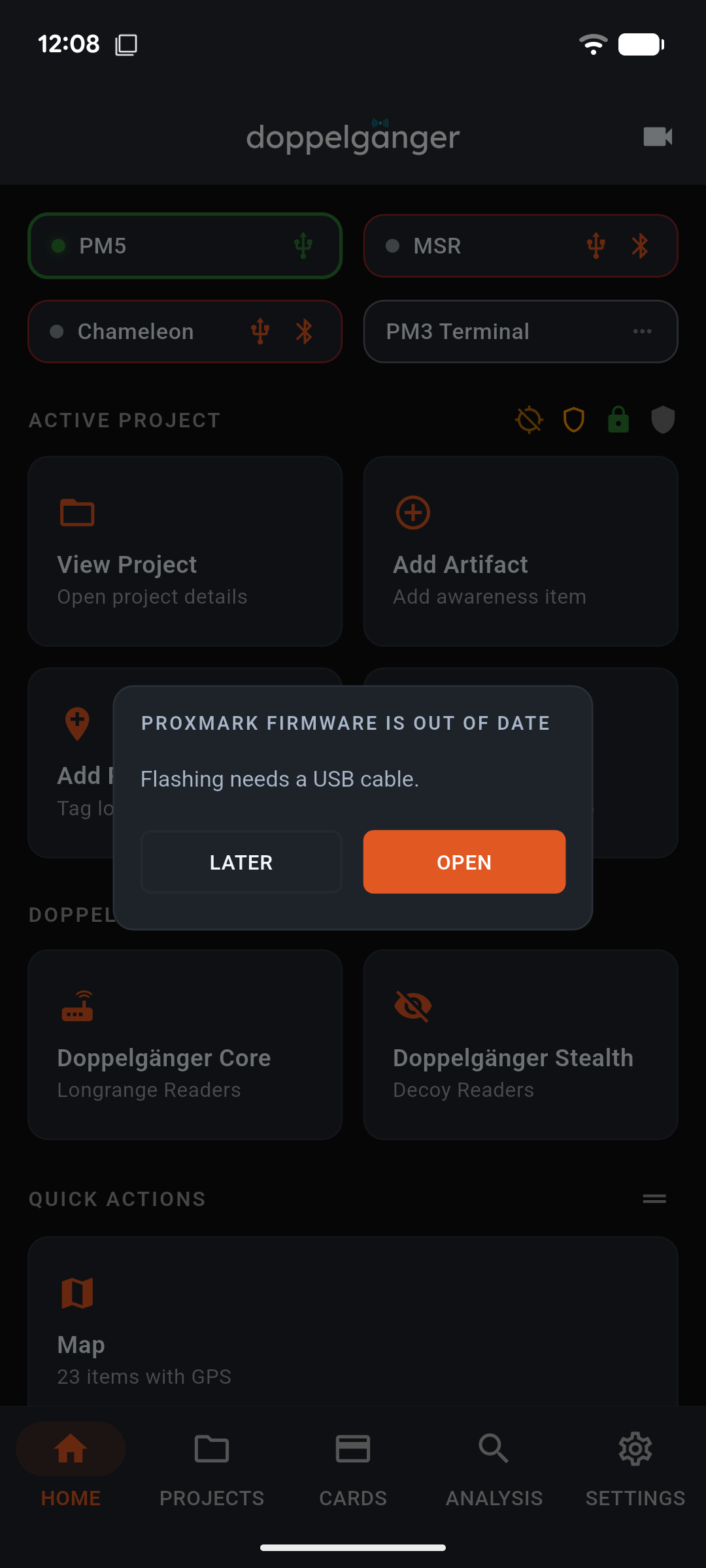
- ATLAS raises this itself when a device arrives behind. You do not go looking.
- Flashing needs a cable, so this says so rather than letting a radio attempt fail.
- OPEN goes straight to the Firmware page on the device the notice named.
Reading the device against the client
Section titled “Reading the device against the client”Four cards, and the first two exist as a pair.
DEVICE is what is on the end of the cable, read from the device itself.
| Row | What it holds |
|---|---|
| Status | the verdict. UPDATE AVAILABLE, or CURRENT in green once it matches |
| Model | Proxmark3 RDV4, Proxmark3 Easy, Proxmark 5, or Proxmark 5 with module |
| Chip | AT91SAM7S on the Proxmark3 line, AT32F4 on a Proxmark 5 |
| Firmware | the version string the device reports |
| Source | the source hash that build came from |
| Built | when it was built |
| Bootrom | the bootloader version |
| Module | the wireless module’s own firmware, shown only when one is fitted |
CLIENT carries Firmware, Source and Built for the client ATLAS ships.
They are two cards on purpose, and this run shows why. Before the flash the device read:
ATLAS DEVICE Firmware v4.23346-92-ge6d7cd1f9-dirty Source c43e75577CLIENT Firmware v4.23346-92-ge6d7cd1f9-dirty Source 615c10b21ATLAS compares nine characters, which is the width the client’s own flasher uses, and a hash of any other length reads as unknown rather than being guessed at.
Picking the image
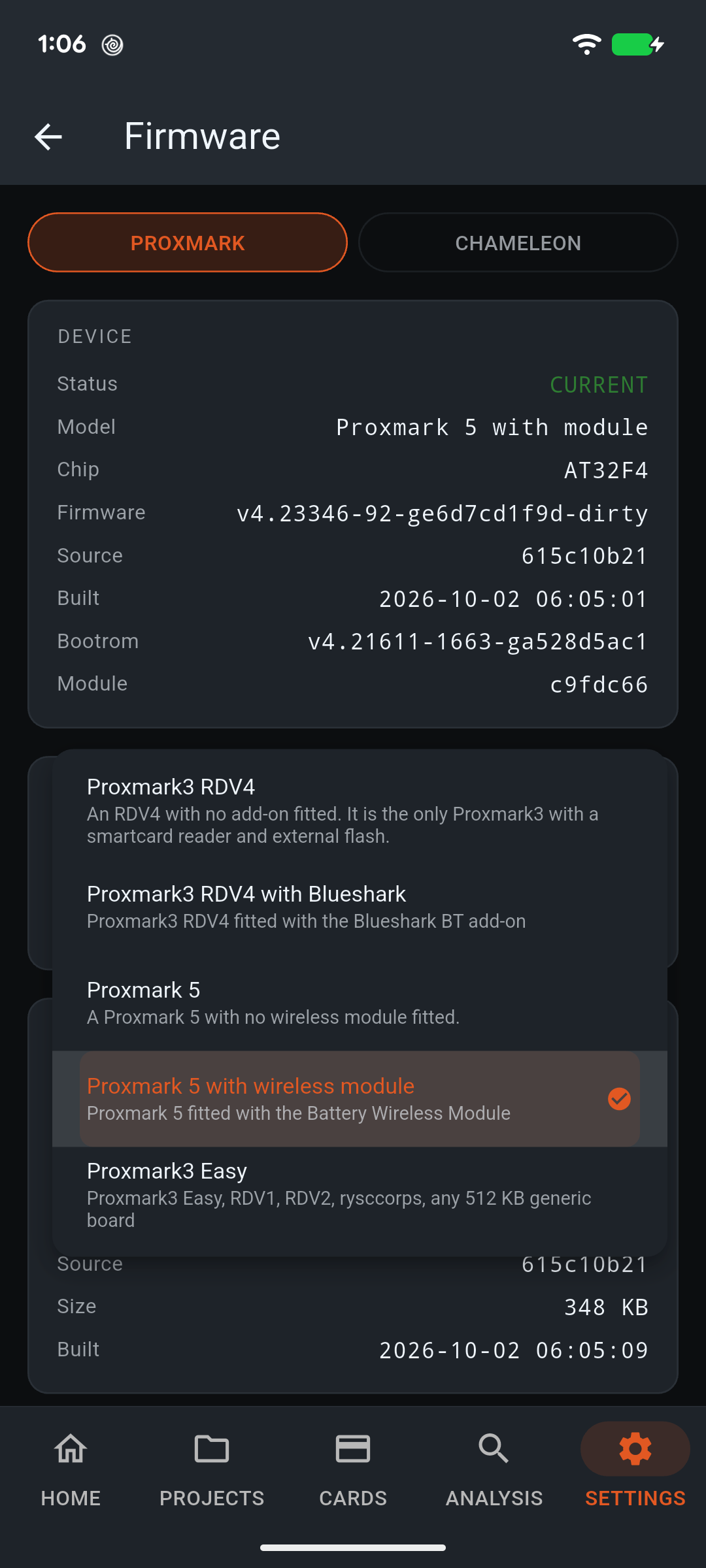
Section titled “Picking the image”IMAGE lists what ATLAS has bundled, with a line under each saying what it is for. It reads Images: none bundled when there is nothing for your device.
| Image | What it is for |
|---|---|
| Proxmark3 RDV4 | an RDV4 with no add-on fitted. The only Proxmark3 with a smartcard reader and external flash |
| Proxmark3 RDV4 with Blueshark | an RDV4 fitted with the Blueshark BT add-on |
| Proxmark 5 | a Proxmark 5 with no wireless module fitted |
| Proxmark 5 with wireless module | a Proxmark 5 fitted with the Battery Wireless Module |
| Proxmark3 Easy | a Proxmark3 Easy, RDV1, RDV2, rysccorps, any 512 KB generic board |
Under the picker the image states its own Chip, Build, Source, Size and Built. Put that Source beside the Client Source. They should match, because the bundled image is what the client was built against.
A pick that contradicts the device
Section titled “A pick that contradicts the device”ATLAS preselects, and on a Proxmark 5 it does so from evidence rather than a guess. The chip settles the family, and a wireless module answers with its own firmware version, so the preselection on this hardware is a finding. Change it by hand and a Mismatch row appears under the picker in red.
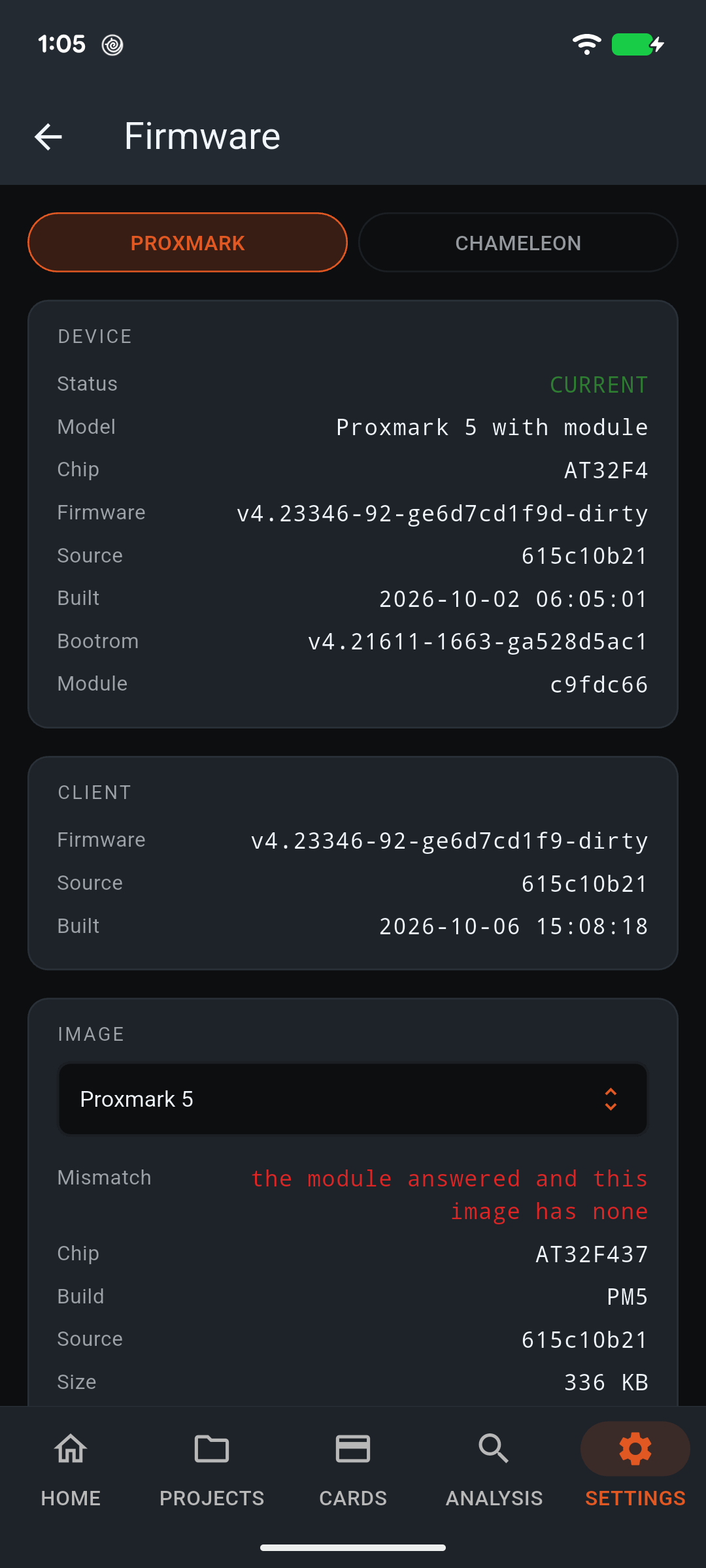
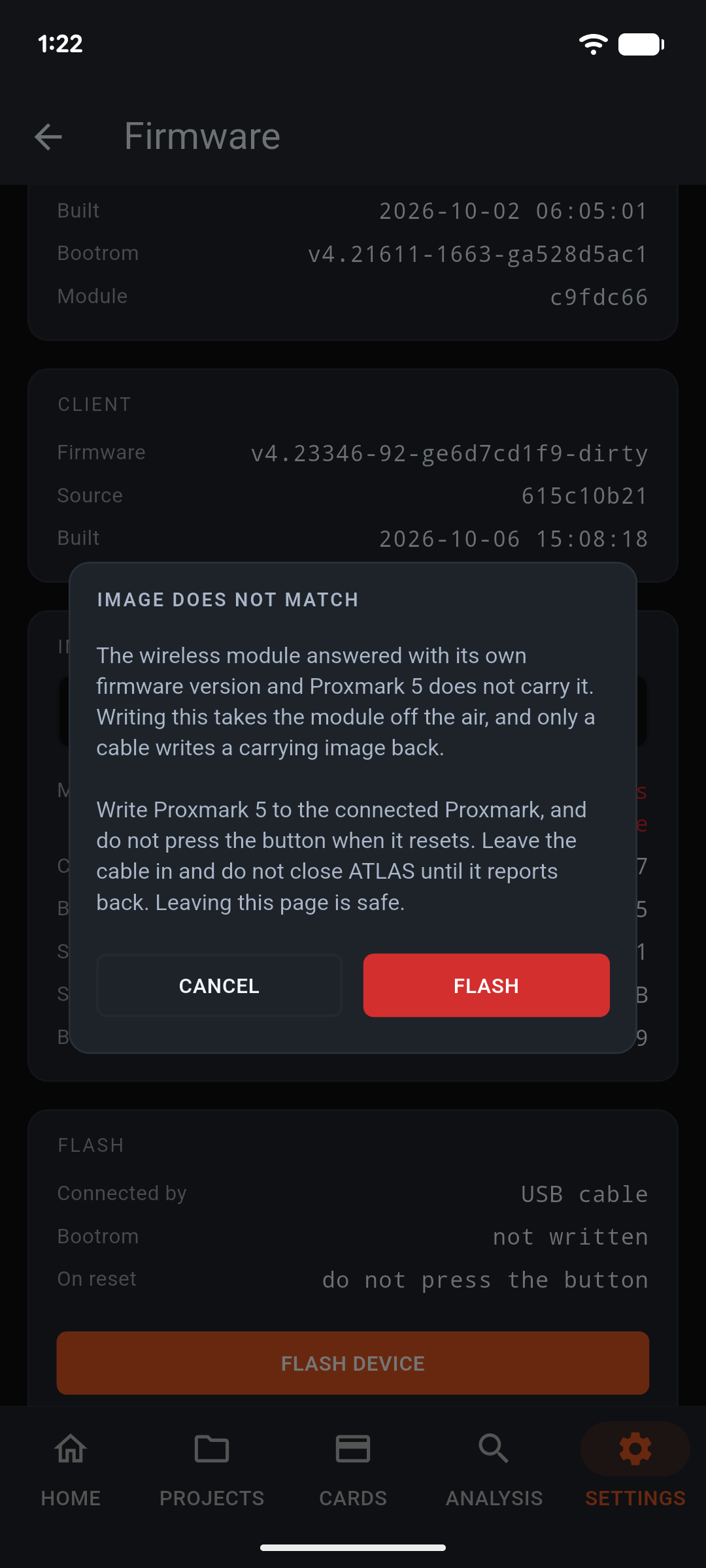
- Proxmark 5 with module, read off the device, not chosen by you.
- The hand pick. Proxmark 5 is the image for a board with no module.
- Mismatch, in red, naming which answer the image contradicts.
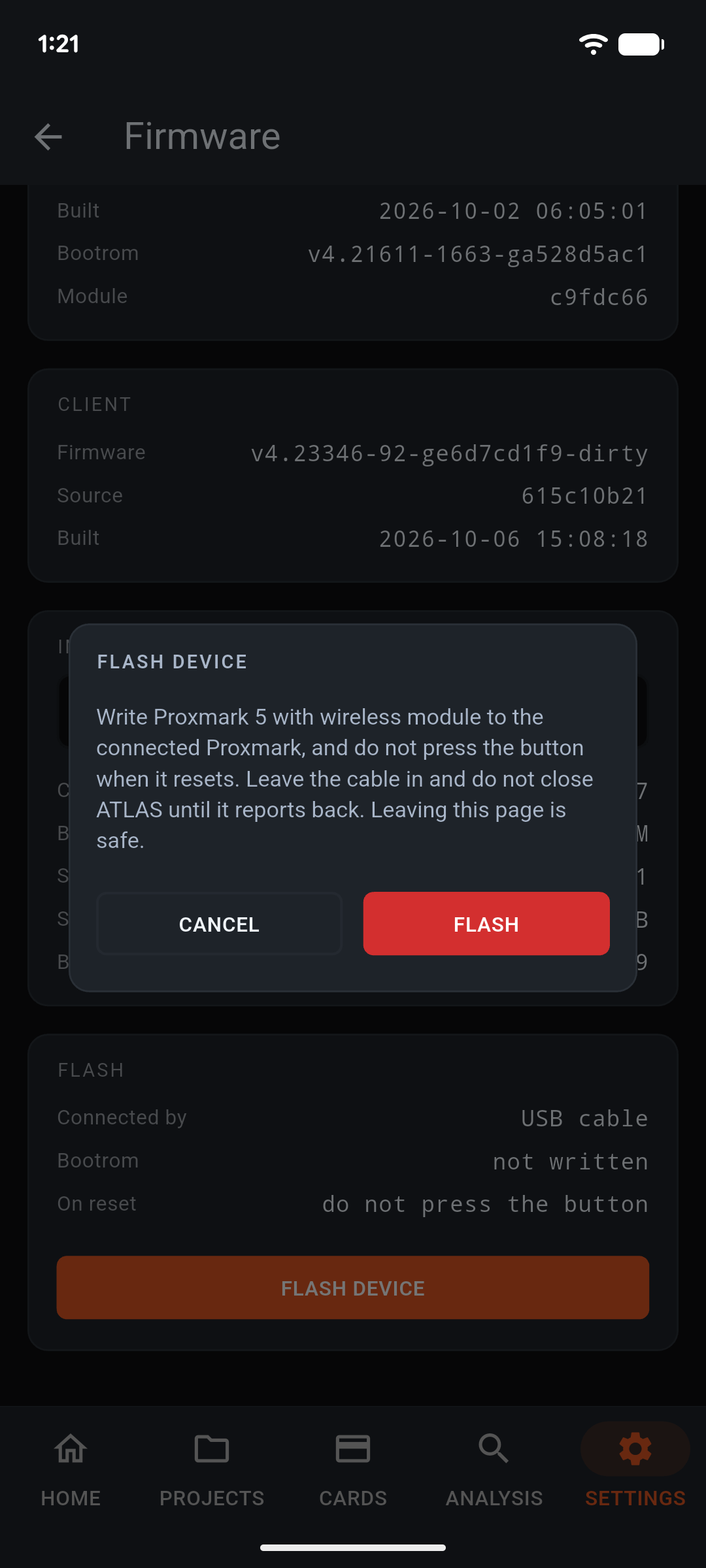
- Retitled, so the last gate does not look like the familiar one.
- What the override costs, before the instructions rather than after.
- The usual wording follows it, unchanged.
- FLASH still writes it. This informs, it does not block.
The warning leads the dialog rather than trailing it, and the title changes with it.
There is one honest reason to override, which is hardware ATLAS cannot see. A Blueshark is a build flag rather than a detectable part, so an RDV4 preselection is marked Confirm and is yours to settle. A wireless module is not in that category. It either answered or it did not.
The Flash card, and the row that costs you a flash
Section titled “The Flash card, and the row that costs you a flash”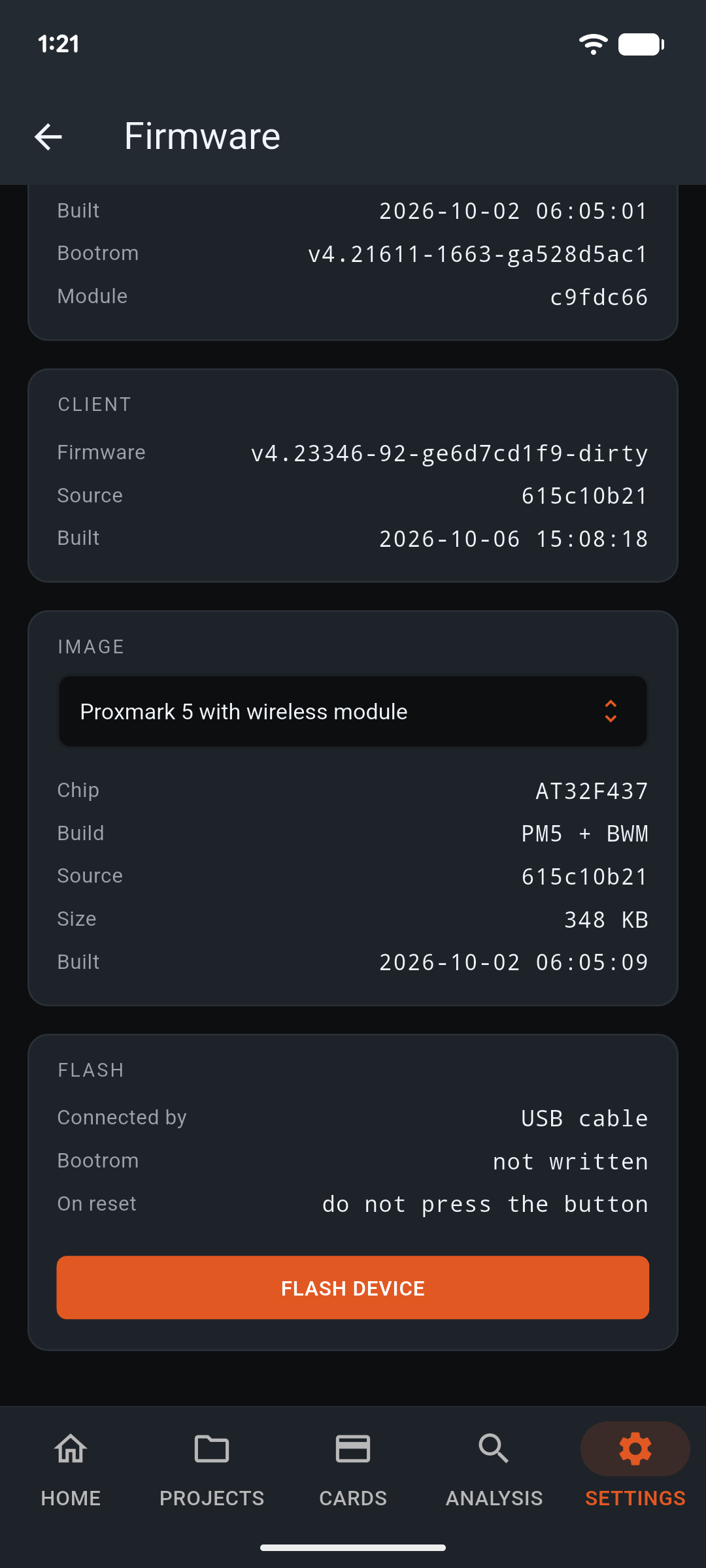
- Build names the extras. PM5 plus BWM is the image that carries the module.
- Connected by names your real link, USB cable, Bluetooth, or not connected.
- On reset. Read this every single time, because two of its three values are opposite instructions.
On reset has three values and two of them tell you opposite things.
| On reset says | What you do |
|---|---|
| do not press the button | nothing. Let the device hand over on its own |
| hold the button down | hold the button, now, and keep holding |
| nothing to press | nothing. It is already in its bootloader |
When FLASH DEVICE is gray
Section titled “When FLASH DEVICE is gray”One label in every case it can act in, including a device stranded in its bootloader and a device whose firmware the client refused. The second is ordinary, so the button does not call it recovery and make a routine update read like surgery. When it cannot act, the State row says why.
| State | What it means |
|---|---|
| USB only | you are on Bluetooth |
| device not read | nothing has been read off the device yet |
| Iceman required | the firmware is not an Iceman build. Convert it first |
| nothing to do | the device already matches the client |
| no device selected | you have not picked an image |
| no images bundled | ATLAS has nothing for this device |
Confirming, and what happens next
Section titled “Confirming, and what happens next”FLASH DEVICE raises a confirmation before anything is written:
FLASH starts it. An output sheet opens titled Flashing device, carrying the flasher’s own stdout and a progress bar, and the stages come out of the flasher rather than a timer: loading the image, waiting for the device, preparing, then flashing with a percentage. On a Proxmark 5 the whole write took about twenty seconds. It ends with [+] All done and the DEVICE card flips its Status to CURRENT in green.
Android will ask for USB permission in the middle of it
Section titled “Android will ask for USB permission in the middle of it”The device resets into its bootloader partway through, which is a USB disconnect and reconnect as far as the phone is concerned, so Android raises Open ATLAS to handle proxmark3? over the top of the progress.
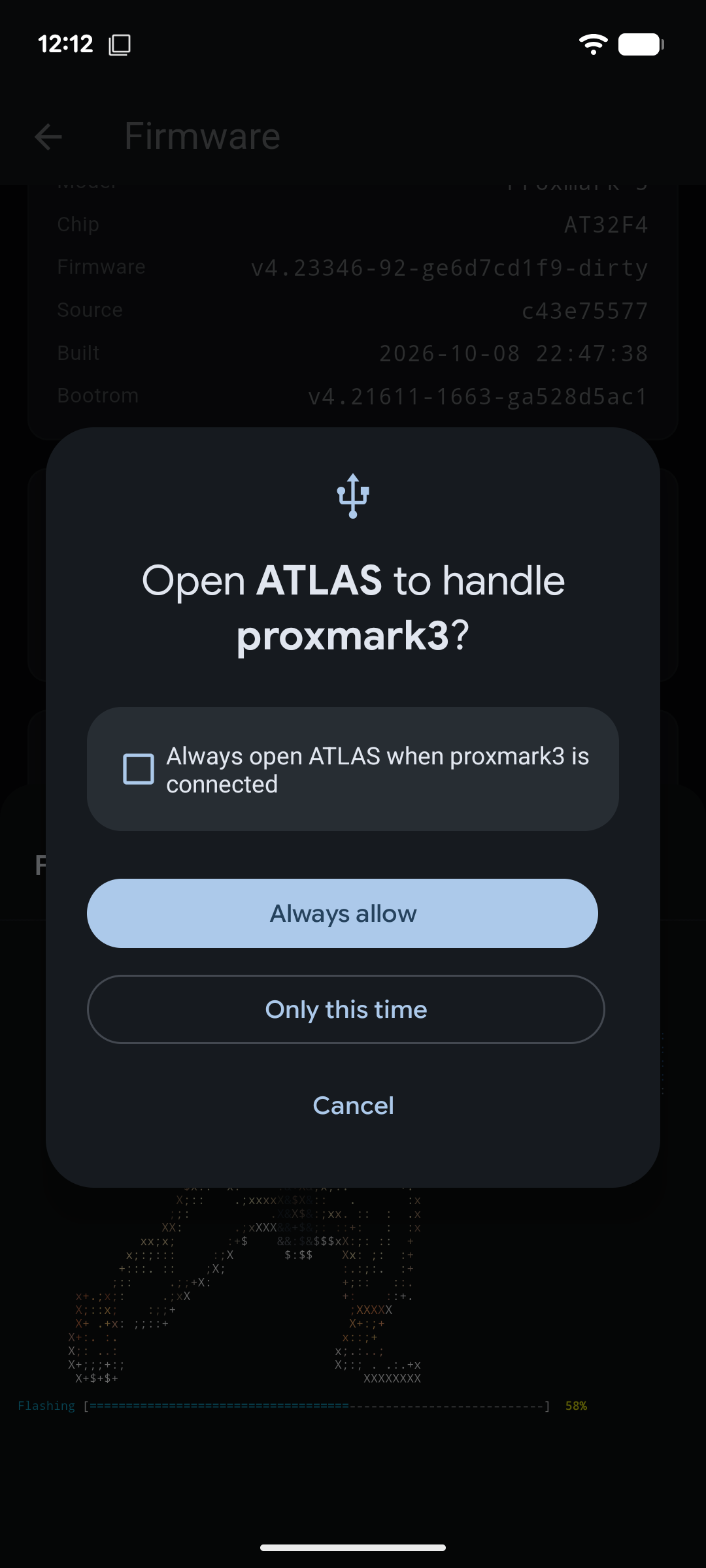
- Android prompts again because the device re-enumerated into its bootloader.
- The write underneath is still going. Fifty eight percent, behind the dialog.