
Recording from Home
Two of the most useful things ATLAS does are started without opening a screen, from gestures on Home. That is deliberate and it is the same reasoning behind both: the moment worth capturing on a physical assessment is usually a moment where looking down at a phone and navigating a menu is the thing you cannot afford to do.
Both are long presses, and both have a tap that does something safer. That asymmetry is the guard. A tap opens a surface, a hold commits you to a recording.
The camera glyph in the title bar
Section titled “The camera glyph in the title bar”The one control on Home that is not a tile or a card sits at the right of the doppelganger title bar, and it records video. It is up there rather than in a menu because the whole point of it is reaching it without looking.
It does two different things, and the difference is deliberate.
| What you do | What happens |
|---|---|
| Tap | opens the viewfinder, where you frame the shot and start it yourself |
| Long press | starts recording immediately at the stored framing, with no viewfinder |
| Tap while recording | stops the recording |
The long press is the field gesture and the guard on it is not decoration. A recording is 4K by default and writes hundreds of megabytes a minute, so a glyph that started one on a stray tap would fill a phone during a walk-through.
While a recording runs the glyph pulses, and a recording panel appears under the project strip with the elapsed time and a stop control, because hunting a small glyph in a title bar is no way to stop a capture.
Everything a recording does afterward, including the geotagged note it files against the active project, is on Clandestine camera.
Quick Note records audio, if you hold it
Section titled “Quick Note records audio, if you hold it”The fourth project action reads Quick Note with Hold to record memo under it, and that subtitle is the whole feature.
| What you do | What happens |
|---|---|
| Tap | opens the note editor, seeded with the project’s coordinates |
| Long press | starts a voice memo straight away, with a live level meter on the card |
| Tap while recording | stops it and opens the review, where you keep it or throw it away |
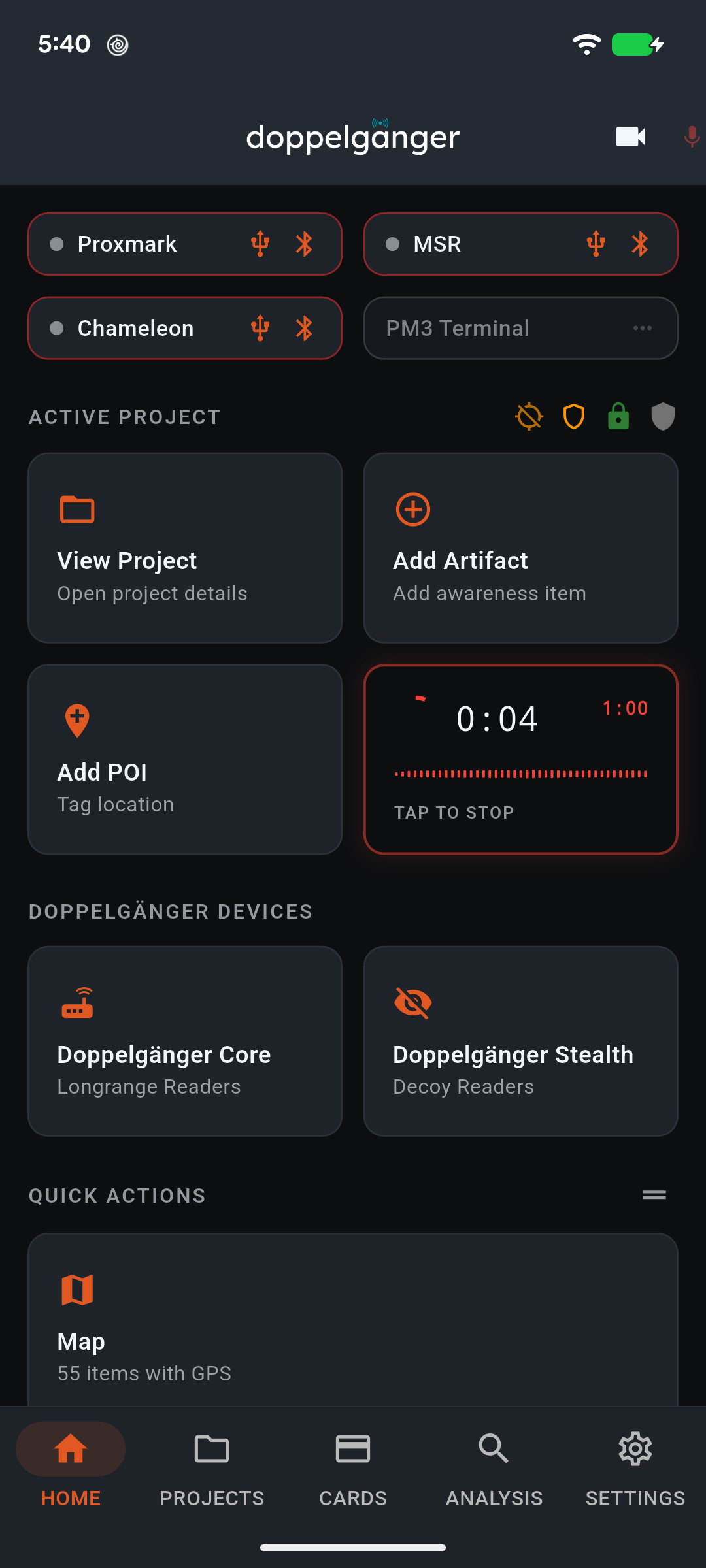
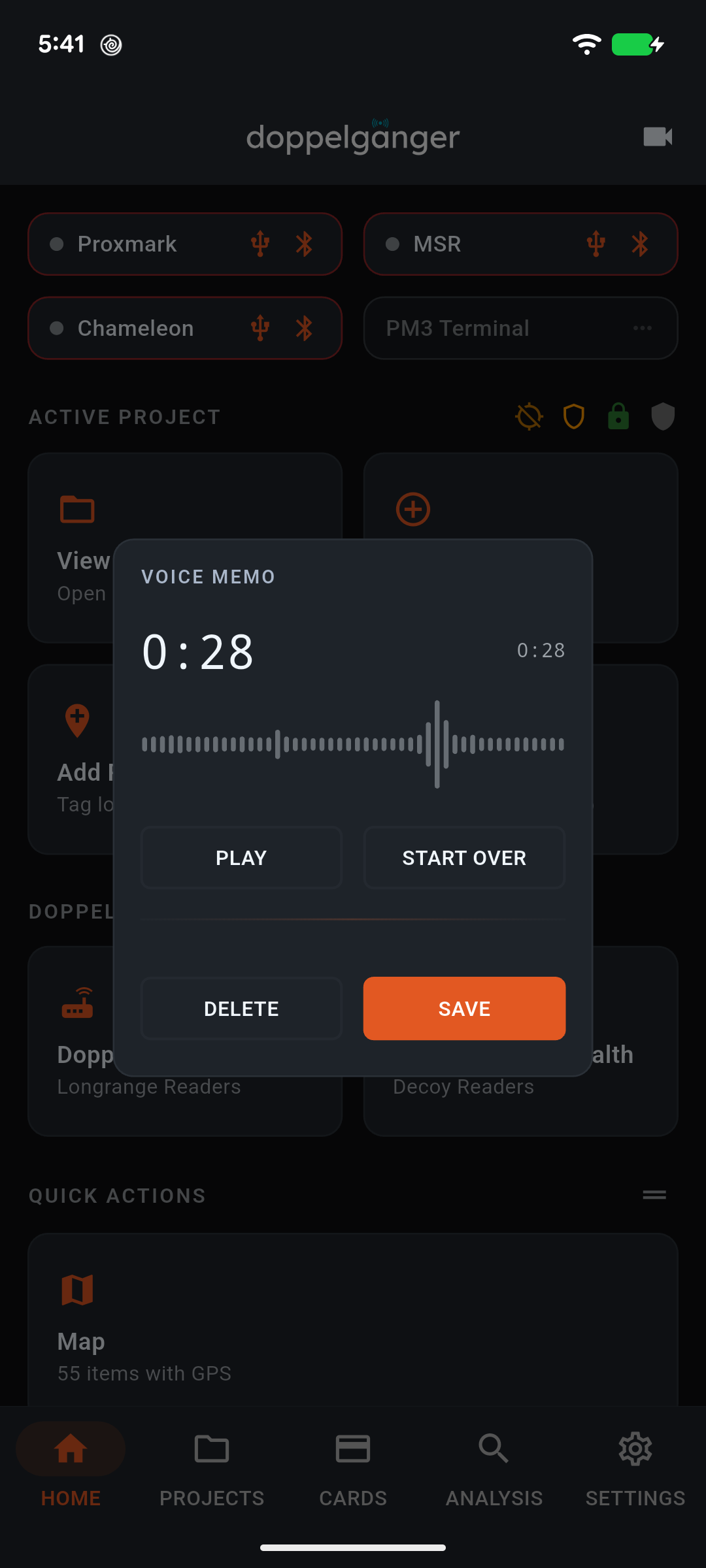
- The camera glyph, which is the same gesture for video.
- Elapsed, and the cap it will stop itself at.
- TAP TO STOP, on the card you are already looking at.
- The review opens on its own. Nothing is filed yet.
- The length, which is the first thing you check against what you meant to say.
- PLAY to hear it, START OVER to record again over the top.
- DELETE throws it away. SAVE files it on the active project.
Same shape as the camera glyph, for the same reason, and that is why Quick Note sits bottom right where a right-handed thumb lands.
A memo you keep is saved as a note on the active project with the coordinate it was recorded at. A memo can also stop on its own if you have set a length cap, and the review opens either way. See Audio memos.
Where the recordings go
Section titled “Where the recordings go”Both file against the active project with the coordinate they were taken at. Only one of them refuses to run without a project. Quick Note checks before it records, a video capture checks after, so a project left unset costs you the video and nothing but a tap on the memo. The full detail on each is on Clandestine camera and Audio memos.