The ATLAS Chameleon Ultra is a Chameleon Ultra running ATLAS CU firmware, a ground up rewrite that takes it from a development device to a professional security tool. It is not the Chameleon Ultra firmware of the past.
On a penetration test or a facility security assessment, it does the card work you would otherwise carry a Proxmark for, in a device a fraction of the size. It tells you what a reader accepts before you present anything, reads and emulates iCLASS and prox credentials, writes them back to cards, recovers MIFARE Classic keys and contents, and relays modern credentials, all driven from the handset.
ATLAS runs it from Cards, the ULTRA tab, and the tab works only with ATLAS CU firmware on the unit.
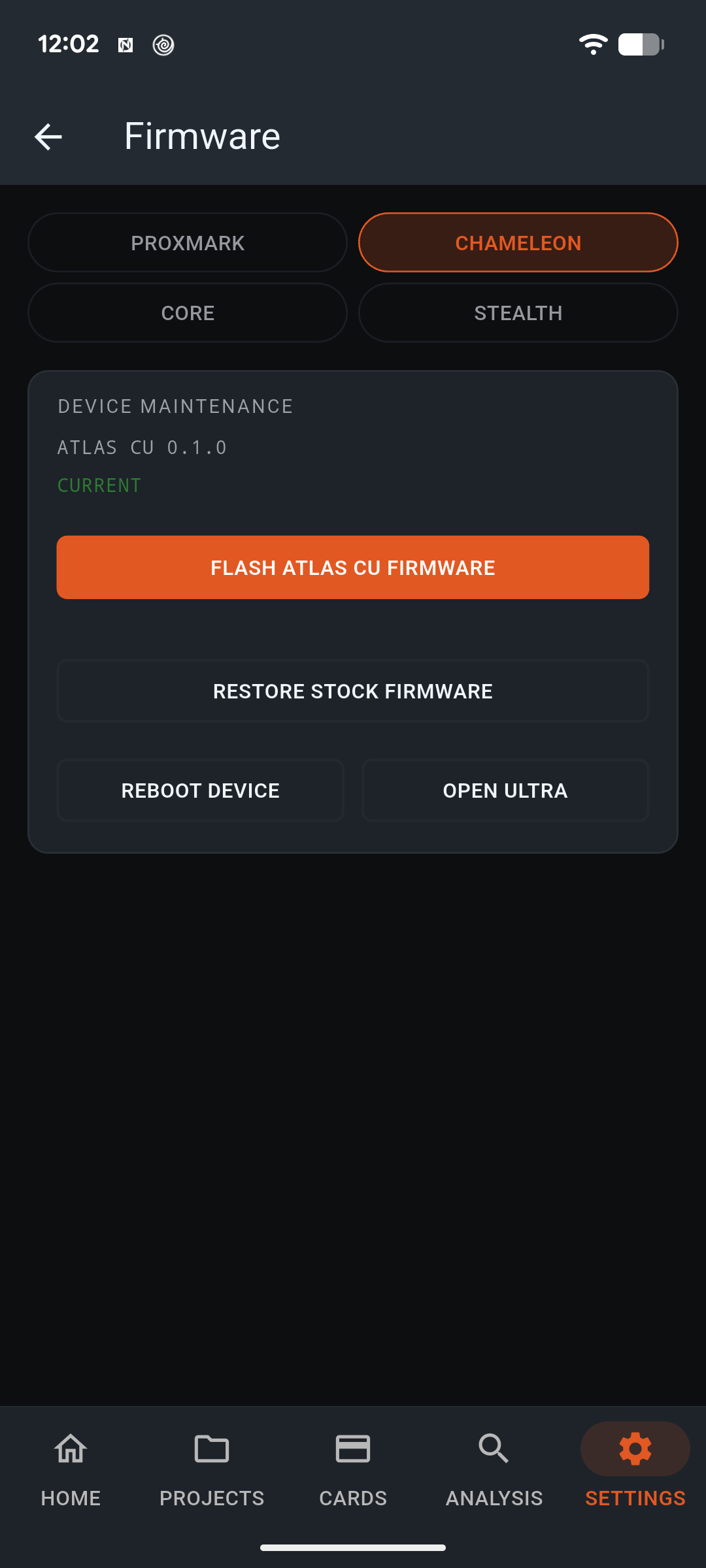
1Flashed
1 2 3 4
Click to enlarge
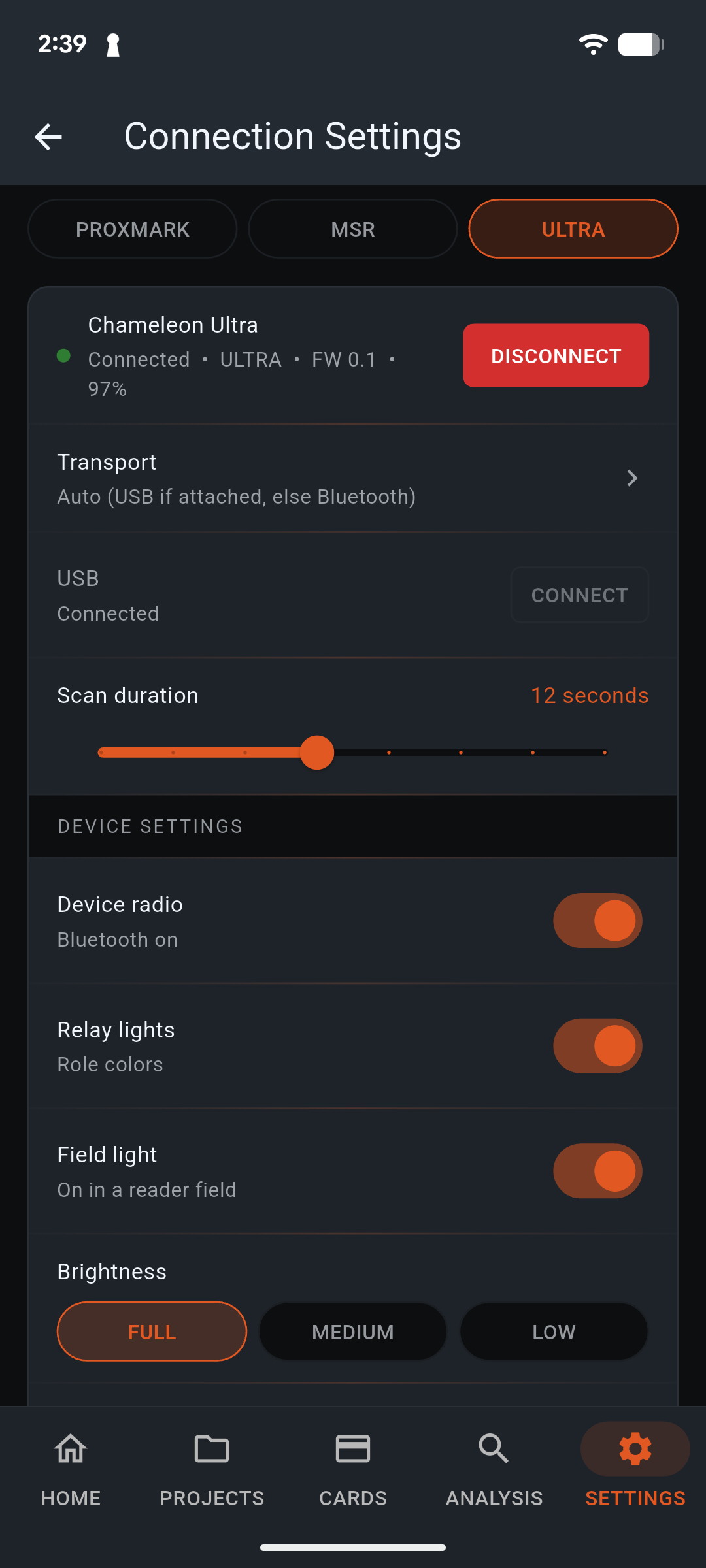
2Connected
5 6 7
Click to enlarge
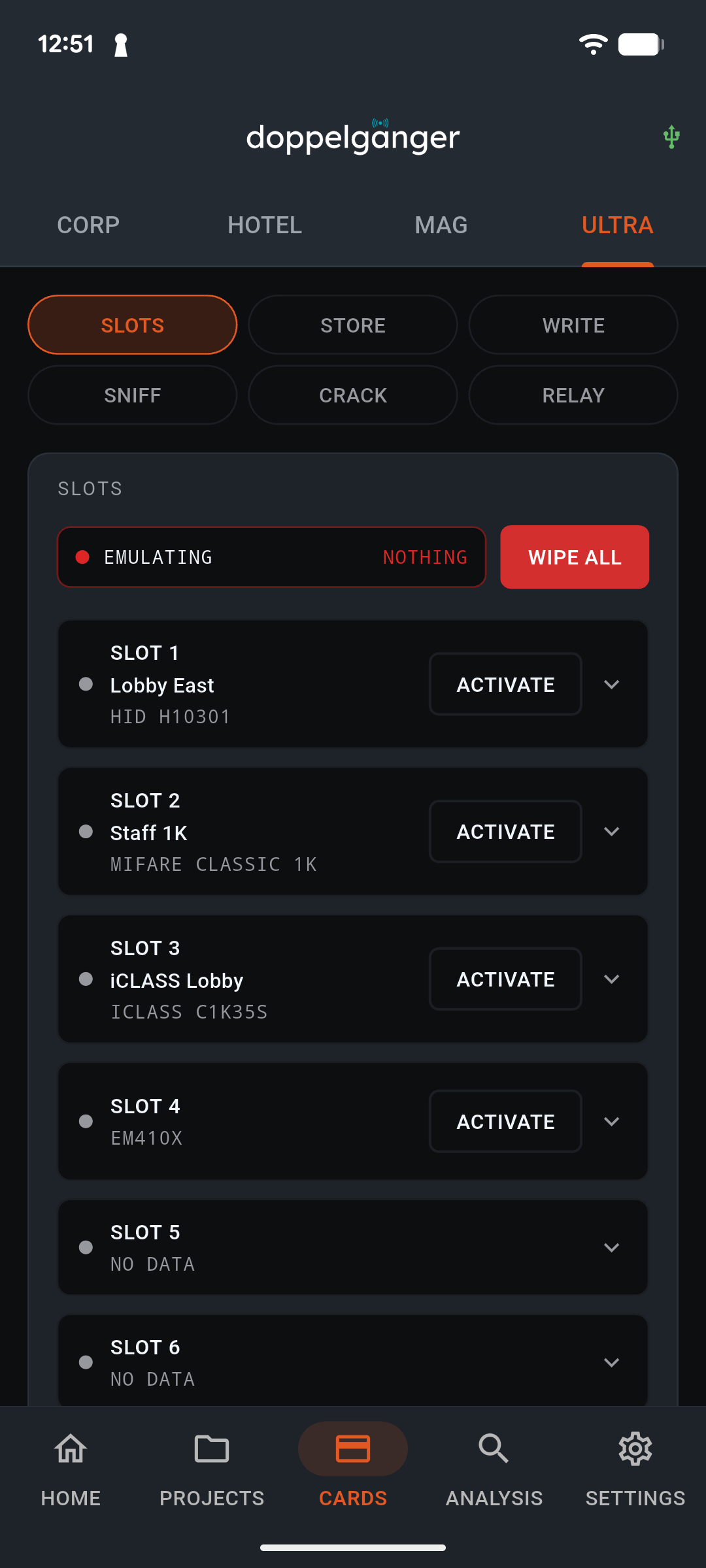
3ULTRA tab
8 9 10 11
Click to enlarge
ATLAS CU firmware on the unit, the unit connected on the ULTRA card, and the ULTRA tab it opens. The steps are under Setting one up.
CHAMELEON.
ATLAS CU, CURRENT.
FLASH ATLAS CU FIRMWARE.
OPEN ULTRA, straight to the ULTRA tab.
ULTRA.
Connected, with the firmware and battery.
USB, Connected.
ULTRA, under Cards.
SLOTS, STORE and WRITE.
SNIFF, CRACK and RELAY.
EMULATING, what the unit answers a reader with.
1 / 3 Flashed. Firmware on the CHAMELEON chip reading ATLAS CU 0.1.0 CURRENT, with FLASH ATLAS CU FIRMWARE, RESTORE STOCK FIRMWARE, and REBOOT DEVICE beside OPEN ULTRA 2 / 3 Connected. Connection Settings on the ULTRA chip reading Connected, ULTRA, FW 0.1 and the battery, with DISCONNECT and USB Connected 3 / 3 ULTRA tab. Cards on the ULTRA tab, with the SLOTS, STORE, WRITE, SNIFF, CRACK and RELAY chips, and the SLOTS card reading EMULATING NOTHING over four slots that hold cards
The official firmware supports MIFARE Classic, MIFARE Ultralight, NTAG, EM410x, HID Prox, IO Prox, PAC and Viking. It does not support iCLASS, Indala, AWID, Avigilon, Pyramid, Paradox or Securakey, and it cannot tell you what a reader accepts.
The ATLAS Chameleon Ultra does the following, all from the handset:
Function
Where
Reads and emulates iCLASS, and rewrites iCLASS cards
Yes, by rewriting an existing iCLASS 2k or iCLASS 2k SR card
iCLASS SR
identified
not offered
not offered
iCLASS SE
identified, and filed to the database
not offered
not offered
An iCLASS credential carries a facility code and a card number in a Wiegand format, the same as a prox card. STORE and WRITE list them under two headings. STANDARD FORMATS are the formats HID issues iCLASS credentials in. SPECIALTY is every other format, for credential stuffing. The full lists, with the range each accepts, are on Store and Write.
FINGERPRINT READER on Sniff and Fingerprint reports on the reader, not on a card. Under CORPORATE it names ISO 14443-4, HID Seos, iCLASS SE, iCLASS Legacy, iCLASS SR, HID SIO, MIFARE Classic, MIFARE DESFire EV1, MIFARE DESFire EV3 and NFC Forum NDEF. Under HOTEL it names the MIFARE Classic, Plus, Ultralight and DESFire families and LEGIC Advant. The HOTEL scope is experimental.
Connect the ATLAS Chameleon Ultra to the handset by USB cable.
Settings, Firmware, then the CHAMELEON chip.
FLASH ATLAS CU FIRMWARE, and leave it alone until it reports COMPLETE.
Reconnect from Settings, Connection Settings, the ULTRA chip.
Cards, then the ULTRA tab.
Flashing is over the cable only. After that the ATLAS Chameleon Ultra runs over the cable or over Bluetooth Low Energy, with no Android pairing either way. The full procedure is on ATLAS Chameleon Ultra firmware, and the link itself is on ATLAS Chameleon Ultra.