
Clone
Everything on these pages was done on a swipe badge encoded for an access control system. Site code 114, badge number 048592, holder MARTINEZ/D.
Clone onto a blank
Section titled “Clone onto a blank” 1 Source 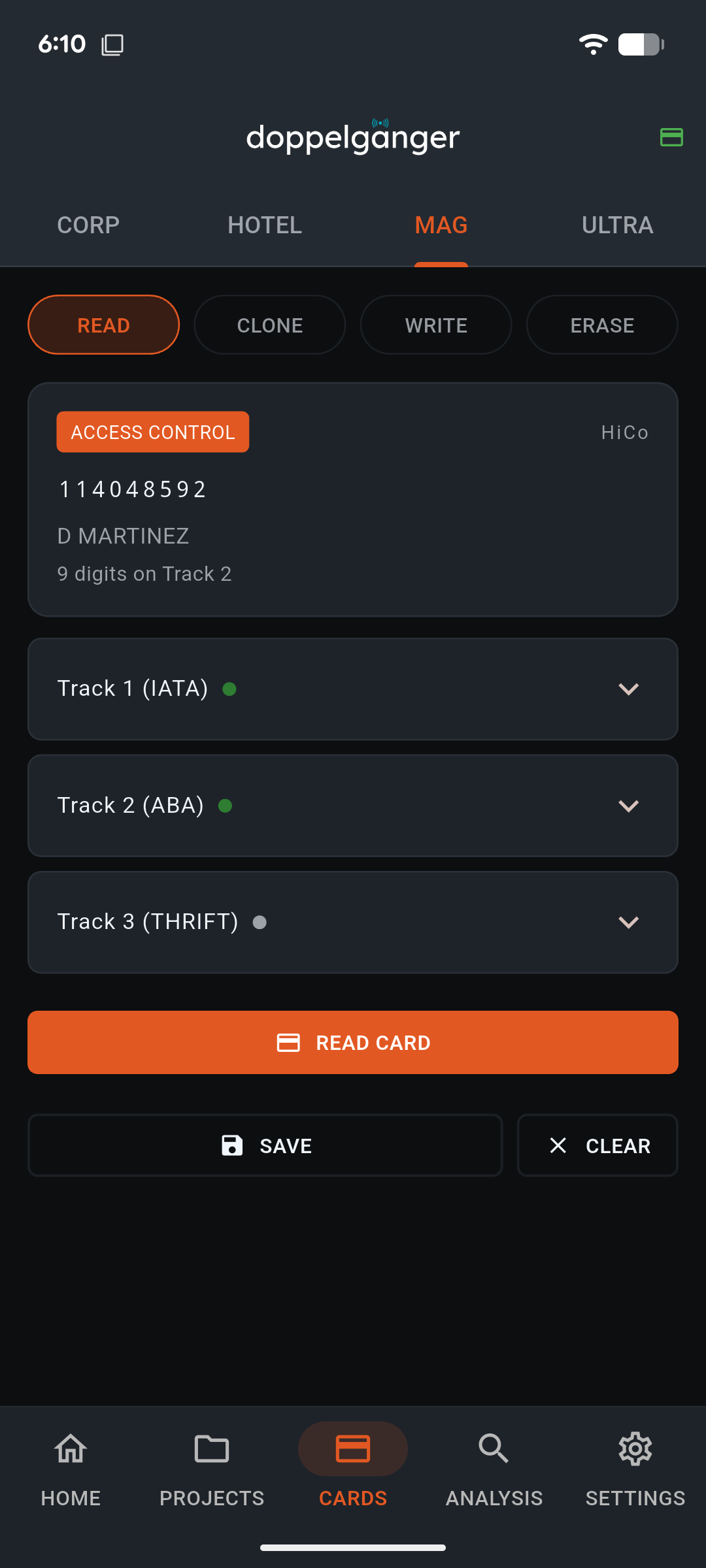
2 Confirm 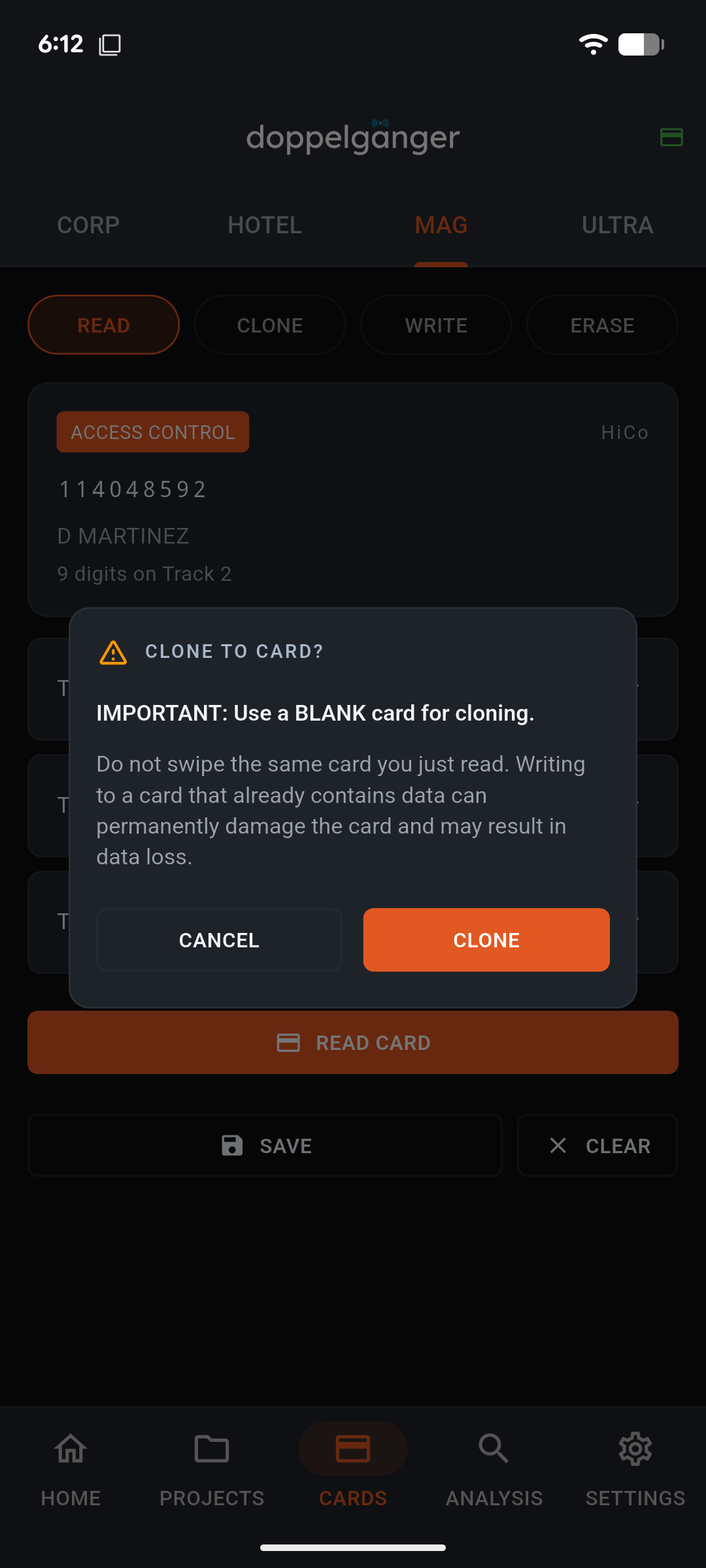
- CLONE is live only once something has been read.
- The tracks with data. Each one costs a swipe when it is written back.
- The important line asks for a blank. The body under it says not to swipe the card you just read.
- Confirming only arms the reader. Nothing is written until the card moves.
CLONE takes the credential currently on screen and writes it to another card.
- READ the source badge, so there is something in memory. CLONE stays gray until there is.
- Take the source card off the reader and have the blank ready.
- Tap CLONE. The CLONE TO CARD? dialog names the risk rather than just asking. Its first line reads IMPORTANT: Use a BLANK card for cloning. Under it sits the body, Do not swipe the same card you just read. Writing to a card that already contains data can permanently damage the card and may result in data loss. Both cards are in scope, the one you just read and any other encoded card.
- Tap CLONE in the dialog, or CANCEL to back out. Confirming arms the reader and writes nothing yet.
- Swipe the blank once per track the source carried. A two track badge is two passes.
- Switch to READ and swipe the copy, to prove it took.
Clone against write
Section titled “Clone against write”Both put a credential on a blank, and which one you want depends on where the credential is.
| CLONE | WRITE | |
|---|---|---|
| Source | the card currently read into memory | the track fields, typed or imported |
| Needs a read first | yes | no |
| Lets you correct a track | yes, on the WRITE panel’s track fields | yes, the same fields |
| Use it when | you have the original in your hand | you have the data and not the card |