
Input
A soft keyboard has no tab key, no arrow keys, and no way to select monospaced text. The client needs all three.
The seven key row along the bottom supplies them.
| Button | Sends |
|---|---|
| PASTE | clipboard contents into the current line |
| COPY | the current selection to the clipboard |
| TAB | completion for command names and parameters |
| ↑ and ↓ | back and forward through command history |
| ← and → | cursor movement within the current line |
Running a command again
Section titled “Running a command again”↑ puts a previous command back on the prompt, editable, ready to send.
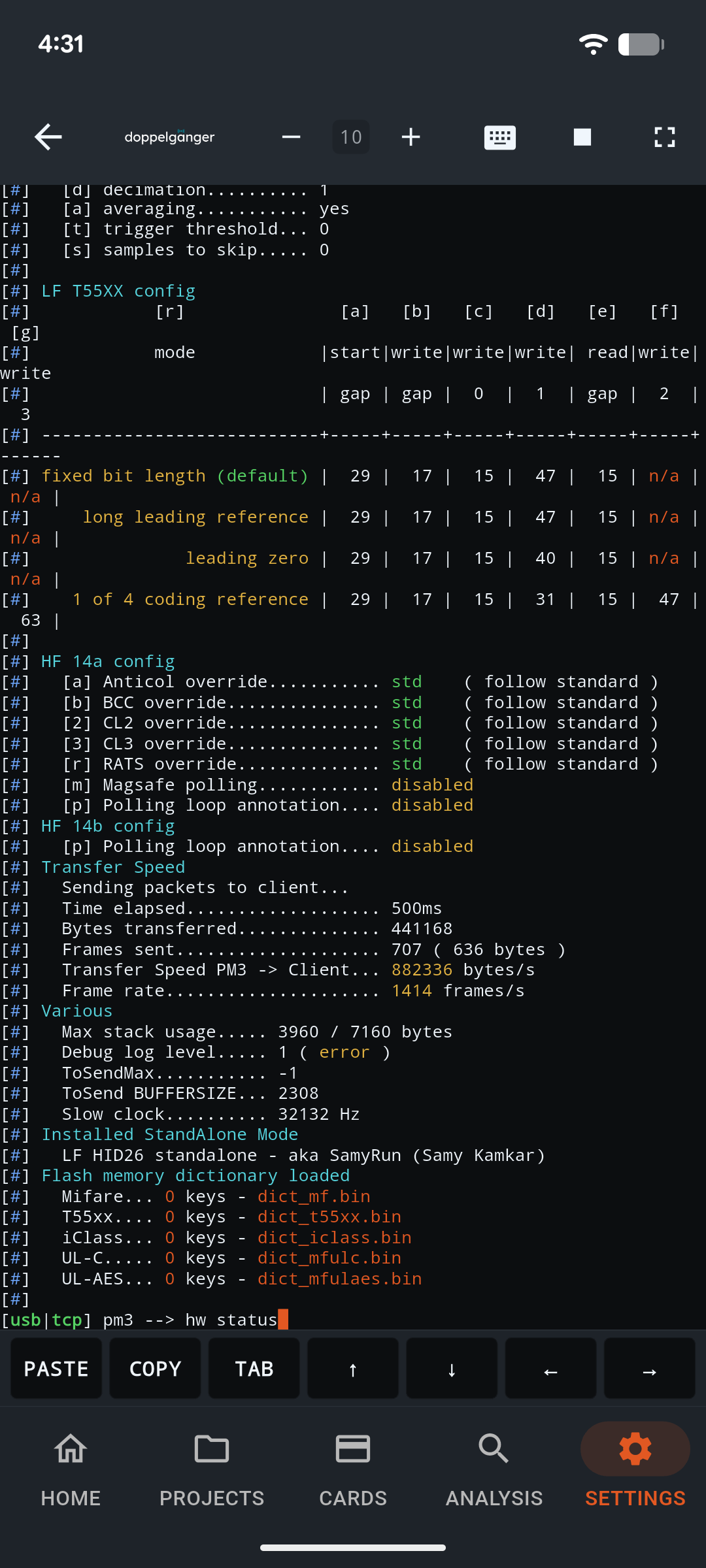
- Scrollback, kept above the prompt.
- Output of the previous run.
- The command, back on the prompt.
A mistyped command takes ↑ and a couple of ← presses to fix. Repeating a command is two taps.
Letting the client finish the typing
Section titled “Letting the client finish the typing”TAB completes command names and parameters. Where several commands share a prefix it lists the candidates instead of guessing.
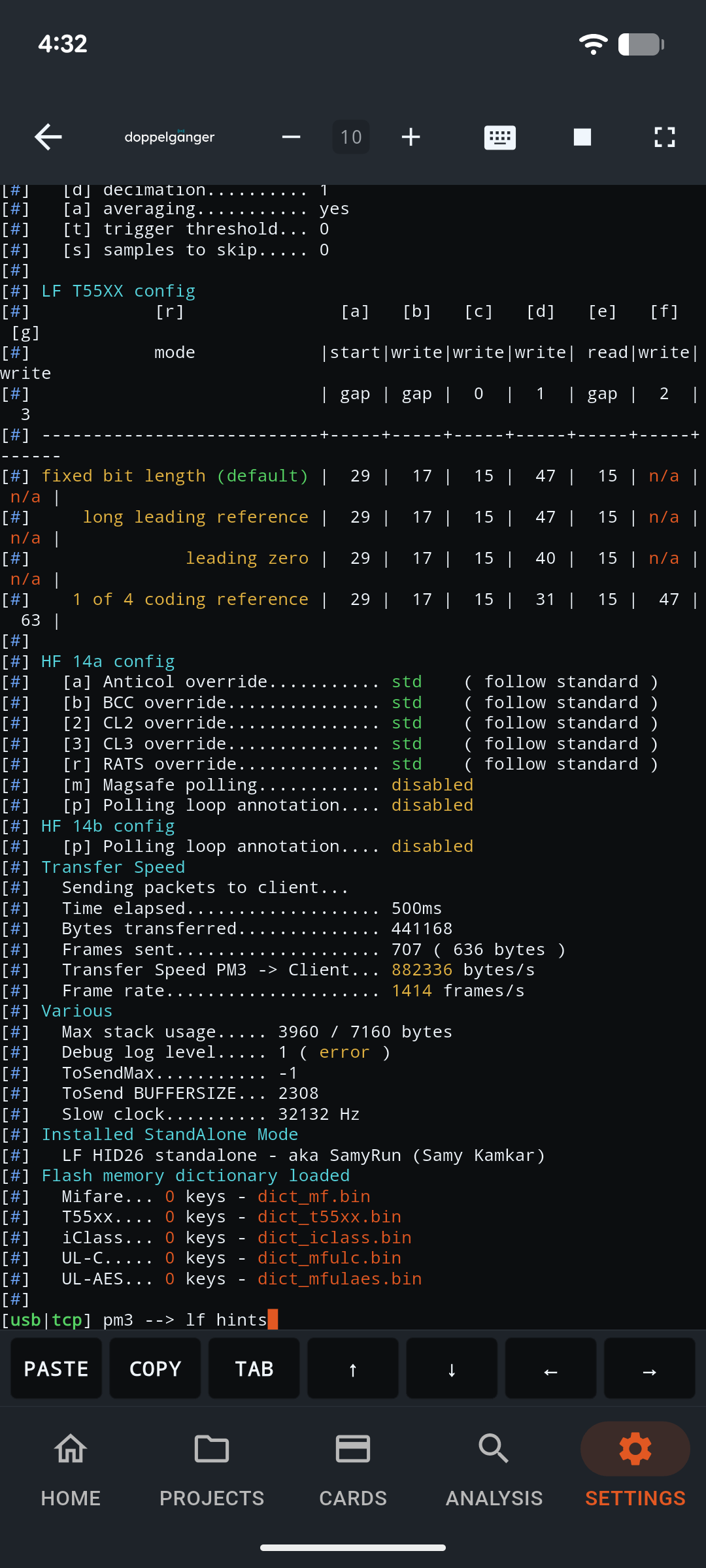
- Earlier output, unchanged.
- lf hi completed to lf hints.
Type enough to be unambiguous and press it.
Getting a line out of the scrollback
Section titled “Getting a line out of the scrollback”Dragging a finger across the terminal body selects nothing at all. The terminal view registers its drag-to-select recognizer for a mouse only, so on glass the gesture is a long press. There is no select all.
| Gesture | What it selects |
|---|---|
| long press | the whole word under your finger |
| double tap | the same whole word |
| long press, then drag without lifting | more whole words. Each update re-reads the word boundaries at both ends, so the selection will not stop part way through one |
| drag one of the handles after lifting | one character at a time on that end only, with the other end left where it is |
The two handles are drawn in the accent color at the start and the end of the selection once your finger comes off. They are the only character-precision control on this screen. Long press and drag to get near the value, then pull the handles in to trim the ends.
| Pressed | State | Result |
|---|---|---|
| COPY | a selection exists | copied, selection cleared, Copied shown |
| COPY | nothing selected | No selection - drag in the terminal first |
| COPY | a selection of whitespace only | the same No selection message, and nothing copied |
| PASTE | clipboard has text | inserted at the cursor |
| PASTE | clipboard empty | Clipboard is empty, nothing sent |
The No selection message names the wrong gesture. Long press, do not drag, and the message goes away.
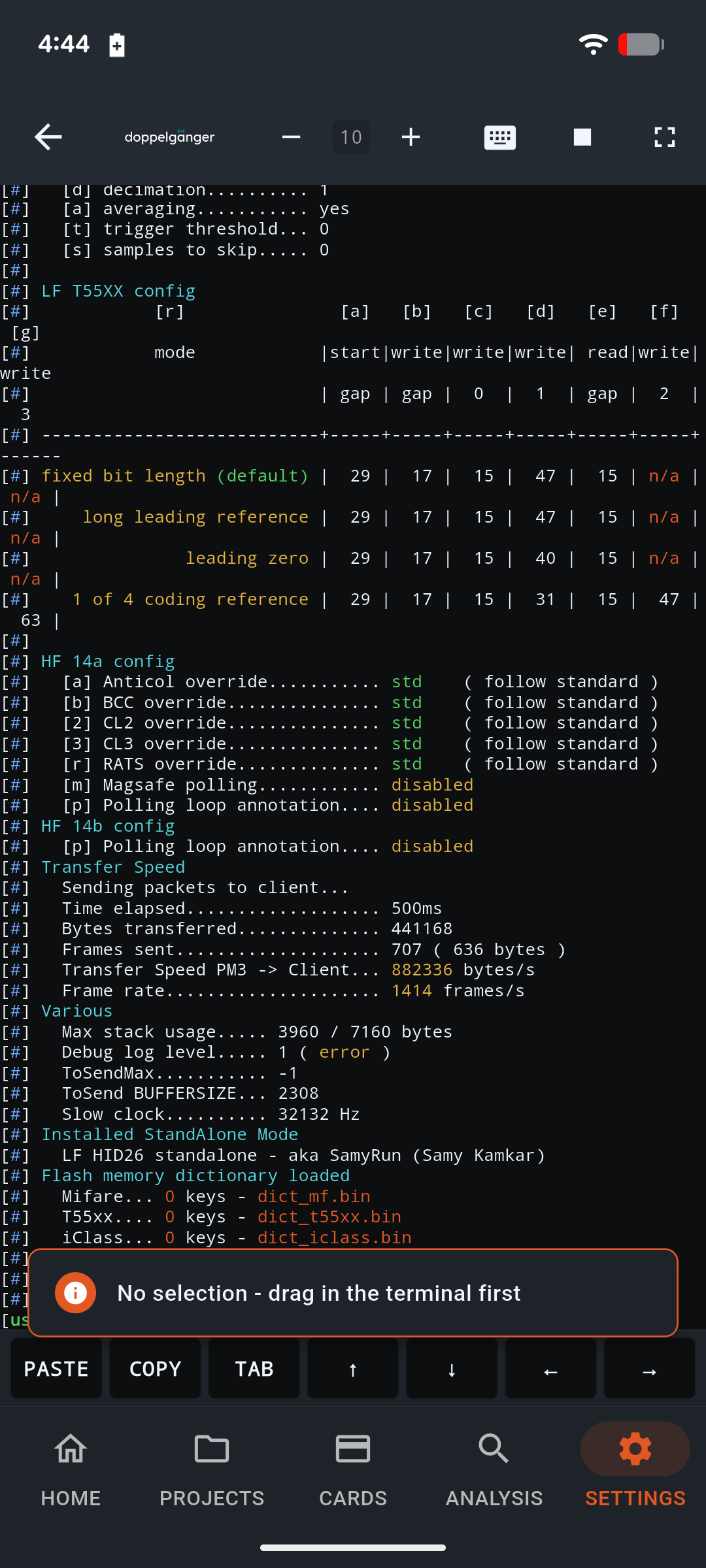
- Long press this text to take a word, then drag to grow it.
- The message, in place of a silent failure.
Taking the whole thing with you
Section titled “Taking the whole thing with you”Every session writes a full transcript without being asked, and the path is the first line of the startup text.
Logs sit in ATLAS storage and open from the File manager under LOGS, where one can be tagged to a project so it leaves with that project’s export. That is how a terminal result reaches a report.
Use the log for anything longer than a line. Use COPY for a single value.
A hardware keyboard
Section titled “A hardware keyboard”A paired Bluetooth keyboard types into the session directly, with its own tab, arrows and shortcuts. The seven keys are then unnecessary.