
Audio memos
A voice memo is the fastest capture in the app. It starts from the Home tab with one gesture, records in place on the tile, and never opens a page.
What they are for
Section titled “What they are for”On a site you are moving, your hands are busy, and the thing worth recording is a detail you will not remember in four hours. Typing a note means standing still staring at a phone, which is the single most conspicuous thing you can do in a lobby. Speaking one takes three seconds and looks like a phone call.
The real payoff is not the speed, it is where the memo lands. Every saved memo is stamped with the coordinate you were standing at and becomes a record on the project map, so the observation and the place it was made about stay joined.
That is what makes a memo worth more than a note in a pocket:
- Post-analysis has a position for every remark. Back at the vehicle you open the map and the memos sit on the ground they are about, so a comment on a dock door is at the dock door.
- A walk-around becomes a track. Speak as you go and the memos lay out along the route you actually walked, in the order you walked it.
- The report gets the words you used on site. What you said standing at the reader is more precise than what you reconstruct that evening, and the timestamp is when you started speaking rather than when you got around to writing it down.
- Somebody else can follow it. A merged project carries the memos with the operator’s name on them, so the person writing the report can hear why the person on the north side flagged something.
Start to finish
Section titled “Start to finish”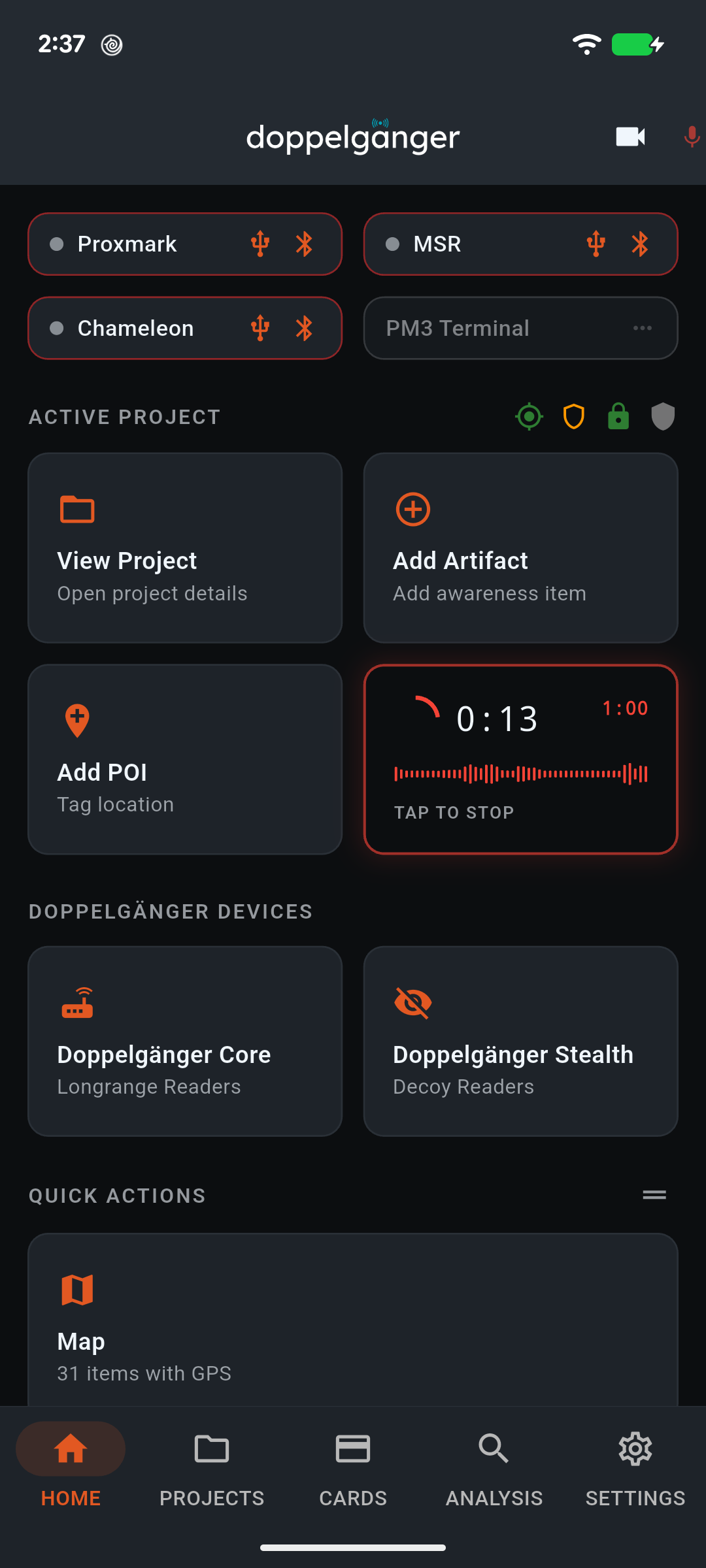
- A red microphone joins the camera glyph in the header while a memo runs.
- Elapsed on the left, your configured cap on the right.
- A live level meter, so you can see it is hearing you without listening back.
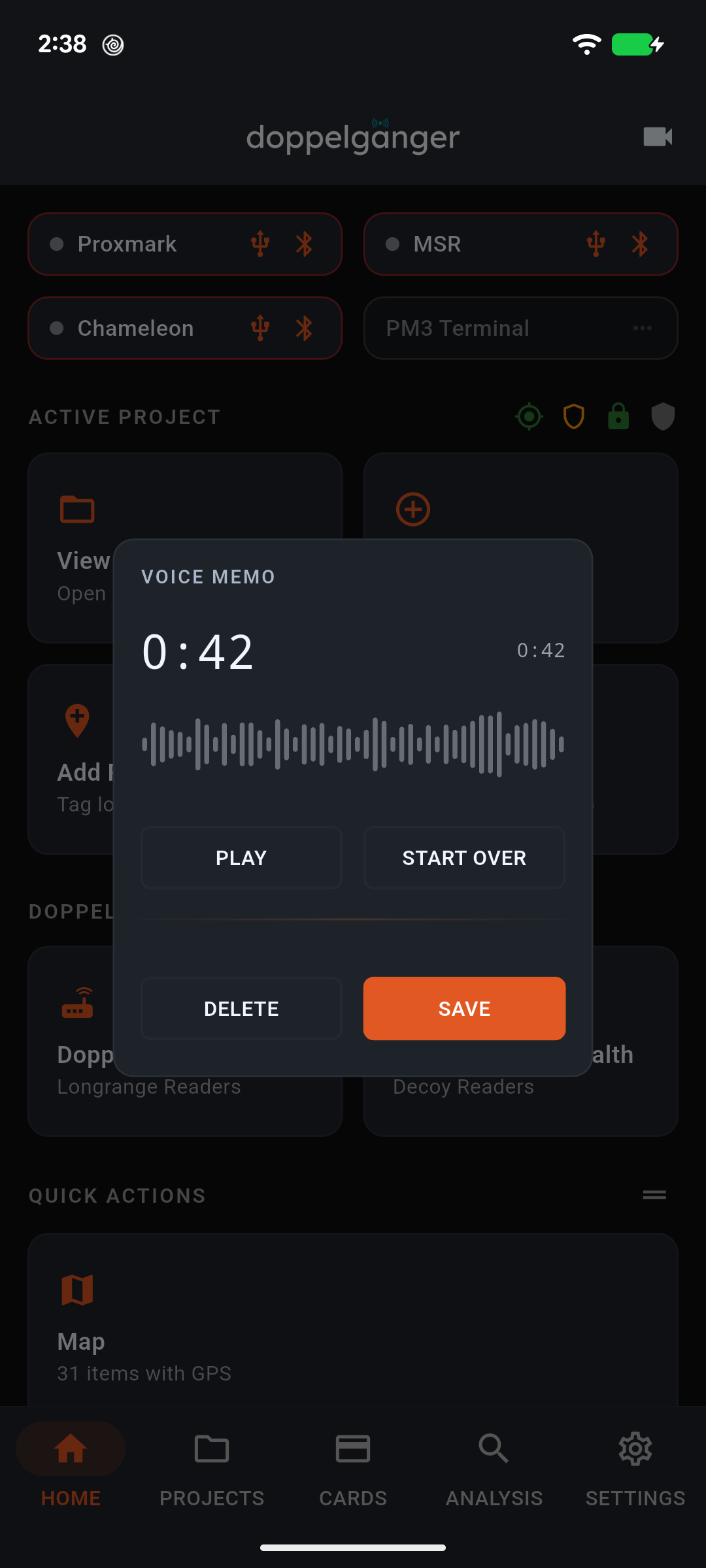
- VOICE MEMO, raised the moment the recorder stops.
- The finished length, twice, elapsed and total.
- The stored envelope of the whole memo, not a live tail.
- PLAY to check it, START OVER to re-record in place.
- DELETE or SAVE. Nothing is kept until you choose.
- On the Home tab, press and hold Quick Note, bottom right of the Active Project grid.
- The tile becomes the recorder. Speak.
- Tap the tile to stop. Holding starts it, tapping ends it, so you do not have to keep a finger down while you talk.
- The VOICE MEMO dialog opens with the recording.
- PLAY to check it, START OVER to replace it, DELETE to throw it away, SAVE to keep it.
The length cap is a setting, not a limit
Section titled “The length cap is a setting, not a limit”The number on the right of the tile while recording is your current cap, not a hard ceiling. It defaults to one minute and it is changeable.
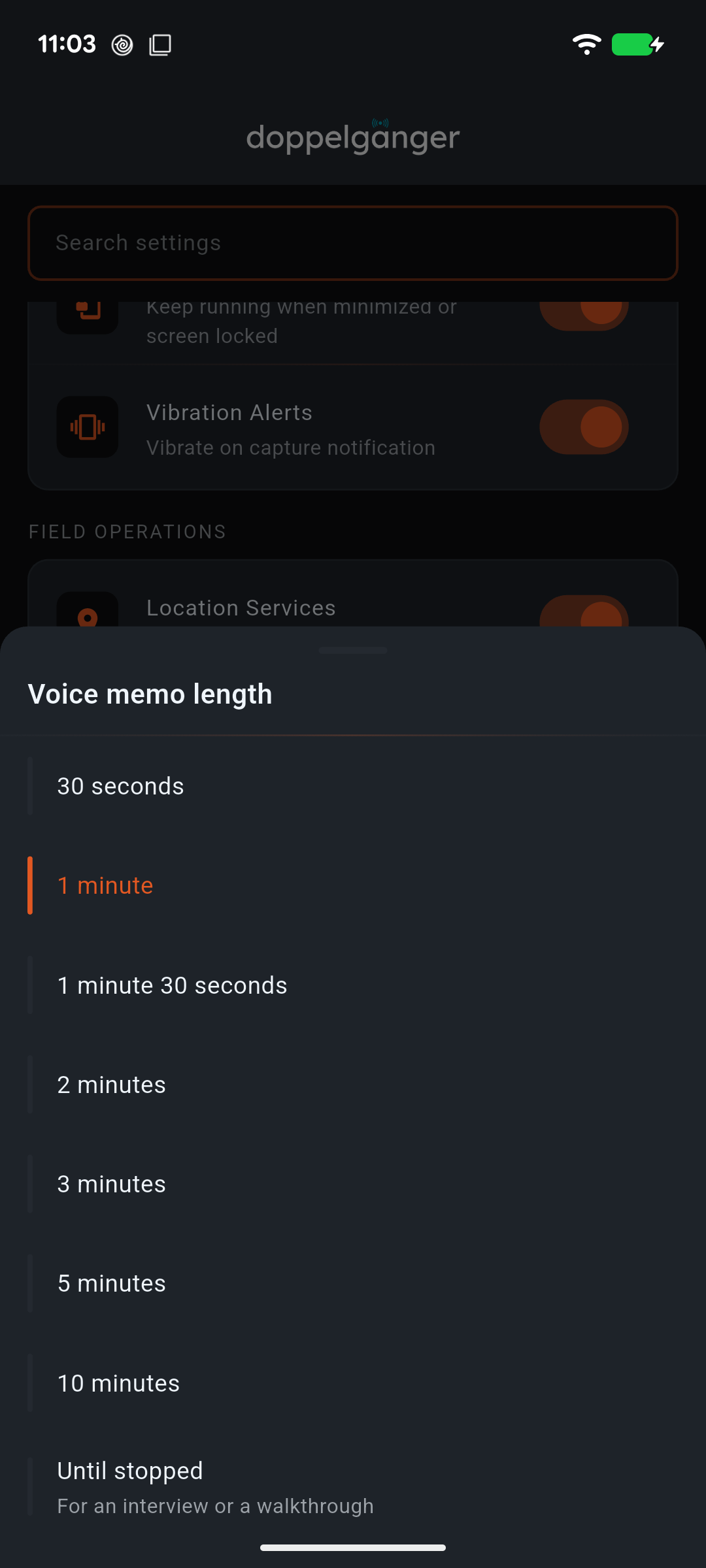
- The current cap, which is what the tile counts up against.
- Longer caps, for a note that is more than a sentence.
- Until stopped, and the app says what it is for: an interview or a walkthrough.
Settings, then Voice Memo Length, under FIELD OPERATIONS. The row shows the current value, so it reads 1 minute without opening.
| Cap | Pick it for |
|---|---|
| 30 seconds to 1 minute 30 seconds | a note dictated while walking away from something |
| 2 to 10 minutes | a considered observation, or reading a label aloud |
| Until stopped | the app’s own words, an interview or a walkthrough |
| Default cap | 1 minute |
| Format | AAC-LC in an MPEG-4 container, written as .m4a |
| Sample rate | 44.1 kHz |
| Bit rate | 96 kbps, so a minute is about 700 KB |
| Waveform | 48 buckets, each 0 to 100, measured as it records |
| Shortest kept | 400 ms. Anything shorter is discarded as a slip rather than a memo |
| Where it is staged | voice_tmp, a holding area outside the swept media directories |
| What stops it | a tap, or the cap if one is set |
The microphone pill is not optional
Section titled “The microphone pill is not optional”Every memo is geotagged, and ends up on the map
Section titled “Every memo is geotagged, and ends up on the map”Saving a memo does three things at once.
| What happens | Detail |
|---|---|
| The audio is kept | moved out of staging into the app’s media directory |
| It is stamped with a position | latitude, longitude and altitude, read from the device at the moment you save |
| It becomes a note on the active project | titled Voice memo 14:22, with a body reading Voice memo, 0:35 |
The note takes the memo’s own coordinate, which is what puts it on the operational map. It draws under PROJECT, then Notes, and its marker is a microphone rather than the plain note glyph, so a spoken observation is distinguishable from a typed one at a glance.
| Where it shows up | What you get |
|---|---|
| Operational map | a microphone marker at the coordinate, which opens the record and plays the memo |
| Project, NOTES tab | the note in the list, with a microphone beside it |
| KML and GeoJSON export | a placemark at the same coordinate |
.atlas bundle | the record and the audio file together |
Before you record anybody
Section titled “Before you record anybody”Keep or discard, and nothing in between
Section titled “Keep or discard, and nothing in between”The memo is not saved when the recording stops. It sits in a holding area until you answer the dialog.
- SAVE keeps it and makes it a media attachment you can hang on a record.
- DELETE removes the file.
- START OVER discards and immediately re-records, which is the fast path when you fluffed the first line.