
Overview
Magstripe is not dead, it is just no longer at the front door. It is on the parking garage card, the elevator fob’s backup, the cafeteria badge, the old wing nobody re-badged, and the temporary visitor pass the receptionist hands you. Those are the credentials a client has forgotten they issue, which is exactly why they are worth testing.
The MAG tab drives an MSRX6-BLE over Bluetooth or USB. Four chips run it, READ, CLONE, WRITE and ERASE, one page each, and the one thing that governs all four is that the reader does nothing until a card physically moves through the slot.
Everything on these pages was done on a swipe badge encoded for an access control system. Site code 114, badge number 048592, holder MARTINEZ/D.
Start to finish
Section titled “Start to finish”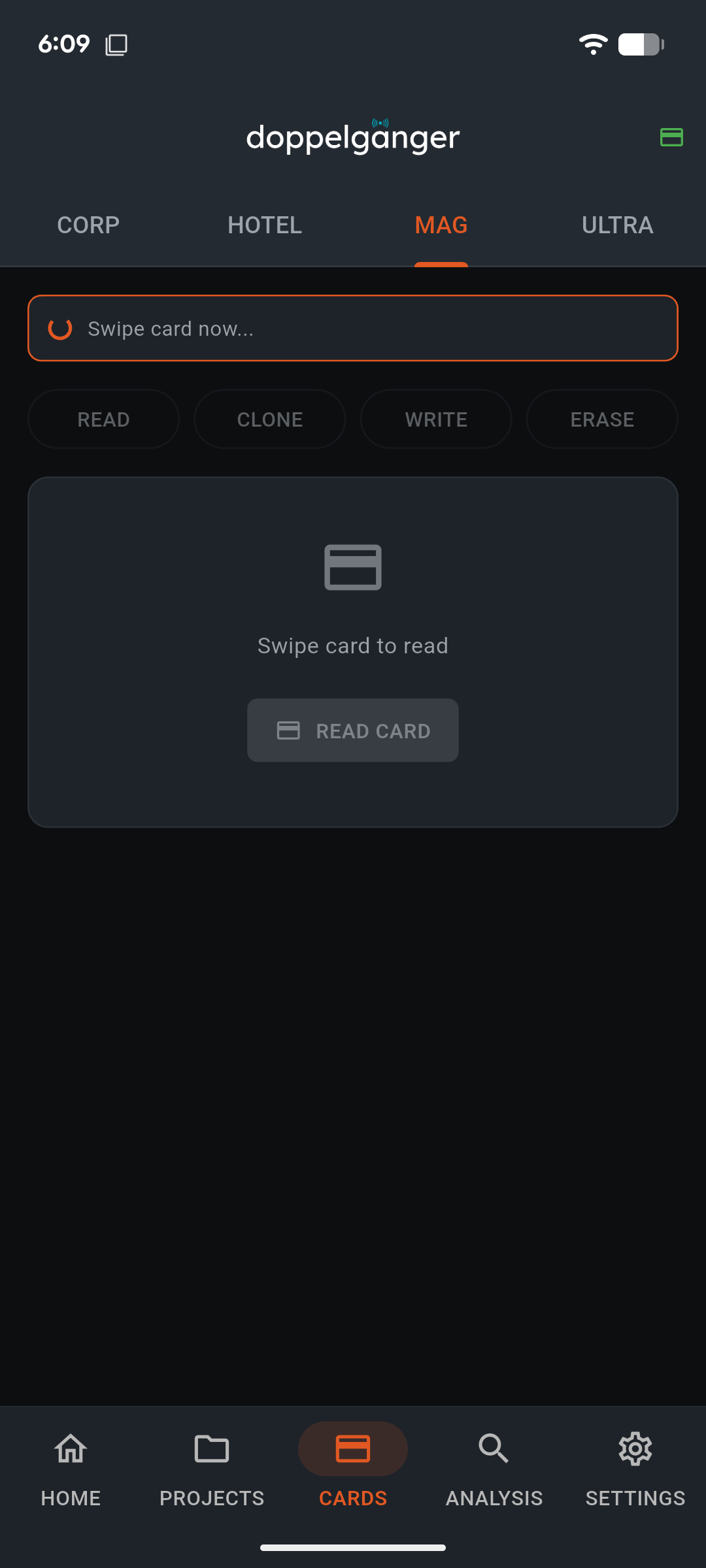
- The banner is the only sign the reader is live. It holds about ten seconds.
- Every chip goes inactive while it waits, so nothing else can be started underneath.
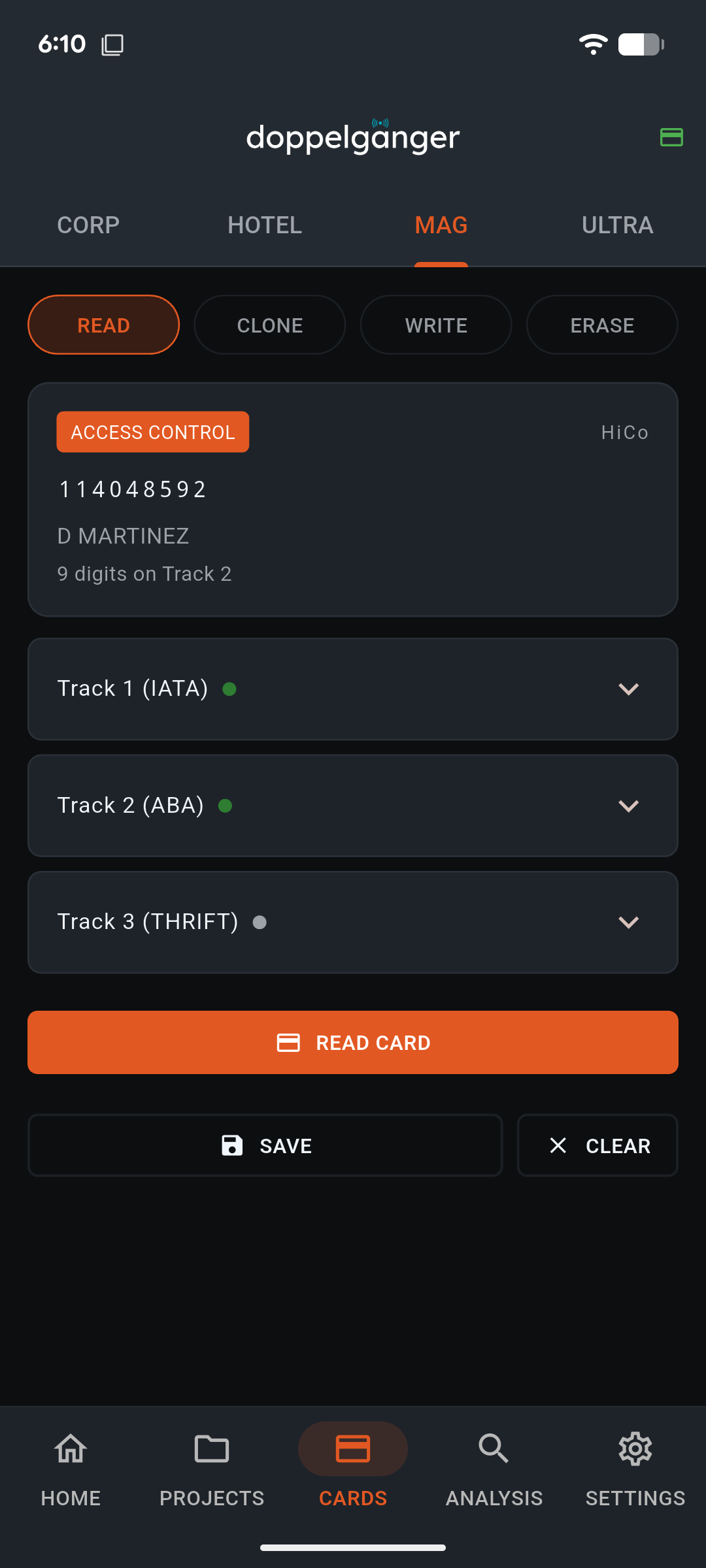
- Classified as a credential, not a bank card, from the number alone.
- The Track 2 digit count, which sets the format a door reader emits.
- The credential, unmasked, because it is what you report.
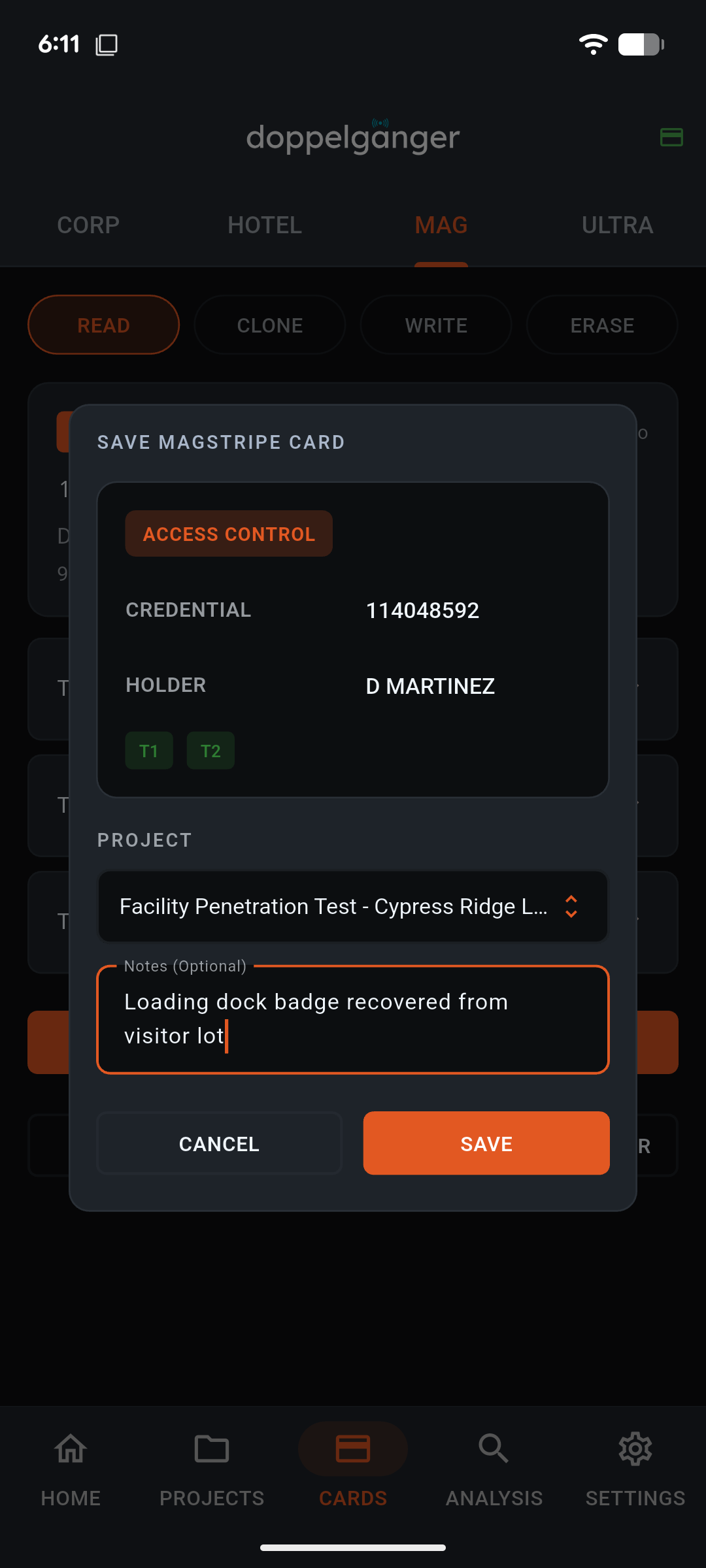
- Filed against the engagement rather than loose in the database.
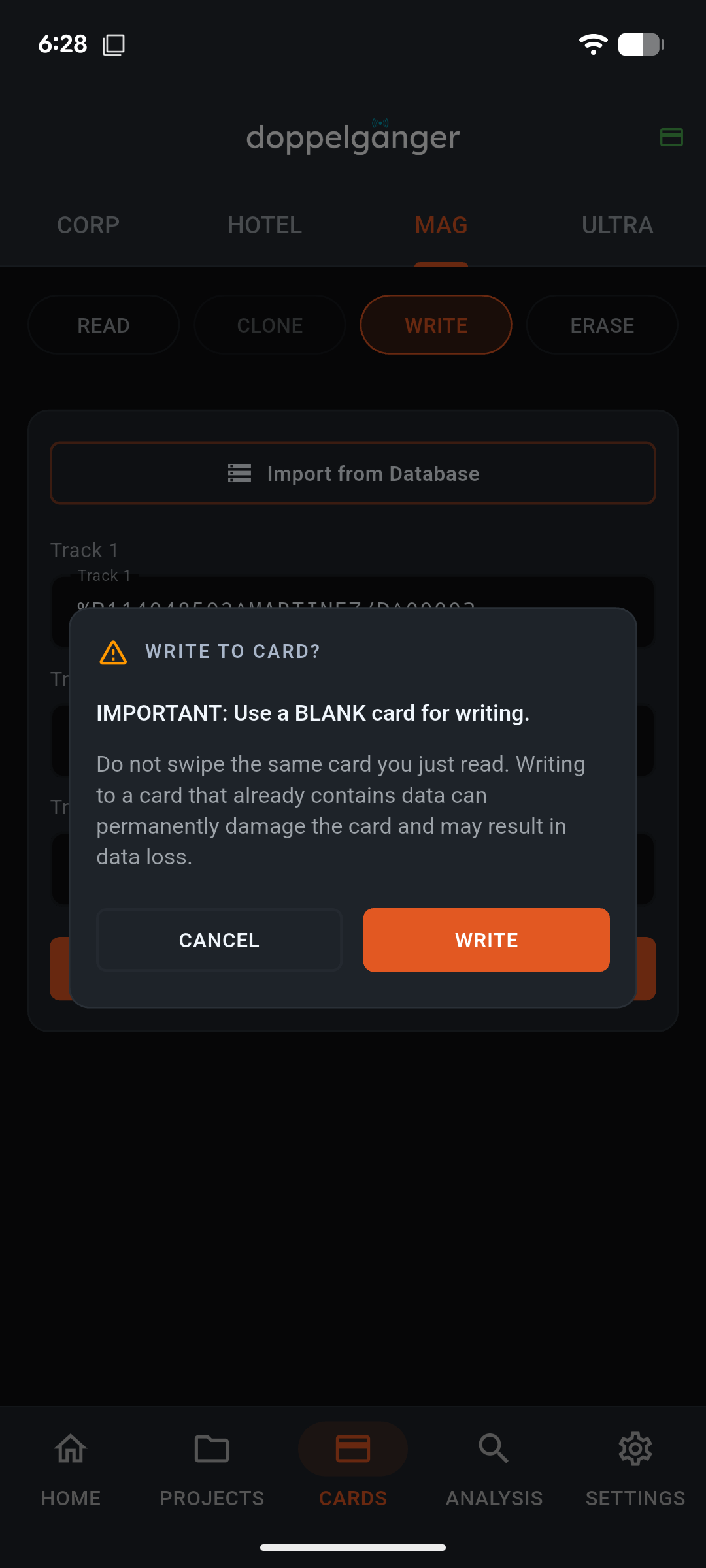
- The warning is about the blank. Writing over an encoded card can wreck it.
- Confirming only arms the reader. Nothing is written until the card moves.
Four steps, four swipes of the slot in total. Each section below takes one of them apart.
HiCo and LoCo
Section titled “HiCo and LoCo”Coercivity is how much magnetic field it takes to write the stripe, and it is a property of the blank, not of the encoding.
| LoCo | HiCo | |
|---|---|---|
| Coercivity | about 300 oersted | about 2750 oersted |
| Stripe color | usually brown | usually black |
| Typical use | hotel keys, transit tickets, short-lived passes | employee badges, bank cards, anything carried daily |
| Durability | erases easily near magnets and phone cases | holds up to incidental fields |
| Writing it | needs less field, and a HiCo writer set to HiCo will overdrive it | needs a writer that can actually reach 2750 oersted |
The MSRX6-BLE writes both and the app always sets HiCo mode before writing, which is what the device requires to write either kind. What you still have to get right is the blank. Match the coercivity the summary reported for the source.
Access control and payment stripes are not the same thing
Section titled “Access control and payment stripes are not the same thing”Both are ISO 7811 stripes and both are read by the same hardware. The difference is what the digits mean.
| Access control badge | Payment card | |
|---|---|---|
| The number | a site code and a badge number, assigned by whoever runs the door system | an account number, assigned under an issuer prefix |
| Length | commonly 8 to 16 digits | 13 to 19 digits |
| Checksum | usually none | Luhn, usually |
| Expiry | none | encoded on the stripe |
| Service code | none | three digits, present |
| Which track is used | Track 2 almost always, Track 1 sometimes for a name | Tracks 1 and 2 both |
| What the reader does | converts Track 2 digits to Wiegand and hands them to a panel | runs an authorization |
ATLAS decides which it is from the number alone, and the test has two arms. A stripe is filed as a payment card when the number is 13 to 19 digits and then either begins with a known issuer prefix or passes a Luhn check. Either arm on its own is enough. Luhn is not required, because bench and test cards carry real issuer prefixes with deliberately bad checksums, and demanding Luhn filed a 15 digit Amex under access control. An access control badge number is short and matches no issuer, so it fails on length before the second half of the test is reached.
| Issuer recognized | Leading digits |
|---|---|
| Visa | 4 |
| Mastercard | 5 or 2 |
| Amex | 34 or 37 |
| Discover | 6011 or 65 |
| JCB | 35 |
| Diners | 30, 36 or 38 |
The verdict then changes what the read shows, in two places.
The summary at the top of the screen carries an ACCESS CONTROL tag, the credential number unmasked, the holder name if the stripe had one, and a line counting the digits on Track 2. A payment card gets the card type in that tag, a masked number, the name, and an expiry on a line beginning Exp:. Neither summary carries a service code, and neither puts a label beside the number.
The expanded track rows and the SAVE MAGSTRIPE CARD dialog are where the labels appear. An access control read is broken out as Credential and Holder on Track 1, Credential on Track 2, and Credential and Holder in the save dialog. A payment read is broken out as PAN, Name, Expiry and Service Code on Track 1, PAN, Expiry and Service Code on Track 2, and Card Number, Name and Expiry in the save dialog.