
View ATLAS data in TAK
ATLAS shares captures with the rest of the team through a TAK mission. A record saved on one handset is pushed to the server, pulled down by every handset subscribed to that mission, and drawn on the map where it was taken.
Two things decide whether that works, and both are on this page. Subscribing to the mission, and Overlay Manager, which is where a synced record stops being a file and becomes something on the map.
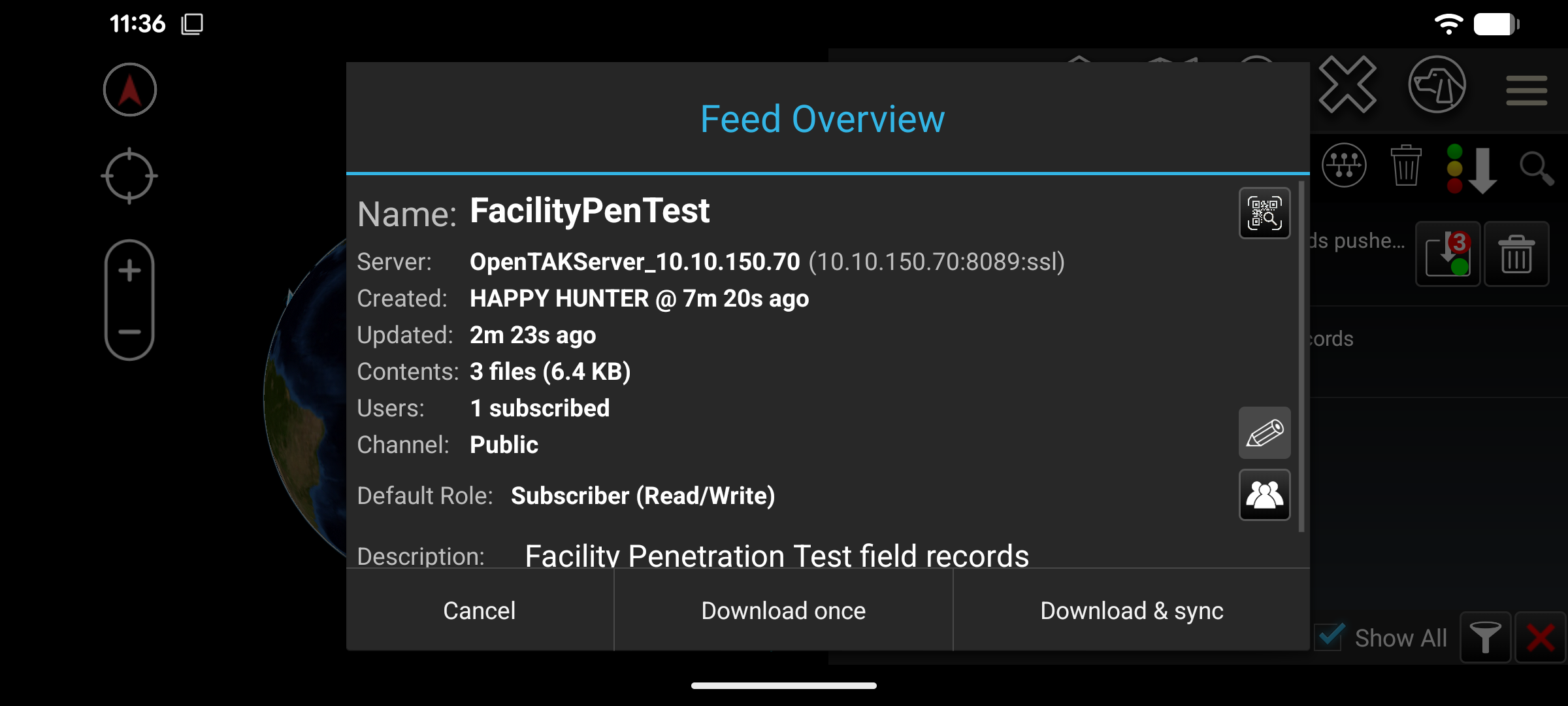
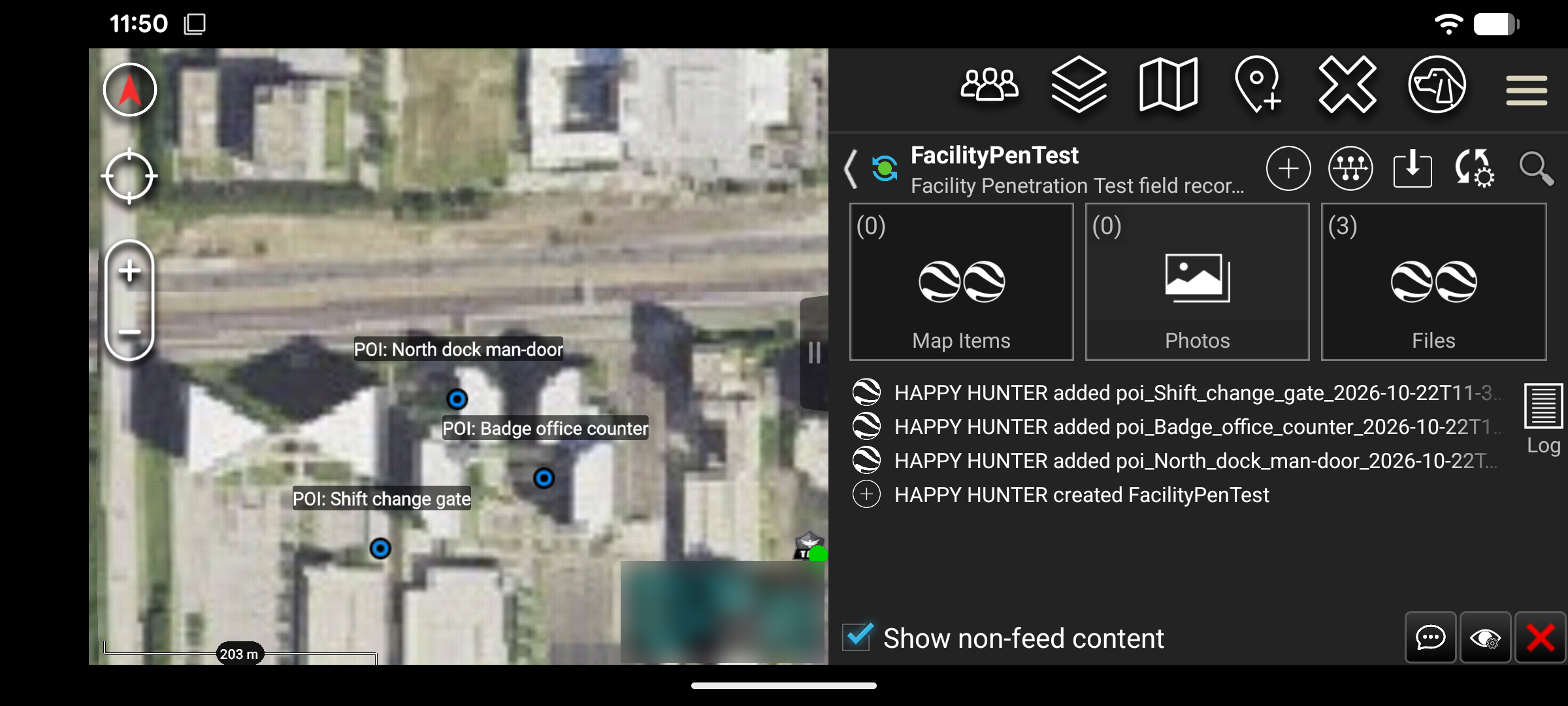
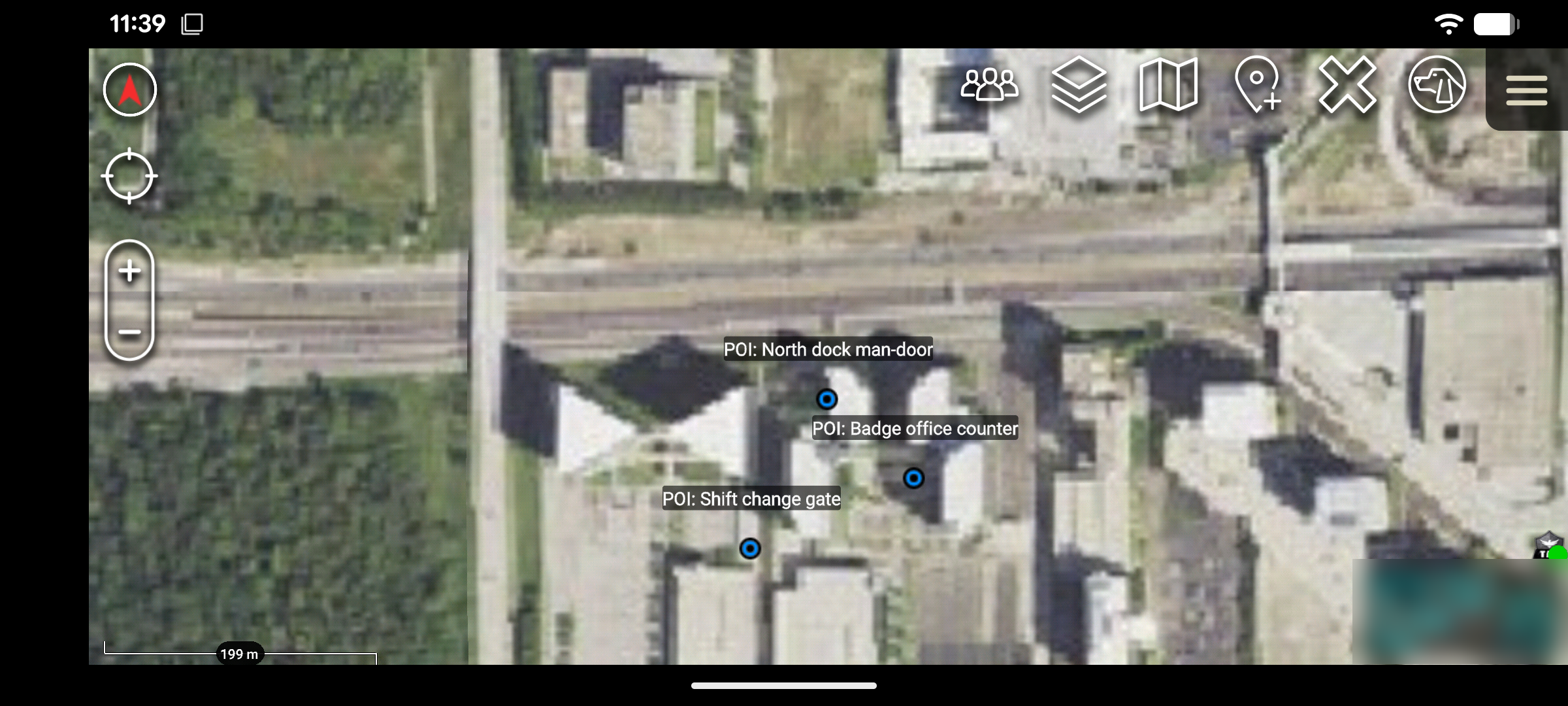
- The mission and the server it lives on. This comes from the server, not the handset.
- Contents. Three files, which is what ATLAS pushed.
- Download and sync subscribes this handset and keeps it current.
- Files reads three and Map Items reads zero. That is correct for ATLAS records.
- One log line per record, naming who added it and when.
- The mission being created, at the bottom of its own history.
- The rail corridor and expressway that bound the site, for orientation.
- Each record drawn where it was captured, carrying the name it was given in ATLAS.
- The third point, on the south perimeter.
What has to be true before this page
Section titled “What has to be true before this page”Three things, and none of them are on this page.
| Prerequisite | Where it is done |
|---|---|
| ATLAS connected and pushing | Connect a handset |
| Both clients on the same mission | Missions and access |
| ATAK installed with the Data Sync plugin loaded | Install ATAK |
Data Sync is the one people miss. ATAK does not ship with it, and without it there is no mission list, no subscription, and nothing arrives.
Subscribing to the mission
Section titled “Subscribing to the mission”Open Data Sync. It lists the missions on the server you are connected to, each with its description, how long ago it changed, and how much is in it.
Open the mission and tap Download & sync. That subscribes this handset and pulls everything already in it. From then on new records arrive on their own.
Where the capture actually draws
Section titled “Where the capture actually draws”This is the step people miss. The record syncs into Overlay Manager, not onto the map by itself.
Open Overlay Manager from the toolbar, then File Overlays. The synced record is there under KML.
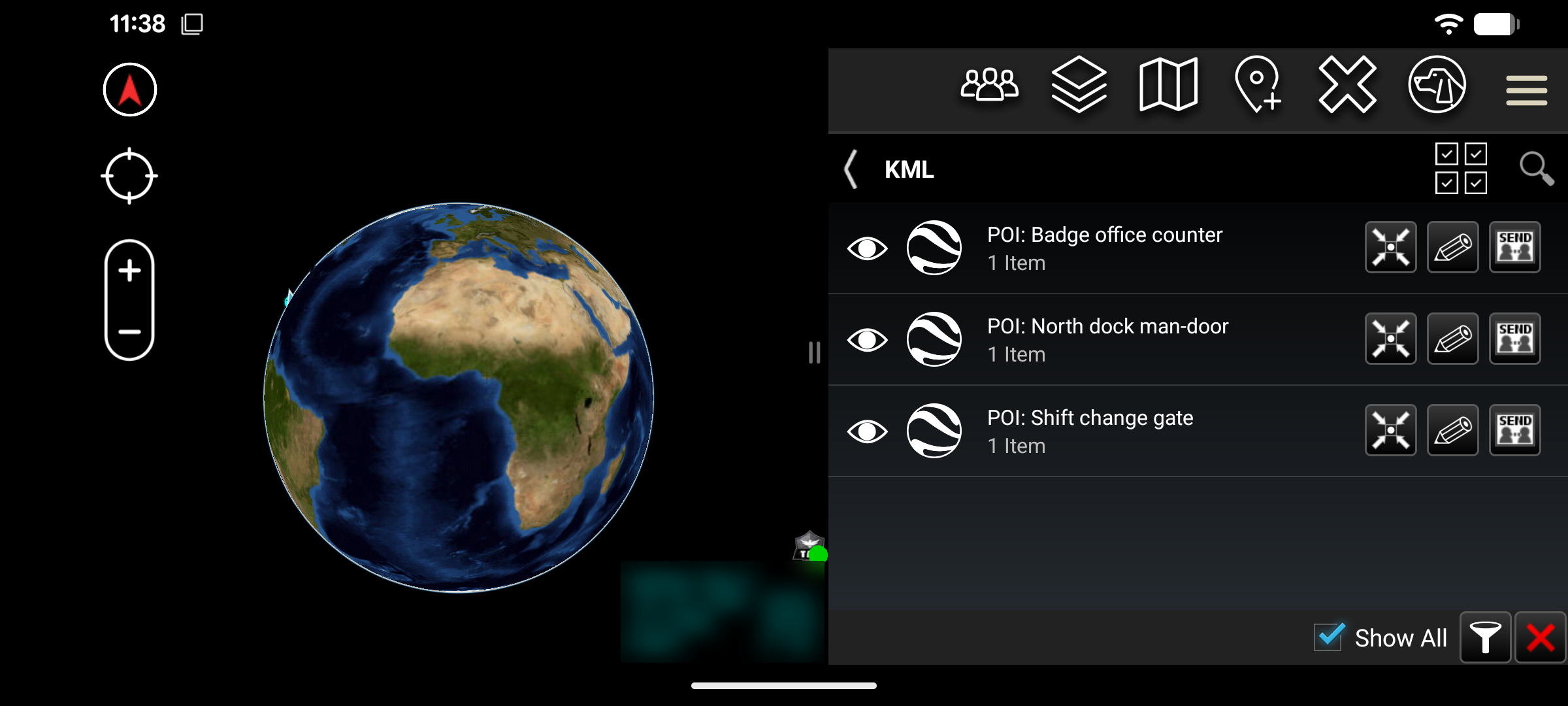
- The KML group, reached through File Overlays.
- One entry per record, named as it was named in ATLAS.
- The pan to control centers the map on that record.
Expand it and tap the record. ATAK centers the map on it and draws it, named exactly as it was named in ATLAS, with the grid reference, the bearing and the range from where you are standing.
- The rail corridor north of the site, which fixes the orientation.
- The records on the map, each carrying the name it was given in ATLAS.
- Separate positions, because each record carries its own.
Proving the whole chain
Section titled “Proving the whole chain”If something does not arrive, test the hops in order rather than guessing. Each one has its own evidence.
| Hop | Where to look | What good looks like |
|---|---|---|
| ATLAS saved it | the record in the project | it exists and has a position |
| ATLAS pushed it | Settings, TAK Server, STATUS & STATISTICS | Total Pushes climbs and Last Push matches when you saved |
| The server took it | the server’s Data Packages page, or the mission in Data Sync | the item count goes up |
| ATAK pulled it | the mission in Data Sync | a log line naming the record and who added it |
| ATAK drew it | Overlay Manager, File Overlays | the record under KML |
A push count that climbs while the mission stays empty means the handsets are on different missions. A mission that fills while nothing draws means you are looking at the map instead of Overlay Manager.
for when the panel and the map disagree $ adb shell 'find /sdcard/atak/tools/datasync -name "*.kml"' | sed 's|.*/||'poi_Badge_office_counter_2026-10-22T11-33-22.kmlpoi_North_dock_man-door_2026-10-22T11-33-12.kmlpoi_Shift_change_gate_2026-10-22T11-33-31.kmlFiles on disk settle the argument. A record listed there arrived and the problem is Overlay Manager. Nothing listed there means it never arrived, and the problem is the mission or the subscription.