
Firmware overview
Firmware is the one job where getting it wrong costs you the device rather than the engagement. It is also the job you only think about the morning you need a capability the installed build does not have.
Settings, then Firmware. One page, four chips across the top, PROXMARK, CHAMELEON, CORE and STEALTH, and each one is a different job with a different set of rules.
| Proxmark | Chameleon Ultra | Doppelgänger Core | Doppelgänger Stealth | |
|---|---|---|---|---|
| Link it needs | USB cable only | USB cable only | WiFi, Bluetooth or the USB cable | WiFi, Bluetooth or the USB cable |
| What ATLAS writes | the bundled image for your exact board | the ATLAS firmware inside the APK, or the one official release this build of ATLAS names | the signed Core release this build of ATLAS carries | the signed Stealth release this build of ATLAS carries |
| What it never writes | the bootloader | anything at all to a unit whose bootloader ATLAS does not recognize | the reader’s settings, its WiFi, its paired phones or its captured cards | the reader’s settings, its access point, its paired phones or its captured cards |
| Where the image comes from | shipped in the app, pinned per board | shipped in the app, or fetched at flash time for stock | shipped in the app | shipped in the app |
| Where the reader is while it happens | on your desk, on the cable | on your desk, on the cable | wherever it is mounted, unless you choose the cable | wherever it is mounted, unless you choose the cable |
| The page | Flash a Proxmark | ATLAS Chameleon Ultra firmware | Core firmware update | Stealth firmware update |
The two reader chips are the odd ones out, and in a useful way. A Proxmark or a Chameleon has to be in your hand on a cable. A Core or Stealth is updated where it sits, over the same WiFi or Bluetooth link that carries its cards, and it comes back with everything it held. A reader on a cable and a reader on a computer are covered too: the cable from the handset is the same button, and the browser flasher does it from a computer with no installer.
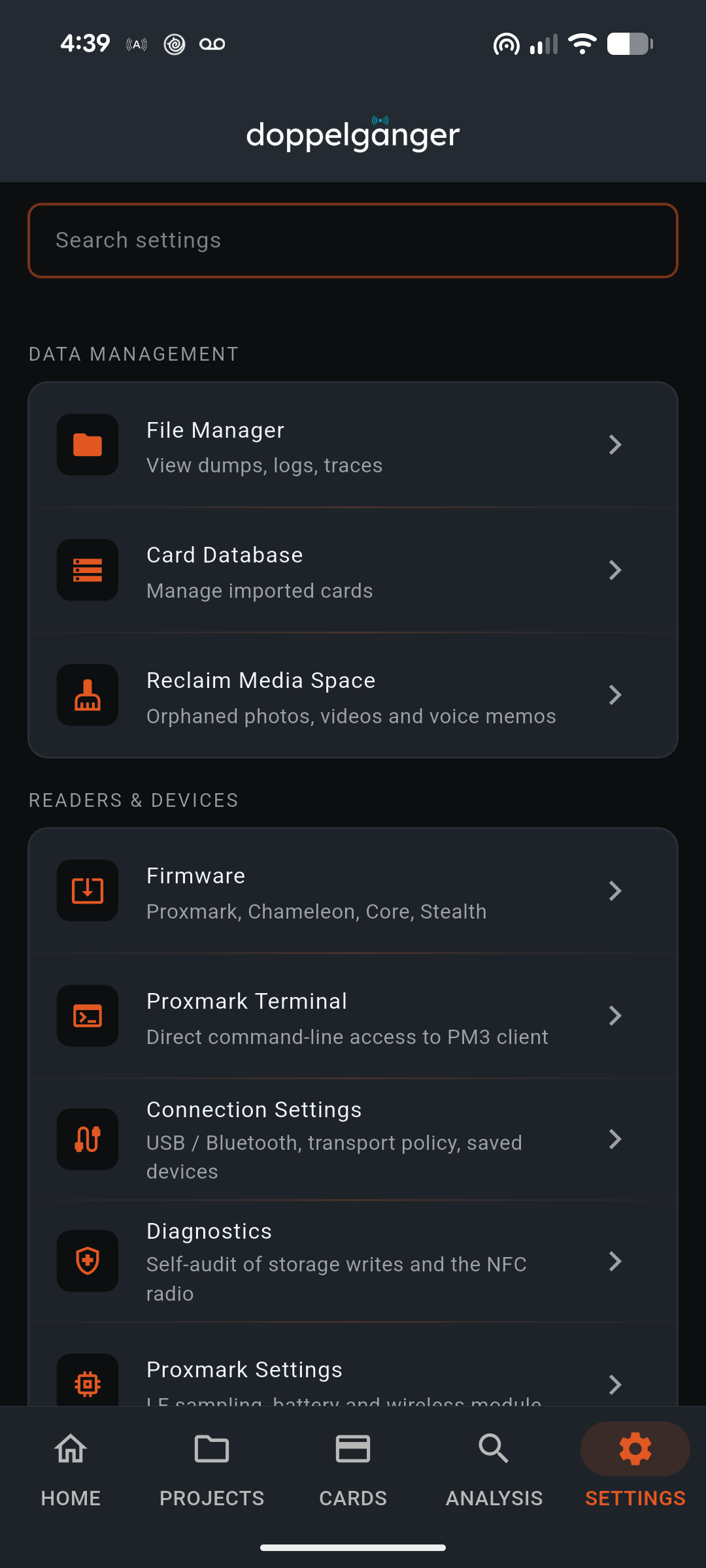
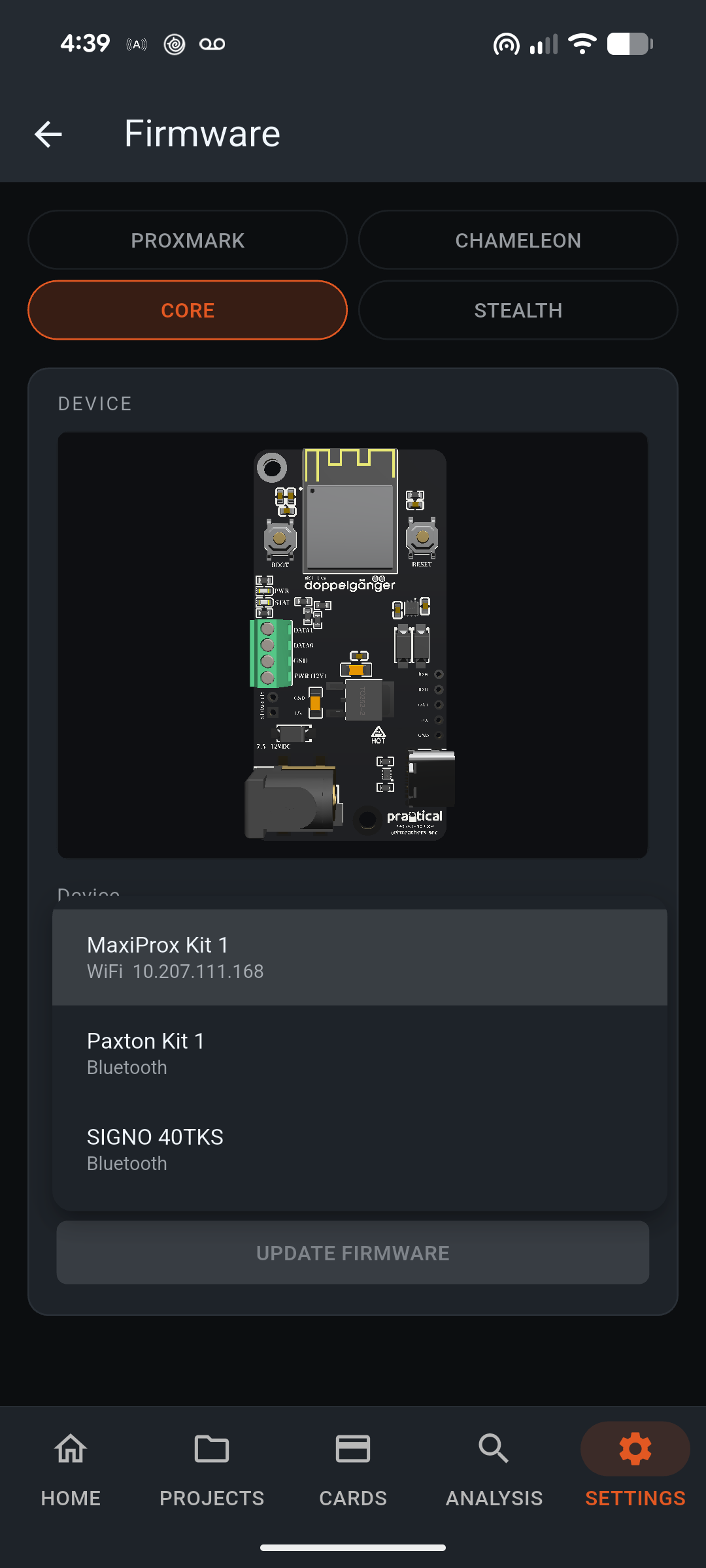
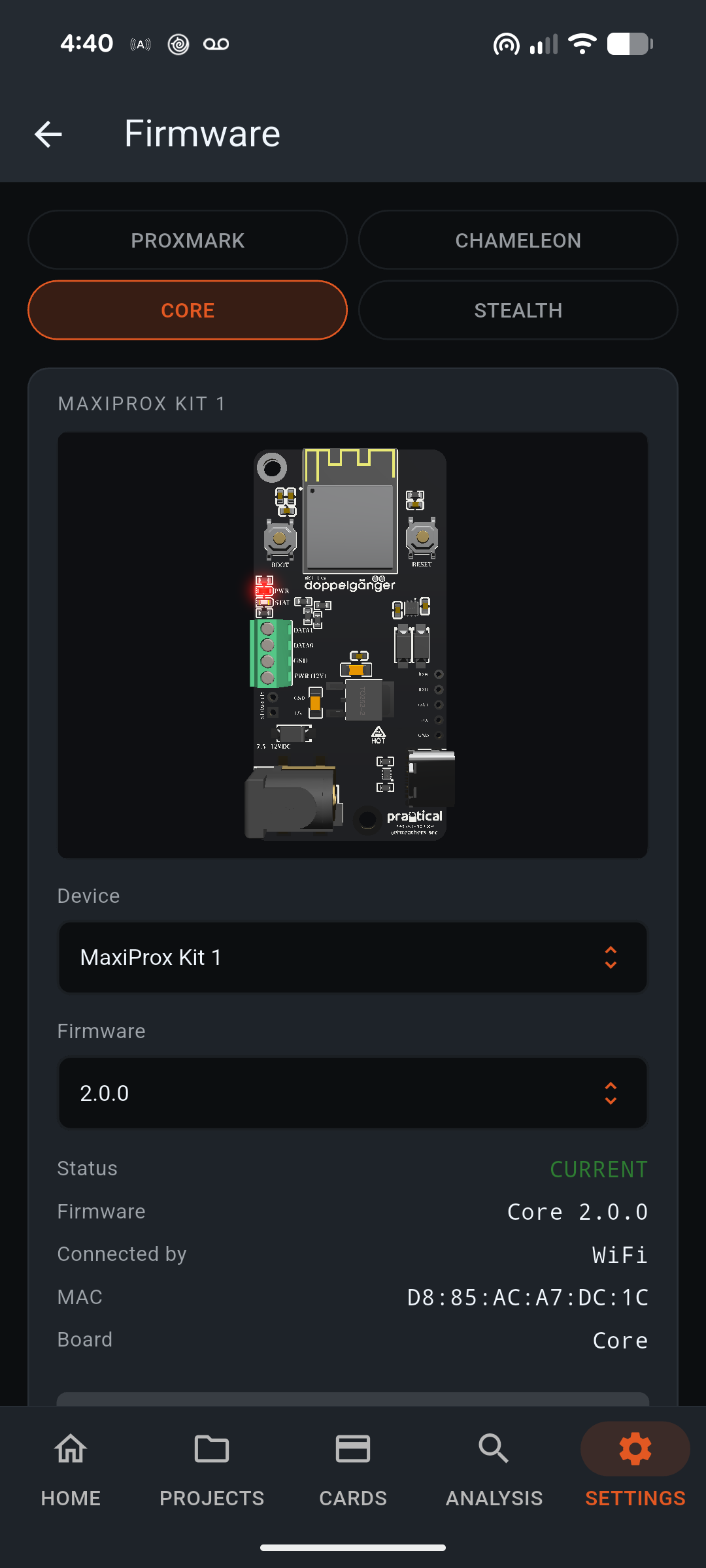
- DATA MANAGEMENT, the group above.
- READERS AND DEVICES.
- Firmware, and the four families it covers.
- Proxmark Terminal, the next row down.
- PROXMARK and CHAMELEON.
- CORE, selected, and STEALTH.
- The board this chip's firmware is made for, drawn.
- MaxiProx Kit 1, on WiFi, with its address.
- Paxton Kit 1, on Bluetooth.
- SIGNO 40TKS, on Bluetooth. Every reader ATLAS can reach is listed.
- The reader's name heads the card.
- Device, the reader that was picked.
- Firmware, the release this ATLAS carries.
- Status, CURRENT.
- Connected by, WiFi.
- Board, which board the firmware is running on.
The reader chips, CORE and STEALTH
Section titled “The reader chips, CORE and STEALTH”| On the page | What it is |
|---|---|
| Device | every Core and Stealth ATLAS can reach, by name, with how it is connected: WiFi and its address, Bluetooth, or USB and its MAC |
| Firmware | the release this build of ATLAS carries |
| Status | UPDATE AVAILABLE, CURRENT, CONNECTED, READING, RESTARTING, SELECT A DEVICE, or not connected |
| Firmware, the row | the product and version the reader is running now |
| Connected by | WiFi, Bluetooth or USB |
| MAC | the reader’s own, which is how you tell two apart |
| Board | Core or Stealth, the board itself. Either firmware runs on either board, so this can differ from the chip |
| Install by | USB, shown for a reader whose firmware is too old to take an update over the air |
| UPDATE FIRMWARE | installs the carried release on the picked reader, after a confirmation |
| Status | What ATLAS found |
|---|---|
| CURRENT, in green | the reader runs exactly the build this ATLAS carries |
| UPDATE AVAILABLE, in orange | the reader runs another version, or another build of the same version |
| CONNECTED | the reader runs the other product’s firmware. UPDATE FIRMWARE would change its product |
The chip is the firmware, not the board. CORE installs Core firmware and STEALTH installs Stealth firmware, on whichever reader you pick. With one reader reachable it is picked for you. With more than one, nothing is read or written until you pick.
| Route | When to use it | About how long |
|---|---|---|
| WiFi | the reader is on the hotspot, or the phone is on a Stealth’s access point | 45 seconds |
| Bluetooth | the reader is on Bluetooth. It does not leave Bluetooth to update | two and a half minutes |
| USB cable from the handset | a reader on firmware older than 2.0.0, which cannot take an update over the air, or a reader you cannot reach any other way | |
| A computer’s browser | no handset to hand, or several readers to do | about a minute. See Flash readers from a browser |
The Proxmark figure below is the other kind of chip, a device on a cable.
What it tells you before it writes anything
Section titled “What it tells you before it writes anything”The page reads the device first and shows you the comparison rather than a yes or no. On the Proxmark chip that is four cards: DEVICE for what is on the cable, CLIENT for what ATLAS ships, IMAGE for what would be written, and FLASH for whether it can and what will happen.
The verdict lands in the Status row of the Device card, and the one that matters is UPDATE AVAILABLE against CURRENT.
What ATLAS will not do
Section titled “What ATLAS will not do”It never writes a bootloader. The Flash card says so in a row of its own, reading Bootrom not written, and that is a statement of policy rather than a status.
The consequence is the one case that sends people in circles: a Proxmark running stock, non-Iceman firmware cannot be converted here. That conversion is a bootloader job and it happens on a computer, once. See Stock to Iceman Firmware.
Reading the chips
Section titled “Reading the chips”Each chip remembers its own device, and switching between them does not disturb the other. On the CHAMELEON chip the banner reads NO CHAMELEON ULTRA DEVICE CONNECTED until one is connected, above the chips, in the same position every other page in the app uses. It stays away while a flash is running, because the unit reboots during it.