
Capturing and importing
The handset is on the reader’s network and ATLAS can see it. The whole job from here is four moves: import what it holds, confirm it landed, wipe the reader, and check it is empty.
Setting one up for the first time is Setup and placement.
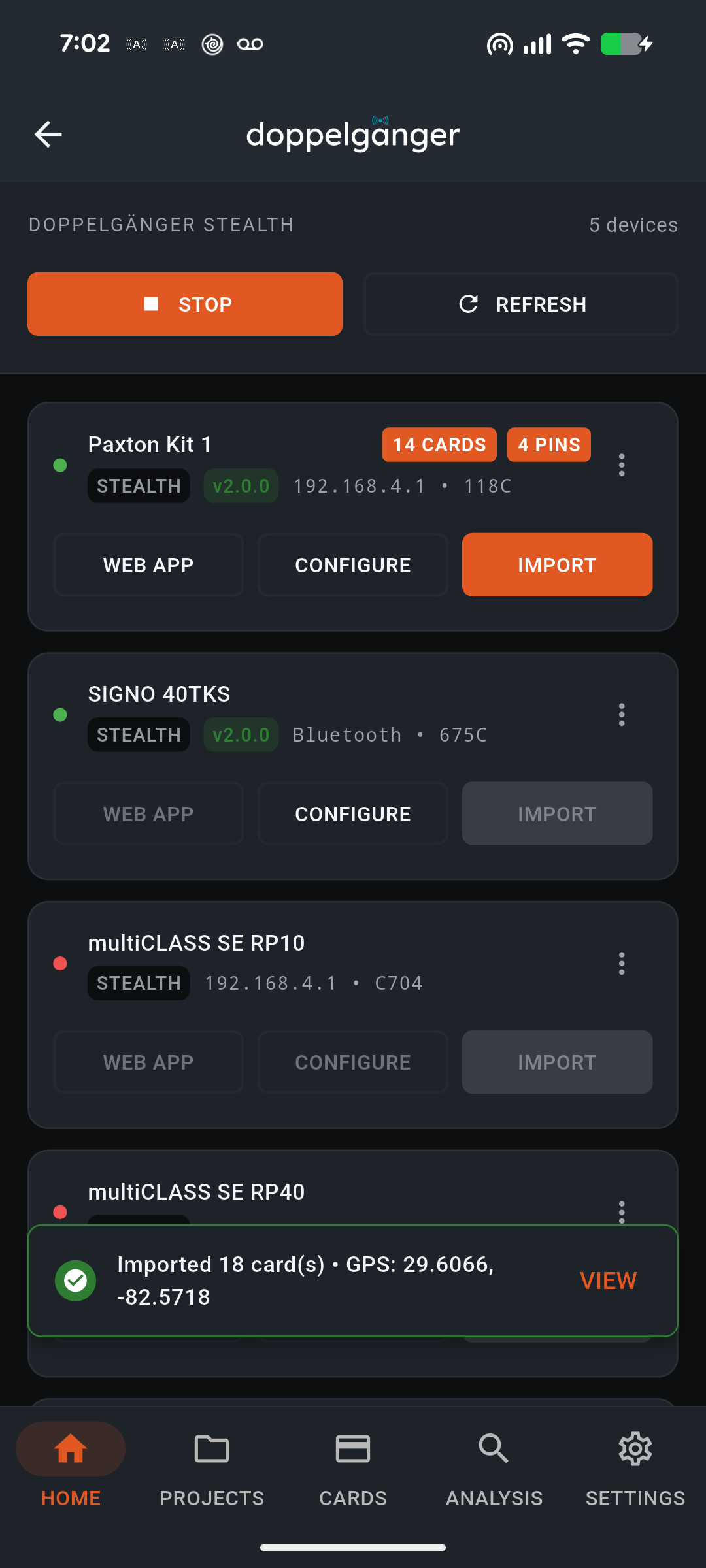
- The reader still shows 14 CARDS and 4 PINS. An import copies, it does not move.
- IMPORT, the button that was pressed.
- Imported 18 cards, the 14 cards and 4 PINS, with where the phone was. VIEW opens the card database on them.
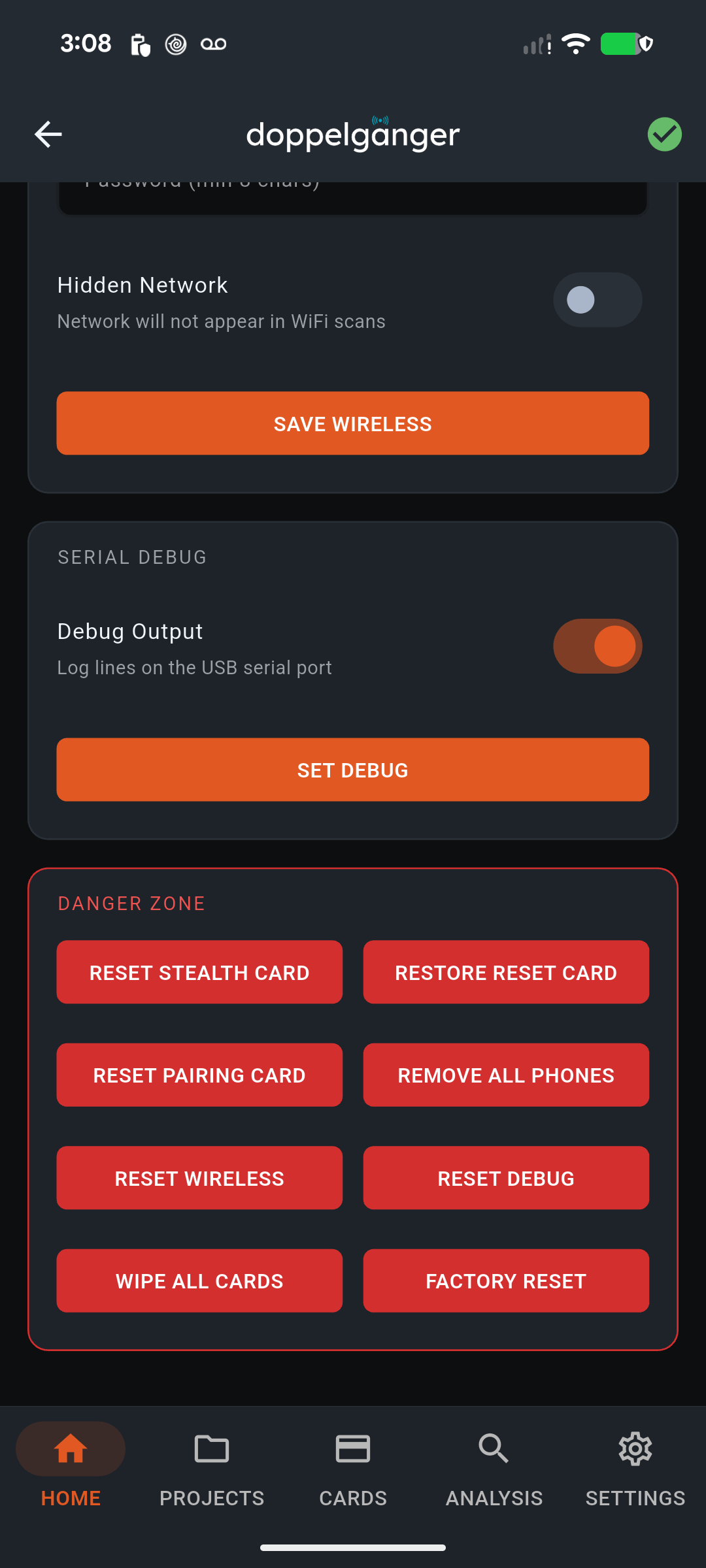
- SERIAL DEBUG, above the danger zone.
- DANGER ZONE.
- RESET STEALTH CARD and RESTORE RESET CARD.
- RESET PAIRING CARD and REMOVE ALL PHONES.
- RESET WIRELESS and RESET DEBUG.
- WIPE ALL CARDS, bottom left.
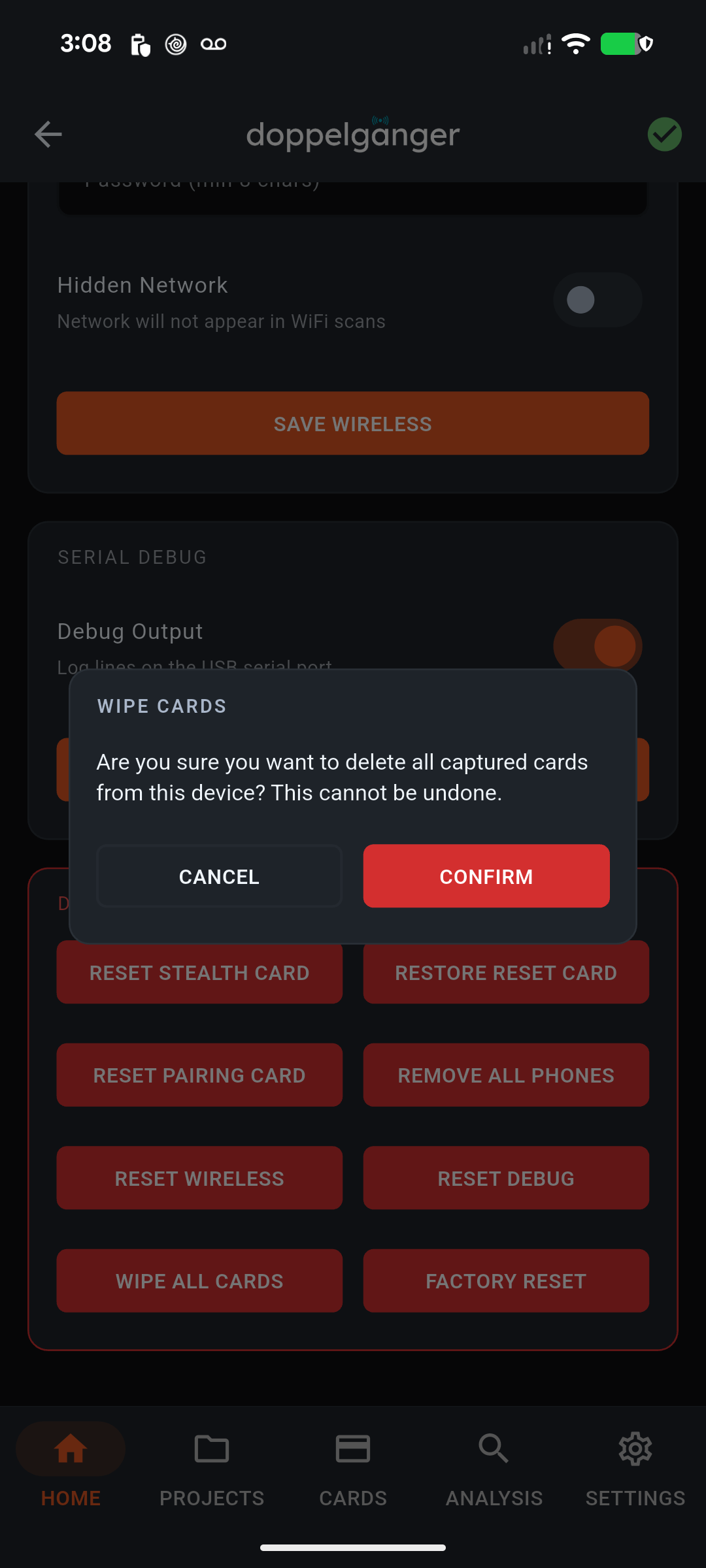
- WIPE CARDS.
- This cannot be undone.
- CONFIRM, in red.
- WIPE ALL CARDS, the button that opened it.
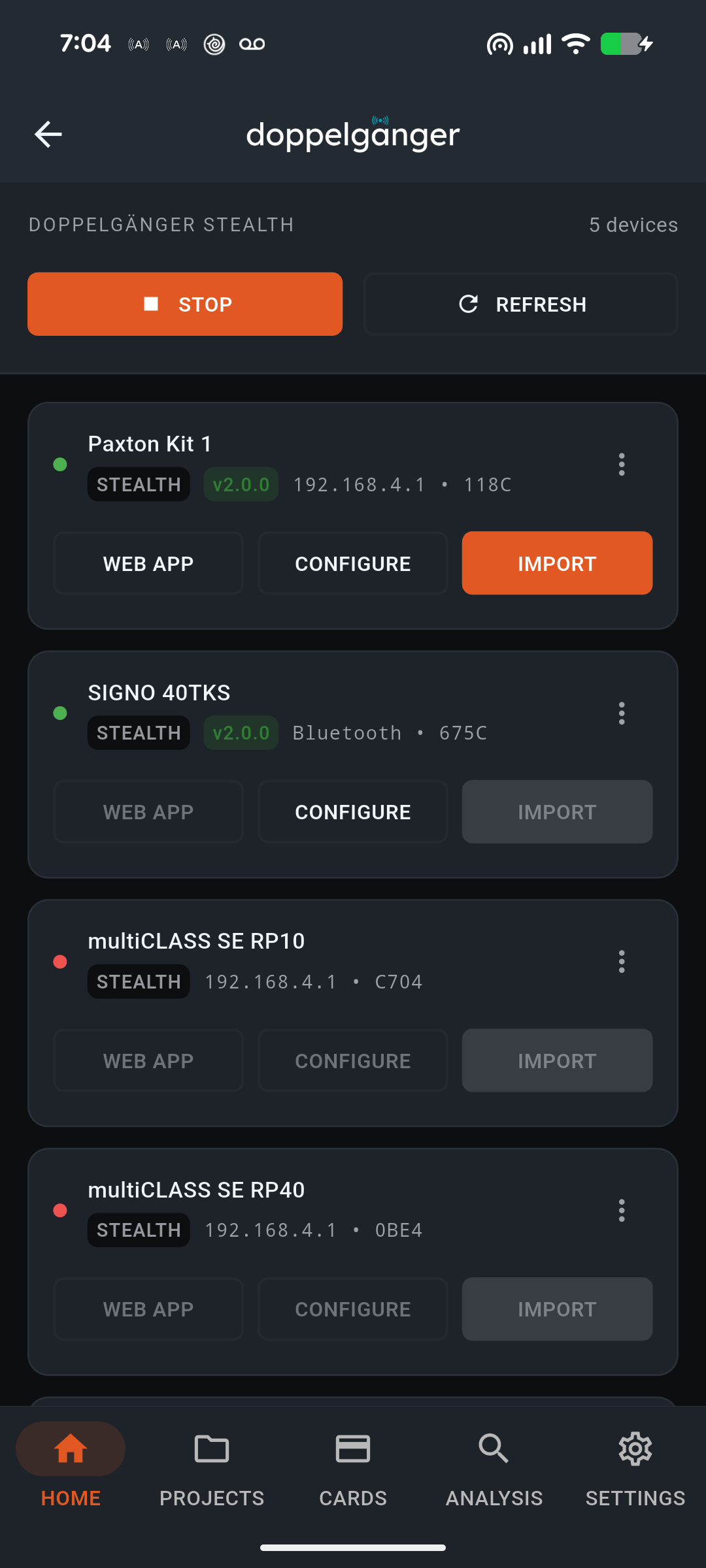
- No CARDS chip and no PINS chip. The reader is holding nothing.
- Still connected, still named, still on 2.0.0. Only the reads went.
The handset is on the reader’s network and ATLAS can see it. This is what you do with it.
Setting one up for the first time is Setup and placement.
The reader in ATLAS
Section titled “The reader in ATLAS”Home, then Doppelgänger Stealth.
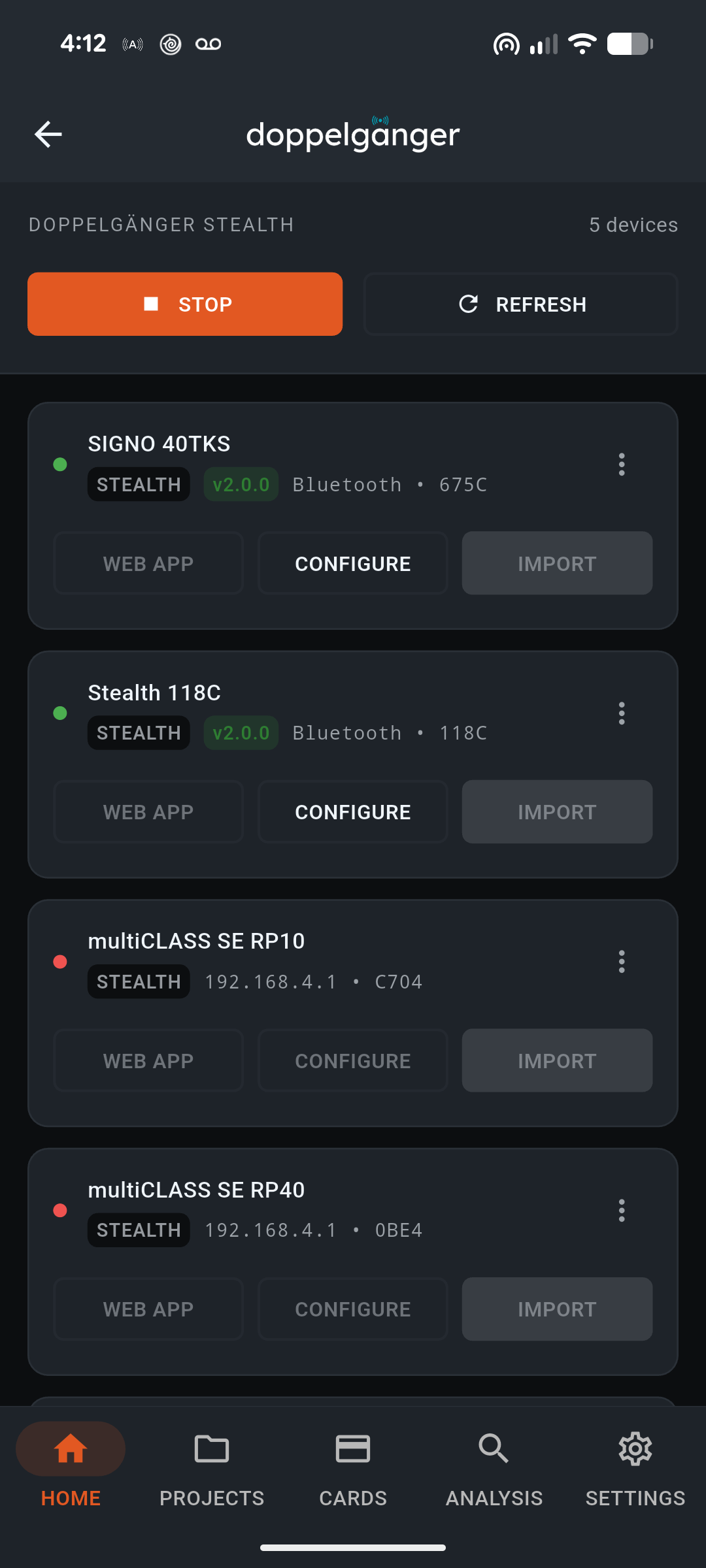
- DOPPELGÄNGER STEALTH, and how many readers ATLAS knows.
- DISCOVER becomes STOP while it runs. REFRESH re-checks what is already found.
- SIGNO 40TKS, green, on Bluetooth.
- On Bluetooth only CONFIGURE is live. On WiFi all three are.
- Stealth 118C, a second reader linked at the same time.
- A reader last seen on WiFi, at the one address every Stealth answers on.
| Reading | What it is |
|---|---|
| 14 CARDS | badges the reader is holding. Shown for a reader on WiFi, as a number and the word CARDS |
| 4 PINS | keypad entries it is holding, each one a full sequence |
| STEALTH | which family it is, as against CORE |
| v2.0.0 | its firmware, green when it meets the minimum |
| 192.168.4.1 | always, on every Stealth |
| DED8 | the last four of its MAC, which is how you tell two apart |
Name it after the reader on the front
Section titled “Name it after the reader on the front”Straight out of discovery it is called Stealth, which is what every Stealth is called. With two in a bag that tells you nothing.
Name it for the reader bolted to the front of it, because that is the thing that decides what it can capture. The unit in these figures is an HID multiCLASS SE RPK40, so that is its name. The app’s own hint says the same, MaxiProx (Kit #1).
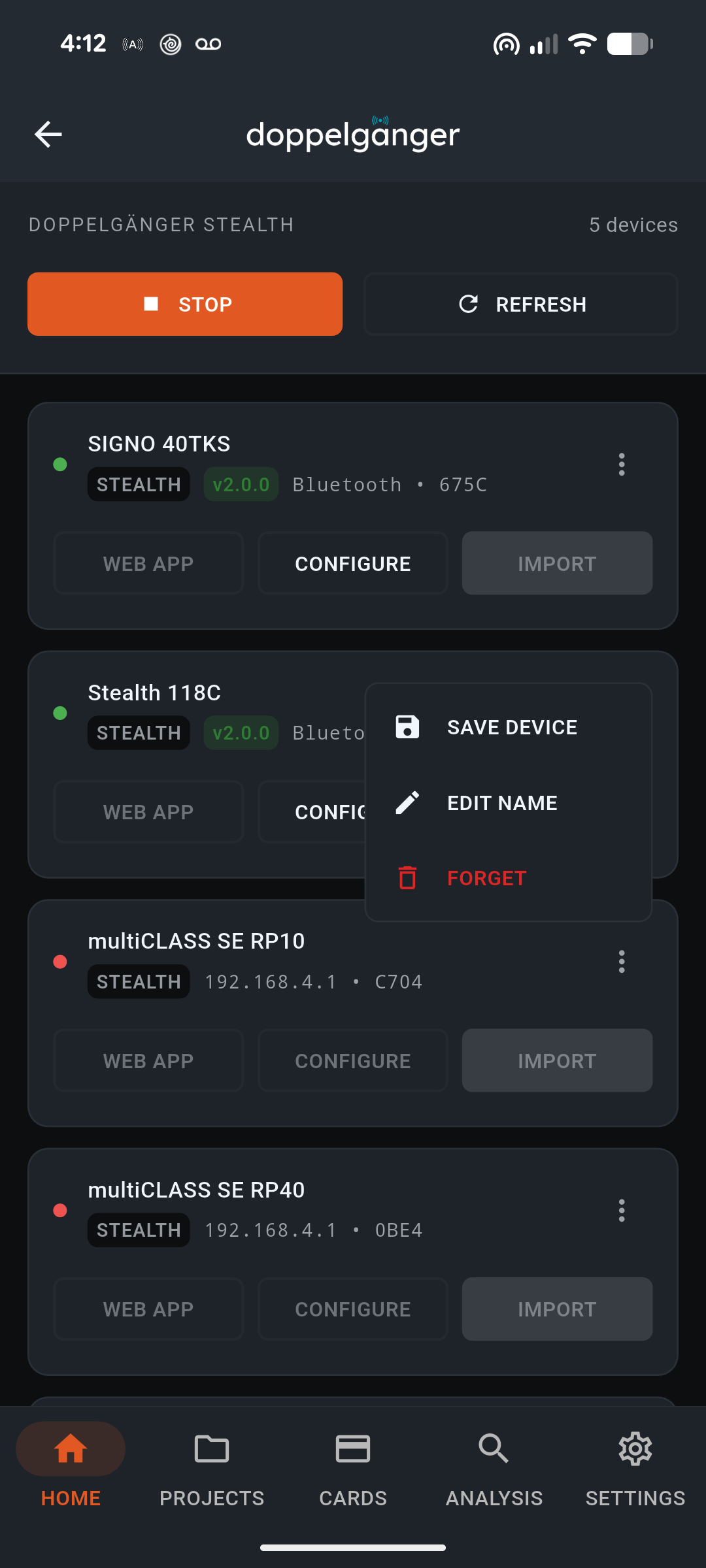
- SIGNO 40TKS, a reader that already has a name.
- SAVE DEVICE keeps it between sessions.
- EDIT NAME.
- FORGET removes it from ATLAS, not from the reader.
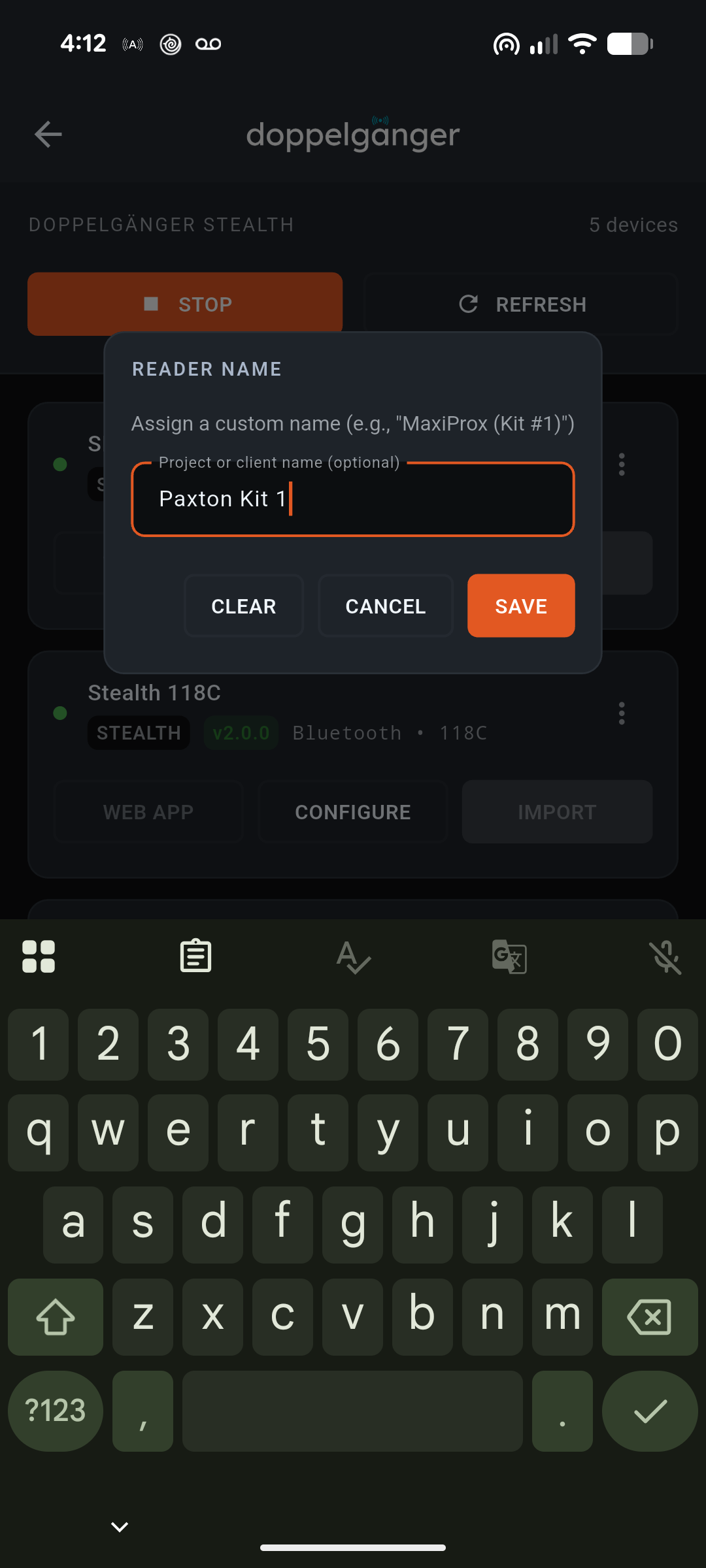
- READER NAME, with the app's own example under it.
- Paxton Kit 1. The reader on the front, not the board behind it.
- CLEAR, CANCEL and SAVE. CLEAR forgets the reader.
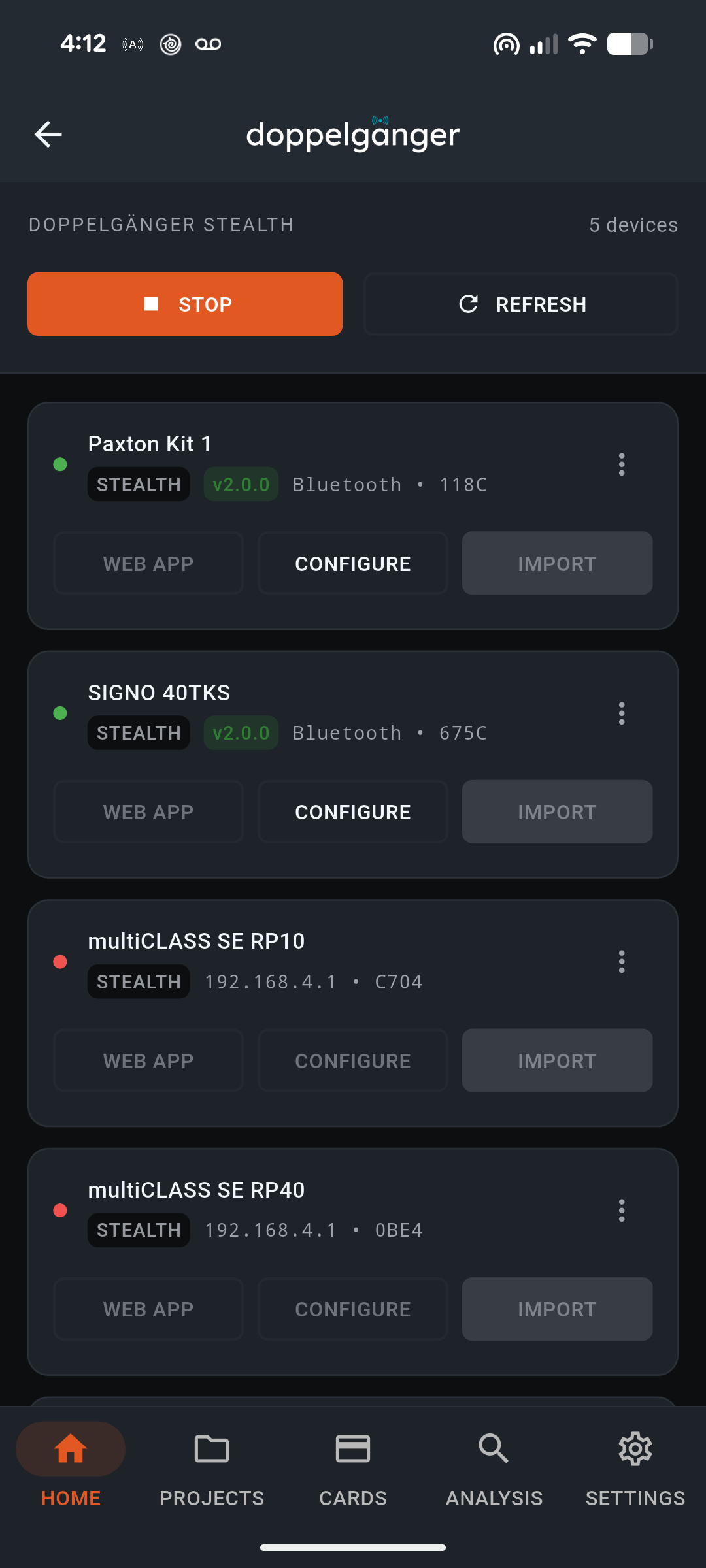
- Paxton Kit 1, where Stealth 118C was.
- Its buttons are unchanged.
- SIGNO 40TKS, the other named reader.
The name travels with the cards. It is written onto every read at import, so a card in the database says which reader took it. On a site with a reader at the lobby and a reader at the dock, that is the difference between a finding and a pile of numbers.
Wipe it at both ends of a project
Section titled “Wipe it at both ends of a project”The reader holds everything it has ever read until somebody clears it. That is two separate problems, and both are solved by the same button.
| When | Why |
|---|---|
| Starting a new project | so the first import is this client’s badges and nothing else. A reader carrying reads from a previous site mixes two engagements into one card database |
| Finishing a project | so the client’s credentials are not sitting in a satchel afterward. Import, confirm the cards are in ATLAS, then wipe |
WIPE ALL CARDS on the configure screen does it. Import before you wipe, every time.
- IMPORT, and pick the project.
- Read the confirmation and VIEW the cards if you want to be sure.
- CONFIGURE, scroll to DANGER ZONE.
- WIPE ALL CARDS, then CONFIRM.
The card goes back to showing no counts at all, which is what an empty reader looks like. Everything else about it is untouched: still connected, still named, still holding its stealth card and its access point settings.
Capturing over Bluetooth
Section titled “Capturing over Bluetooth”A Stealth on Bluetooth needs none of the import steps on this page. There is nothing to pull, because every read is sent to the phone as it happens.
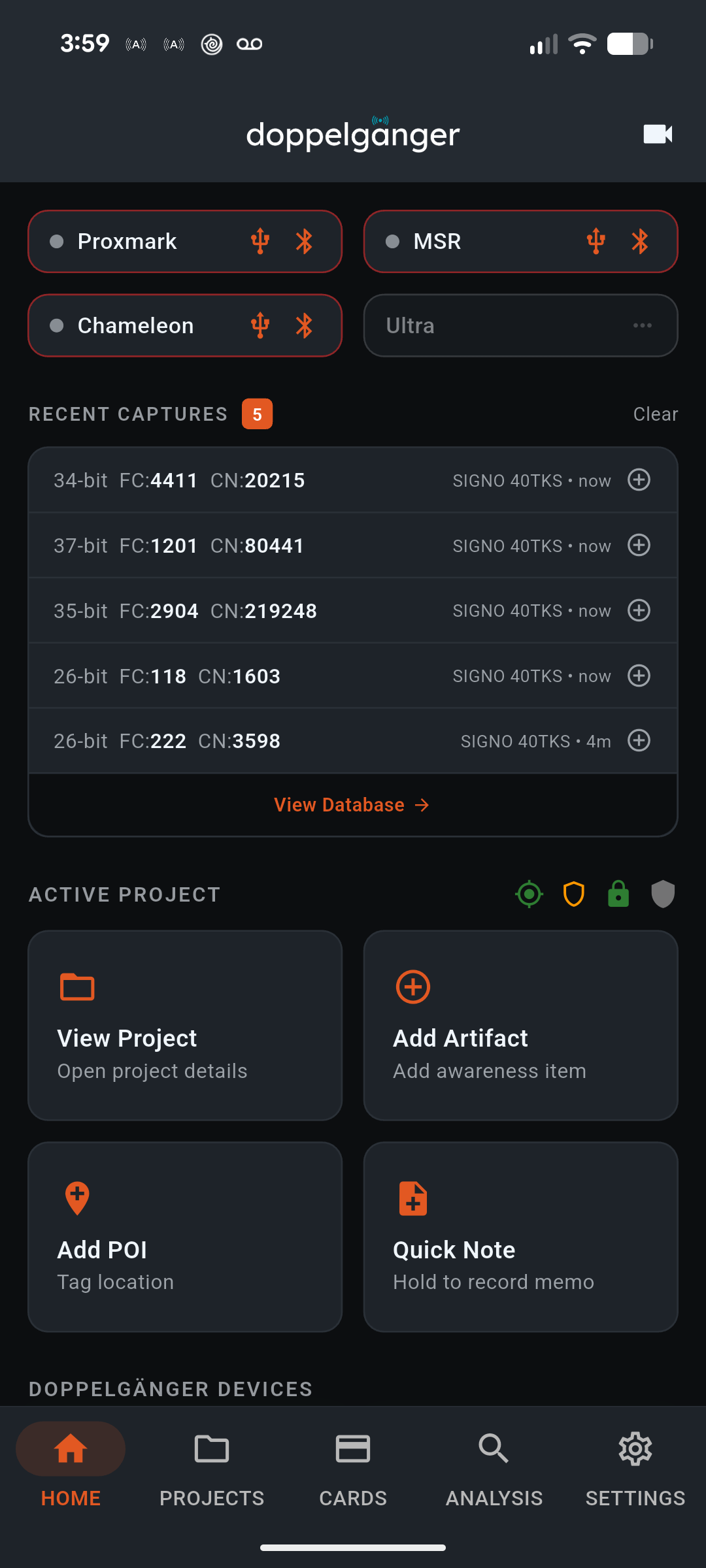
- RECENT CAPTURES, with the count.
- The newest read, with the reader that took it and its age.
- A 35 bit read, with a plus control at the end of its row.
- 26-bit FC 222 CN 3598, read out of a DESFire EV3 card by a Signo.
- View Database.
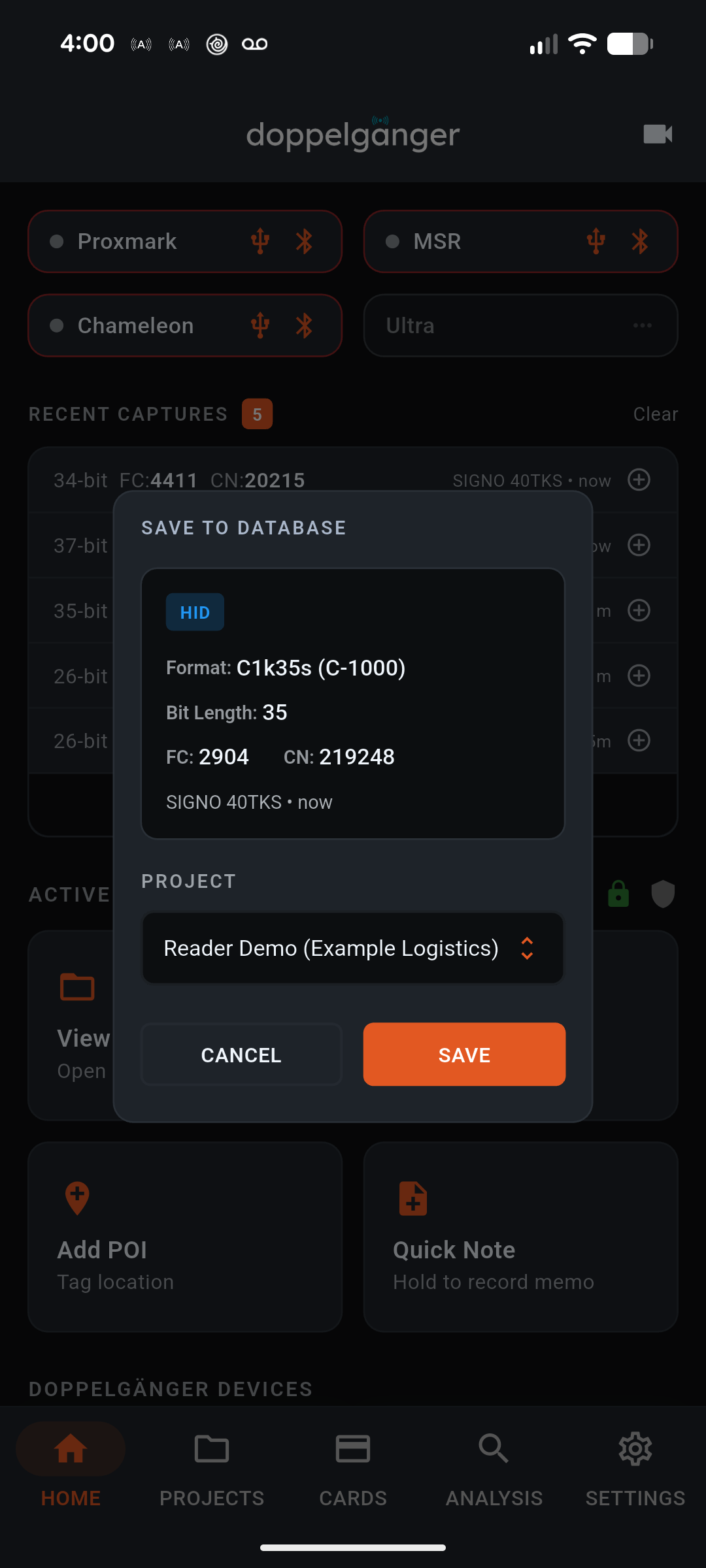
- SAVE TO DATABASE, from the plus control.
- The read as the reader decoded it.
- FC 2904 and CN 219248.
- PROJECT, on the active project.
- SAVE.
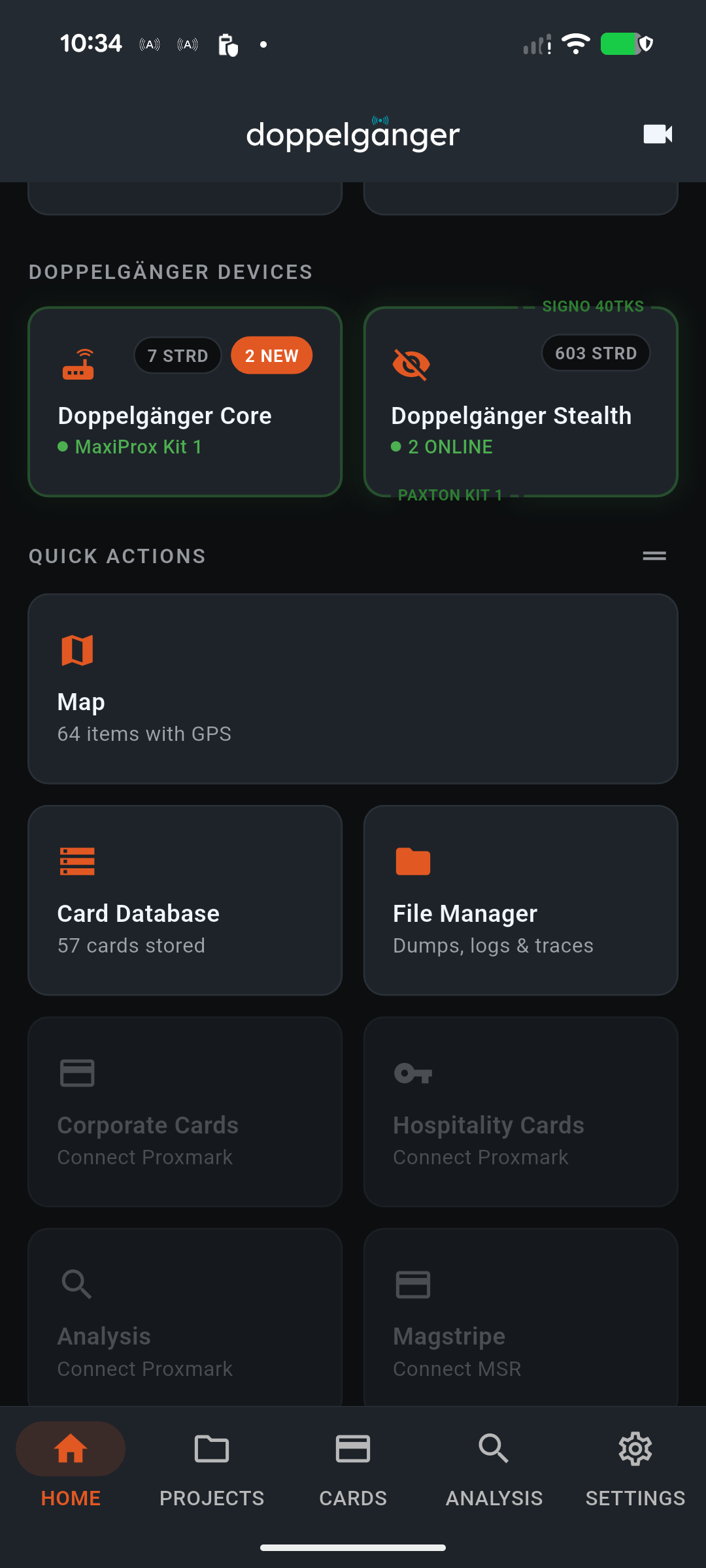
- DOPPELGÄNGER DEVICES.
- STRD and NEW on each card. STRD is what the readers hold, NEW is what arrived since they connected.
- One reader shows its name. Two show 2 ONLINE, and the edge splits in two with each reader named in its half.
| On WiFi | On Bluetooth |
|---|---|
| reads stay on the reader until you tap IMPORT | each read is sent to the phone as it is taken |
| the phone has to be on the reader’s network to see anything | the phone has to be in Bluetooth range |
| a read taken while the phone was away waits for the next IMPORT | a read taken while the phone was away is delivered when the phone links again, by itself |
| IMPORT tags every read with where the phone was at import | each read is tagged as it arrives |
A read lands in RECENT CAPTURES on Home and raises a Card Captured notification. The plus control at the end of its row opens SAVE TO DATABASE, which files it under a project. View Database opens the Card Database, where a card whose bits fit more than one format can be read another way.
The reader still keeps its own log. Bluetooth sends a copy and does not empty the reader, so the wipe at the end of a project is the same act it is on WiFi. On Bluetooth WIPE ALL CARDS is in the reader’s settings exactly where it is on WiFi.
Setting a reader up for Bluetooth is on Setup and placement, and the rest is on Bluetooth.
Getting told when a badge is read
Section titled “Getting told when a badge is read”ATLAS polls the reader and raises a notification on each capture, and keeps doing it with the app minimized and the screen locked. Settings, then Capture Alerts.
| Setting | What it does |
|---|---|
| Card Capture Alerts | Notify on card capture. The master switch |
| Alert Sound | Play sound on capture |
| Vibration Alerts | Vibrate on capture notification |
| Polling Interval | how often ATLAS asks the reader. 1 second by default |
| Background Monitoring | Keep running when minimized or screen locked |
The full page, including the interval sheet and what an alert looks like when it lands, is Capture alerts.
Watching reads arrive
Section titled “Watching reads arrive”You do not have to import to see what the reader is taking. Home carries a RECENT CAPTURES block that fills in as reads land, each row showing the read, the reader’s name and how long ago it arrived, with a plus control that adds that one read to the card database without importing everything.
Clear, at the right of that heading, does two things rather than one.
| What it clears | Effect |
|---|---|
| the RECENT CAPTURES rows | the block disappears, since it is drawn only while there is something in it |
| the NEW chip on both reader tiles | Doppelgänger Core and Doppelgänger Stealth both drop to no NEW chip, because one call resets the capture rows and the new counts together |
The STRD chip beside it is untouched, since that is the count held on the reader rather than a count of what arrived since it connected. After Clear, nothing on Home reports that reads have come in at all.
The rows live in memory only, and the plus on a row is the one way to file a single capture. A row cleared before you used it comes back only through a full import from the reader.
Every capture also raises a notification, titled Card Captured or PIN Captured, with the reader’s name in the body. PIN Captured is a decoy thing. A keypad variant like the RPK40 produces them and a longrange reader does not, because there is no keypad on the front of one.
A PIN arrives as one entry for the finished sequence, not one per digit, so the body reads PIN: 1198# rather than five notifications reading 1, 1, 9, 8 and #. The # is the submit key the person pressed, captured like anything else.
See Capture alerts for what one looks like when it lands and for the settings that govern it.