
Home overview
Home is the screen you look at in a car park with gloves on, thirty seconds before you walk in. It answers two questions and nothing else: is my hardware on the line, and is my work going to land in the right engagement.
That is why the four device tiles are at the top and the active project is directly under them. A reader that is not connected and a project that is not set are the two failures that cost you the whole visit, and both are visible without scrolling or tapping.
Four tiles at the top, the active project under them, the Doppelgänger readers, then the quick actions.
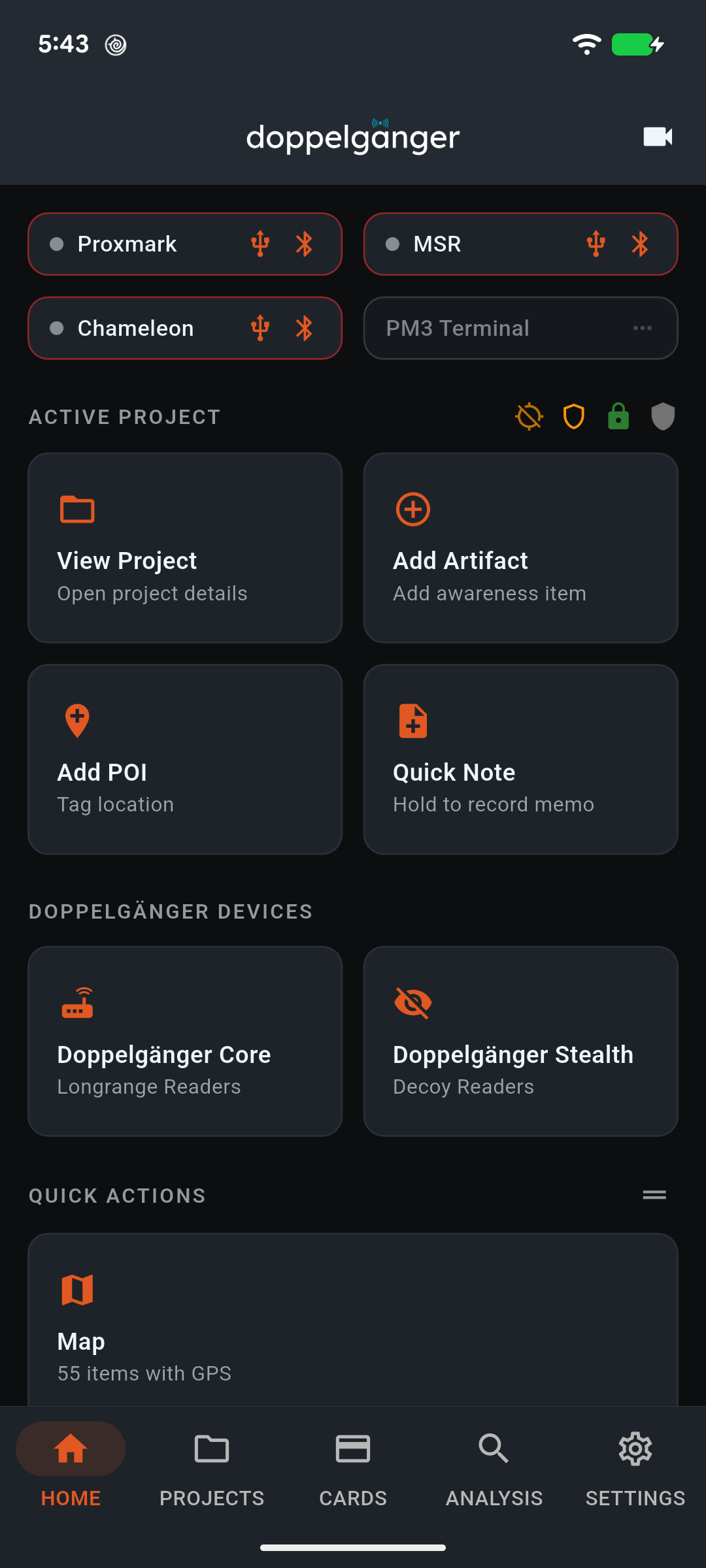
- The camera glyph, the one control that is not a tile or a card.
- Four device tiles. The dot says whether that one is on the line.
- The active project, and the four glyphs that say whether work will be usable.
- Four project actions. Quick Note is held rather than tapped.
- The network readers, which are a different thing from the four tiles above.
Nothing is connected in that frame, which is what Home looks like before you plug anything in. The tiles are outlined rather than filled, and the quick actions that need hardware say so.
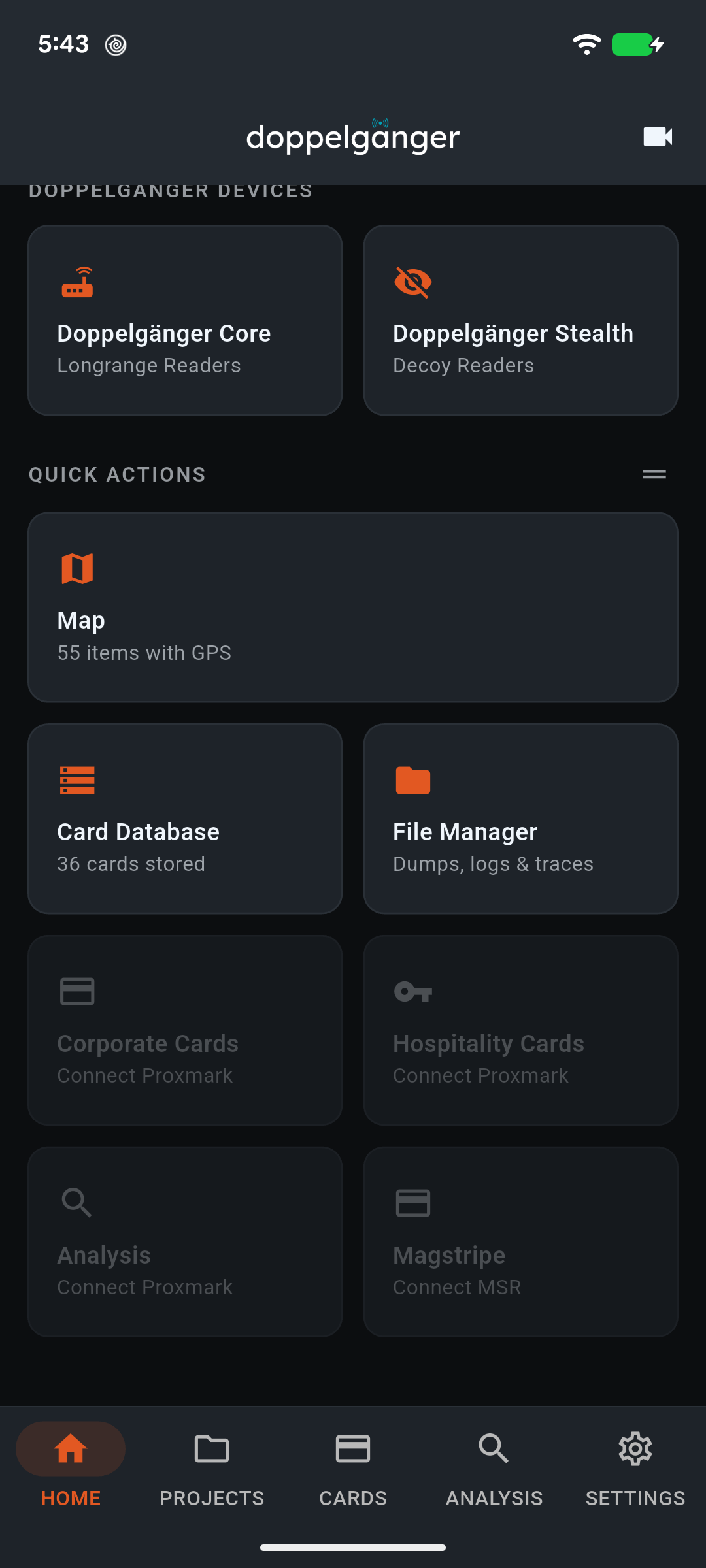
- The two Doppelganger readers, which arrive over the network rather than a cable.
- QUICK ACTIONS, and the grip at the right reorders them.
- Live counts. 36 cards stored, and 55 items carrying a position.
- Dimmed, and the subtitle is the instruction. Connect Proxmark, not an error.
Two things on this page are yours to arrange, and neither is obvious: the fourth tile can be re-pointed to any of twenty destinations, and the quick actions can be reordered.
What is on it, and where each part is documented
Section titled “What is on it, and where each part is documented”| Part of the screen | What it answers | Page |
|---|---|---|
| The four tiles | is my hardware on the line | Device tiles |
| The fourth tile | what do I want one tap away | The shortcut tile |
| The camera glyph | how do I start recording without opening anything | Recording from Home |
| The status glyph row | will what I capture be usable afterward | Status glyphs |
| The four project cards | how do I file what I just saw | Project actions |
| Doppelgänger devices | are the network readers reachable | Device tiles |
| Quick actions | where is the surface I use most | Quick actions |
The order is the priority
Section titled “The order is the priority”Read top to bottom, Home is arranged by what costs you the most if it is wrong.
Hardware first, because a reader that is not connected ends the visit. The active project next, because work filed against the wrong engagement is work you will not find again. The status glyphs on that same line, because a capture with no coordinate cannot be mapped and nothing warns you at the time. Then the actions, which are only useful once the three above are right.