
Photos and attachments
A photograph of a reader is worth very little on its own. Six weeks later, in a report, nobody can tell which door it was on, which way it faced, or why it mattered. A photograph hanging off the entry point record answers all three without a caption, because the record already carries the door, the technology and the finding.
That is why there is no photo gallery in ATLAS. Photos attach to a record, and the attachment carries its own coordinate, its own capture time and the compass bearing the camera was pointing when you took it.
Anywhere you see ATTACHED MEDIA on an editor, the add control opens one sheet with three ways in.
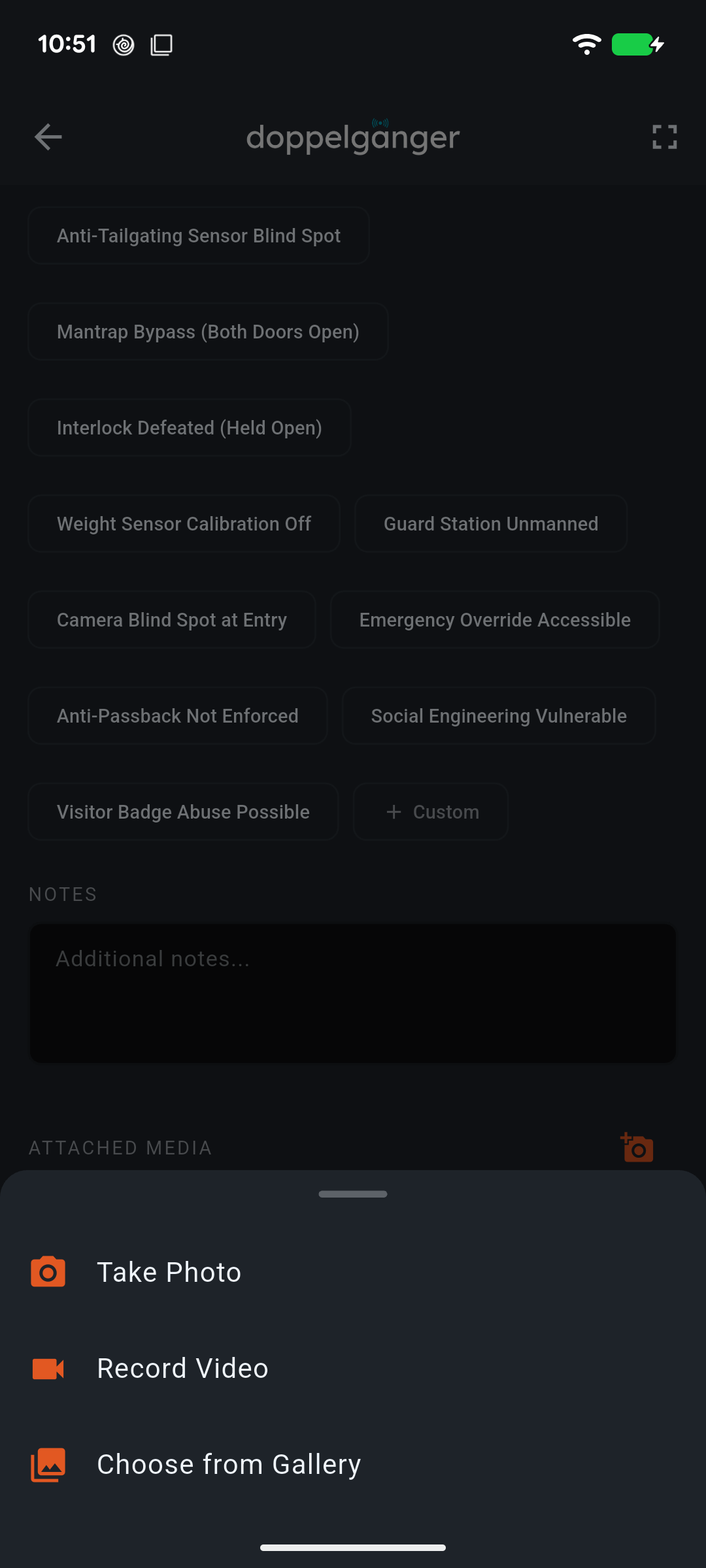
- ATTACHED MEDIA and its add control, which is the plus on the camera.
- Take Photo and Record Video both go to the system camera.
- Choose from Gallery, for a shot taken before you opened the record.
| Option | What it does |
|---|---|
| Take Photo | opens the system camera, rear lens, and returns one still |
| Record Video | opens the system camera for a clip, capped at five minutes |
| Choose from Gallery | picks an existing photo or video off the phone |
Two video paths, and they are not the same
Section titled “Two video paths, and they are not the same”This is the distinction that catches people.
| Record Video, here | the camera in the Home header | |
|---|---|---|
| What runs it | the system camera, through the OS picker | ATLAS’s own foreground service |
| Survives the screen going off | no | yes |
| Length | capped at five minutes | until stopped, or your cap |
| Resolution control | whatever the system camera is set to | 4K and frame rate chosen in Settings |
| Attaches to a record | immediately, to the record you started from | no, it saves loose and you attach it after |
Use Record Video for a short clip that belongs to a specific door or camera you are editing. Use the header recorder for anything that has to keep running once the phone is away.
What rides along with a photo
Section titled “What rides along with a photo”Each attachment carries more than the image.
| Field | Where it comes from |
|---|---|
| Coordinates | EXIF GPS first, and the device’s current position only if the file has none |
| Altitude | EXIF, where the camera recorded one |
| Heading | the camera’s compass bearing at the moment of capture |
| Capture time | EXIF DateTimeOriginal, falling back to now |
| Orientation | the EXIF orientation tag |
| EXIF block | kept whole and stored alongside the record |
| Caption | yours, added later, and optional |
| Duration | clips and memos only |
| Waveform | voice memos only, so the envelope draws without decoding the audio |
Reviewing one
Section titled “Reviewing one”Tapping an attachment opens the viewer. It shows one item at a time, with the type as a header, and a control in the app bar that reveals the actions and the metadata.
| What the viewer shows | Notes |
|---|---|
| PHOTO, VIDEO or VOICE MEMO | the type, as a heading |
| the coordinate | six decimal places, in the theme’s success color, only when the attachment has one |
| the heading | degrees plus the compass point, for example 270° W, only when one was recorded |
| the altitude | in meters, only when EXIF carried one |
| ADD CAPTION or EDIT CAPTION | the label changes to match whether there is one already |
| ANALYZE FRAMES | hands a video to the frame analysis surface |
Where the files go
Section titled “Where the files go”Attachments are copied into the app’s own media directory rather than referenced in place, so deleting the original from the camera roll does not empty a record.
Removing one
Section titled “Removing one”The REMOVE ATTACHMENT confirmation takes the attachment off the record. Answer it deliberately: the file goes with it, and an export made afterwards will not carry what was removed.