
Write
Some doors want a card in a hand. The guard at the desk takes the badge and looks at it. The turnstile swallows a visitor card and gives it back on the way out. A teammate needs a working credential of their own and you have one ATLAS Chameleon Ultra between you. In each of those the ATLAS Chameleon Ultra in a slot is the wrong object, and what you need is plastic.
WRITE makes the plastic with the kit already in your pocket. The ATLAS Chameleon Ultra becomes the writer, the handset drives it, and a card is written in the car. There is no Proxmark in the chain and nothing to plug in beyond what you were carrying anyway.
It writes T5577 cards and iCLASS 2k cards. Either one can already hold a credential, and the write replaces it. Only what it can write is on the menus:
| Card | Carries |
|---|---|
| a T5577 | the low frequency formats listed below |
| an existing iCLASS 2k card | an iCLASS Legacy credential, in the standard and specialty formats listed below |
| an existing iCLASS 2k SR card | an iCLASS Legacy credential, in the same formats |
Cards, then the ULTRA tab, then the WRITE chip.
WRITE, STORE or the Proxmark
Section titled “WRITE, STORE or the Proxmark”| You need | Use | Why |
|---|---|---|
| the ATLAS Chameleon Ultra itself to answer the reader | Store | no card, nothing to hand over |
| a physical card, and the ATLAS Chameleon Ultra is what you have | WRITE, this page | one device, in the field |
| a physical card of a type this page does not list, MIFARE Classic among them | CORP or HOTEL with a Proxmark | this page writes T5577 and iCLASS 2k only |
| an Indala 64-bit (PSK) credential at a door | WRITE, this page | STORE does not offer that format, and a written T5577 carries it |
From the form to a verified card
Section titled “From the form to a verified card”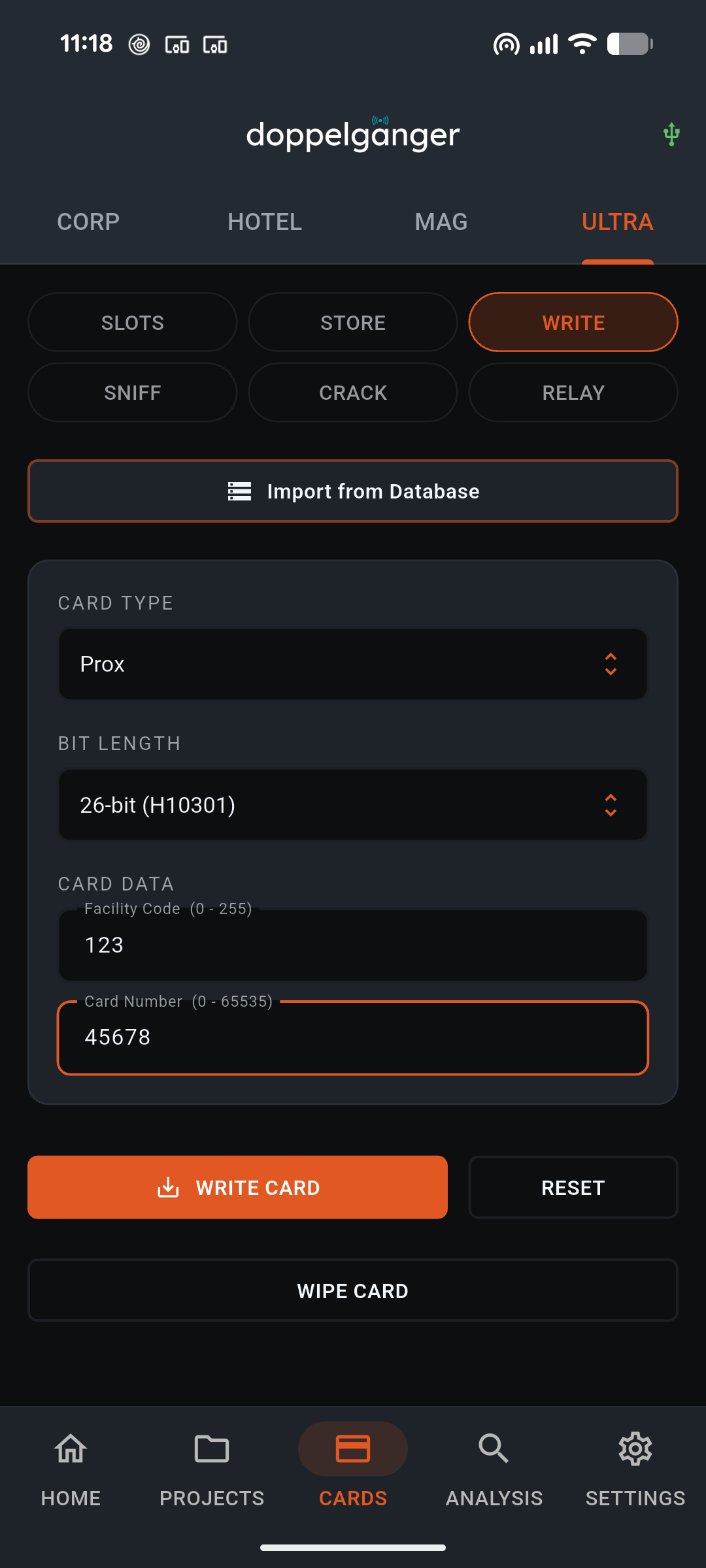
- CARD TYPE, Prox.
- BIT LENGTH, 26-bit (H10301).
- Facility Code 123.
- Card Number 45678.
- WRITE CARD.
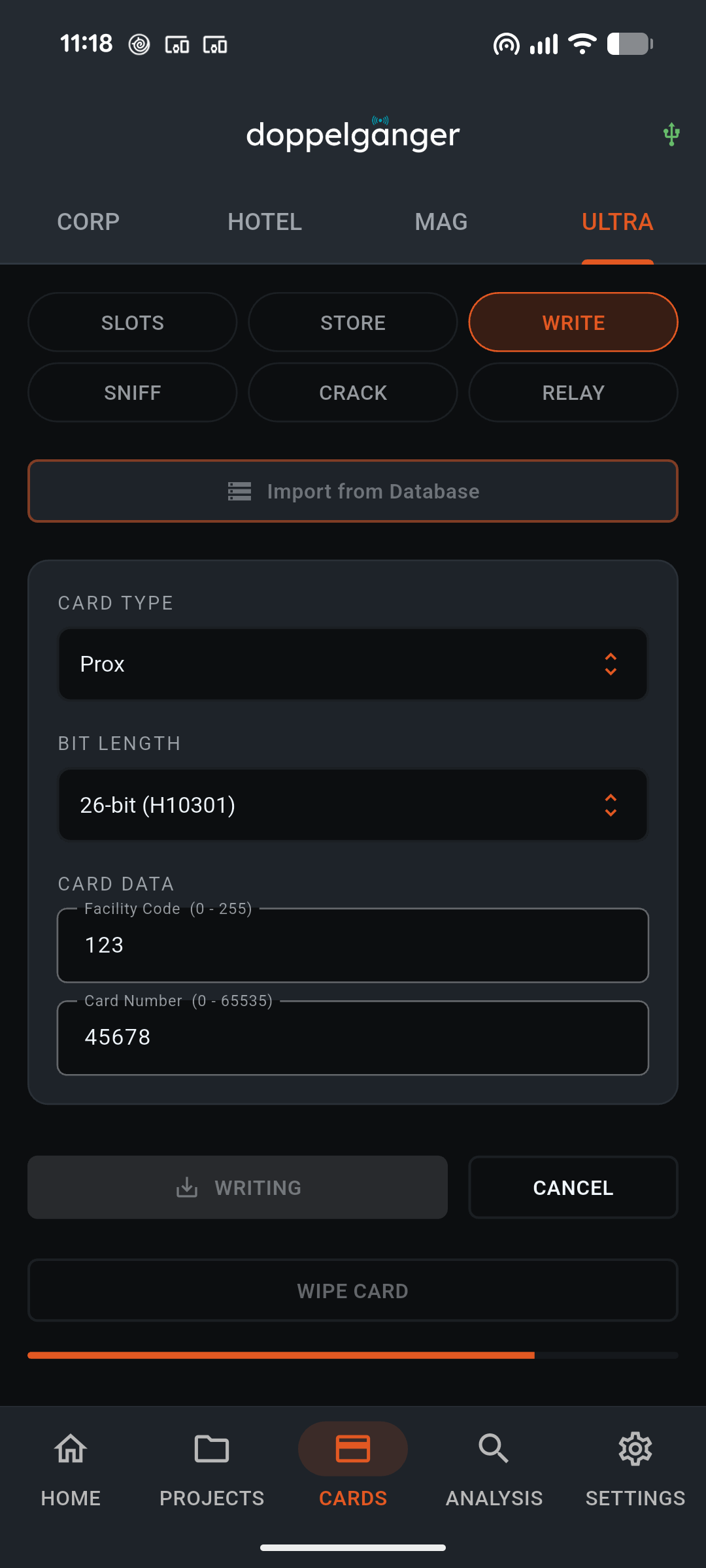
- WRITING, with CANCEL beside it.
- The bar fills over the write.
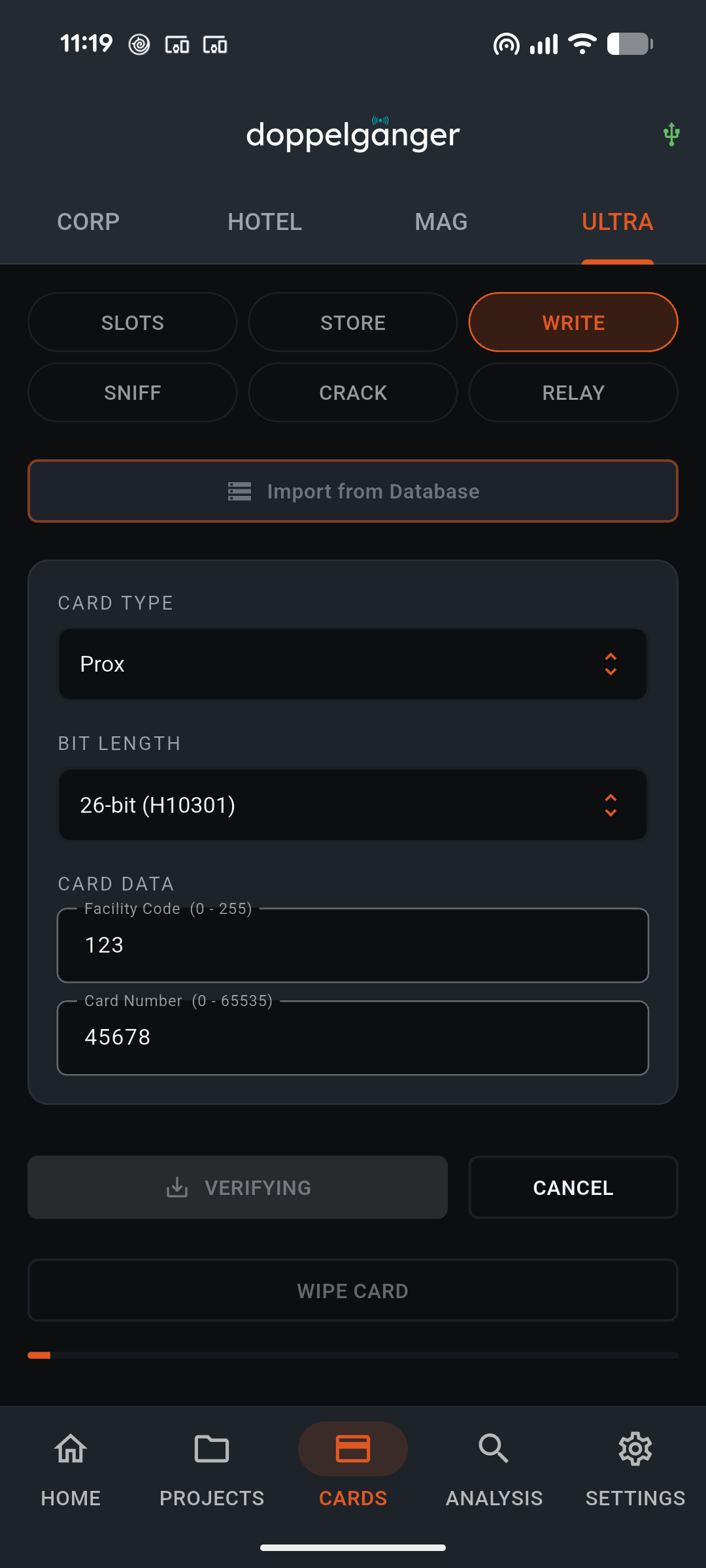
- VERIFYING. The ATLAS Chameleon Ultra is reading the card back.
- A new bar, which fills over the read back.
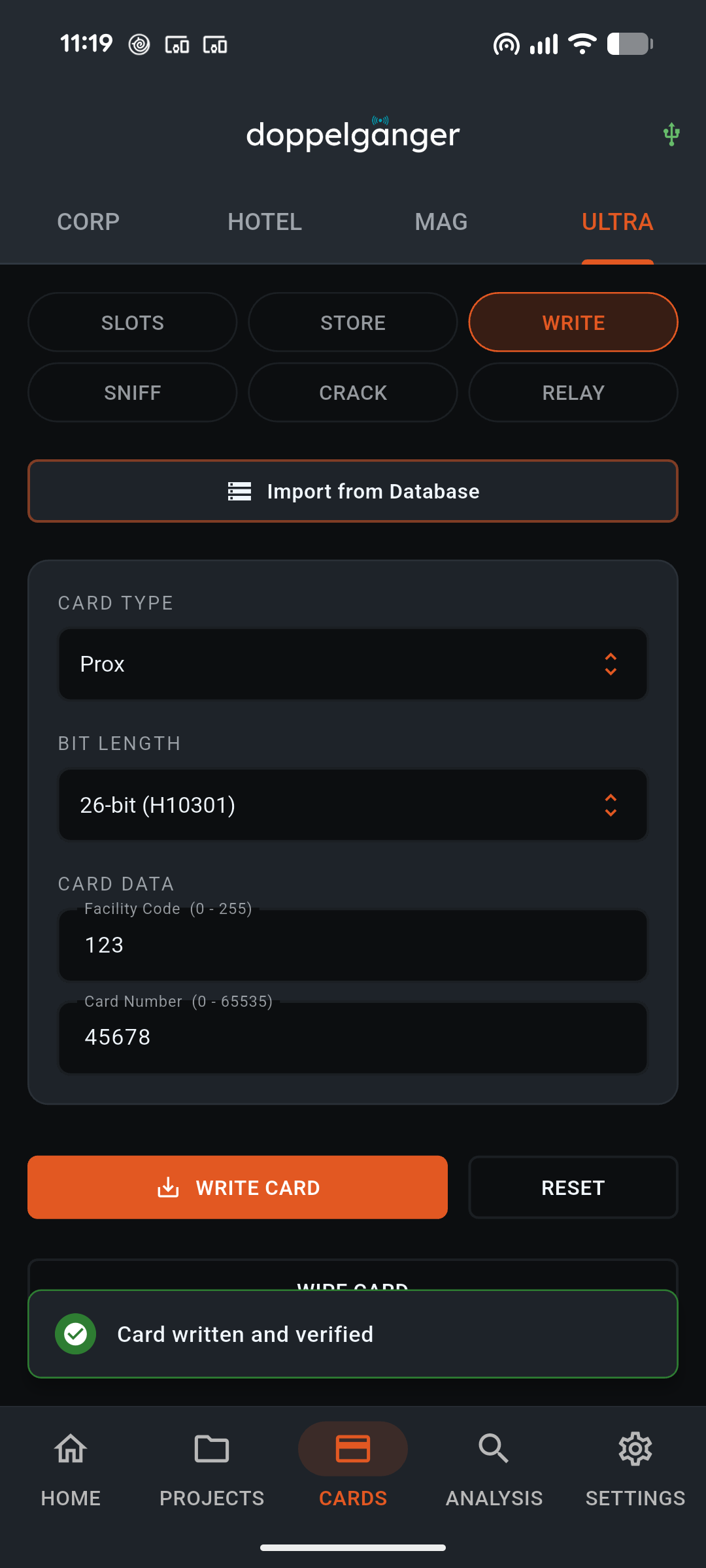
- WRITE CARD, ready for the next card.
- Card written and verified.
- Connect the ATLAS Chameleon Ultra. WRITE CARD stays gray without one.
- Pick CARD TYPE. If the type has more than one format, BIT LENGTH appears under it. Pick that too.
- Fill the card data.
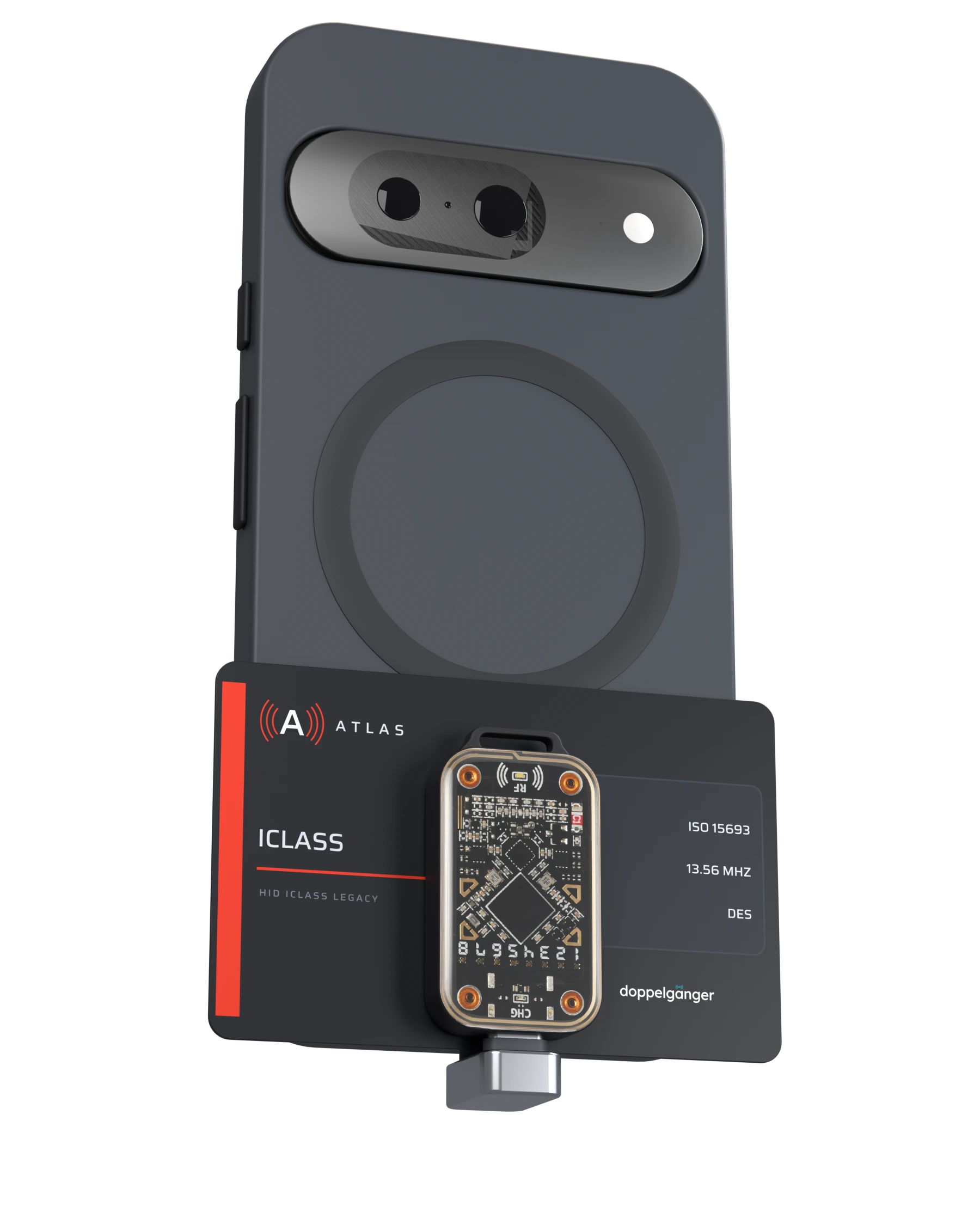
- Slide the card between the handset and the ATLAS Chameleon Ultra until it meets the adapter. See where a card goes.
- Tap WRITE CARD.
- Leave the card where it is until the message arrives. The control reads WRITING, then VERIFYING, with a progress bar under it.
- Read the message. Card written and verified is the only one that means the card in your hand carries what you typed.
A T5577 gives no acknowledgment when it is written. So the write is not reported as done until the ATLAS Chameleon Ultra has read the card back and the read matches. That read has its own progress bar, which starts again when the button changes to VERIFYING, and lifting the card at that moment is how a good write ends up reported as unverified.
| Stage | The control reads | How long |
|---|---|---|
| writing | WRITING | about 1 to 2 seconds, by format. See the limits table |
| reading back | VERIFYING | until the card answers, up to about 20 seconds |
For iCLASS 2k the control reads WRITING throughout and the bar runs without a percentage.
The form
Section titled “The form”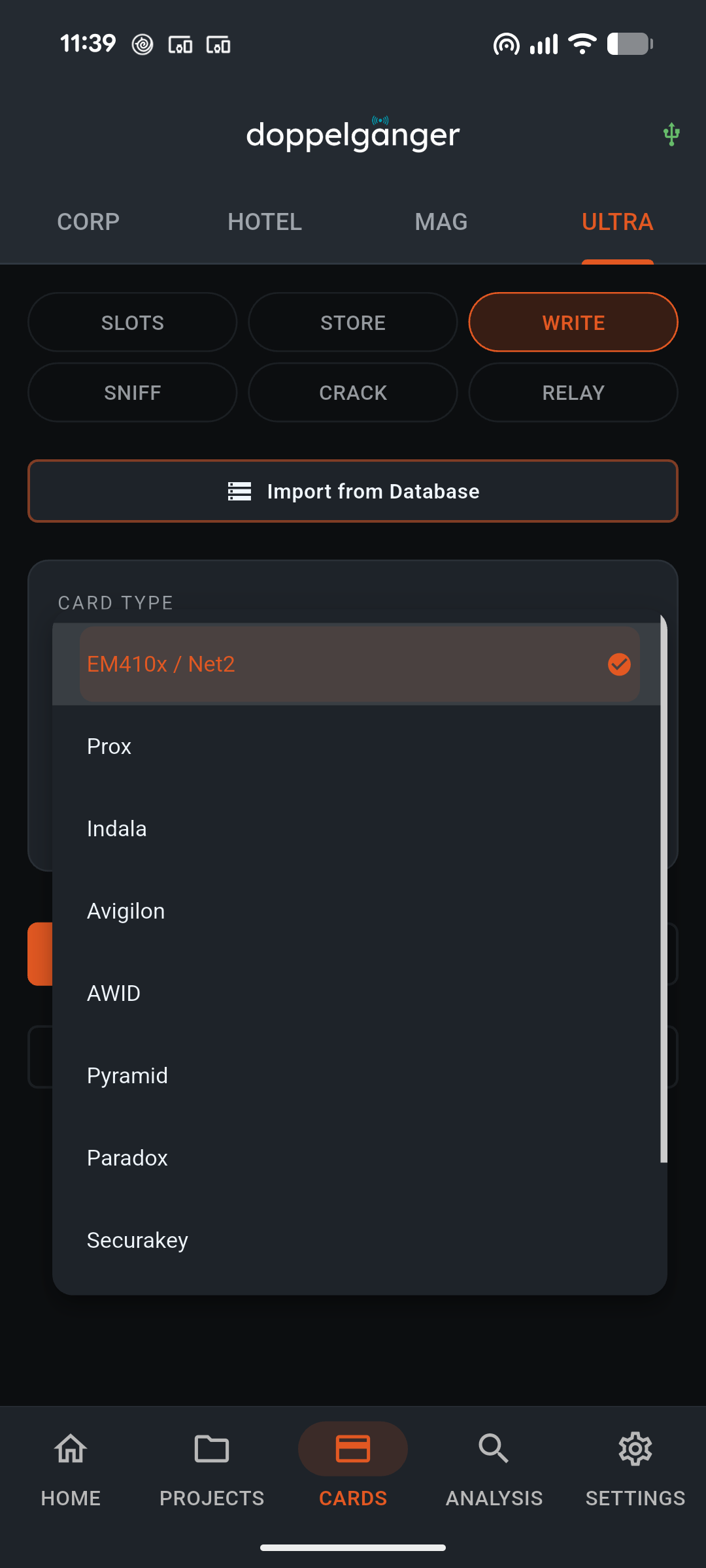
- EM410x / Net2, the default.
- Prox.
- IO Prox. The menu scrolls to iCLASS 2k.
Import from Database is above the card. The card holds CARD TYPE, then BIT LENGTH when the type has more than one format, then the data fields. WRITE CARD and RESET are below it.
The page opens on the first CARD TYPE.
| CARD TYPE | BIT LENGTH menu | Data fields |
|---|---|---|
| EM410x / Net2 | none, one format | HEX DATA, a box labeled Hex Data (10 characters) |
| Prox | shown | Facility Code, Card Number |
| Indala | shown | Facility Code, Card Number |
| Avigilon | none, one format | Facility Code, Card Number |
| AWID | shown | Facility Code, Card Number |
| Pyramid | none, one format | Facility Code, Card Number |
| Paradox | none, one format | Facility Code, Card Number |
| Securakey | none, one format | HEX DATA, a box labeled Hex Data (24 characters) |
| IO Prox | none, one format | Facility Code, Card Number, Version |
| iCLASS 2k | shown, under STANDARD FORMATS and SPECIALTY | Facility Code, Card Number |
The hex box takes hex digits only and shows the hint e.g., 0102030405. The number boxes carry the range of the chosen format in their labels, exactly as on Store.
Every format a T5577 can be written with
Section titled “Every format a T5577 can be written with”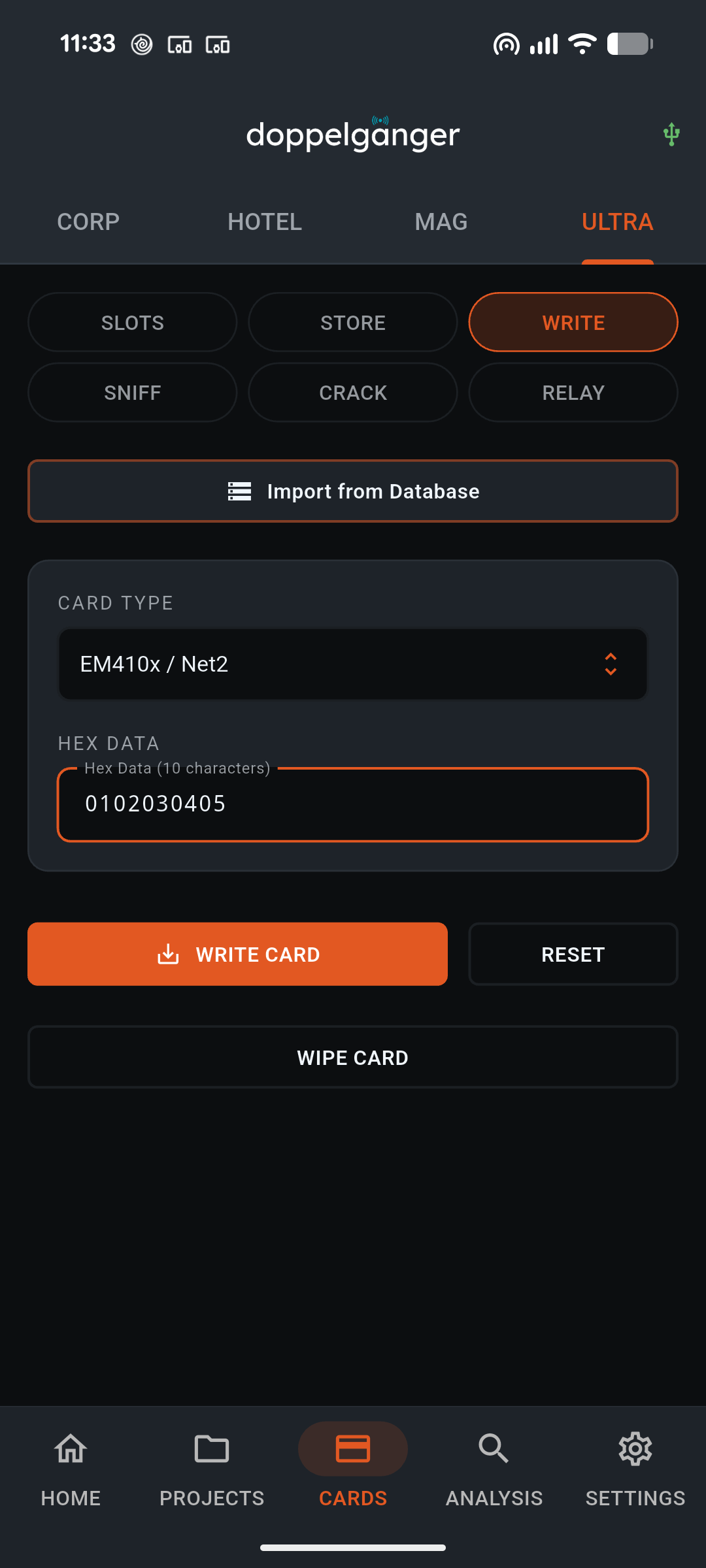
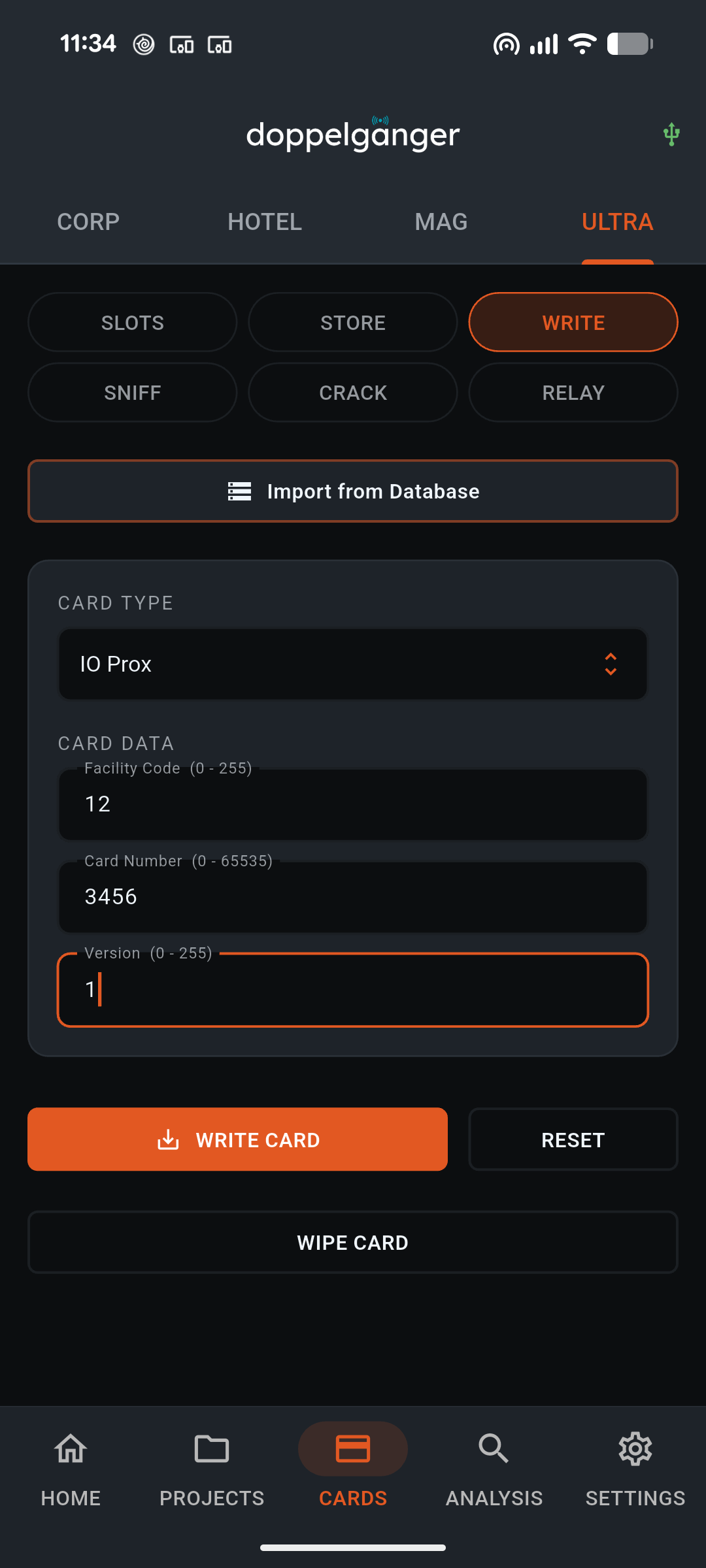
- CARD TYPE, EM410x / Net2.
- Hex Data, 10 characters. No BIT LENGTH.
- WRITE CARD.
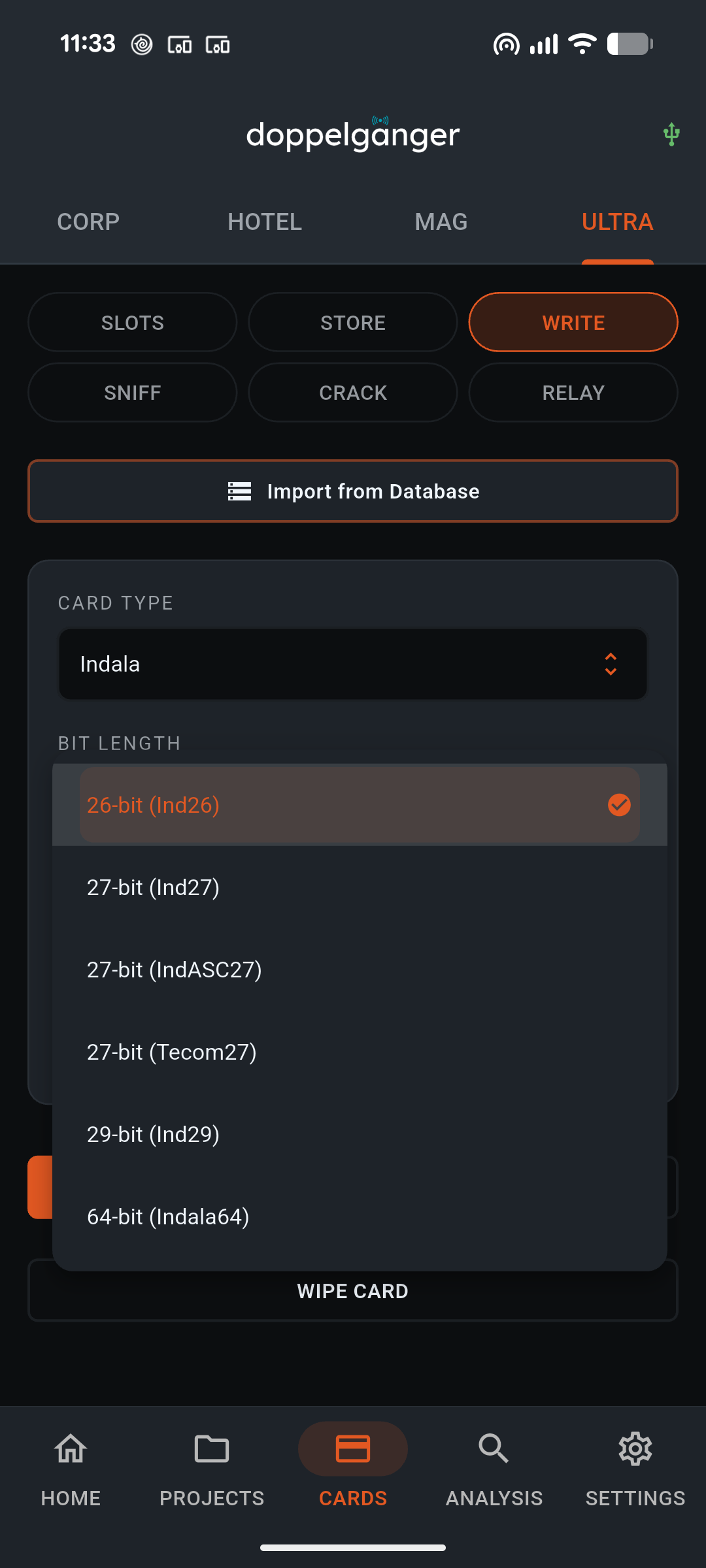
- 26-bit (Ind26), the default.
- The 27-bit variants.
- 29-bit (Ind29).
- 64-bit (Indala64).
- CARD TYPE, IO Prox.
- Facility Code 12.
- Card Number 3456.
- Version, IO Prox only.
- WRITE CARD.
This is the list STORE offers plus 64-bit (Indala64).
| CARD TYPE | BIT LENGTH | Full name | Facility Code | Card Number |
|---|---|---|---|---|
| EM410x / Net2 | 40-bit (EM410x) | EM410x / Net2 (5-byte raw hex) | raw hex, 5 bytes, 10 characters | |
| Prox | 26-bit (H10301) | HID H10301 | 0 - 255 | 0 - 65535 |
| Prox | 28-bit (2804W) | 2804W | 0 - 255 | 0 - 32767 |
| Prox | 30-bit (ATSW30) | ATS-W | 0 - 4095 | 0 - 65535 |
| Prox | 31-bit (ADT31) | ADT 31-bit | 0 - 15 | 0 - 8388607 |
| Prox | 32-bit (HCP32) | HCP 32-bit | not used | 0 - 16383 |
| Prox | 32-bit (HPP32) | HPP 32-bit | 0 - 4095 | 0 - 524287 |
| Prox | 32-bit (Kastle) | Kastle 32-bit | 0 - 255 | 0 - 65535 |
| Prox | 32-bit (Kantech) | Kantech 32-bit | 0 - 255 | 0 - 65535 |
| Prox | 32-bit (Wie32) | Wiegand 32-bit | 0 - 4095 | 0 - 65535 |
| Prox | 33-bit (D10202) | D10202 | 0 - 127 | 0 - 16777215 |
| Prox | 34-bit (H10306) | HID H10306 | 0 - 65535 | 0 - 65535 |
| Prox | 34-bit (N10002) | N10002 | 0 - 65535 | 0 - 65535 |
| Prox | 34-bit (Optus) | Optus 34-bit | 0 - 2047 | 0 - 65535 |
| Prox | 34-bit (SMP) | SMP 34-bit | 0 - 8191 | 0 - 65535 |
| Prox | 34-bit (BQT) | BQT 34-bit | 0 - 255 | 0 - 16777215 |
| Prox | 35-bit (C1k35s) | HID Corporate 1000 (35-bit) | 0 - 4095 | 0 - 1048575 |
| Prox | 36-bit (C15001) | C15001 | 0 - 255 | 0 - 65535 |
| Prox | 36-bit (S12906) | S12906 | 0 - 255 | 0 - 16777215 |
| Prox | 36-bit (Sie36) | Siemens 36-bit | 0 - 262143 | 0 - 65535 |
| Prox | 37-bit (H10320) | HID H10320 (BCD) | not used | 0 - 99999999 |
| Prox | 37-bit (H10302) | HID H10302 (no FC) | not used | 0 - 34359738367 |
| Prox | 37-bit (H10304) | HID H10304 | 0 - 65535 | 0 - 524287 |
| Prox | 37-bit (P10004) | P10004 | 0 - 8191 | 0 - 262143 |
| Prox | 37-bit (HGen37) | HID 37-bit Generic | not used | 0 - 4294967295 |
| Prox | 37-bit (MDI37) | MDI 37-bit | 0 - 15 | 0 - 536870911 |
| Prox | 46-bit (H800002) | HID 800002 | 0 - 16383 | 0 - 1073741823 |
| Prox | 48-bit (C1k48s) | HID Corporate 1000 (48-bit) | 0 - 4194303 | 0 - 8388607 |
| Indala | 26-bit (Ind26) | Indala Wiegand 26-bit | 0 - 4095 | 0 - 4095 |
| Indala | 27-bit (Ind27) | Indala 27-bit | 0 - 8191 | 0 - 16383 |
| Indala | 27-bit (IndASC27) | Indala ASC 27-bit | 0 - 8191 | 0 - 16383 |
| Indala | 27-bit (Tecom27) | Tecom 27-bit | 0 - 2047 | 0 - 65535 |
| Indala | 29-bit (Ind29) | Indala 29-bit | 0 - 8191 | 0 - 65535 |
| Indala | 64-bit (Indala64) | Indala 64-bit (PSK) | 0 - 255 | 0 - 65535 |
| Avigilon | 56-bit (avig56) | Avigilon 56-bit (20+34) | 0 - 1048575 | 0 - 17179869183 |
| AWID | 26-bit (AWID26) | AWID 26-bit | 0 - 255 | 0 - 65535 |
| AWID | 34-bit (AWID34) | AWID 34-bit | 0 - 255 | 0 - 16777215 |
| AWID | 37-bit (AWID37) | AWID 37-bit | 0 - 8191 | 0 - 262143 |
| AWID | 50-bit (AWID50) | AWID 50-bit | 0 - 65535 | 0 - 4294967295 |
| Pyramid | 26-bit (Pyr26) | Pyramid Farpointe 26-bit | 0 - 255 | 0 - 65535 |
| Paradox | 26-bit (Para26) | Paradox FSK 26-bit | 0 - 255 | 0 - 65535 |
| Securakey | 96-bit (SecKey) | Securakey (12-byte raw hex) | raw hex, 12 bytes, 24 characters | |
| IO Prox | 64-bit (XSF) | IO Prox XSF 64-bit | 0 - 255 | 0 - 65535, and Version 0 - 255 |
Where the BIT LENGTH menu is not drawn, the single format in that row is what gets written.
The four Casi-Rusco formats are not on this page.
Every format an iCLASS 2k card can be written with
Section titled “Every format an iCLASS 2k card can be written with”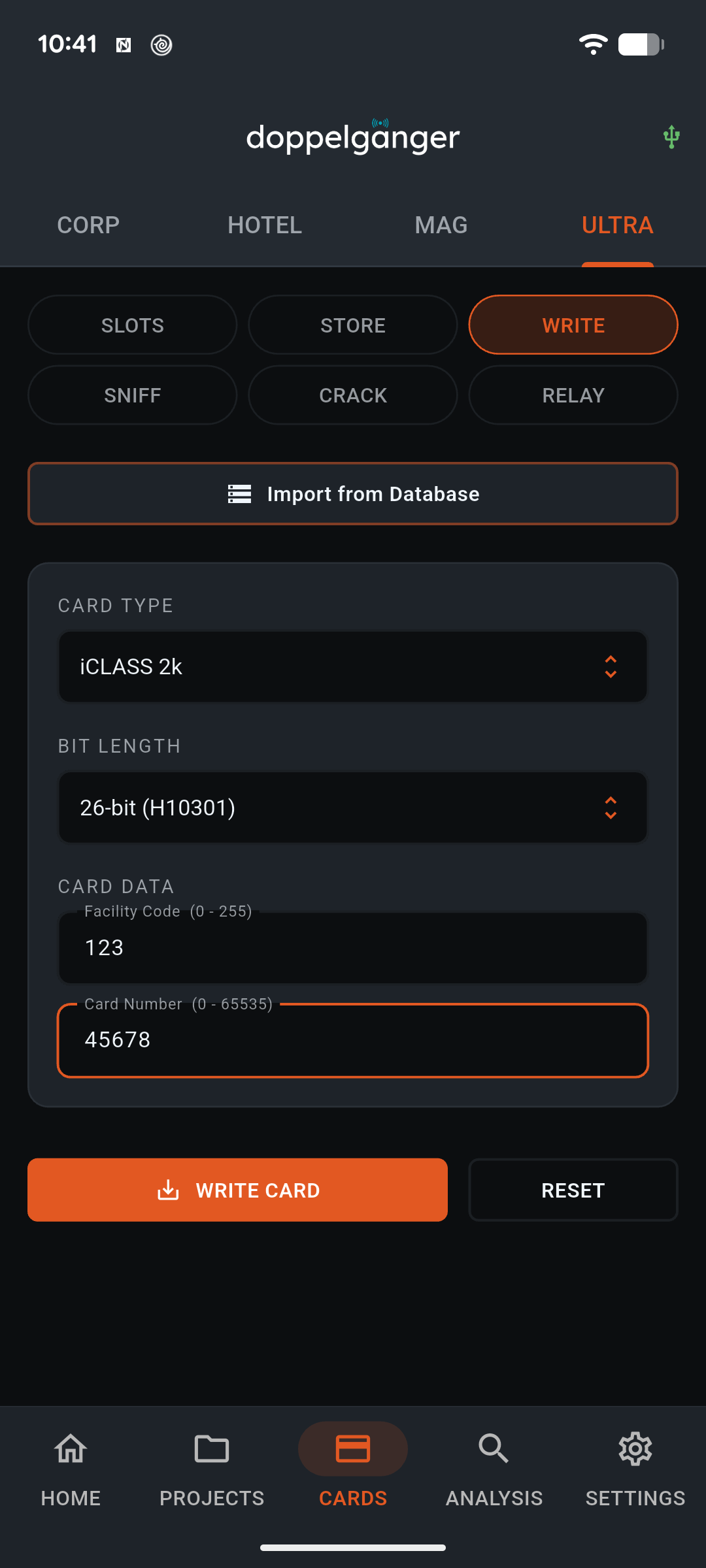
- CARD TYPE, iCLASS 2k.
- BIT LENGTH, 26-bit (H10301).
- Facility Code 123.
- Card Number 45678.
- WRITE CARD.
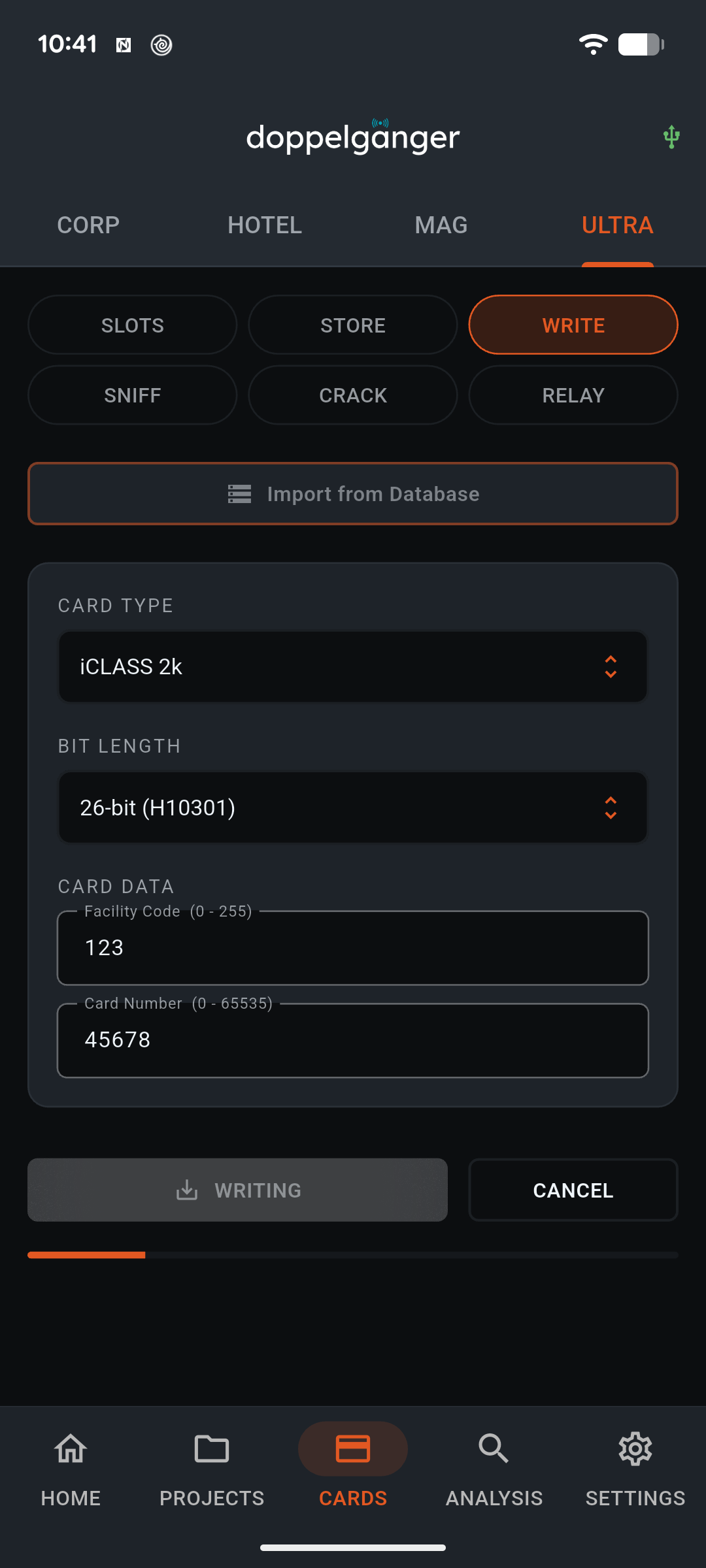
- WRITING, with CANCEL in place of RESET.
- The progress bar.
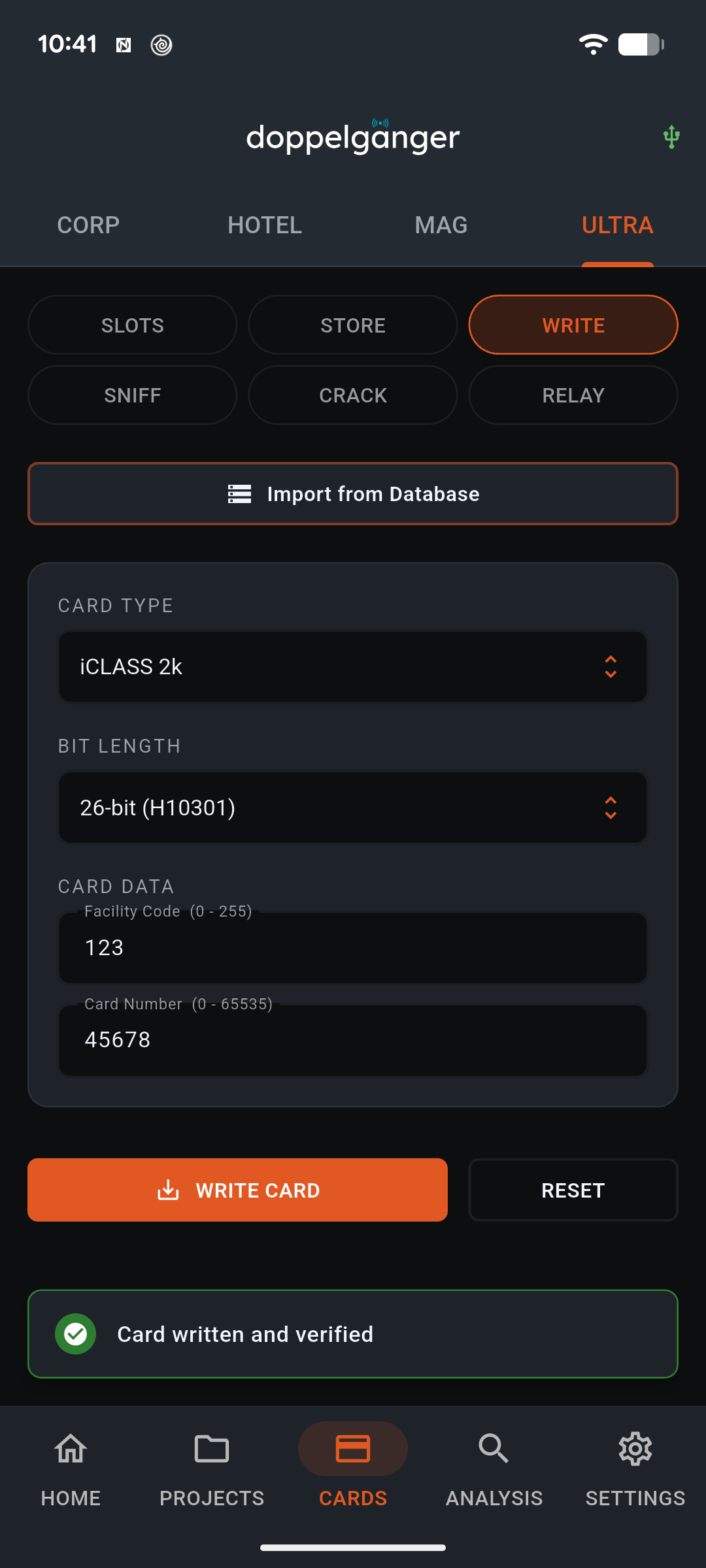
- WRITE CARD, back at rest.
- Card written and verified.
The credential is written and the card is read back to confirm it. The issue level and OEM code are not asked for and are written as zero.
STANDARD FORMATS
Section titled “STANDARD FORMATS”The formats HID issues iCLASS credentials in.
| BIT LENGTH | Full name | Facility Code | Card Number |
|---|---|---|---|
| 26-bit (H10301) | HID H10301 | 0 - 255 | 0 - 65535 |
| 34-bit (H10306) | HID H10306 | 0 - 65535 | 0 - 65535 |
| 35-bit (C1k35s) | HID Corporate 1000 (35-bit) | 0 - 4095 | 0 - 1048575 |
| 37-bit (H10302) | HID H10302 (no FC) | not used | 0 - 34359738367 |
| 37-bit (H10304) | HID H10304 | 0 - 65535 | 0 - 524287 |
| 48-bit (C1k48s) | HID Corporate 1000 (48-bit) | 0 - 4194303 | 0 - 8388607 |
SPECIALTY
Section titled “SPECIALTY”Every other format. These are for credential stuffing, where another vendor’s facility code and card number ride on an iCLASS card.
| BIT LENGTH | Full name | Facility Code | Card Number |
|---|---|---|---|
| 26-bit (Ind26) | Indala Wiegand 26-bit | 0 - 4095 | 0 - 4095 |
| 27-bit (Ind27) | Indala 27-bit | 0 - 8191 | 0 - 16383 |
| 27-bit (IndASC27) | Indala ASC 27-bit | 0 - 8191 | 0 - 16383 |
| 27-bit (Tecom27) | Tecom 27-bit | 0 - 2047 | 0 - 65535 |
| 28-bit (2804W) | 2804W | 0 - 255 | 0 - 32767 |
| 29-bit (Ind29) | Indala 29-bit | 0 - 8191 | 0 - 65535 |
| 30-bit (ATSW30) | ATS-W | 0 - 4095 | 0 - 65535 |
| 31-bit (ADT31) | ADT 31-bit | 0 - 15 | 0 - 8388607 |
| 32-bit (HCP32) | HCP 32-bit | not used | 0 - 16383 |
| 32-bit (HPP32) | HPP 32-bit | 0 - 4095 | 0 - 524287 |
| 32-bit (Kastle) | Kastle 32-bit | 0 - 255 | 0 - 65535 |
| 32-bit (Kantech) | Kantech 32-bit | 0 - 255 | 0 - 65535 |
| 32-bit (Wie32) | Wiegand 32-bit | 0 - 4095 | 0 - 65535 |
| 33-bit (D10202) | D10202 | 0 - 127 | 0 - 16777215 |
| 34-bit (N10002) | N10002 | 0 - 65535 | 0 - 65535 |
| 34-bit (Optus) | Optus 34-bit | 0 - 2047 | 0 - 65535 |
| 34-bit (SMP) | SMP 34-bit | 0 - 8191 | 0 - 65535 |
| 34-bit (BQT) | BQT 34-bit | 0 - 255 | 0 - 16777215 |
| 36-bit (C15001) | C15001 | 0 - 255 | 0 - 65535 |
| 36-bit (S12906) | S12906 | 0 - 255 | 0 - 16777215 |
| 36-bit (Sie36) | Siemens 36-bit | 0 - 262143 | 0 - 65535 |
| 37-bit (H10320) | HID H10320 (BCD) | not used | 0 - 99999999 |
| 37-bit (P10004) | P10004 | 0 - 8191 | 0 - 262143 |
| 37-bit (HGen37) | HID 37-bit Generic | not used | 0 - 4294967295 |
| 37-bit (MDI37) | MDI 37-bit | 0 - 15 | 0 - 536870911 |
| 46-bit (H800002) | HID 800002 | 0 - 16383 | 0 - 1073741823 |
| 56-bit (avig56) | Avigilon 56-bit (20+34) | 0 - 1048575 | 0 - 17179869183 |
What each result means, and what to do about it
Section titled “What each result means, and what to do about it”After a T5577 write
| Message | What happened | Do this |
|---|---|---|
| Card written and verified | written, read back, and the read is what was written | done |
| Card written, not verified | the write ran to its end and no card answered the read back | this is not a failed write. Check the card on a reader, or write again with the card seated between the handset and the ATLAS Chameleon Ultra through VERIFYING |
| Card Needs Repair, a dialog | a card answered the read back and did not take the write. It still reads as something else, or it holds nothing readable | REPAIR to wipe it and write again, see below. CANCEL leaves it and reports Write not confirmed |
| Write refused | the device would not start the write | check the link and try again |
| Write canceled | you tapped CANCEL | see the cancel table |
| Write failed | the command did not complete | check the link |
After an iCLASS 2k write
| Message | What happened | Do this |
|---|---|---|
| Card written and verified | the card read back exactly what was sent | done |
| Write not confirmed, the card reads differently | the card read back something else | write again |
| Write not confirmed, try again | a card was found and the write did not complete | seat the card between the handset and the ATLAS Chameleon Ultra and write again |
| No iCLASS card found | nothing answered | reseat the card on the ATLAS Chameleon Ultra |
| Not an iCLASS 2k card, nothing written | the card is not a secured 2k layout | use an iCLASS 2k or 2k SR card |
| Card is not on the standard key, nothing written | the card is not on the standard key | it cannot be written here |
| Write refused | the device would not run the request | check the link and try again |
| Write canceled | you tapped CANCEL | see the cancel table |
| Write failed | the command did not complete | check the link |
A value outside the format’s range is refused before anything is sent, with the same wording STORE uses, for example CN must be 0 - 65535 (16 bits). An empty hex box reads the format’s name and needs a 5-byte hex value or needs a 12-byte hex value.
CANCEL, and what it can still stop
Section titled “CANCEL, and what it can still stop”While a write runs, RESET is replaced by CANCEL.
| You tap CANCEL during | What happens |
|---|---|
| WRITING, on a T5577 | the write already sent runs to its end, so the card is written. The read back is skipped and the message is Write canceled |
| VERIFYING, on a T5577 | the read is dropped at once. The card was already written |
| an iCLASS 2k write | the write stops at the next point it can, and the card may already be written |
Write canceled does not mean the card is untouched. Treat a canceled card as written and unverified.
WIPE CARD, and a card that needs repair
Section titled “WIPE CARD, and a card that needs repair”WIPE CARD sits under WRITE CARD and RESET. It restores a T5577 to a blank factory card. Use it on a card that came back from another cloner, or on a card that will not take a write.
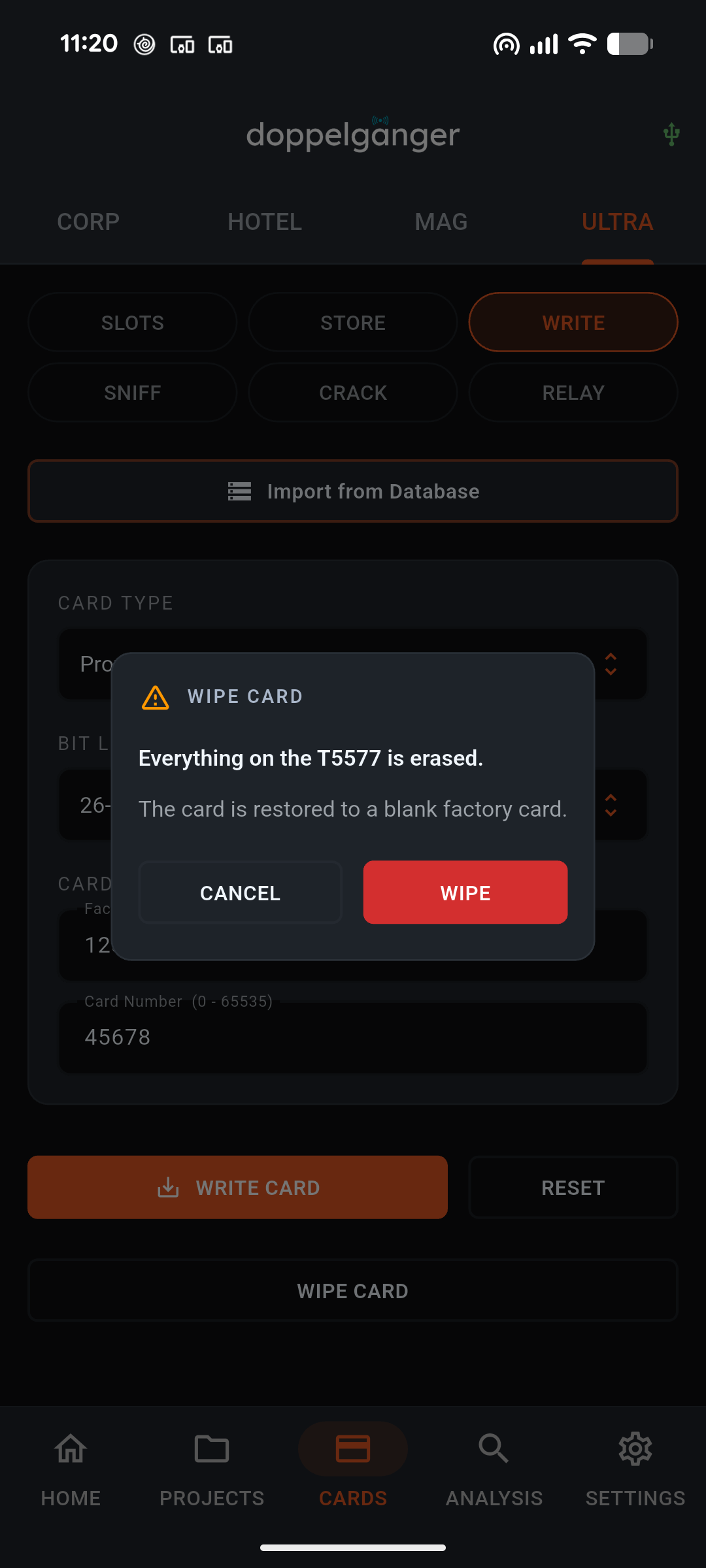
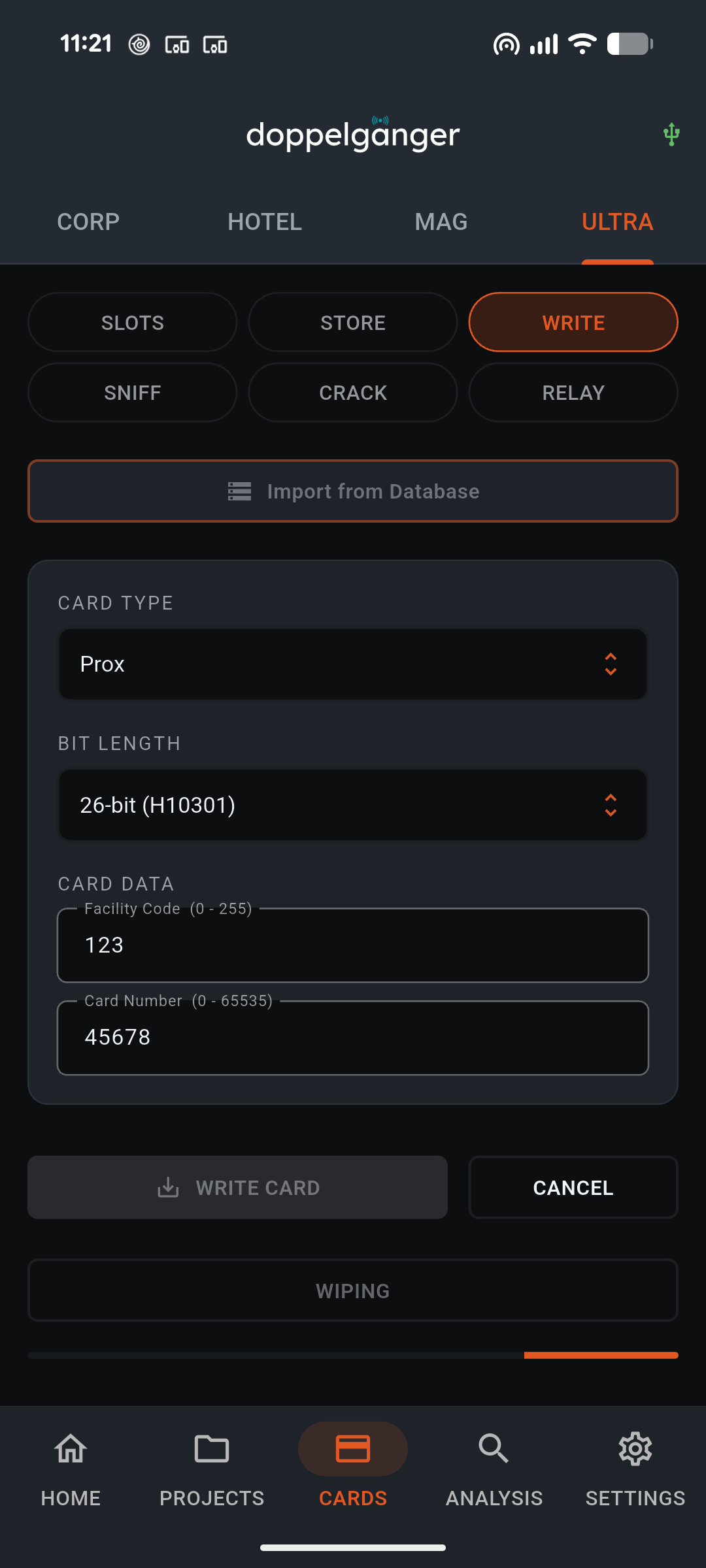
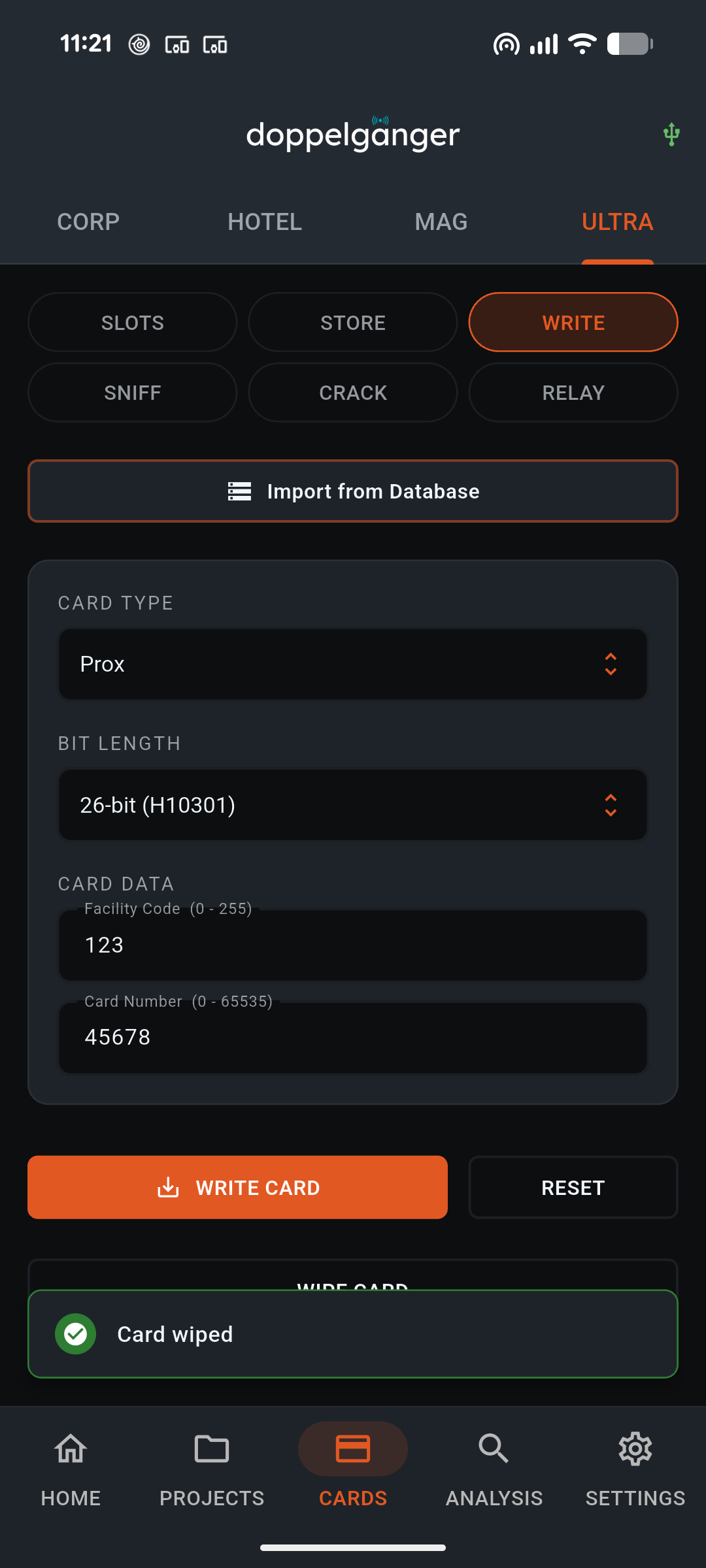
- WIPE CARD.
- Everything on the T5577 is erased.
- CANCEL, or WIPE in red.
- CANCEL, while the wipe runs.
- WIPING.
- WRITE CARD, ready for a credential.
- Card wiped.
| After WIPE | What happened |
|---|---|
| Card wiped | the card reads back as a blank factory card |
| Card not wiped, it still reads | the card still carries a credential after the wipe |
| No card answering | nothing answered on the ATLAS Chameleon Ultra |
| Wipe refused | the device would not run the wipe |
| Wipe failed | the command did not complete |
A write offers the same thing by itself when the card did not take it. If the read back finds a different credential on the card, or a card that answers and holds nothing readable, Card Needs Repair opens and says which. REPAIR wipes the card and writes the credential again in one pass, with the same WRITING and VERIFYING stages.
| After REPAIR | What happened |
|---|---|
| Card repaired, written and verified | wiped, written, read back, and the read is what was written |
| No card answering | nothing answered when the wipe started |
| Repair refused | the device would not run the wipe |
| Card could not be repaired | the wipe or the write after it did not end in a verified card |
No write on this page sends a password to the card.
Writing a capture from the database
Section titled “Writing a capture from the database”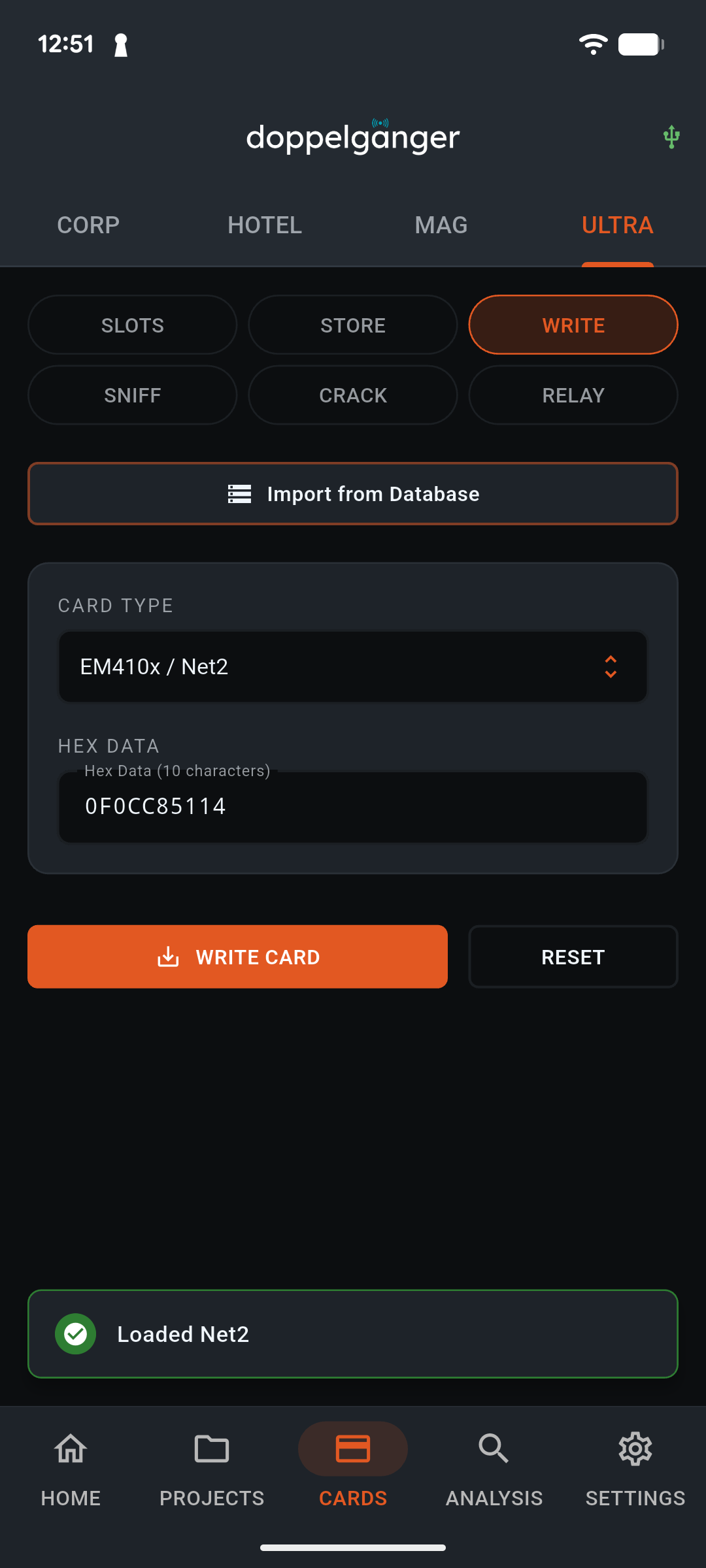
- Import from Database.
- CARD TYPE, set by the record.
- The hex, from the record.
- Loaded Net2.
- Tap Import from Database and pick the record.
- The form switches CARD TYPE and BIT LENGTH to match and fills the data, then reads Loaded and the record’s format.
- Check every box, slide the card between the handset and the ATLAS Chameleon Ultra, and tap WRITE CARD.
| The record | Lands on |
|---|---|
has iclass in its format | iCLASS 2k, on the matching BIT LENGTH |
| is a PSK Indala card, by name or by its frame | Indala, 64-bit (Indala64) |
| any other LF credential | the format whose name and bit length match, or failing that the first format of the same bit length |
| matches nothing this page writes | refused, the record’s format followed by cannot be written here |
RESET returns the page to EM410x / Net2 with every box empty. It touches neither the device nor the card.
Limits
Section titled “Limits”| Item | Value |
|---|---|
| Cards written | T5577, iCLASS 2k, iCLASS 2k SR |
| T5577 write, EM410x, Indala 64-bit, IO Prox | about 1.0 second |
| T5577 write, Pyramid | about 1.4 seconds |
| T5577 write, HID frames of 44 bits and up: 46-bit (H800002), 48-bit (C1k48s), 56-bit (avig56) | about 1.7 seconds |
| T5577 write, every other format | about 1.2 seconds |
| T5577 read back | one read pass, up to about 20 seconds when the card does not answer |
| Slots involved | none. WRITE does not read or change a slot |
| With no device connected | the form and Import from Database work, WRITE CARD is gray |
The write times are the app’s own estimates and drive the progress bar. They are not measured guarantees.
Where to go next
Section titled “Where to go next”| You want | Page |
|---|---|
| The ATLAS Chameleon Ultra to carry the credential itself | Store |
| To find out whether the reader takes iCLASS Legacy before writing one | Sniff and reader fingerprint |
| To write with a Proxmark instead | CORP, Write / Simulate |